Logo
MINECRAFTBIBLE
Items
Items

All game items

Blocks
Blocks

Building blocks

Mobs
Mobs

Creatures & monsters

Biomes
Biomes

World biomes

Structures
Structures

Generated structures

Recipes
Recipes

Crafting guides

Advancements
Advancements

Achievements

Loot Tables
Loot Tables

Drop rates

Tags
Tags

Item groupings

All Versions
View all data →
Capes
Cape ArchiveNEW

Browse rare Minecon capes, OptiFine capes, and custom capes from players worldwide

Browse

Player Database
Player DatabasePopular

Search any player

Skin Browser
Skin Browser

Browse & download skins

Cape Gallery
Cape GalleryNEW

Minecon & OptiFine capes

Seed Vault
Seed Vault

Curated seeds

Learn

Guides
GuidesNew

Tutorials & tips

Blog
Blog

News & updates

Community

Community Hub
Community HubHub

Posts, discussions & more

All Versions
View community →
Seed Analyzer
Seed Analyzer

World seed analysis

Loot Explorer
Loot Explorer

Drop rates

Crafting Calculator
Crafting Calculator

Material planning

Enchant Calculator
Enchant Calculator

Probability math

Redstone Lab
Redstone Lab

Signal timing

Trading Profit
Trading Profit

Villager ROI

All Versions
View all tools →
Mods
Mods

Browse all mods

Plugins
Plugins

Server plugins

Resource Packs
Resource Packs

Textures & sounds

Shaders
Shaders

Visual enhancements

Datapacks
Datapacks

World logic

Scanner
Mod Intelligence

Scan & analyze any mod

All Versions
View all mods →
Loading...
IntroductionIntroductionVersion HistoryVersion HistoryGuidesGuidesBlog & NewsBlog & News
ItemsItemsBlocksBlocksMobsMobsRecipesRecipesBiomesBiomesStructuresStructuresAdvancementsAdvancementsLoot TablesLoot TablesTagsTags
ModsModsPluginsPluginsResource PacksResource PacksShadersShadersDatapacksDatapacks

MinecraftBible

The Ultimate Wiki

Logo
MINECRAFTBIBLE

The ultimate Minecraft reference. Every item, block, mob, and recipe documented with precision.

Community

  • Player Database
  • Skin Browser
  • Cape Gallery
  • Community Hub
  • Seed Vault

Database

  • Items
  • Blocks
  • Mobs
  • Recipes
  • Biomes
  • Structures

Tools

  • Seed Analyzer
  • Mod Intelligence
  • Crafting Calculator
  • Enchant Calculator

Mods & Packs

  • Mods
  • Plugins
  • Resource Packs
  • Shaders
  • Datapacks

© 2026 MinecraftBible. Not affiliated with Mojang or Microsoft.

PrivacyTermsContact
Survivor Beacon
PluginLicenseRef-All-Rights-Reserved

Survivor Beacon

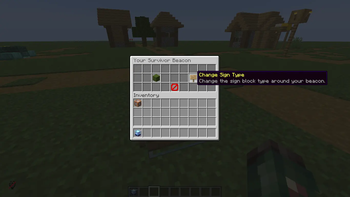
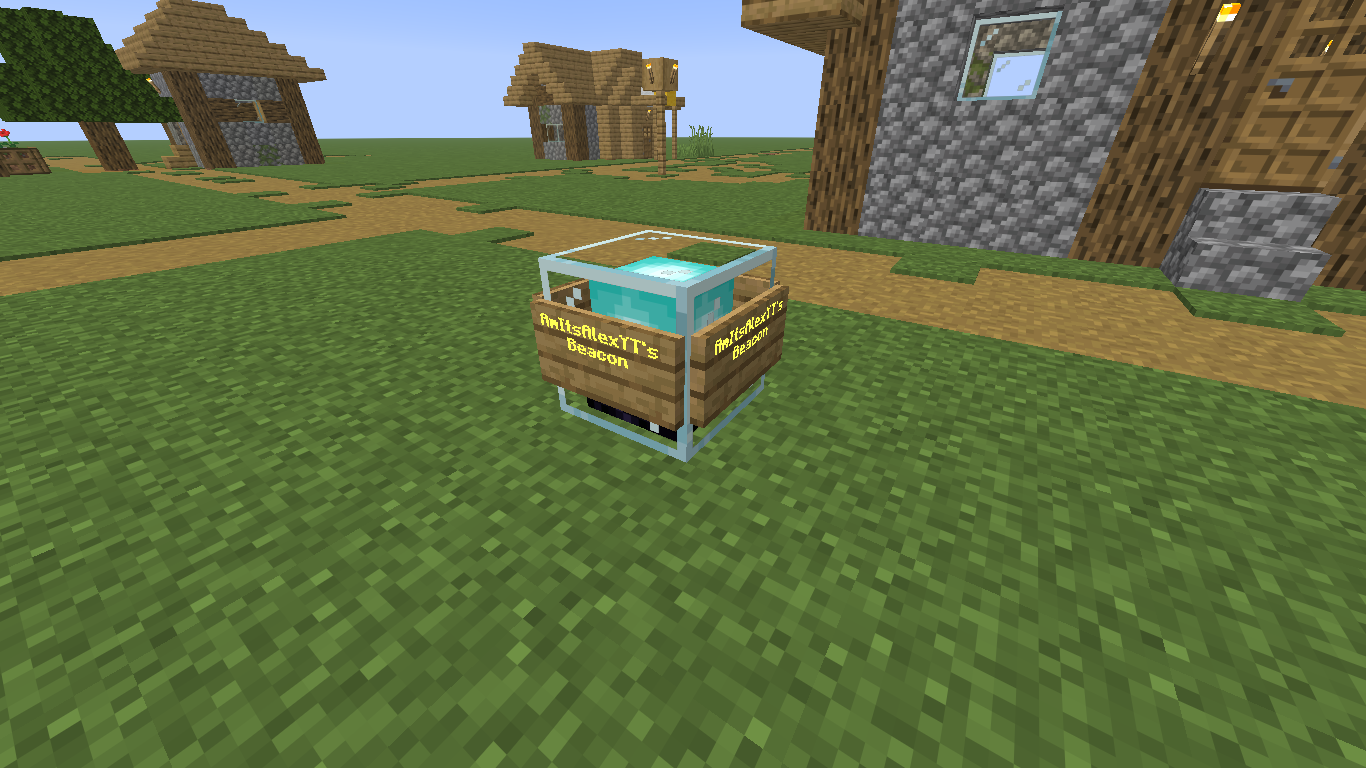
Place a beacon to claim it as your own, set your respawn point, customize its appearance, and track nearby players with a Hunter Compass. The Beacon also acts as your Spawnpoint.

5
Downloads
1
Followers
1 months ago
Updated
📦
3
Versions
adventuregame-mechanicsutilitybukkitpaperspigot
Download Latestv2.1.4View on Modrinth

📖About Survivor Beacon

Survivor Beacon

1.26+ | Paper, Spigot, Bukkit

About

This plugin is perfect for Survival Servers, PvP Servers, Hardcore Servers, Events & Minigames. Simple, lightweight, and easy to use.

Place a beacon to claim it as your own, set your respawn point, customize its appearance, and track nearby players with a Hunter Compass.
Screenshot of Survivor Beacon

Compasses

Hunter Compass - Tracks the nearest player in a 100 block radius.

Beacon Tracker Compass - Tracks a player's beacon nearby.

Image of a Compass Screenshot of Recovery Compass

Features

  • When a player's beacon is destroyed, they lose the ability to respawn.

  • Admin can choose what happens after a beacon is destroyed:

    • Spectator Mode
    • Kick Player
    • Respawn at a custom location
    • Teleport to a specific entity or player
  • Once player has the Survivor Beacon, they can't throw it out.

  • Custom sign colors

  • Custom sign types

  • Beacon particle and sound effects

  • Hunter Compass to track nearby players

  • Survivor Beacon Tracker Compass to track nearby beacons

  • Beacon protection system

  • Easy-to-use GUI menus

  • Admin beacon management

Important

IF THE COMMANDS DO NOT WORK, REMOVE THE PLUGIN (Survivor Beacon) FROM YOUR SERVER, REJOIN YOUR SERVER AND THEN TAG YOURSELF "owner" AND "admin" (NO CAPITAL LETTERS), THEN ADD THE PLUGIN BACK TO YOUR SERVER.

Permissions

Tag yourself "admin" to access admin commands.

/tag @s add admin

Commands

(Only players tagged "admin" can use HXS custom commands)

/hxs givebeacon - Gives yourself a Survivor Beacon.

/hxs compass - Gives you a Hunter Compass (detects the nearest player within a 100 block radius).

/hxs help - Lists all custom commands.

(Not all custom commands are shown above.)

Found a Bug? Please Report it here.

https://docs.google.com/forms

My YouTube Channel

https://youtube.com/@iamitsalex

👥 Team & Contributors

iamitsalex
iamitsalexOwner

⚙️ Compatibility

Environment
🖥️ Server-side
Loaders
bukkitpaperspigot
Minecraft Versions
26.126.1.126.1.226.2

🔗 Links

Modrinth Page