Logo
MINECRAFTBIBLE
Items
Items

All game items

Blocks
Blocks

Building blocks

Mobs
Mobs

Creatures & monsters

Biomes
Biomes

World biomes

Structures
Structures

Generated structures

Recipes
Recipes

Crafting guides

Advancements
Advancements

Achievements

Loot Tables
Loot Tables

Drop rates

Tags
Tags

Item groupings

All Versions
View all data →
Capes
Cape ArchiveNEW

Browse rare Minecon capes, OptiFine capes, and custom capes from players worldwide

Browse

Player Database
Player DatabasePopular

Search any player

Skin Browser
Skin Browser

Browse & download skins

Cape Gallery
Cape GalleryNEW

Minecon & OptiFine capes

Seed Vault
Seed Vault

Curated seeds

Learn

Guides
GuidesNew

Tutorials & tips

Blog
Blog

News & updates

Community

Community Hub
Community HubHub

Posts, discussions & more

All Versions
View community →
Seed Analyzer
Seed Analyzer

World seed analysis

Loot Explorer
Loot Explorer

Drop rates

Crafting Calculator
Crafting Calculator

Material planning

Enchant Calculator
Enchant Calculator

Probability math

Redstone Lab
Redstone Lab

Signal timing

Trading Profit
Trading Profit

Villager ROI

All Versions
View all tools →
Mods
Mods

Browse all mods

Plugins
Plugins

Server plugins

Resource Packs
Resource Packs

Textures & sounds

Shaders
Shaders

Visual enhancements

Datapacks
Datapacks

World logic

Scanner
Mod Intelligence

Scan & analyze any mod

All Versions
View all mods →
Loading...
IntroductionIntroductionVersion HistoryVersion HistoryGuidesGuidesBlog & NewsBlog & News
ItemsItemsBlocksBlocksMobsMobsRecipesRecipesBiomesBiomesStructuresStructuresAdvancementsAdvancementsLoot TablesLoot TablesTagsTags
ModsModsPluginsPluginsResource PacksResource PacksShadersShadersDatapacksDatapacks

MinecraftBible

The Ultimate Wiki

Logo
MINECRAFTBIBLE

The ultimate Minecraft reference. Every item, block, mob, and recipe documented with precision.

Community

  • Skin Browser
  • Cape Gallery
  • Seed Vault
  • Blog
  • Guides

Database

  • Items
  • Blocks
  • Mobs
  • Recipes
  • Biomes
  • Structures

Tools

  • Seed Analyzer
  • Mod Intelligence
  • Crafting Calculator
  • Enchant Calculator

Mods & Packs

  • Mods
  • Plugins
  • Resource Packs
  • Shaders
  • Datapacks

Site & Legal

  • About
  • Authors
  • Editorial Policy
  • Corrections
  • Contact
  • Privacy Policy
  • Terms of Service
  • DMCA
  • Sitemap

© 2026 MinecraftBible. Not affiliated with Mojang or Microsoft.

PrivacyTermsContact
Super Farming
PluginLicenseRef-GPLv3

Super Farming

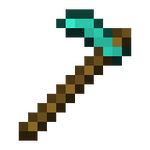
the hoe isn't a no useful tools now!

65
Downloads
1
Followers
10 months ago
Updated
📦
2
Versions
foodgame-mechanicstechnologybukkitfoliapaperspigot
Download Latestv1.0.1View on Modrinth

📖About Super Farming

Super Farming

中文文档 (Chinese README)

Super Farming is a Minecraft plugin designed for Folia/Paper/Spigot servers that introduces an advanced, automated farming system. It allows players to craft special "Super Hoes" that can be used to create fully automatic farms, handling everything from tilling and planting to fertilizing and harvesting.

Features

  • Tiered Super Hoes: Craft different levels of hoes with customizable abilities.
  • Fully Automatic Farms: Place a Tier 2 Super Hoe on a composter to create a farm that works automatically.
  • Customizable via Anvil: Use an anvil to upgrade your hoe's range, mode (fertilizing), and bone meal usage.
  • Configurable: Server administrators can adjust key parameters like processing speed, farm range, and bone meal limits via config.yml.
  • Folia Compatible: Built with Folia's multi-threaded environment in mind, ensuring thread-safe operations and server stability.
  • Permissions Support: Fine-grained control over who can use the plugin's features.
  • Multi-language Support: Comes with English and Chinese language files by default.

How to Get Started

1. Craft a Super Hoe (Tier 1)

You can craft a Tier 1 Super Hoe using the following recipe in a crafting table (this recipe can be customized):

  • Top Row: Diamond, Netherite Ingot, Diamond
  • Middle Row: Diamond, Netherite Hoe, Diamond
  • Bottom Row: Air, Netherite Ingot, Air

2. Upgrade the Hoe (Optional)

You can customize your Super Hoe on an anvil:

  • Rename: Give your hoe a custom name.
  • Combine with Echo Shard: Increases the Y-axis range of the hoe's farming operations.
  • Combine with Bone Meal: Sets the maximum amount of bone meal the automatic farm will use per cycle.
  • Combine with Redstone: Toggles the fertilizer mode on or off.

3. Craft a Tier 2 Super Hoe

To create an automatic farm, you need a Tier 2 Super Hoe. Craft it using the following recipe:

  • Place a Tier 1 Super Hoe in the center of a Smithing Table.
  • Add a Nether Star to the upgrade slot.

4. Create an Automatic Farm

  1. Place a Composter block on the ground. This will be the center of your farm.
  2. Hold the Tier 2 Super Hoe.
  3. Sneak and right-click the Composter.

The hoe will be placed in an invisible armor stand, and the farm will activate, automatically farming the area around the composter.

5. Deactivate the Farm

To get your hoe back and stop the farm, simply break the Composter block. If you are the owner, the hoe will be returned to your inventory.

Commands

  • /super_farming reload - Reloads the plugin's config.yml and language files.
  • /super_farming give <player> <item_name> - Gives a player a specific Super Farming item (e.g., super_hoe_tier1).

Permissions

  • super_farming.reload: Allows a player to use the /super_farming reload command.
  • super_farming.give: Allows a player to use the /super_farming give command.
  • super_farming.admin.bypass: Allows a player to break or retrieve farms they do not own.

Configuration (config.yml)

The config.yml file allows you to customize various aspects of the plugin:

# How often the farm processing task runs (in ticks). 20 ticks = 1 second.
farm-processing-interval: 20

# The maximum Y-level range a farm can search for blocks to farm.
# This can be upgraded on a hoe using an Echo Shard.
max-y-range: 5

# The maximum amount of bone meal an automatic farm can use per cycle.
# This can be set on a hoe by combining it with bone meal in an anvil.
max-bonemeal-amount: 10

👥 Team & Contributors

Little100
Little100Owner

⚙️ Compatibility

Environment
🖥️ Server-side
Loaders
bukkitfoliapaperspigot
Minecraft Versions
1.211.21.11.21.21.21.31.21.41.21.51.21.61.21.7+1 more

🔗 Links

Modrinth Page