Logo
MINECRAFTBIBLE
Items
Items

All game items

Blocks
Blocks

Building blocks

Mobs
Mobs

Creatures & monsters

Biomes
Biomes

World biomes

Structures
Structures

Generated structures

Recipes
Recipes

Crafting guides

Advancements
Advancements

Achievements

Loot Tables
Loot Tables

Drop rates

Tags
Tags

Item groupings

All Versions
View all data →
Capes
Cape ArchiveNEW

Browse rare Minecon capes, OptiFine capes, and custom capes from players worldwide

Browse

Player Database
Player DatabasePopular

Search any player

Skin Browser
Skin Browser

Browse & download skins

Cape Gallery
Cape GalleryNEW

Minecon & OptiFine capes

Seed Vault
Seed Vault

Curated seeds

Learn

Guides
GuidesNew

Tutorials & tips

Blog
Blog

News & updates

Community

Community Hub
Community HubHub

Posts, discussions & more

All Versions
View community →
Seed Analyzer
Seed Analyzer

World seed analysis

Loot Explorer
Loot Explorer

Drop rates

Crafting Calculator
Crafting Calculator

Material planning

Enchant Calculator
Enchant Calculator

Probability math

Redstone Lab
Redstone Lab

Signal timing

Trading Profit
Trading Profit

Villager ROI

All Versions
View all tools →
Mods
Mods

Browse all mods

Plugins
Plugins

Server plugins

Resource Packs
Resource Packs

Textures & sounds

Shaders
Shaders

Visual enhancements

Datapacks
Datapacks

World logic

Scanner
Mod Intelligence

Scan & analyze any mod

All Versions
View all mods →
Loading...
IntroductionIntroductionVersion HistoryVersion HistoryGuidesGuidesBlog & NewsBlog & News
ItemsItemsBlocksBlocksMobsMobsRecipesRecipesBiomesBiomesStructuresStructuresAdvancementsAdvancementsLoot TablesLoot TablesTagsTags
ModsModsPluginsPluginsResource PacksResource PacksShadersShadersDatapacksDatapacks

MinecraftBible

The Ultimate Wiki

Logo
MINECRAFTBIBLE

The ultimate Minecraft reference. Every item, block, mob, and recipe documented with precision.

Community

  • Player Database
  • Skin Browser
  • Cape Gallery
  • Community Hub
  • Seed Vault

Database

  • Items
  • Blocks
  • Mobs
  • Recipes
  • Biomes
  • Structures

Tools

  • Seed Analyzer
  • Mod Intelligence
  • Crafting Calculator
  • Enchant Calculator

Mods & Packs

  • Mods
  • Plugins
  • Resource Packs
  • Shaders
  • Datapacks

© 2026 MinecraftBible. Not affiliated with Mojang or Microsoft.

PrivacyTermsContact
SpearProgression
PluginMIT

SpearProgression

A Spear SMP style progression plugin where spears evolve on kills.

23
Downloads
1
Followers
3 months ago
Updated
📦
1
Versions
adventureoptimizationutilitypaperspigot
Download Latestv1.21.11View on Modrinth

📖About SpearProgression

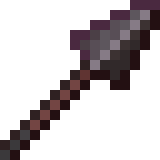
This plugin is named SpearProgression. It is a custom Minecraft plugin designed for a "Spear SMP" style server where players progress by upgrading a specific weapon—the spear—through PvP kills. What This Plugin Does Spear Evolution System: Players start with a Wooden Spear. As you kill other players while holding your spear, your kill count increases. Reaching specific kill milestones automatically evolves your spear to the next tier (Material changes and stats improve). Tiers: 0-4 Kills: Wooden Spear 5-9 Kills: Stone Spear 10-14 Kills: Iron Spear 15-19 Kills: Diamond Spear 20+ Kills: Netherite Spear (God Mode: Gets almost every enchantment) Custom Stats & Enchants: Spears have Unbreaking 255 (effectively infinite durability). Sharpness scales with your kills within each tier. Attack Speed is modified to be slower (-2.46), making it feel heavy like a real spear. Attack Damage is set to base 1.0 + enchantments. Upon reaching the Netherite tier, the spear becomes a "super weapon," gaining level 10 (or 5) of nearly every enchantment in the game. Death Mechanics: Keep-Inventory (Spears Only): If you die, you do not lose your spear. It stays in your inventory (soulbound behavior), so you don't lose your progress. The killer (if they used a spear) gets +1 Kill and their spear might upgrade. Persistence: Your kill count and progress are saved in the config.yml. If the server restarts, you pick up right where you left off. How to Use It Installation: Ensure the compiled .jar file is in your server's plugins folder. Restart the server. Starting the Event: An admin (or console) must run the command: /start What happens: This sets the game state to "Started." All online players instantly receive their spear (based on previous progress or a fresh Wooden Spear). Joining Late: If a player joins after the game has started, they will automatically receive their spear after a 1-second delay. Gameplay: Equip your spear. Find and fight other players. When you get a kill, you will hear a "Level Up" sound, see a title on your screen (e.g., "Your spear evolved into Iron Spear!"), and your item will instantly transform. Permisions & Commands /start: Starts the game and distributes weapons. (Requires OP or standard command permissions).****

👥 Team & Contributors

hackerboy2
hackerboy2Owner

⚙️ Compatibility

Environment
🖥️ Server-side
Loaders
paperspigot
Minecraft Versions
1.201.20.11.20.21.20.31.20.41.20.51.20.6

🔗 Links

Modrinth Page