✦ Description
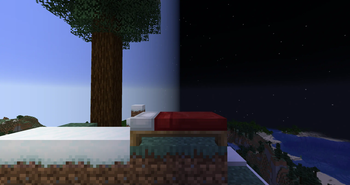
Customize your night skips with a set sleep threshold, animation, and voting. All customizable in the config.

✦ Features
- Skip the night with a percentage of players sleeping.
- Skip the night with a configurable voting system.
- Animate skipping the night.
- Fully configurable chat messages, with support for color codes or Minimessage.
- Support for multiple worlds with independent sleep cycles and tracking.
- Support for lying down with GSit to sleep.
- Support for ignoring Essentials AFK players.
✦ Permissions
- sleeper.sleep - Allow the use of '/sleep' to access it's sub-commands.
- sleeper.vote - Allow voting with '/sleep yes' and '/sleep no'.
- sleeper.reload - Allow the use of '/sleep reload' to reload the config.
- sleeper.ignore - Allow the use of '/sleep ignore' to be ignored for sleep.
- sleeper.data - Allows the use of '/sleep debug' to see debug information.
✦ Commands
- /sleep - Main command, which contains all the subcommands: yes, no, votes, ignore, debug, reload (sleeper.sleep). The ignore subcommand can take two optional paremeters: /sleep ignore <True/False>
✦ Config/Setup
An up to date config is available here.
Config Values:
Plugin settings
- CheckForUpdates - Toggle update checking by checking the Spigot api.
- FormattingType - Switch between "minecraft" and "minimessage" to format messages with color codes or minimessage.
Main settings
- UseAnimation - Toggle if skipping is animated or not.
- SkipPercentage - Percentage of online players sleeping to skip the night at.
- SkipSpeed - Speed for the skip animation.
- DelaySleep - Toggle a delay for sleeping after entering a bed.
- DelaySeconds - Set the above delay in seconds.
- ActionbarMessages - Toggle sending messages through the action bar.
- PersistentSleepInfo - Toggle keeping sleep info messages on the actionbar for the below time.
- PersistenceTime - Time to show sleep info on the actionbar in seconds, for the above setting.
- DayTime - The time considered morning. Nights will be skipped up to this time.
- NightTime - The time considered the the start of the night. Allows voting or sleeping with GSit.
- BroadcastSleepInfo - Toggle broadcasting sleep info to everyone instead of just the sleeper.
Voting settings
- VoteSkip - Toggle skip votes.
- YesMultiplier - Multiplier for yes votes to boost or nerf their value.
- NoMultiplier - Multiplier for no votes to boost or nerf their value.
- SkipVotePercent - Percent for skipping based on a vote. Calculated as yes votes minus no votes, divided by the amount of online players.
- BlockBedsAfterVoting - Blocks entering a bed after you've voted. Also automatically votes yes when entering a bed.
- BossbarVoteCount - Display the current vote on the bossbar.
- ActionbarVoteCount - Display the current vote on the actionbar.
- SendVotesOnStart - Toggle sending the vote options when a vote starts.
- StartWithoutSleep - Allow starting votes with the vote commands themselves.
- MaxVoteTime - The time in seconds for the below setting.
- LimitedVoteTime - Limit voting time to the above setting.
Plugin integration settings
- GSitPoseToSleep - Toggle lying down with GSit counting as sleeping.
- IgnoreAFKPlayers - Toggle ignoring players AFK with Essentials.
After these config values there are configurable messages used by the plugin. The sleep info and skip messages can be disabled by setting them as blank in the config.
✦ Issues/Problems
Please report any issues or problems on the github issue tracker.
✦ Links