


SkyGridx
Experience the Latest Blocks, Customize Your SkyGrid, and Enjoy Real-Time, Efficient Generation.
📖About SkyGridx
SkyGridx - Official Support & Downloads
Join our Discord Community for help, support, issues, feedback, and discussions!
Click here to join: Join Our Discord
Download Links:
Overview
The SkyGrid Plugin offers access to the latest blocks (26.1.2) and empowers users to fully customize the grids in the Overworld, Nether, and End dimensions. The initial generation process, which typically takes ~1 minute, adapts to the server's capabilities. Subsequently, all generation activities occur efficiently in real-time.
This plugin also includes a built-in random teleport command for each dimension, ensuring that players can safely explore their chosen realm. Furthermore, it features an ore generator that can modify stone generation to create various blocks of your choice. While currently configured primarily for ores, the possibilities are virtually endless.
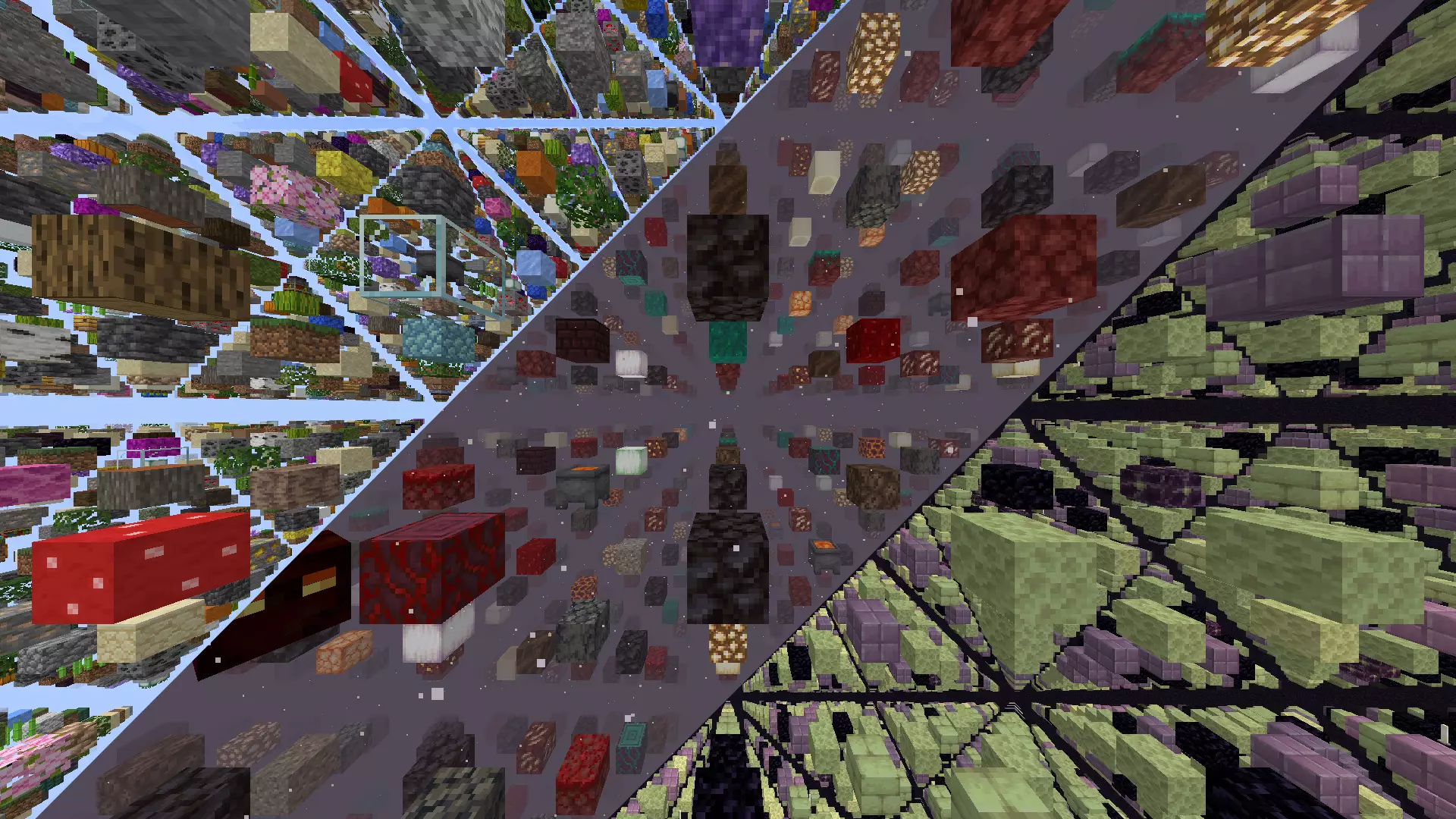
Key Features:
Block Selection:
- Create a unique SkyGrid with a variety of blocks from the Bukkit Material page.
- Customize block types and percentages effortlessly.
Real-time Generation:
- SkyGrid generates in real-time as you explore.
Built-in Fog Feature:
- Fog feature accompanied by a texture pack. Admins can enable it using
/fogonand disable with/fogoff. This feature allows lower render distances without disrupting immersion. - Feature is included in the settings file if you would like to enable it by default, it will come as disabled by default.
Material Distribution:
- Define personalized materials for block placement per world.
- Fine-tune material distribution percentages for a distinct experience.
- Choose parent materials as well as materials for all the sides and ends of said parent block material
Biome-Specific Grids:
- Customize grids in Overworld, Nether, and End with unique blocks at the biome level.
Ore Generation:
- Seamlessly integrated into the gameplay, this feature replaced generated stone, cobblestone or basalt with any blocks you want.
- The block types generated, and their percentages can be effortlessly modified to suit your preferences in the ores.yml file inside the OreGenBlock folder, and work on all worlds where stone, cobblestone or basalt can be generated.
Teleportation Command:
- Securely teleport to random locations in
- Overworld (/tpr overworld) or (/tpro)
- Nether (/tpr nether) or (/tprn)
- End (/tpr end) or (/tpre).
- Range can be customized in the settings
- Settings also include cooldown for per world command reuse
- All have their own individualize permissions
Spawner Settings:
- The available entities for use can be found at here
- Fine-tune spawner settings for entities, delay, max nearby entities, and more.
- Random entity selection based on spawn weights for added unpredictability.
- Customize spawners for specific biomes at the block level, adding a new layer of customization. For example, if you specify the biome as
DEEP_DARK,you can configure spawners to spawnWARDENentities exclusively in that biome.
Chest Loot Customization:
- Tailor chest loot settings with precision, specifying items, percentages, amounts, custom names, Enchantments , lore colors and more.
- Tiered loot distribution for added variety, each tier with its own set of items and probabilities.
- Customize chest loot for specific biomes, allowing for a more immersive and thematic distribution of items based on the environment.
Mini Chunk Regeneration
- Periodically regenerate selected chunks on a timer without touching the surrounding world.
- Configure with
/miniregenorMiniRegen/mini_regen_settings.ymlonce chunks have been chosen. - Supports custom material distributions and grouping for bulk removal.
Enhanced Eye of Ender
- Eyes follow a smooth arc to the nearest registered portal, hover for 5 s with particles, then refund the eye.
- If no portal exists, they pop instantly with a small explosion and refund.
- Portal coordinates stored in an efficient binary file (
portals.dat). - This is only for
END_PORTALmaterials used in the grid, and serves as a replacement for the missing stronghold structure.
Commands:
/tpr [world]: Random teleport in the Overworld, Nether, or End./tpro: Random teleport in the Overworld./tprn: Random teleport in the Nether./tpre: Random teleport in the End./fogon: Enable fog./fogoff: Disable fog./eclogson: Enable Event Control logging./eclogsoff: Disable Event Control logging./patch: Patch files to update materials and entities to the newest version./miniregen add [interval in seconds] [alias] [distribution] [group(optional)]: Schedule mini chunk regeneration for your current chunk./miniregen remove [alias]: Remove a mini chunk regeneration setting by alias./miniregen remove group [groupName]: Remove all mini regeneration settings in a given group.
Permissions:
(Default all)
sg.tpr: Allows teleportation to Overworld, Nether, and End using the/tpr [world]command.sg.tpr.overworld: Grants permission to use the/tprocommand for teleportation in the Overworld.sg.tpr.nether: Grants permission to use the/tprncommand for teleportation in the Nether.sg.tpr.end: Enables usage of the/tprecommand for teleportation in the End.
(Default OP)
sg.tpr.*: Provides access to all teleportation commands.sg.fogon: Allows enabling fog using the/fogoncommand.sg.fogoff: Allows disabling fog with the/fogoffcommand.sg.eclogson: Grants permission to enable Event Control logging using/eclogson.sg.eclogsoff: Grants permission to disable Event Control logging using/eclogsoff.sg.patch: Allows patching files to update materials and entities to another version.sg.regen: Grants permission to regenerate all loaded chunks using the/regencommand.sg.miniregen: Grants permission to manage mini chunk regeneration using the/miniregencommand.sg.*: Provides access to all SkyGrid commands.
Installation Instructions
For detailed installation instructions, click here.
Configuration Files
- Plugin Settings
- Ore Generator Settings
- Mob Spawner Settings
- Chest Settings
- SkyGrid World Block Selection Guide