
MINECRAFTBIBLE
Loading...

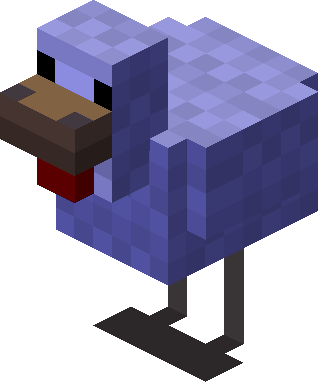
This add-on will make the selected entities spawn with random sizes using the scale attribute, also, you will be able to set custom damage, speed, life and drops according to the size.
Take advantage of the new features of 1.21 and give your players new experiences! **This add-on will make the selected entities spawn with random sizes using the scale attribute, also, you will be able to set custom damage, speed, life and drops according to the size.
**
This plugin only works in 1.21, it is fully compatible with Paper and any Paper fork.
/scalespawn reload Permission: scalespawn.reload
/scalespawn gui Permission: scalespawn.gui
You can set the maximum and minimum scale
Allowed mobs and worlds
Allowed spawn reasons
Adjust the dropping according to the size (scale)
Adjust life, speed and damage according to the scale
Add custom drops according to size, with probability and amount
And much more!
# DONT CHANGE THIS!
version: 1.0

Spawn:
  mythic-mobs-compatibility: false
  scale-mythic-mobs: false
  # Probability that an entity spawns with the modified scale, the higher this number the higher the probability, ex: 0.2 = 20%
  spawn-scaled-probability: 0.4
  allowed-worlds:
    - world
    - world_the_nether
  scale-only-from-list: true
  # Entities from this list, some entities can throw errors
  # https://hub.spigotmc.org/javadocs/spigot/org/bukkit/entity/LivingEntity.html
  scale-list:
    - SKELETON
    - ZOMBIE
    - IRON_GOLEM
    - WOLF
    - SPIDER
    - OCELOT
    - COW
    - HORSE
    - BEE
    - WITHER
  scale-all-reasons: false
  # Spawn reasons from this list, warning, some spawn reasons can throw errors
  # https://hub.spigotmc.org/javadocs/spigot/org/bukkit/event/entity/CreatureSpawnEvent.SpawnReason.html
  scale-spawn-reason:
    - VILLAGE_DEFENSE
    - VILLAGE_INVASION
    - RAID
    - TRIAL_SPAWNER
    - EGG
    - SPAWNER_EGG
    - COMMAND
    - SPAWNER
    - BUILD_IRONGOLEM
    - BUILD_SNOWMAN
    - BUILD_WITHER
    - BEEHIVE
    - PATROL
    - NATURAL
    - CHUNK_GEN
  # If you have problems with animals or certain entities it is because they
  # are generated when the chunk is loaded and “CHUNK_GEN” is deprecated as SpawnReason.
  # This onlly affects animals and only when spawning naturally, all other SpawnReasons (spawn eggs, mob spawners, etc..) should work.
  # There may be some errors with Chunky since as it pregenerates the Chunks the entities (animals only) may not scaled correctly.
  # This option is better on servers with high resources and good performance.
  # If you wanna use the chunk loader system you need to put
  # "allow-chunk-load-listener" to true and "process-entities-on-load-new-chunks" to true and then restart the server
  allow-chunk-load-listener: false
  process-entities-on-load-new-chunks: false

Scale:
  min-scale: 0.5
  max-scale: 1.5
  # More or less hearts depending on size
  life-per-scale: true
  max-health-scale: 100.0
  # More or less damage depending on size
  damage-per-scale: true
  max-damage-scale: 18.0
  # More or less speed depending on size
  speed-per-scale: true
  max-speed-scale: 2.0


Drops:
  # This means that the larger the scale, the greater the number of objects given by the entity.
  adjusts-drops: true
  # The negative drop multiplier applies to the entity when the scale is less than 1.0
  negative-drop-multiplier: 0.5
  # The positive drop multiplier applies to the entity when the scale is greater than 1.0
  positive-drop-multiplier: 1.3
  custom-drops: true
  # -- scale condition --
  # example: >1.2 :: The item will be dropped if the scale is greater than 1.2
  # example: <1.2 The item will be dropped if the scale is less than 1.2
  # example: =1.2 The item will be dropped if the scale equals 1.2
  # -- items --
  # DIAMOND;1;0.2 -> ITEM;QUANTITY;PROBABILITY (DOUBLE) 0.2 = 20%
  drops:
    COW:
      scale: ">1.2"
      items:
        - FEATHER;1;0.2

Messages:
  no-permission: "&cYou do not have permissions to use this, contact the administrators if you think this is an error."

