PluginMIT
RMBNametags
A plugin to hide player names and show them on right-click in actionbar
1.5K
Downloads
4
Followers
2 months ago
Updated
📦
8
Versions
📖About RMBNametags
RMBNametags


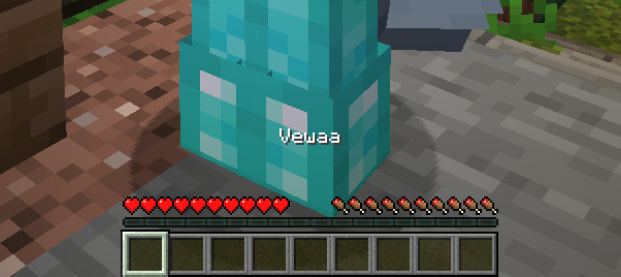
A simple Minecraft plugin to hide player names and show them on right-click in actionbar. PlaceholderAPI supported include Relational placeholders.
Features
- Hide player name tags by default
- Show names on right-click (actionbar or subtitle)
- PlaceholderAPI support with relational placeholders
- Custom hide names with special format
- Hide/show commands with custom names
- Invisibility respect option
Commands
| Command | Description | Permission |
|---|---|---|
/rmbnametags reload |
Reload plugin configuration | rmbnametags.reload |
/rmbnametags hide |
Hide your own nickname | rmbnametags.hide-show |
/rmbnametags hide <player> |
Hide another player's nickname | rmbnametags.hide-show.other |
/rmbnametags hide <player> <custom name> |
Hide with custom display name | rmbnametags.hide-show.other + rmbnametags.hide.custom |
/rmbnametags show |
Show your own nickname | rmbnametags.hide-show |
/rmbnametags show <player> |
Show another player's nickname | rmbnametags.hide-show.other |
Permissions
| Permission | Description | Default |
|---|---|---|
rmbnametags.reload |
Reload plugin configuration | op |
rmbnametags.hide-show |
Hide or show own nametag | true |
rmbnametags.hide-show.other |
Hide or show other players nametags | op |
rmbnametags.hide.custom |
Set custom names when hiding | op |
Configuration
# display time in seconds (min 1s)
display-time: 3

# Change nickname format here
# Use & for colors or HEX (#RRGGBB) and {PLAYER_NAME} variable
name-format: "&a&l{PLAYER_NAME}"

# Format for hidden players (if empty, nothing will be shown)
hide-name-format: "&a&lUnknown"

# If true, plugin will NOT show nametag when the target player is invisible
respect-invisibility: false

# Where to display the nickname: "actionbar" (default) or "subtitle"
display-location: "actionbar"

# If true, hidden players will still show their custom name when clicked
show-hidden-players: true

# Messages (English by default)
Messages:
  Reload: "&a&lRMBNametags config reloaded!"
  Not-Reload: "&c&lAn error occurred during a config reload"
  No-Permission: "&cYou don't have permission to use this command!"
  Player-Not-Found: "&cPlayer not found or offline!"
  Console-Specify-Player: "&cConsole must specify a player!"
  Hide-Self: "&aYour nickname is now hidden"
  Hide-Other: "&aPlayer %player%'s nickname is now hidden"
  Show-Self: "&aYour nickname is now visible"
  Show-Other: "&aPlayer %player%'s nickname is now visible"
  Hide-Custom-Self: "&aYour nickname is now hidden with custom name: %custom_name%"
  Hide-Custom-Other: "&aPlayer %player%'s nickname is now hidden with custom name: %custom_name%"
  Already-hidden: "&cPlayer %player%'s nickname is already hidden"
  Already-Visible: "&cPlayer %player%'s nickname is already visible"
bStats