Logo
MINECRAFTBIBLE
Items
Items

All game items

Blocks
Blocks

Building blocks

Mobs
Mobs

Creatures & monsters

Biomes
Biomes

World biomes

Structures
Structures

Generated structures

Recipes
Recipes

Crafting guides

Advancements
Advancements

Achievements

Loot Tables
Loot Tables

Drop rates

Tags
Tags

Item groupings

All Versions
View all data →
Capes
Cape ArchiveNEW

Browse rare Minecon capes, OptiFine capes, and custom capes from players worldwide

Browse

Player Database
Player DatabasePopular

Search any player

Skin Browser
Skin Browser

Browse & download skins

Cape Gallery
Cape GalleryNEW

Minecon & OptiFine capes

Seed Vault
Seed Vault

Curated seeds

Learn

Guides
GuidesNew

Tutorials & tips

Blog
Blog

News & updates

Community

Community Hub
Community HubHub

Posts, discussions & more

All Versions
View community →
Seed Analyzer
Seed Analyzer

World seed analysis

Loot Explorer
Loot Explorer

Drop rates

Crafting Calculator
Crafting Calculator

Material planning

Enchant Calculator
Enchant Calculator

Probability math

Redstone Lab
Redstone Lab

Signal timing

Trading Profit
Trading Profit

Villager ROI

All Versions
View all tools →
Mods
Mods

Browse all mods

Plugins
Plugins

Server plugins

Resource Packs
Resource Packs

Textures & sounds

Shaders
Shaders

Visual enhancements

Datapacks
Datapacks

World logic

Scanner
Mod Intelligence

Scan & analyze any mod

All Versions
View all mods →
Loading...
IntroductionIntroductionVersion HistoryVersion HistoryGuidesGuidesBlog & NewsBlog & News
ItemsItemsBlocksBlocksMobsMobsRecipesRecipesBiomesBiomesStructuresStructuresAdvancementsAdvancementsLoot TablesLoot TablesTagsTags
ModsModsPluginsPluginsResource PacksResource PacksShadersShadersDatapacksDatapacks

MinecraftBible

The Ultimate Wiki

Logo
MINECRAFTBIBLE

The ultimate Minecraft reference. Every item, block, mob, and recipe documented with precision.

Community

  • Skin Browser
  • Cape Gallery
  • Seed Vault
  • Blog
  • Guides

Database

  • Items
  • Blocks
  • Mobs
  • Recipes
  • Biomes
  • Structures

Tools

  • Seed Analyzer
  • Mod Intelligence
  • Crafting Calculator
  • Enchant Calculator

Mods & Packs

  • Mods
  • Plugins
  • Resource Packs
  • Shaders
  • Datapacks

Site & Legal

  • About
  • Authors
  • Editorial Policy
  • Corrections
  • Contact
  • Privacy Policy
  • Terms of Service
  • DMCA
  • Sitemap

© 2026 MinecraftBible. Not affiliated with Mojang or Microsoft.

PrivacyTermsContact
RayTrace Anti Entity ESP
PluginGPL-3.0-only

RayTrace Anti Entity ESP

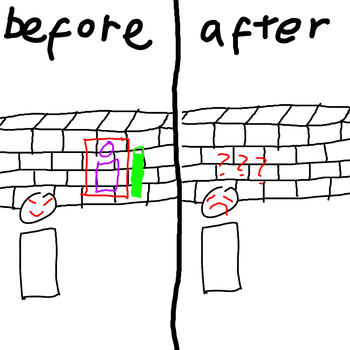
A Paper plugin that prevents players from seeing entities through walls.

41
Downloads
3
Followers
1 months ago
Updated
📦
2
Versions
managementtechnologyutilitybukkitpaperpurpurspigot
Download Latestv1.0.1View on Modrinth

📖About RayTrace Anti Entity ESP

RayTrace Anti Entity ESP

A Paper plugin that prevents players from seeing entities through walls.

It uses a DDA raytrace algorithm to check each entity's visibility per player every tick — entities hidden behind solid
blocks are concealed at the packet level, meaning clients never receive data for entities they shouldn't see.
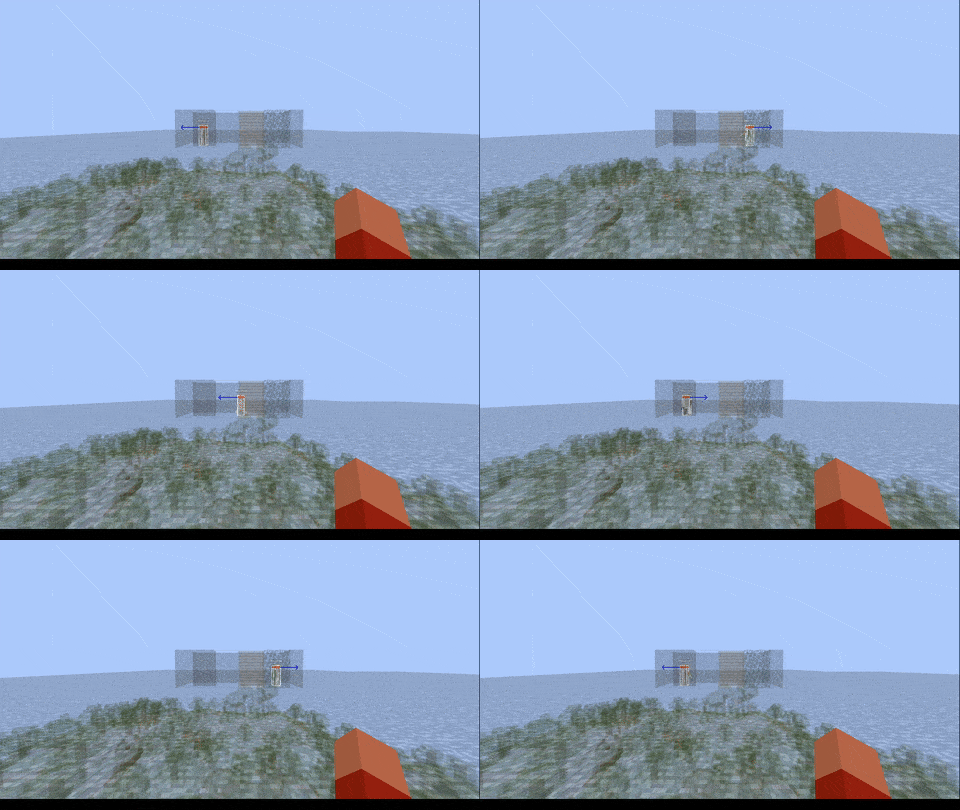
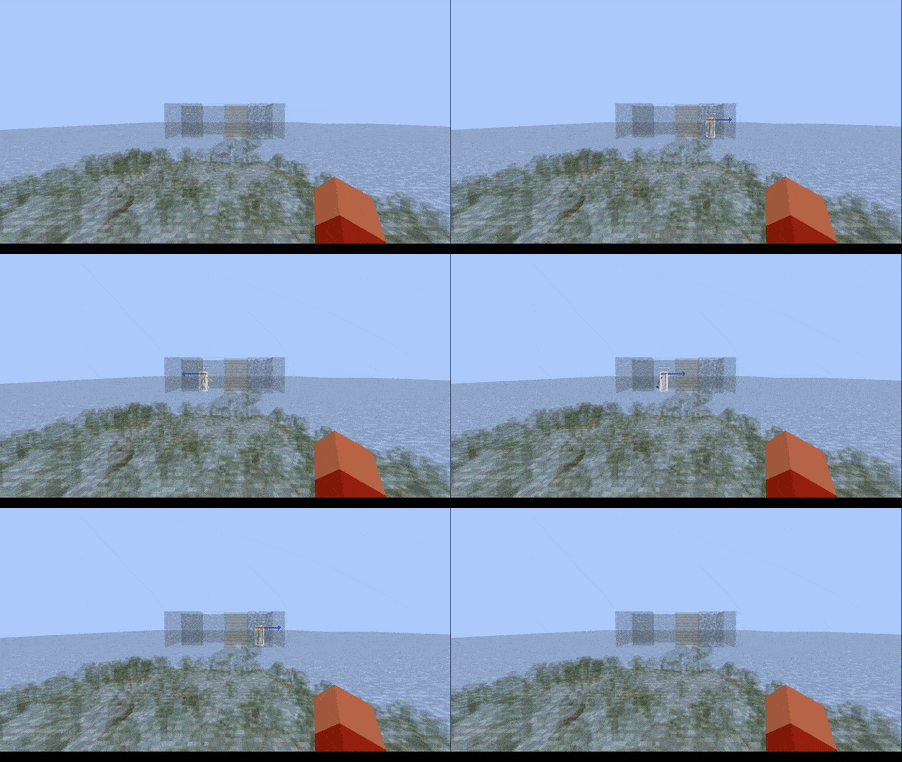
Demo

View

Without RayTrace Anti Entity ESP

RayTraceAntiEntityESP without plugin

With RayTrace Anti Entity ESP

RayTraceAntiEntityESP without plugin

Installation

View
  1. Download the latest .jar from Download Link.
  2. Drop the .jar into your server's /plugins folder.
  3. Restart your server (do not use /reload).
  4. Edit the generated config.yml in plugins/RayTraceAntiEntityESP/config.yml to
    your liking.
  5. Run /rtaee reload in-game to apply config changes without restarting.

⚠️ Requirements: Paper 1.21.x.

⚠️ Do not enable, disable or reload this plugin using plugin managers or /reload. It will not work properly and may
cause issues.


Configuration

View
checking:
  enabled: true
  period_ticks: 1        # How often to run the check loop in ticks (recommended: 1 when using stagger_groups)
  stagger_groups: 3      # Divide entities into N groups, checking 1 group per tick for smooth CPU usage (1 = disabled)
  distance_override: 10   # Entities within this many blocks are always shown (0 to disable)
  bounding_box_extra_value: 0  # Expand entity bounding box for more lenient detection
  vertices_layers: 4     # Sample points per entity (min 2, higher = more accurate)
perspective_checking:
  enabled: true
  distances_from_head: 4 # Simulated third-person camera distance in blocks
display_name:
  enabled: true          # Show a fake name tag above hidden entities
  offset_y: 0            # Vertical offset of the name tag above the entity's head
debug:
  enabled: false         # Show block markers at raytrace vertices (testing only)
anti_entities:
  - player
anti_mode: whitelist     # whitelist = only listed types | blacklist = all except listed
exclude_entity_tag: raytrace_anti_entity_esp_excluded  # Tag an entity with this to always show it

Commands

View

All commands require OP or the raytrace_anti_entity_esp.admin permission. Alias: /rtaee

Command Description
/rtaee reload Reload config from disk
/rtaee config_value Print all current config values
/rtaee enabled <true|false> Enable or disable the plugin
/rtaee checking_period_ticks <value> Set check frequency
/rtaee checking_stagger_groups <value> Set entity check stagger groups
/rtaee checking_distance_override <value> Set always-show range
/rtaee bounding_box_extra_value <value> Set bounding box expansion
/rtaee vertices_layers <value> Set vertex sample count
/rtaee perspective_checking <enabled|distances_from_head> <value> Perspective options
/rtaee display_name <enabled|offset_y> <value> Name tag options
/rtaee debug enabled <true|false> Toggle debug mode
/rtaee anti_entities <add|remove|list|clear> [type] Edit entity list
/rtaee anti_mode <whitelist|blacklist> Switch filter mode
/rtaee help Show help information

License

View

This project is licensed under the GPL-3.0 License.

👥 Team & Contributors

Br1ghtF0r3v3r
Br1ghtF0r3v3rOwner
lycopod
lycopod
Member

⚙️ Compatibility

Environment
🖥️ Server-side
Loaders
bukkitpaperpurpurspigot
Minecraft Versions
1.211.21.11.21.21.21.31.21.41.21.51.21.61.21.7+4 more

🔗 Links

Modrinth Page