Logo
MINECRAFTBIBLE
Items
Items

All game items

Blocks
Blocks

Building blocks

Mobs
Mobs

Creatures & monsters

Biomes
Biomes

World biomes

Structures
Structures

Generated structures

Recipes
Recipes

Crafting guides

Advancements
Advancements

Achievements

Loot Tables
Loot Tables

Drop rates

Tags
Tags

Item groupings

All Versions
View all data →
Capes
Cape ArchiveNEW

Browse rare Minecon capes, OptiFine capes, and custom capes from players worldwide

Browse

Player Database
Player DatabasePopular

Search any player

Skin Browser
Skin Browser

Browse & download skins

Cape Gallery
Cape GalleryNEW

Minecon & OptiFine capes

Seed Vault
Seed Vault

Curated seeds

Learn

Guides
GuidesNew

Tutorials & tips

Blog
Blog

News & updates

Community

Community Hub
Community HubHub

Posts, discussions & more

All Versions
View community →
Seed Analyzer
Seed Analyzer

World seed analysis

Loot Explorer
Loot Explorer

Drop rates

Crafting Calculator
Crafting Calculator

Material planning

Enchant Calculator
Enchant Calculator

Probability math

Redstone Lab
Redstone Lab

Signal timing

Trading Profit
Trading Profit

Villager ROI

All Versions
View all tools →
Mods
Mods

Browse all mods

Plugins
Plugins

Server plugins

Resource Packs
Resource Packs

Textures & sounds

Shaders
Shaders

Visual enhancements

Datapacks
Datapacks

World logic

Scanner
Mod Intelligence

Scan & analyze any mod

All Versions
View all mods →
Loading...
IntroductionIntroductionVersion HistoryVersion HistoryGuidesGuidesBlog & NewsBlog & News
ItemsItemsBlocksBlocksMobsMobsRecipesRecipesBiomesBiomesStructuresStructuresAdvancementsAdvancementsLoot TablesLoot TablesTagsTags
ModsModsPluginsPluginsResource PacksResource PacksShadersShadersDatapacksDatapacks

MinecraftBible

The Ultimate Wiki

Logo
MINECRAFTBIBLE

The ultimate Minecraft reference. Every item, block, mob, and recipe documented with precision.

Community

  • Skin Browser
  • Cape Gallery
  • Seed Vault
  • Blog
  • Guides

Database

  • Items
  • Blocks
  • Mobs
  • Recipes
  • Biomes
  • Structures

Tools

  • Seed Analyzer
  • Mod Intelligence
  • Crafting Calculator
  • Enchant Calculator

Mods & Packs

  • Mods
  • Plugins
  • Resource Packs
  • Shaders
  • Datapacks

Site & Legal

  • About
  • Authors
  • Editorial Policy
  • Corrections
  • Contact
  • Privacy Policy
  • Terms of Service
  • DMCA
  • Sitemap

© 2026 MinecraftBible. Not affiliated with Mojang or Microsoft.

PrivacyTermsContact
PotionCoreX
PluginLicenseRef-All-Rights-Reserved

PotionCoreX

Make potions stackable without breaking brewing stands, hoppers or vanilla inventory behavior.

109
Downloads
0
Followers
2 months ago
Updated
📦
2
Versions
foodgame-mechanicsstoragebukkitpaperpurpurspigot
Download Latestv1.0.5View on Modrinth

📖About PotionCoreX

PotionCoreX

I made PotionCoreX because I wanted a plugin that lets potions stack properly without breaking brewing stands, hopper automation or normal inventory behavior.

After testing a lot of other stackable potion plugins, this is personally the best one for me when the goal is simply to stack potions cleanly and reliably.

Why I made it

A lot of stack plugins can increase stack sizes, but they often do it in a very general way. That can cause annoying problems with brewing stands, hopper automation or potion handling in survival.

I wanted something that focuses specifically on potions and water bottles and handles them in a much cleaner way.

What PotionCoreX does

  • makes potions stackable
  • supports normal potions, splash potions, lingering potions, water bottles and base brewing potions
  • keeps brewing stand potion slots safe
  • allows hopper automation without deleting or bugging potions
  • keeps vanilla-like inventory behavior in survival
  • includes an in-game settings GUI
  • lets me create, save, load and delete presets
  • supports reloads and automatic config key updates
  • includes update notifications for admins
  • includes bStats
  • supports multiple languages

Main focus

The main focus of PotionCoreX is simple:

make potion stacking work properly without creating brewing bugs, hopper issues or weird inventory behavior.

In-game preview

Stack size settings

Here I can directly change the stack sizes for the different potion categories in the GUI.
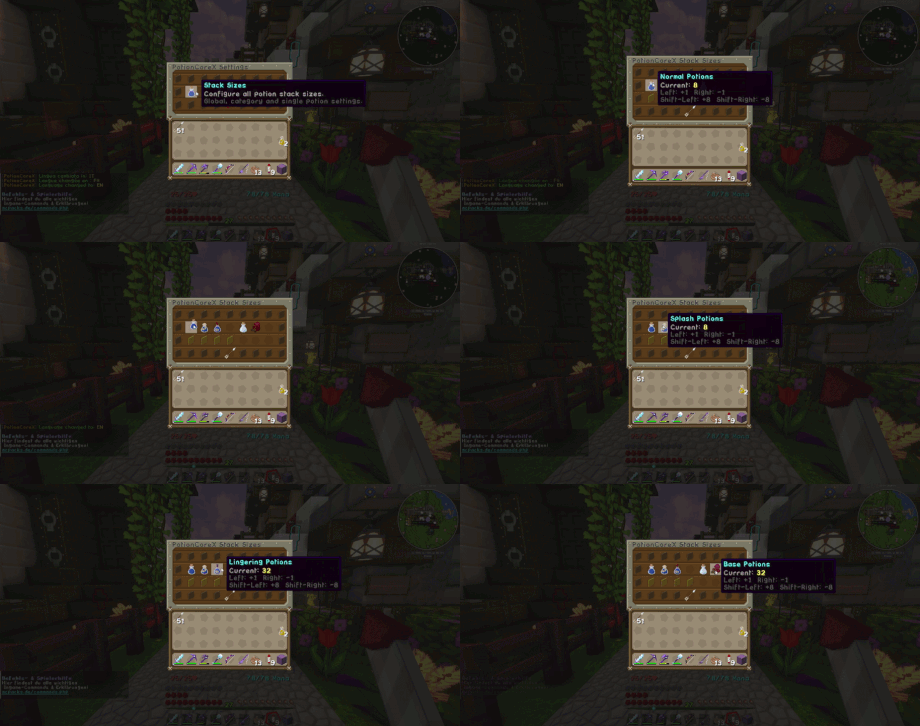
Stack Size Settings

Save and apply

This shows how I can save my settings and apply them immediately without restarting the server.
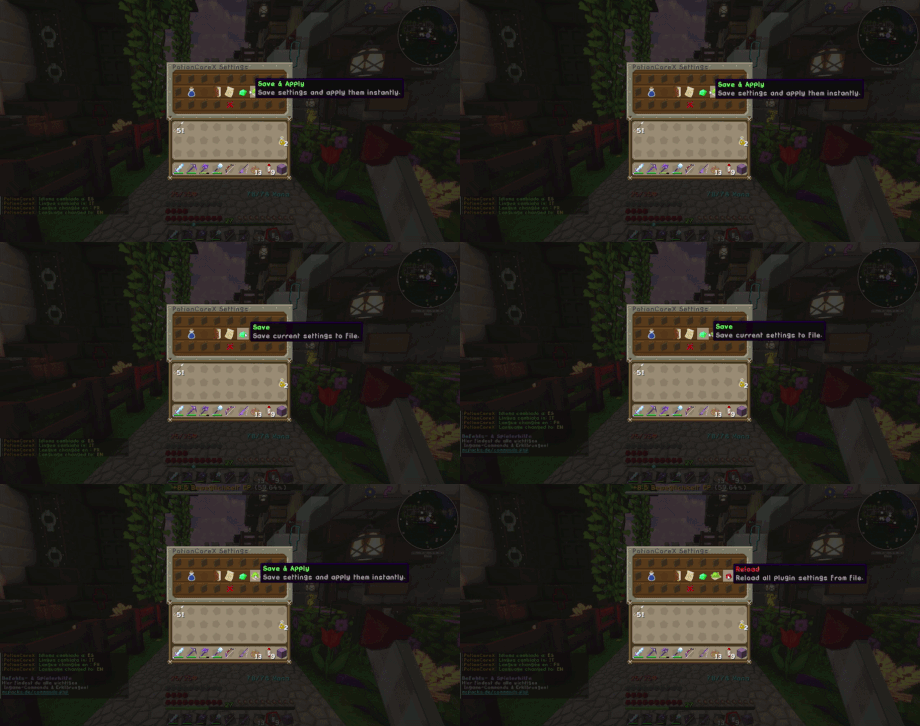
Save and Apply

Presets

Here I can save my own preset setup and load it again later with just a few clicks.
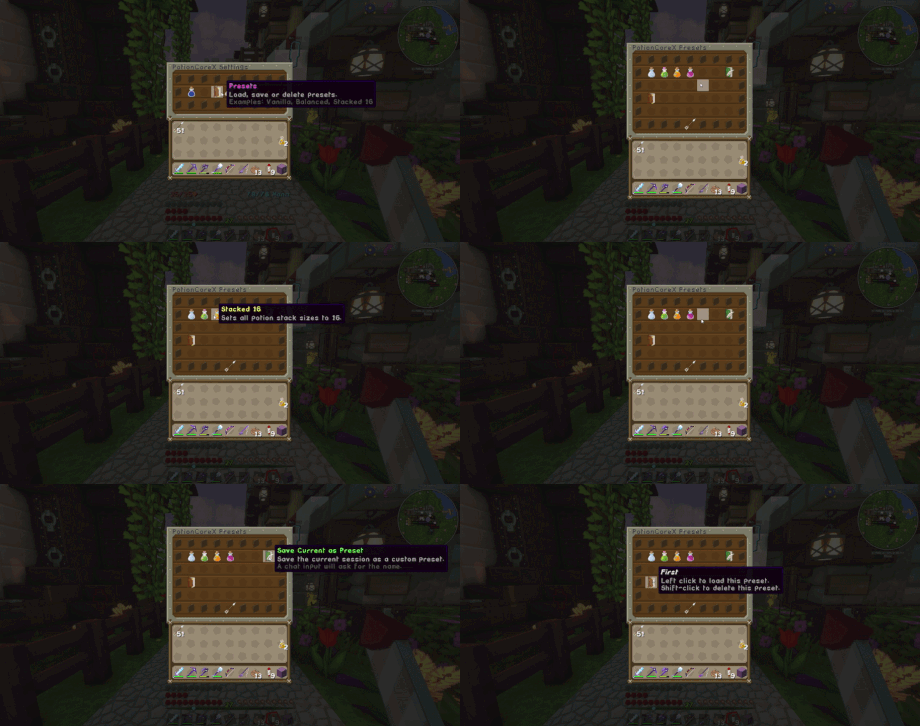
Presets

Languages

PotionCoreX also supports multiple languages and lets me switch them directly in-game.
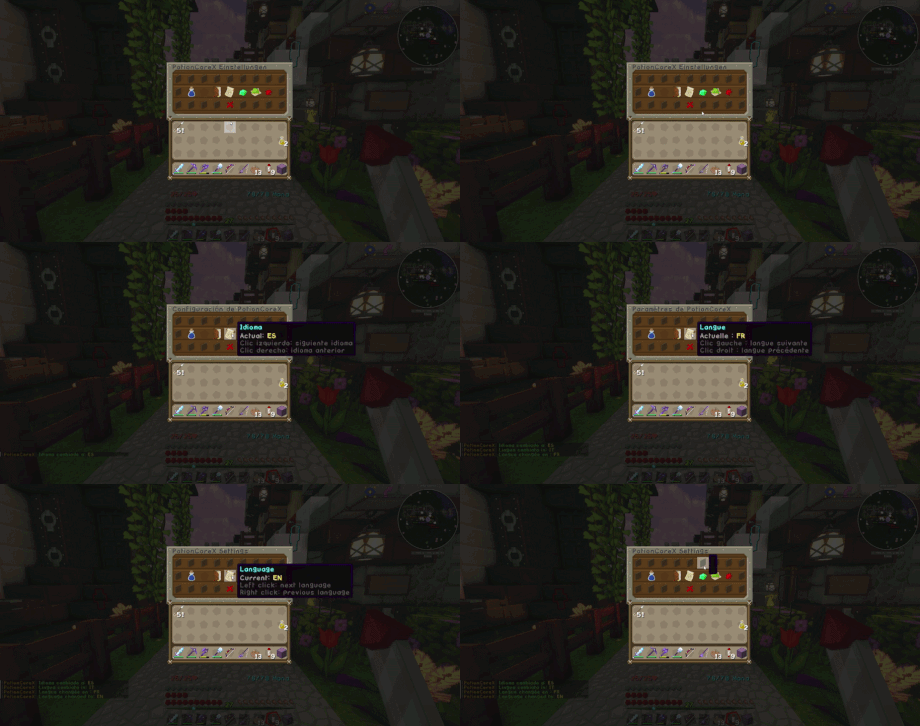
Languages

For server owners

I made this plugin for server owners who want potion stacking to feel practical, stable and clean instead of hacked together.

If you only want a plugin for stacking potions and want that part to work properly, this is the plugin I would personally use over all the others I tested.
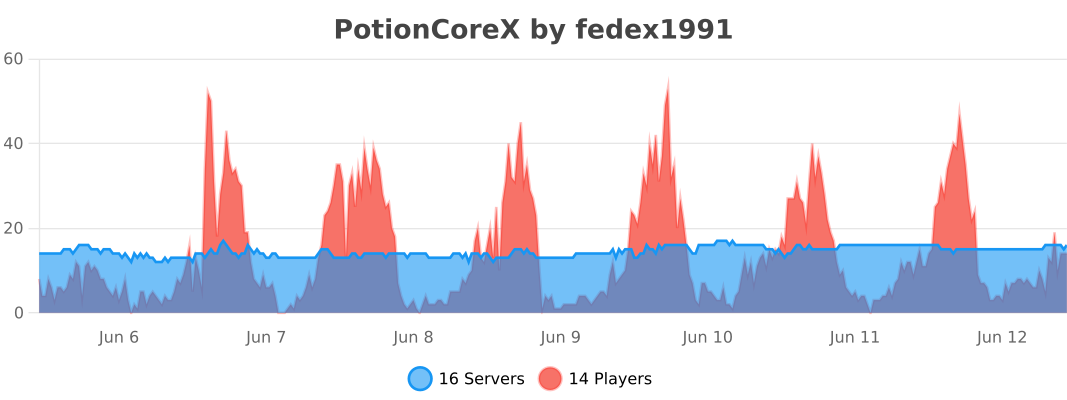
bStats

👥 Team & Contributors

Fedex1991
Fedex1991Owner

⚙️ Compatibility

Environment
🖥️ Server-side
Loaders
bukkitpaperpurpurspigot
Minecraft Versions
1.211.21.11.21.21.21.31.21.41.21.51.21.61.21.7+4 more

🔗 Links

Modrinth Page