Logo
MINECRAFTBIBLE
Items
Items

All game items

Blocks
Blocks

Building blocks

Mobs
Mobs

Creatures & monsters

Biomes
Biomes

World biomes

Structures
Structures

Generated structures

Recipes
Recipes

Crafting guides

Advancements
Advancements

Achievements

Loot Tables
Loot Tables

Drop rates

Tags
Tags

Item groupings

All Versions
View all data →
Capes
Cape ArchiveNEW

Browse rare Minecon capes, OptiFine capes, and custom capes from players worldwide

Browse

Player Database
Player DatabasePopular

Search any player

Skin Browser
Skin Browser

Browse & download skins

Cape Gallery
Cape GalleryNEW

Minecon & OptiFine capes

Seed Vault
Seed Vault

Curated seeds

Learn

Guides
GuidesNew

Tutorials & tips

Blog
Blog

News & updates

Community

Community Hub
Community HubHub

Posts, discussions & more

All Versions
View community →
Seed Analyzer
Seed Analyzer

World seed analysis

Loot Explorer
Loot Explorer

Drop rates

Crafting Calculator
Crafting Calculator

Material planning

Enchant Calculator
Enchant Calculator

Probability math

Redstone Lab
Redstone Lab

Signal timing

Trading Profit
Trading Profit

Villager ROI

All Versions
View all tools →
Mods
Mods

Browse all mods

Plugins
Plugins

Server plugins

Resource Packs
Resource Packs

Textures & sounds

Shaders
Shaders

Visual enhancements

Datapacks
Datapacks

World logic

Scanner
Mod Intelligence

Scan & analyze any mod

All Versions
View all mods →
Loading...
IntroductionIntroductionVersion HistoryVersion HistoryGuidesGuidesBlog & NewsBlog & News
ItemsItemsBlocksBlocksMobsMobsRecipesRecipesBiomesBiomesStructuresStructuresAdvancementsAdvancementsLoot TablesLoot TablesTagsTags
ModsModsPluginsPluginsResource PacksResource PacksShadersShadersDatapacksDatapacks

MinecraftBible

The Ultimate Wiki

Logo
MINECRAFTBIBLE

The ultimate Minecraft reference. Every item, block, mob, and recipe documented with precision.

Community

  • Skin Browser
  • Cape Gallery
  • Seed Vault
  • Blog
  • Guides

Database

  • Items
  • Blocks
  • Mobs
  • Recipes
  • Biomes
  • Structures

Tools

  • Seed Analyzer
  • Mod Intelligence
  • Crafting Calculator
  • Enchant Calculator

Mods & Packs

  • Mods
  • Plugins
  • Resource Packs
  • Shaders
  • Datapacks

Site & Legal

  • About
  • Authors
  • Editorial Policy
  • Corrections
  • Contact
  • Privacy Policy
  • Terms of Service
  • DMCA
  • Sitemap

© 2026 MinecraftBible. Not affiliated with Mojang or Microsoft.

PrivacyTermsContact
NPC Mannequins in Survival
PluginApache-2.0

NPC Mannequins in Survival

A Paper plugin allowing for vanilla mannequin mobs to be used in survival

211
Downloads
2
Followers
6 months ago
Updated
📦
6
Versions
decorationgame-mechanicsmobspaperpurpur
Download Latestv1.0.3View on Modrinth

📖About NPC Mannequins in Survival

Logo for NPC Mannequins in Survival

NPC Mannequins in Survival (NMIS for short) is my debut Paper plugin that allows for you to use the new mannequin mobs introduced in Java 1.21.9 in survival mode as decoration (similar to armor stands):
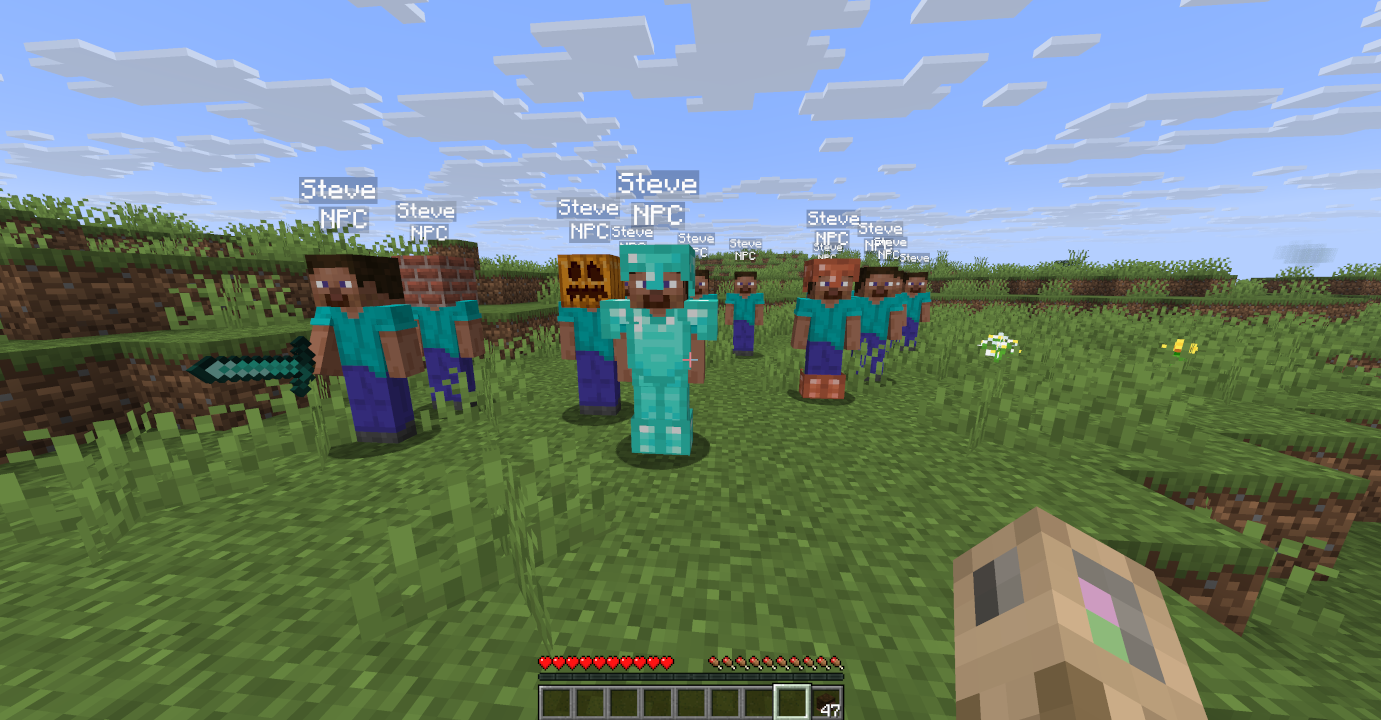
Image of mannequins spawned with this plugin. Some have gear such as armor and tools, some are wearing blocks on their head

Basics

Mannequins are spawned in via a craftable item called a Mannequin Soul. To make a basic Soul, all that needs to be done is put a piece of paper named "Mannequin Starter" (or simply "ms") in the crafting grid:
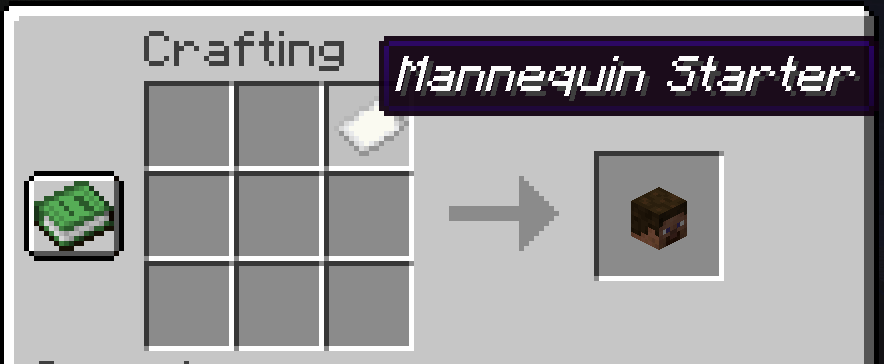
Image illustrating that you make a basic mannequin soul by placing a piece of paper named "Mannequin Starter" in a crafting grid

To spawn this mannequin, place the crafted soul on the ground. Crouching whilst placing the mannequin soul will copy the pitch that you are looking in.

Extras

Ingredient Modifiers

You may also add extra ingredients to the crafted Mannequin Soul:
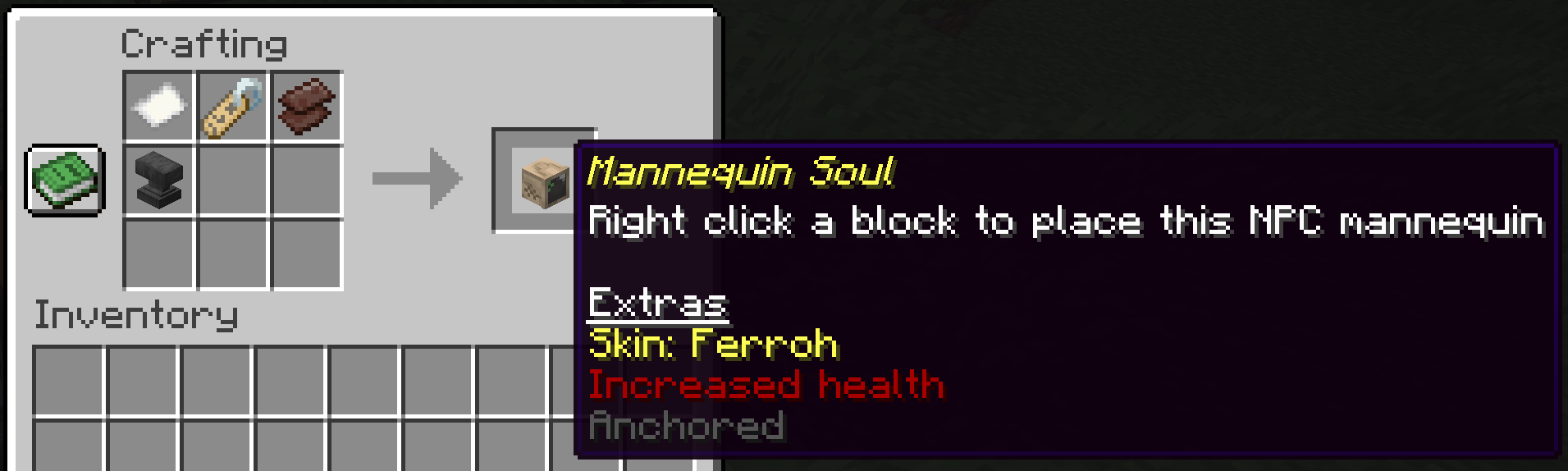
Image showcasing a mannequin soul crafted with extra ingredients

The current ingredients that you can add are as follows:

  • Name tag: Applies the skin of a Minecraft Java Edition username based what the name tag was renamed to. The skin on the mannequin will stay the same even if the person with the Minecraft account changes the skin.
  • Netherite scrap: Sets the maximum HP of the mannequin to 50 hearts
  • Anvil: Prevents the mannequin from moving and falling. Can be applied post-mannequin-creation to anchor mannequins after the fact.

Equipment

Mannequins may be equiped with armor and hold items. Right click to open the mannequin inventory:
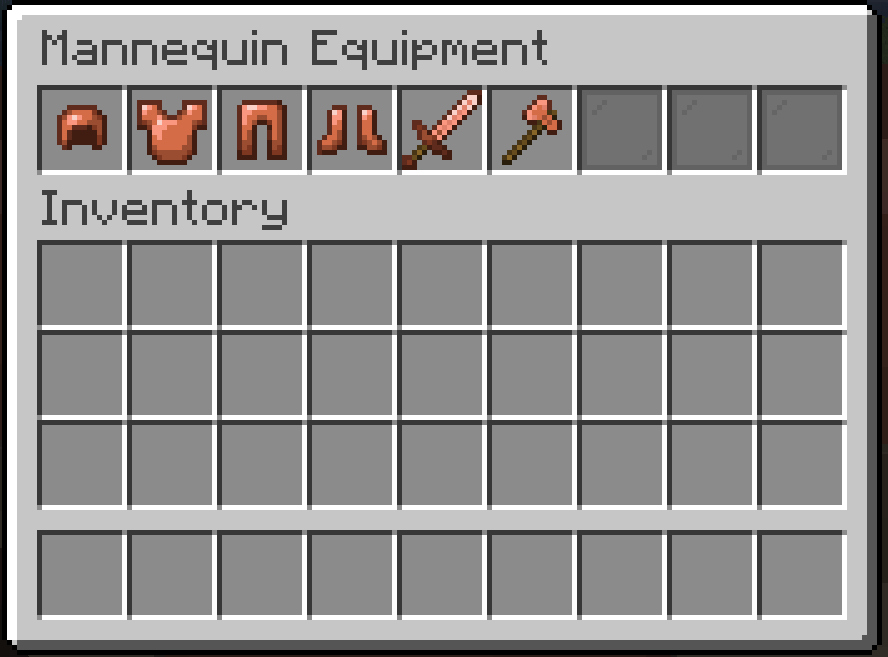
Image demonstrating what type of equipment goes in each slot of the mannequin inventory. Helmet goes in the first slot. Chestplate/elytra goes in the second slot. Leggings go in the third slot. Boots go in the fourth slot. The mannequin will hold the fifth slot in its main hand. The mannequin will hold the sixth slot in its off hand.

Rename Your Mannequin

You can use a name tag on a mannequin like a normal mob:
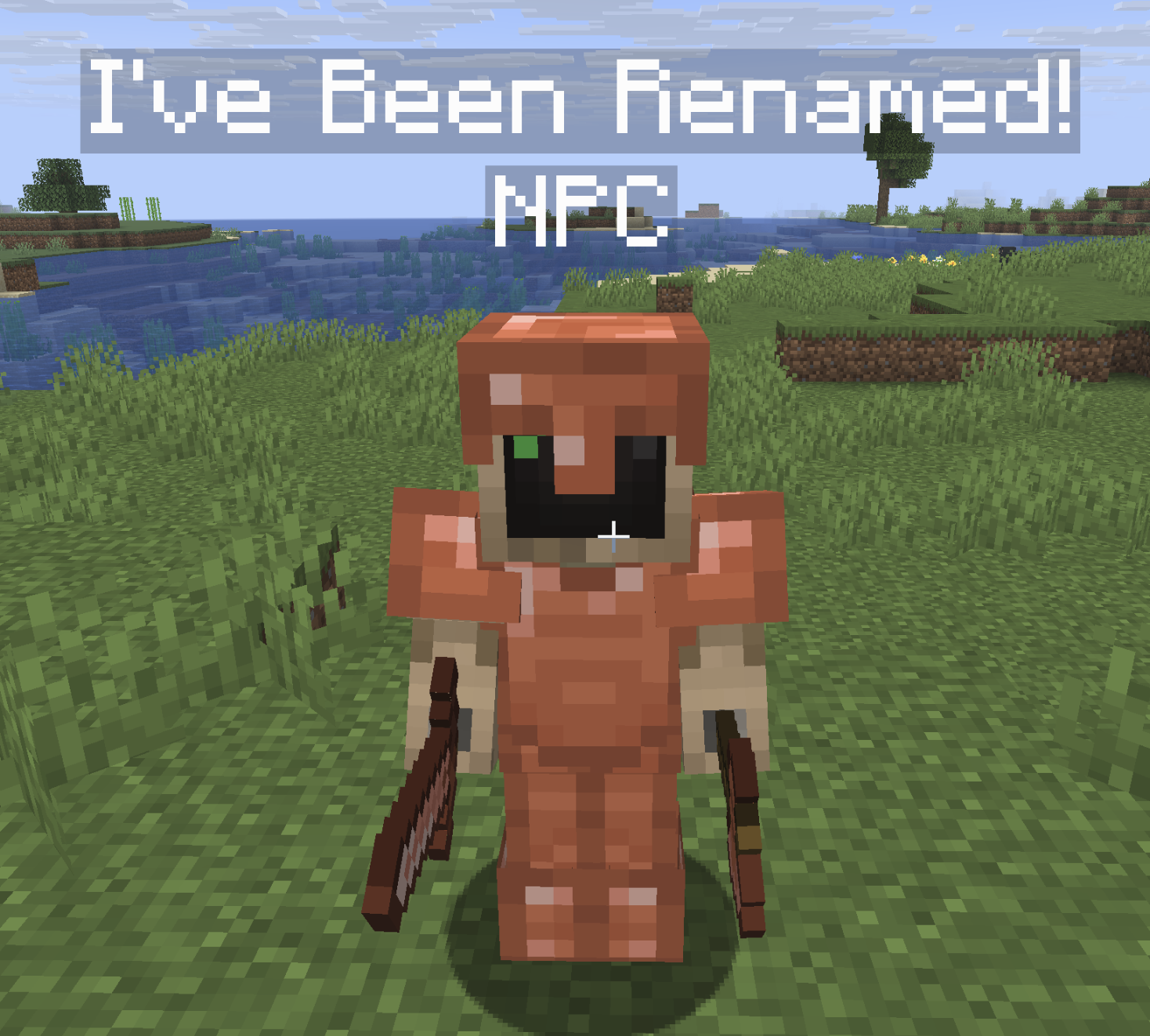
Image showing a renamed mannequin

Poses

Right click with a feather in your hand to "tickle" the mannequin into a new pose:
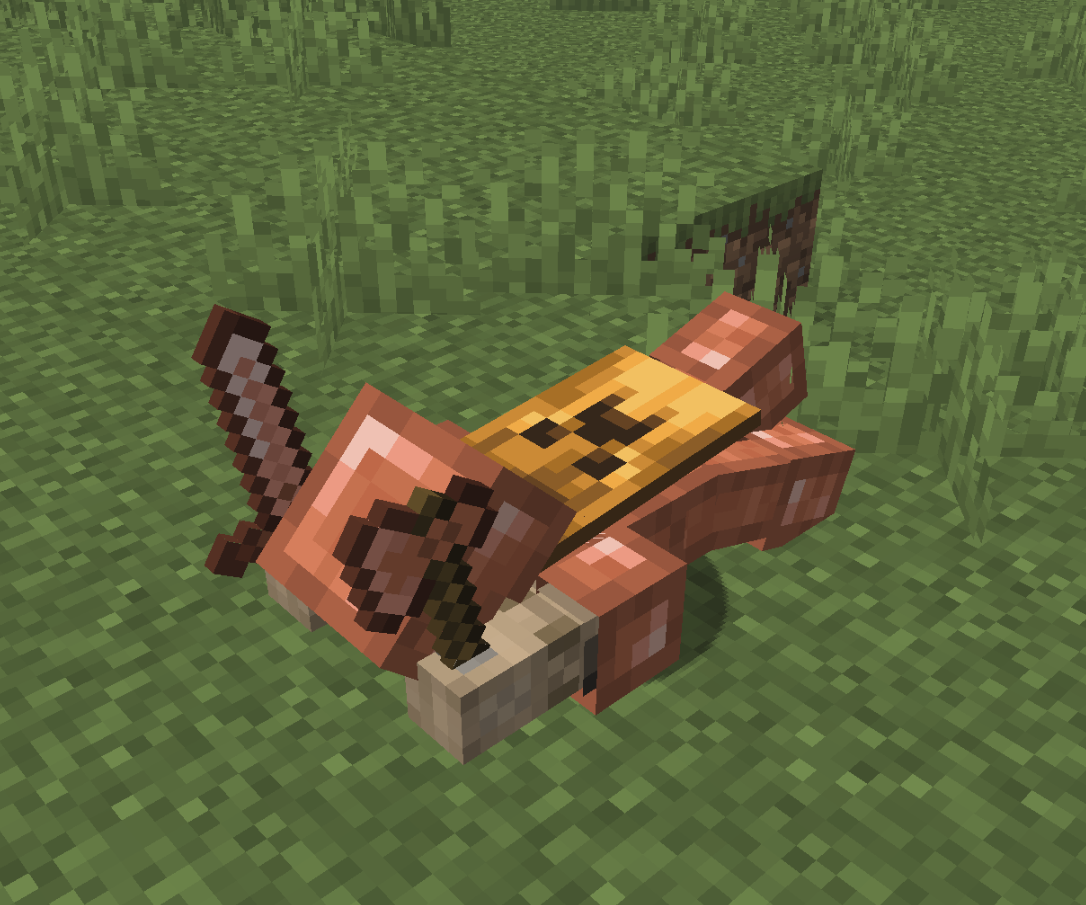
Fall Flying

Image showing the fall flying pose

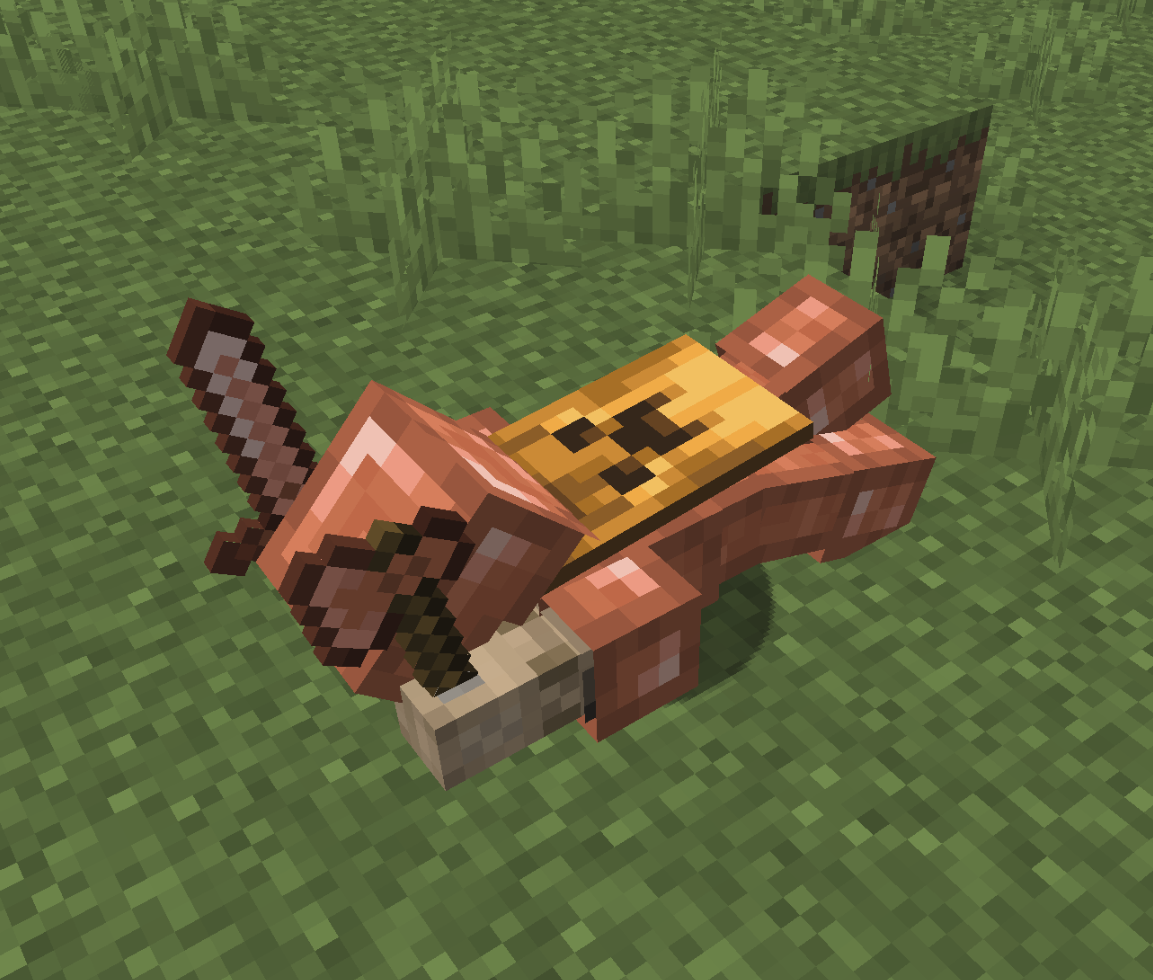
Sleeping

Image showing the sleeping pose

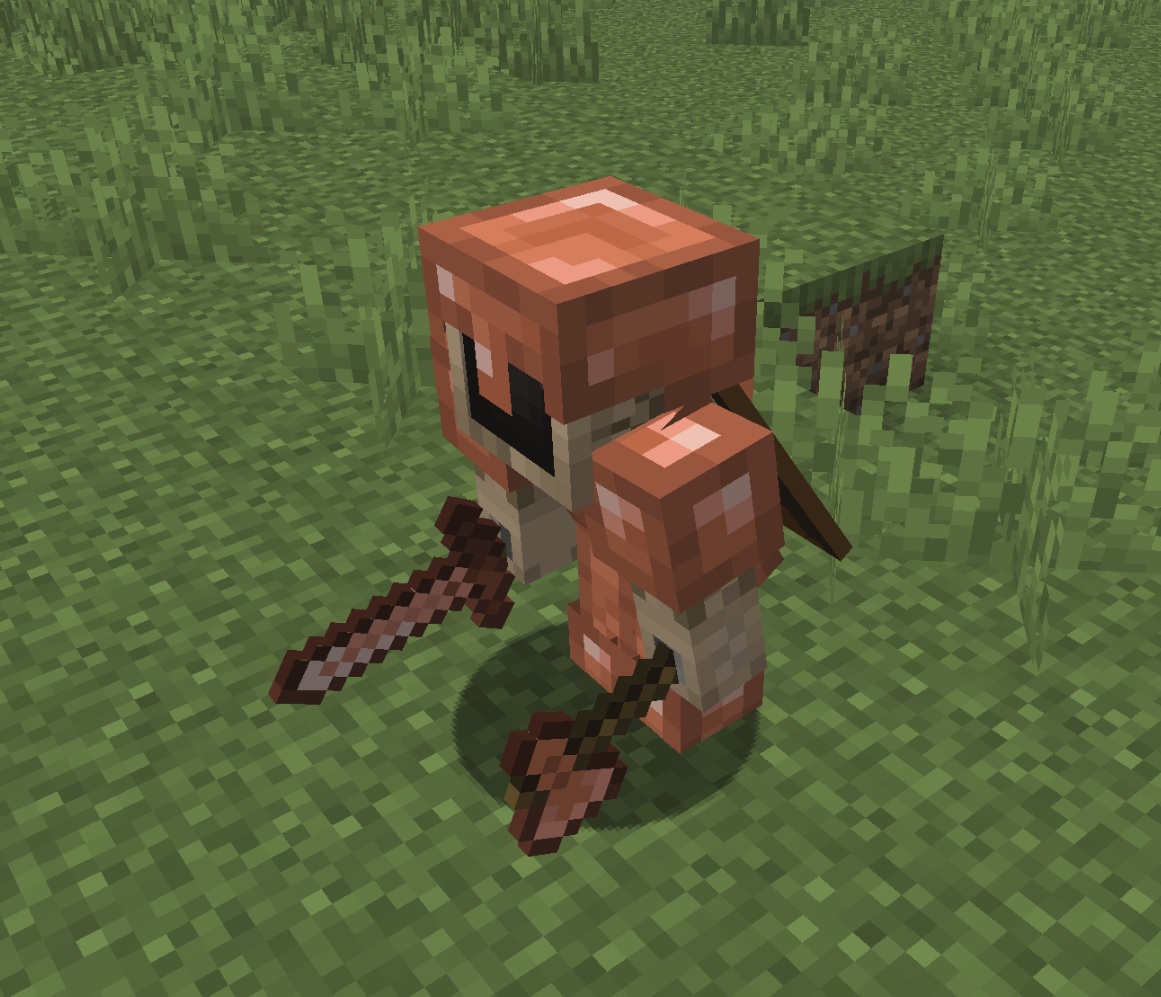
Sneaking

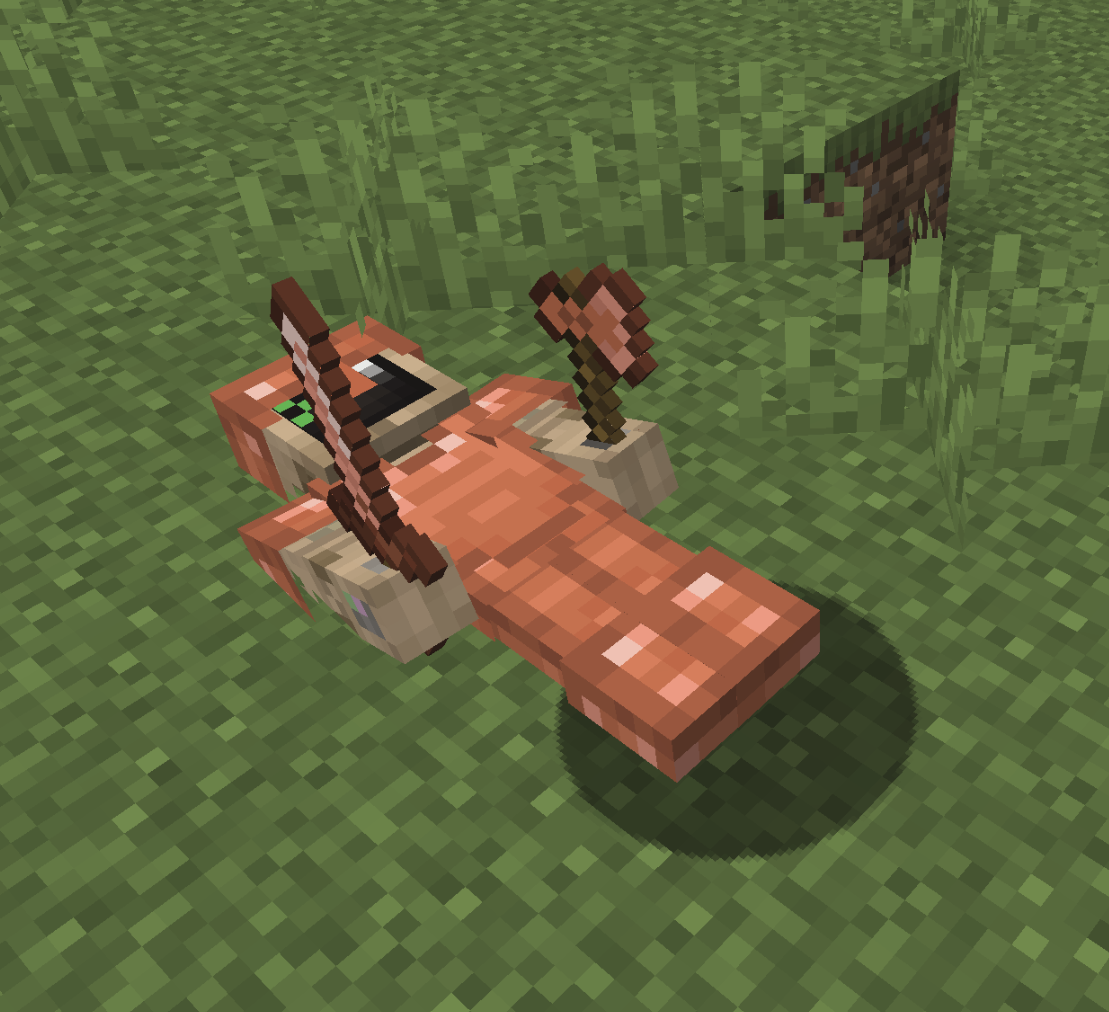
Image showing the sneaking pose

Swimming (similar to fall flying

Image showing the swimming pose

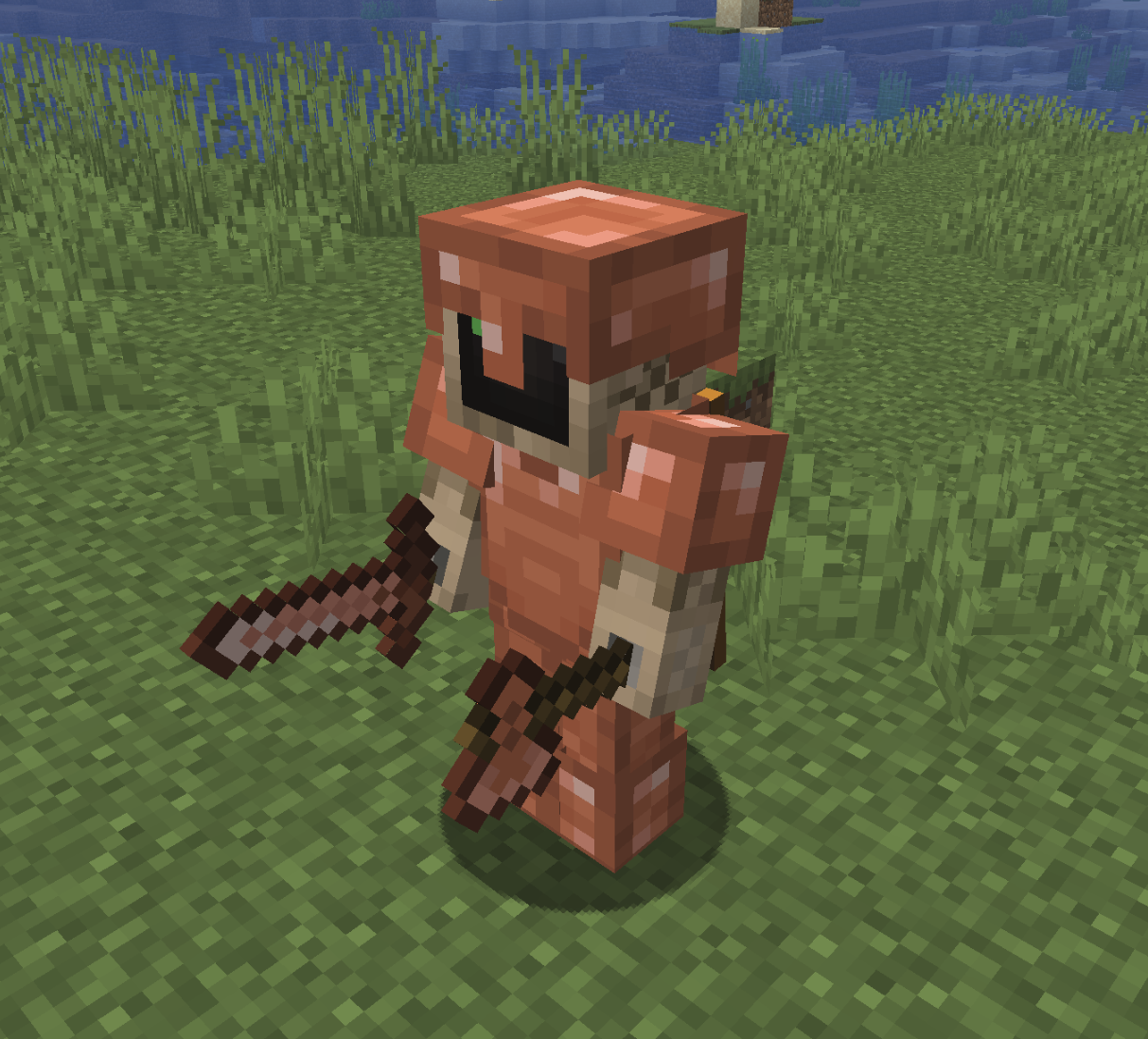
Standing

Image showing the standing pose

More About this Plugin

Get Support, Give Feedback, Say Hello

Join the Discord server for the things that I make: Ferroh's Things! I will do my best to be as responsive as possible.

Support Me

If you find this plugin useful you may click here to donate.

👥 Team & Contributors

F
FerrohOwner

⚙️ Compatibility

Environment
🖥️ Server-side
Loaders
paperpurpur
Minecraft Versions
1.21.91.21.101.21.11

🔗 Links

Modrinth Page