


PluginMIT
nonchat
🎨 Feature-rich chat plugin with custom formats, HEX colors, private messaging and chat bubbles for Minecraft 1.16.5-26.2
4.9K
Downloads
23
Followers
4 weeks ago
Updated
📦
30
Versions
📖About nonchat

nonchat




The most elegant chat solution for your Minecraft server
✨ Features
- 🎨 Custom Chat Formats - Fully customizable chat messages with HEX color support
- 💬 Private Messaging - Enhanced private chat system with spy functionality
- 🔔 Player Pings - Mention players in chat with customizable sounds and highlights
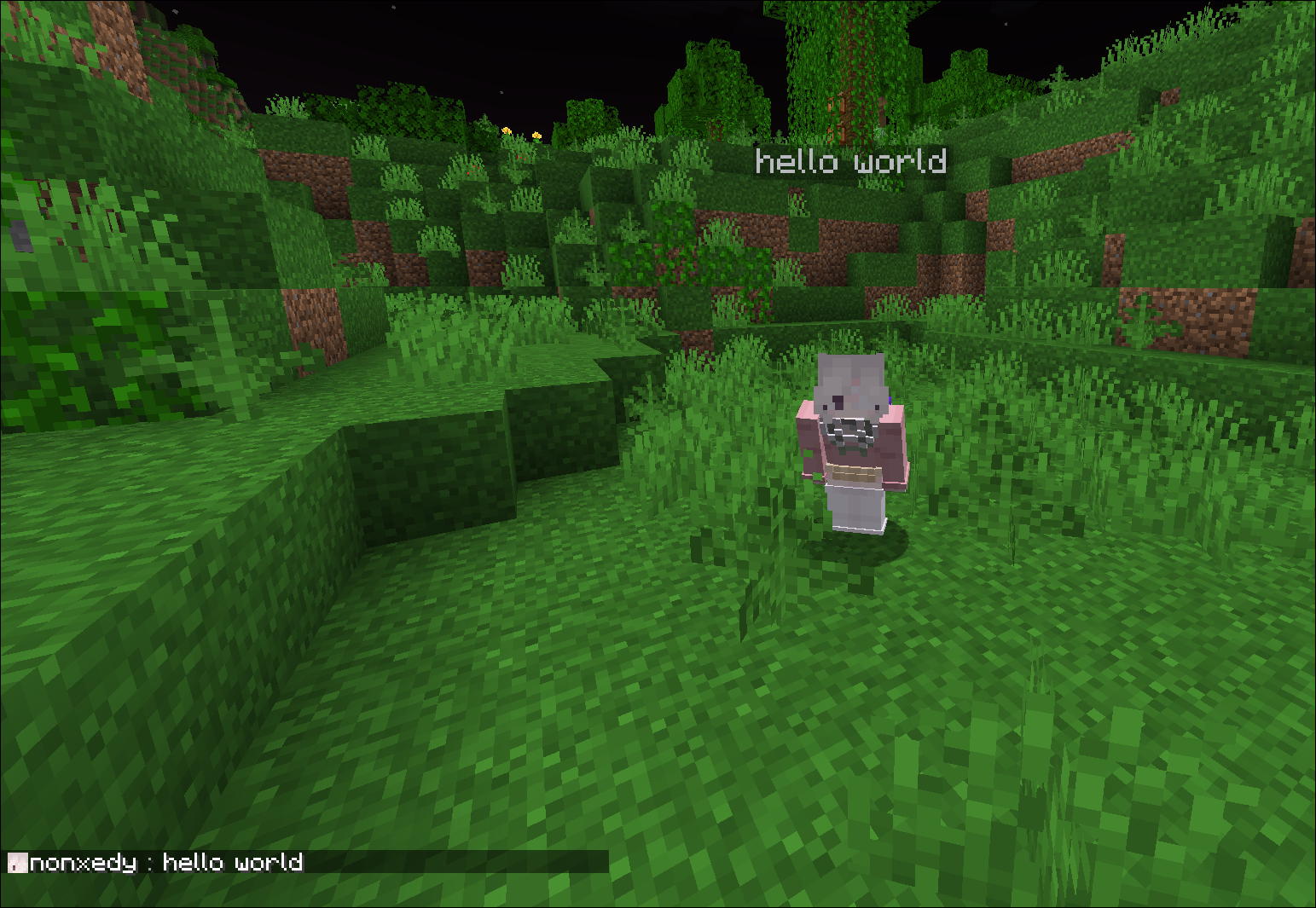
- 💭 Chat Bubbles - Display messages above players' heads
- 📢 Auto Broadcasting - Schedule automatic server announcements
- ⚰️ Custom Death Messages - Stylish death announcements
- 🎭 Roleplay Commands - Enhanced RP experience with /me and /roll commands
- 🔒 Staff Chat - Private communication for staff members
- 💡 Hover Messages - Interactive hover text with additional information
- 🔗 DiscordSRV Integration - Seamless chat synchronization between Minecraft and Discord
- 📱 Interactive Chat Placeholders - Dynamic placeholders for enhanced chat experience:
[ping]- Display your current ping with color-coded status[item]- Show your held item with detailed hover information
- 🛡️ Advanced Chat Filters - Comprehensive protection systems:
- Anti-Advertisement - Blocks server advertisements with customizable sensitivity
- Caps Filter - Prevents excessive use of capital letters
- Word Filter - Blocks inappropriate content and regex patterns
🎮 Commands
| Command | Description |
|---|---|
/broadcast |
Send server-wide announcements |
/msg |
Send private messages |
/reply |
Reply to the last private message |
/clear |
Clear chat history |
/ignore |
Ignore specific players |
/spy |
Toggle private message spy mode |
/me |
Send a first-person message |
/roll |
RP roll dice |
/channel |
Channel management commands |
/nonchat help |
View plugin help |
/nonchat reload |
Reload plugin configuration |
🔧 Interactive Chat Placeholders
nonchat supports dynamic placeholders that make your chat more interactive and informative:
📊 Ping Placeholder
Use [ping] in your messages to display your current connection latency:
- Green (< 100ms) - Excellent connection
- Gold (100-300ms) - Good connection
- Red (> 300ms) - Poor connection
Example: My ping is [ping] → My ping is 45ms
🎒 Item Placeholder
Use [item] in your messages to showcase the item you're currently holding:
- Displays item name with rarity-based coloring
- Hover over the item name to see detailed information
- Shows enchantments, durability, and other item properties
- Automatically detects if you're not holding anything
Example: Check out this [item]! → Check out this Diamond Sword! (with hover details)
🚀 Quick Start
- Download nonchat from Modrinth
- Place the .jar file in your server's
pluginsfolder - Start/restart your server
- Configure in
plugins/nonchat/config.yml
📚 Documentation
Visit our Wiki for detailed setup instructions and configuration guides.
🌟 Why nonchat?
- Performance Optimized - Built with efficiency in mind
- Modern Features - Supports latest Minecraft versions (1.16.5-26.2)
- Interactive Elements - Dynamic placeholders for enhanced player experience
- Easy Configuration - Simple YAML configuration with messages.yml support
- Active Development - Regular updates and feature additions
📋 Development Roadmap
| Status | Task |
|---|---|
| 🔜 | Rewrite code to Kotlin |
| ✅ | Make channel names clickable to switch to them |
| ✅ | Refactor code to modular type for mc version support |
Legend:
- ✅ Completed
- ⏳ In Progress
- 🔜 Planned
🔧 Support
💝 Support the Development
If you enjoy nonchat, consider supporting its development:
📸 Screenshots





📝 License
nonchat is licensed under MIT License.
Made with ❤️ by utophii