

ModSeeker
a Minecraft paper server plugin for mod detection
📖About ModSeeker
ModSeeker 🔍
⚠️Note: This plugin requires the Hidder Fabric mod installed on all clients.
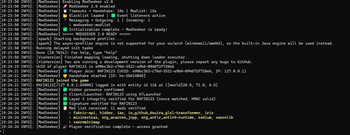
ModSeeker is a Paper plugin that detects player mods and enforces launcher restrictions on your server. Paired with the Hidder Fabric mod, it sees what mods players have installed, what launcher they're using, and blocks anything you don't allow — all verified through encrypted, cryptographically signed communication that can't be spoofed.
🔍 Mod DetectionSee every mod, resource pack, and shader a player has installed — in real time |
🛡️ Launcher EnforcementKnow exactly which launcher each player is using and block the ones you don't trust |
Features
- Mod Detection — Detects all client-side mods, resource packs, and shaders via the Hidder companion mod
- Launcher Detection & Enforcement — Identifies the player's launcher using native OS-level inspection and enforces a configurable whitelist
- 3-Layer Verification — Independent security layers that must all pass before a player is admitted
- Encrypted Communication — All data is encrypted end-to-end and integrity-verified
- Player Whitelist — Trusted players bypass verification entirely
- Discord Webhooks — Real-time notifications for joins, mod lists, blacklist violations, and verification failures
- Floodgate Support — Optionally bypass verification for Bedrock players
- Admin Dashboard —
/modseeker statusfor live monitoring of verification statistics
Version Compatibility
| Minecraft Version | Paper | Java | Status |
|---|---|---|---|
| 26.1 / 26.1.1 | Paper 26.1+ | Java 25+ | ✅ Latest |
| 1.21.4 – 1.21.11 | Paper 1.21+ | Java 21+ | ✅ Supported |
ModSeeker's Paper plugin is forward-compatible — a single JAR works across all supported versions within the same API generation.
Requirements
- PaperMC 1.21.4 or higher (including 26.1)
- Java 21+ (Java 25+ for Minecraft 26.1)
- Hidder Fabric mod installed on clients
Installation
- Download the latest
modseeker.jarfrom Modrinth or Releases - Place it in your server's
plugins/folder - Start the server — configuration files are generated automatically
- Edit
config.yml,modblacklist.json, orwhitelist.jsonas needed - Run
/modseeker reloadto apply changes
Security Architecture
ModSeeker uses three independent verification layers. Each layer operates autonomously — disabling one does not weaken the others.
Player Joins
    |
    v
[ Layer 1: Cryptographic Handshake ]  -- Is this the authentic Hidder mod?
    |
    v
[ Layer 2: Launcher Detection ]       -- Is the player using an approved launcher?
    |
    v
[ Layer 3: Mod Verification ]         -- Does the mod list contain banned mods?
    |
    v
Player Approved ✅
Layer 1 — Identity Verification
The server issues a unique cryptographic challenge for every connection. The client must produce a valid signed response using a native security module. Challenges are one-time-use with strict time limits, preventing replay attacks and spoofing.
Layer 2 — Launcher Detection
The companion mod detects which launcher started the game using native OS-level inspection. The server validates the result against a configurable whitelist. Supports 15 launchers including Prism Launcher, MultiMC, CurseForge, Modrinth App, ATLauncher, GDLauncher, Technic, FTB App, Lunar Client, Badlion Client, Feather Client, LabyMod, TLauncher, SKLauncher, and Pojav Launcher.
Layer 3 — Mod Verification
The client collects its installed mods, resource packs, and shader packs directly from the Fabric runtime registry. The data is encrypted end-to-end using hybrid RSA/AES and includes a session-bound integrity signature. The server decrypts and verifies the signature before inspecting the mod list.
Configuration
ModSeeker generates the following files on first run:
| File | Purpose |
|---|---|
config.yml |
Main configuration — timeouts, kick messages, display settings, Discord webhook |
modblacklist.json |
List of banned mod IDs |
whitelist.json |
Players who skip verification entirely |
client-list.yml |
Per-launcher whitelist for Layer 2 — enable/disable individual launchers |
config.yml
# ---------------------------------------------------------------
# Timeout Configuration
# ---------------------------------------------------------------
handshakeTimeoutSeconds: 10
modlistTimeoutSeconds: 15

# ---------------------------------------------------------------
# Mod List Filter
# Base mods hidden from console output (still checked)
# ---------------------------------------------------------------
modlistFilter:
  - "java"
  - "minecraft"
  - "fabricloader"

# ---------------------------------------------------------------
# Kick Messages
# Supports {mods}, {plural}, {maxMods} placeholders
# ---------------------------------------------------------------
kickMessages:
  missingHidder: "Please Install Hidder Mod To Enter The Server"
  blacklistedMods: "Please Remove {mods} Illegal Mod{plural} To Join The Server"
  modlistTimeout: "Player Verification Failed"
  modlistRequestFailed: "Player verification failed - unable to send mod list request."
  modCountExceeded: "You have too many mods installed. Maximum allowed: {maxMods}"

# ---------------------------------------------------------------
# Player Notification
# ---------------------------------------------------------------
enablePlayerNotifications: true
welcomeMessage: "Welcome To The Server"

# ---------------------------------------------------------------
# Mod Count Threshold
# ---------------------------------------------------------------
enableModCountThreshold: false
maxModCount: 50

# ---------------------------------------------------------------
# Mod List Display Settings
# ---------------------------------------------------------------
showModList: true
oneModPerLine: false
highlightMods: true
highlightBlacklistedMods: true

# ---------------------------------------------------------------
# Floodgate / Bedrock Player Handling
# ---------------------------------------------------------------
allowFloodgate: true

# ==================================================================
# Discord Webhook Integration
# ==================================================================
discord:
  enabled: false
  webhookUrl: "https://discord.com/api/webhooks/YOUR_WEBHOOK_URL_HERE"
  events:
    playerJoin: true          # Notify when a player joins
    modListReceived: true     # Notify with the player's mod list
    blacklistViolation: true  # Notify when a banned mod is detected
    verificationFailed: true  # Notify when verification fails

# ---------------------------------------------------------------
# Mod Verification (Layer 3)
# Set to false to disable mod checking while keeping Layer 1-2 active
# ---------------------------------------------------------------
ModVerification: true

# ==================================================================
# Launcher/Client Verification (Layer 2)
# ==================================================================
launcherVerification:
  enabled: false
  kickMessage: "Please use an approved launcher to join this server"
  allowUnknownClients: false
modblacklist.json
{
  "blacklist": ["exampleCheatMod", "anotherBannedMod"]
}
whitelist.json
["trustedPlayerName"]
client-list.yml
Controls which launchers are allowed to connect when Layer 2 (launcher verification) is enabled. Each launcher can be individually toggled.
# Launcher/Client Whitelist
# enabled: true = allowed, enabled: false = blocked

prism:
  enabled: false
  name: "Prism Launcher"
multimc:
  enabled: false
  name: "MultiMC"
atlauncher:
  enabled: false
  name: "ATLauncher"
curseforge:
  enabled: false
  name: "CurseForge"
modrinth:
  enabled: false
  name: "Modrinth App"
gdlauncher:
  enabled: false
  name: "GDLauncher"
technic:
  enabled: false
  name: "Technic Launcher"
ftb:
  enabled: false
  name: "FTB App"
lunar:
  enabled: false
  name: "Lunar Client"
badlion:
  enabled: false
  name: "Badlion Client"
feather:
  enabled: false
  name: "Feather Client"
labymod:
  enabled: false
  name: "LabyMod"
tlauncher:
  enabled: false
  name: "TLauncher"
sklauncher:
  enabled: false
  name: "SKLauncher"
pojav:
  enabled: false
  name: "Pojav Launcher"
To allow a launcher, set its enabled to true. Players using a blocked or unrecognized launcher are kicked with the message configured in config.yml under launcherVerification.kickMessage.
Discord Webhook
ModSeeker can send real-time notifications to a Discord channel via webhooks.
Setup:
- In your Discord server, go to Channel Settings → Integrations → Webhooks
- Create a new webhook and copy the URL
- Paste the URL into
config.ymlunderdiscord.webhookUrl - Set
discord.enabledtotrue - Toggle individual event types under
discord.events
Supported Events:
| Event | Trigger |
|---|---|
playerJoin |
Player joins and begins verification |
modListReceived |
Player's mod list is successfully received and logged |
blacklistViolation |
A banned mod is detected — includes the mod name(s) |
verificationFailed |
Verification times out or fails for any reason |
All webhook requests run asynchronously on a dedicated thread to avoid impacting server performance.
Commands
All commands require the modseeker.use permission.
| Command | Description |
|---|---|
/modseeker seek mod <player> |
Request and display a player's mod list |
/modseeker status |
Show plugin status, config summary, and verification statistics |
/modseeker modblacklist add <modID> |
Add a mod to the blacklist |
/modseeker modblacklist remove <modID> |
Remove a mod from the blacklist |
/modseeker modblacklist show |
Display all blacklisted mods |
/modseeker whitelist add <player> |
Add a player to the whitelist |
/modseeker whitelist remove <player> |
Remove a player from the whitelist |
/modseeker whitelist show |
Display all whitelisted players |
/modseeker reload |
Reload all configuration files |
How It Works
When a player joins the server:
- Whitelist check — Whitelisted players are admitted immediately
- Floodgate check — Bedrock players are optionally admitted
- Presence detection — Server waits for the Hidder mod to announce itself (5s timeout)
- Layer 1 — Server sends a cryptographic challenge; client must respond with a valid signature
- Layer 2 — Server verifies the detected launcher against the launcher whitelist
- Player freeze — Player is frozen in place while Layer 3 runs
- Layer 3 — Server requests the encrypted mod list; verifies integrity signature and session binding
- Blacklist check — Mod list is compared against
modblacklist.json - Mod count check — If enabled, verifies the mod count is within the threshold
- Approval — Player is unfrozen and admitted with an optional welcome message
If any step fails, the player is kicked with the appropriate configurable message.
License
This project is licensed under AGPL-3.0. See the LICENSE file for details.