Logo
MINECRAFTBIBLE
Items
Items

All game items

Blocks
Blocks

Building blocks

Mobs
Mobs

Creatures & monsters

Biomes
Biomes

World biomes

Structures
Structures

Generated structures

Recipes
Recipes

Crafting guides

Advancements
Advancements

Achievements

Loot Tables
Loot Tables

Drop rates

Tags
Tags

Item groupings

All Versions
View all data →
Capes
Cape ArchiveNEW

Browse rare Minecon capes, OptiFine capes, and custom capes from players worldwide

Browse

Player Database
Player DatabasePopular

Search any player

Skin Browser
Skin Browser

Browse & download skins

Cape Gallery
Cape GalleryNEW

Minecon & OptiFine capes

Seed Vault
Seed Vault

Curated seeds

Learn

Guides
GuidesNew

Tutorials & tips

Blog
Blog

News & updates

Community

Community Hub
Community HubHub

Posts, discussions & more

All Versions
View community →
Seed Analyzer
Seed Analyzer

World seed analysis

Loot Explorer
Loot Explorer

Drop rates

Crafting Calculator
Crafting Calculator

Material planning

Enchant Calculator
Enchant Calculator

Probability math

Redstone Lab
Redstone Lab

Signal timing

Trading Profit
Trading Profit

Villager ROI

All Versions
View all tools →
Mods
Mods

Browse all mods

Plugins
Plugins

Server plugins

Resource Packs
Resource Packs

Textures & sounds

Shaders
Shaders

Visual enhancements

Datapacks
Datapacks

World logic

Scanner
Mod Intelligence

Scan & analyze any mod

All Versions
View all mods →
Loading...
IntroductionIntroductionVersion HistoryVersion HistoryGuidesGuidesBlog & NewsBlog & News
ItemsItemsBlocksBlocksMobsMobsRecipesRecipesBiomesBiomesStructuresStructuresAdvancementsAdvancementsLoot TablesLoot TablesTagsTags
ModsModsPluginsPluginsResource PacksResource PacksShadersShadersDatapacksDatapacks

MinecraftBible

The Ultimate Wiki

Logo
MINECRAFTBIBLE

The ultimate Minecraft reference. Every item, block, mob, and recipe documented with precision.

Community

  • Skin Browser
  • Cape Gallery
  • Seed Vault
  • Blog
  • Guides

Database

  • Items
  • Blocks
  • Mobs
  • Recipes
  • Biomes
  • Structures

Tools

  • Seed Analyzer
  • Mod Intelligence
  • Crafting Calculator
  • Enchant Calculator

Mods & Packs

  • Mods
  • Plugins
  • Resource Packs
  • Shaders
  • Datapacks

Site & Legal

  • About
  • Authors
  • Editorial Policy
  • Corrections
  • Contact
  • Privacy Policy
  • Terms of Service
  • DMCA
  • Sitemap

© 2026 MinecraftBible. Not affiliated with Mojang or Microsoft.

PrivacyTermsContact
MapModCompanion
PluginMIT

MapModCompanion

Fixes Multi-world detection by simulating mod presence on the server side

7.0K
Downloads
60
Followers
2 years ago
Updated
📦
18
Versions
utilitybukkitbungeecordfoliapaperspigotvelocitywaterfall
Download Latestv0.10.0View on Modrinth

📖About MapModCompanion

Companion for map mods

With this plugin your minimap will never be confused which world you're in. A more in-depth explanation can be found in the wiki.

How it should look like
Mod Screenshot
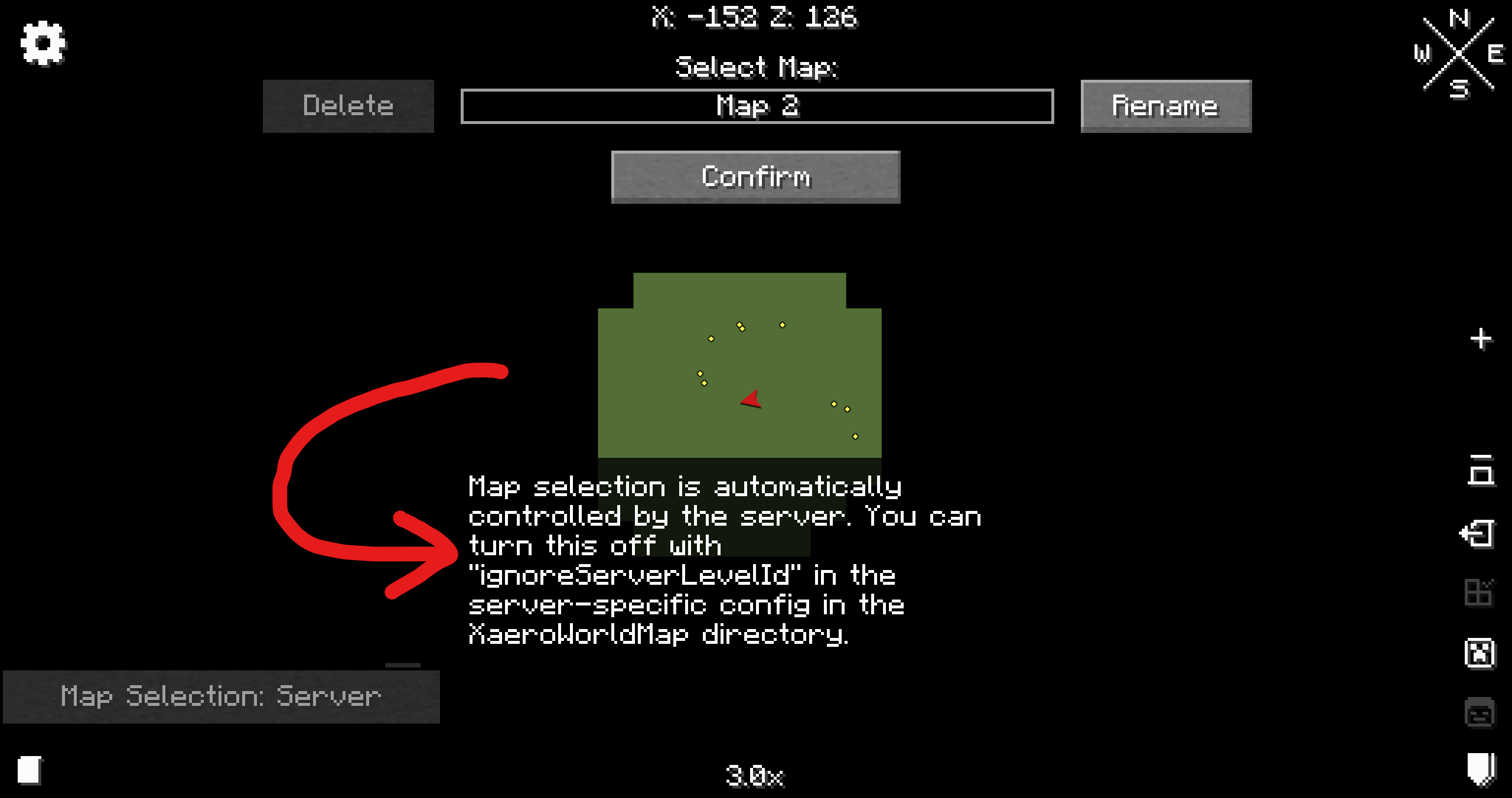
Xaero's World Map Screenshot of Xaero's WorldMap menu
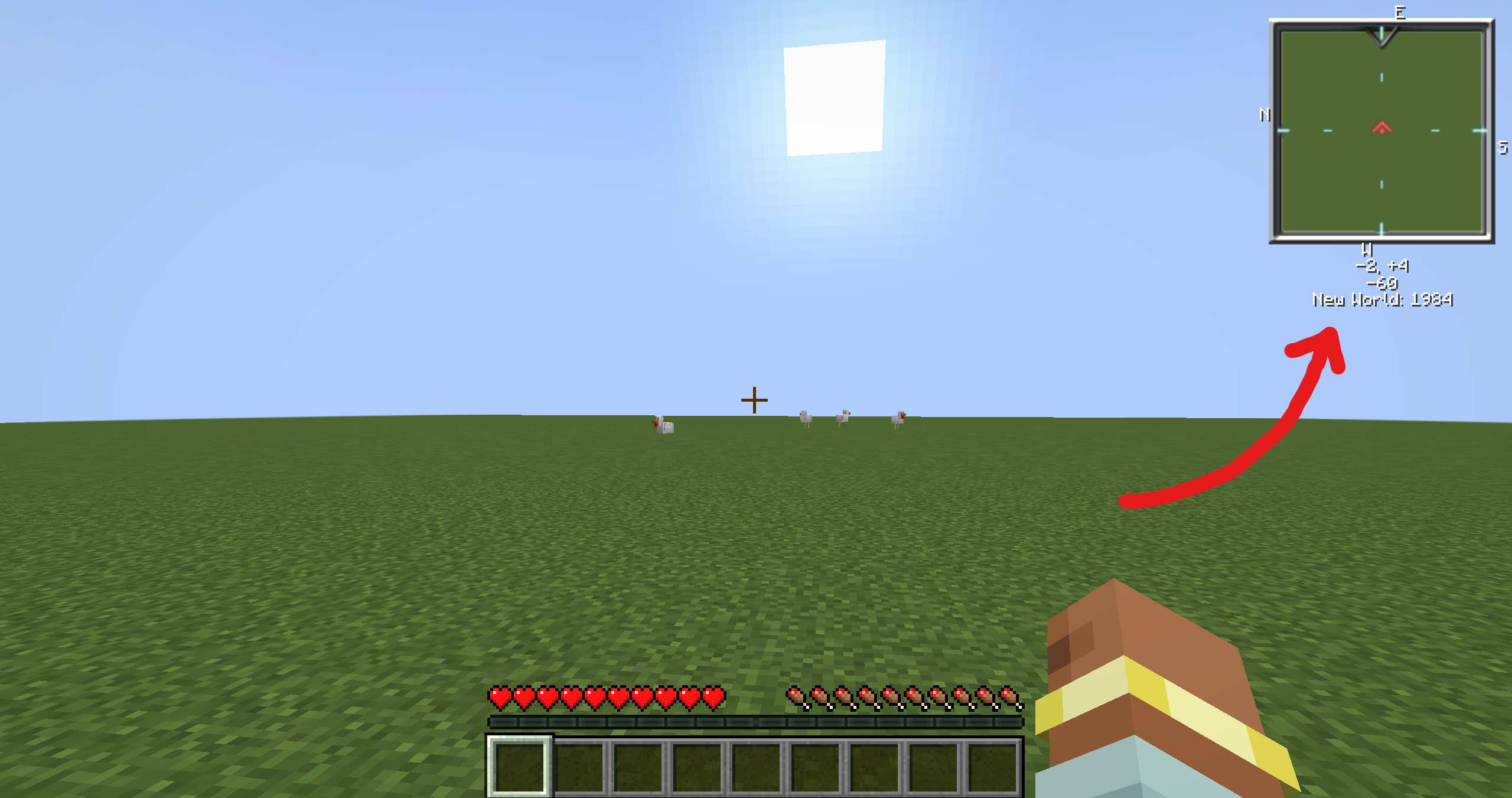
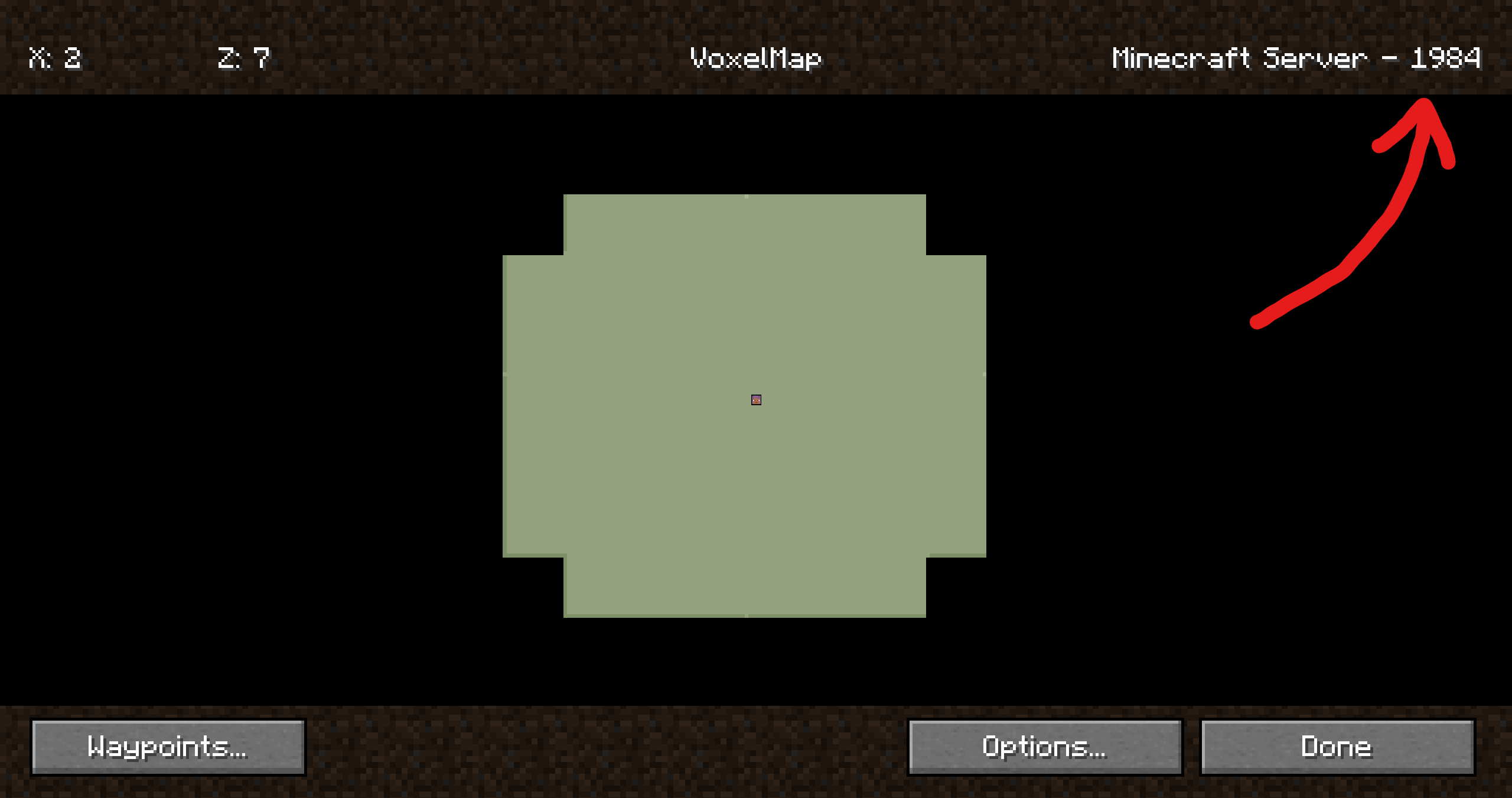
VoxelMap Screenshot of the game with a minimap on the top-right corner Screenshot of a map
Xaero's Minimap See Xaero's WorldMap
JourneyMap It just works 😄

Companion plugin for
Xaero's Minimap
(and their World Map),
JourneyMap and
VoxelMap (both old and updated).
Provides a way for these mods to identify worlds on BungeeCord/Velocity servers.

It's recommended to install this plugin on a fresh server, otherwise existing map data
(waypoints, map cache, etc.) may no longer be visible to some players. Fortunately,
there are ways to restore it.
It's worth mentioning that the plugin doesn't affect in-game progress.

This plugin was inspired by @kosma's worldnamepacket,
which supported Velocity, Fabric and Spigot at the time of writing.

If you have any questions, please join my Discord.
Support table

Mod Oldest version Latest version Status
Xaero's Minimap v20.20.0 / Minecraft 1.8.9 v25.2.14 / Minecraft 1.21.9 ✅ Supported
Xaero's World Map v1.10.0 / Minecraft 1.8.9 v1.39.16 / Minecraft 1.21.9 ✅ Supported[1]
JourneyMap v5.7.1 / Minecraft 1.16.5 v6.0.0-beta.52 / Minecraft 1.21.9 ✅ Supported
VoxelMap v1.7.10 / Minecraft 1.8 v1.15.7 / Minecraft 1.21.8 ✅ Supported[2]

Folia is supported, but isn't tested thoroughly. Please report if the support is broken.

Installation

ℹ️ Plugin must be installed on every downstream (backend) server in your network. Simply installing it on the proxy side (BungeeCord/Velocity) isn't enough. To ensure compatibility, you need to install the plugin on both the proxy server (BungeeCord/Velocity) and each of the backend servers (Spigot/Paper).

  1. Download the latest release
  2. Put each file into the corresponding plugins folder
  3. That's it. No configuration is required. You can restart your servers now.

Configuration

The configuration file is stored at plugins/MapModCompanion/config.yml for both Spigot and BungeeCord.
Velocity uses plugins/mapmodcompanion/config.toml.

The configuration file reloads automatically if it's modified.

👥 Team & Contributors

turikhay
turikhayOwner

⚙️ Compatibility

Environment
🖥️ Server-side
Loaders
bukkitbungeecordfoliapaperspigotvelocitywaterfall
Minecraft Versions
1.81.8.11.8.21.8.31.8.41.8.51.8.61.8.7+60 more

🔗 Links

Modrinth Page