Logo
MINECRAFTBIBLE
Items
Items

All game items

Blocks
Blocks

Building blocks

Mobs
Mobs

Creatures & monsters

Biomes
Biomes

World biomes

Structures
Structures

Generated structures

Recipes
Recipes

Crafting guides

Advancements
Advancements

Achievements

Loot Tables
Loot Tables

Drop rates

Tags
Tags

Item groupings

All Versions
View all data →
Capes
Cape ArchiveNEW

Browse rare Minecon capes, OptiFine capes, and custom capes from players worldwide

Browse

Player Database
Player DatabasePopular

Search any player

Skin Browser
Skin Browser

Browse & download skins

Cape Gallery
Cape GalleryNEW

Minecon & OptiFine capes

Seed Vault
Seed Vault

Curated seeds

Learn

Guides
GuidesNew

Tutorials & tips

Blog
Blog

News & updates

Community

Community Hub
Community HubHub

Posts, discussions & more

All Versions
View community →
Seed Analyzer
Seed Analyzer

World seed analysis

Loot Explorer
Loot Explorer

Drop rates

Crafting Calculator
Crafting Calculator

Material planning

Enchant Calculator
Enchant Calculator

Probability math

Redstone Lab
Redstone Lab

Signal timing

Trading Profit
Trading Profit

Villager ROI

All Versions
View all tools →
Mods
Mods

Browse all mods

Plugins
Plugins

Server plugins

Resource Packs
Resource Packs

Textures & sounds

Shaders
Shaders

Visual enhancements

Datapacks
Datapacks

World logic

Scanner
Mod Intelligence

Scan & analyze any mod

All Versions
View all mods →
Loading...
IntroductionIntroductionVersion HistoryVersion HistoryGuidesGuidesBlog & NewsBlog & News
ItemsItemsBlocksBlocksMobsMobsRecipesRecipesBiomesBiomesStructuresStructuresAdvancementsAdvancementsLoot TablesLoot TablesTagsTags
ModsModsPluginsPluginsResource PacksResource PacksShadersShadersDatapacksDatapacks

MinecraftBible

The Ultimate Wiki

Logo
MINECRAFTBIBLE

The ultimate Minecraft reference. Every item, block, mob, and recipe documented with precision.

Community

  • Skin Browser
  • Cape Gallery
  • Seed Vault
  • Blog
  • Guides

Database

  • Items
  • Blocks
  • Mobs
  • Recipes
  • Biomes
  • Structures

Tools

  • Seed Analyzer
  • Mod Intelligence
  • Crafting Calculator
  • Enchant Calculator

Mods & Packs

  • Mods
  • Plugins
  • Resource Packs
  • Shaders
  • Datapacks

Site & Legal

  • About
  • Authors
  • Editorial Policy
  • Corrections
  • Contact
  • Privacy Policy
  • Terms of Service
  • DMCA
  • Sitemap

© 2026 MinecraftBible. Not affiliated with Mojang or Microsoft.

PrivacyTermsContact
Modern NightVision
PluginLicenseRef-All-Rights-Reserved

Modern NightVision

A lightweight plugin that gives players clean, persistent night vision without particles.

53
Downloads
0
Followers
4 months ago
Updated
📦
1
Versions
game-mechanicstechnologyutilitybukkitpaperpurpurspigot
Download Latestv1.0.4View on Modrinth

📖About Modern NightVision

NightVision Header

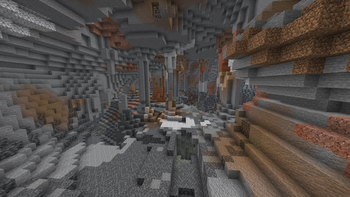
NightVision is a lightweight and reliable plugin that gives players full-bright night vision without visible potion particles or bubbles. It is designed for Paper and Spigot-style servers, saves player state across relogs, respawns, world changes, and restarts, and makes sure permission changes are always respected.

Features

  • Toggleable night vision for players
  • Full brightness effect
  • Hidden particles and potion bubbles
  • Persistent saved state by UUID
  • Restores correctly after relog, death, respawn, and world change
  • Safe permission checks on join and during play
  • Prevents saved night vision from bypassing rank or subscription removal
  • Admin support for toggling and checking other players
  • Optional admin-forced persistence setting
  • Separate config.yml and messages.yml
  • /nv reload recreates missing files automatically
  • PlaceholderAPI support
  • Built for modern Paper servers with a cross-version-friendly design

Commands

  • /nv - Toggle night vision for yourself
  • /nv on - Enable night vision for yourself
  • /nv off - Disable night vision for yourself
  • /nv status - Check your own night vision status
  • /nv <player> - Toggle night vision for another player
  • /nv on <player> - Enable night vision for another player
  • /nv off <player> - Disable night vision for another player
  • /nv status <player> - Check another player's night vision status
  • /nv reload - Reload the plugin and recreate missing files

Permissions

  • nightvision.use - Allows a player to use night vision for themselves
  • nightvision.admin.toggle - Allows toggling or setting night vision for other players
  • nightvision.admin.status - Allows checking another player's status
  • nightvision.admin.reload - Allows reloading the plugin
  • nightvision.bypass.permissionloss - Allows night vision to remain active even without the normal use permission

PlaceholderAPI

  • %nightvision_status% - Returns the configured enabled/disabled text
  • %nightvision_enabled% - Returns true or false

👥 Team & Contributors

MrFinky
MrFinkyOwner

⚙️ Compatibility

Environment
🖥️ Server-side
Loaders
bukkitpaperpurpurspigot
Minecraft Versions
1.171.17.11.181.18.11.18.21.191.19.11.19.2+24 more

🔗 Links

Modrinth Page