Logo
MINECRAFTBIBLE
Items
Items

All game items

Blocks
Blocks

Building blocks

Mobs
Mobs

Creatures & monsters

Biomes
Biomes

World biomes

Structures
Structures

Generated structures

Recipes
Recipes

Crafting guides

Advancements
Advancements

Achievements

Loot Tables
Loot Tables

Drop rates

Tags
Tags

Item groupings

All Versions
View all data →
Capes
Cape ArchiveNEW

Browse rare Minecon capes, OptiFine capes, and custom capes from players worldwide

Browse

Player Database
Player DatabasePopular

Search any player

Skin Browser
Skin Browser

Browse & download skins

Cape Gallery
Cape GalleryNEW

Minecon & OptiFine capes

Seed Vault
Seed Vault

Curated seeds

Learn

Guides
GuidesNew

Tutorials & tips

Blog
Blog

News & updates

Community

Community Hub
Community HubHub

Posts, discussions & more

All Versions
View community →
Seed Analyzer
Seed Analyzer

World seed analysis

Loot Explorer
Loot Explorer

Drop rates

Crafting Calculator
Crafting Calculator

Material planning

Enchant Calculator
Enchant Calculator

Probability math

Redstone Lab
Redstone Lab

Signal timing

Trading Profit
Trading Profit

Villager ROI

All Versions
View all tools →
Mods
Mods

Browse all mods

Plugins
Plugins

Server plugins

Resource Packs
Resource Packs

Textures & sounds

Shaders
Shaders

Visual enhancements

Datapacks
Datapacks

World logic

Scanner
Mod Intelligence

Scan & analyze any mod

All Versions
View all mods →
Loading...
IntroductionIntroductionVersion HistoryVersion HistoryGuidesGuidesBlog & NewsBlog & News
ItemsItemsBlocksBlocksMobsMobsRecipesRecipesBiomesBiomesStructuresStructuresAdvancementsAdvancementsLoot TablesLoot TablesTagsTags
ModsModsPluginsPluginsResource PacksResource PacksShadersShadersDatapacksDatapacks

MinecraftBible

The Ultimate Wiki

Logo
MINECRAFTBIBLE

The ultimate Minecraft reference. Every item, block, mob, and recipe documented with precision.

Community

  • Player Database
  • Skin Browser
  • Cape Gallery
  • Community Hub
  • Seed Vault

Database

  • Items
  • Blocks
  • Mobs
  • Recipes
  • Biomes
  • Structures

Tools

  • Seed Analyzer
  • Mod Intelligence
  • Crafting Calculator
  • Enchant Calculator

Mods & Packs

  • Mods
  • Plugins
  • Resource Packs
  • Shaders
  • Datapacks

© 2026 MinecraftBible. Not affiliated with Mojang or Microsoft.

PrivacyTermsContact
MEGAnim
PluginAGPL-3.0-only

MEGAnim

A Minecraft plugin for Spigot and its forks that allows playing animations on ModelEngine entities through commands with multiple targeting methods, animation modes, and extensive configuration options.
90
Downloads
1
Followers
6 months ago
Updated
📦
1
Versions
managementmobsutilitypaperpurpurspigot
Download Latestv1.0.0View on Modrinth

📖About MEGAnim

MEGAnim

A Minecraft plugin for Spigot and its forks that allows playing animations on ModelEngine entities through commands with multiple targeting methods, animation modes, and extensive configuration options.

Nogard card

Documentation

For full documentation, installation instructions, and examples, visit:

https://nogard.dev/minecraft/java/meganim-plugin

Features

  • Multiple Targeting Methods: Raycast, nearest entity, model ID, name tag, and UUID
  • Animation Modes: Single mode (stop others first) or multiple mode (stack animations)
  • Full Animation Control: Play, stop, and list animations on ModelEngine entities
  • Cooldown System: Configurable cooldown to prevent command spam
  • Blacklist System: Blacklist specific animations or models from being used
  • Radius Limits: Enforce maximum radius to prevent server lag
  • Tab Completion: Autocomplete for commands, animations, and targeting modes
  • Permission System: Granular permissions for all commands and targeting methods
  • Fully Configurable: Customize ranges, messages, restrictions, and default animation parameters
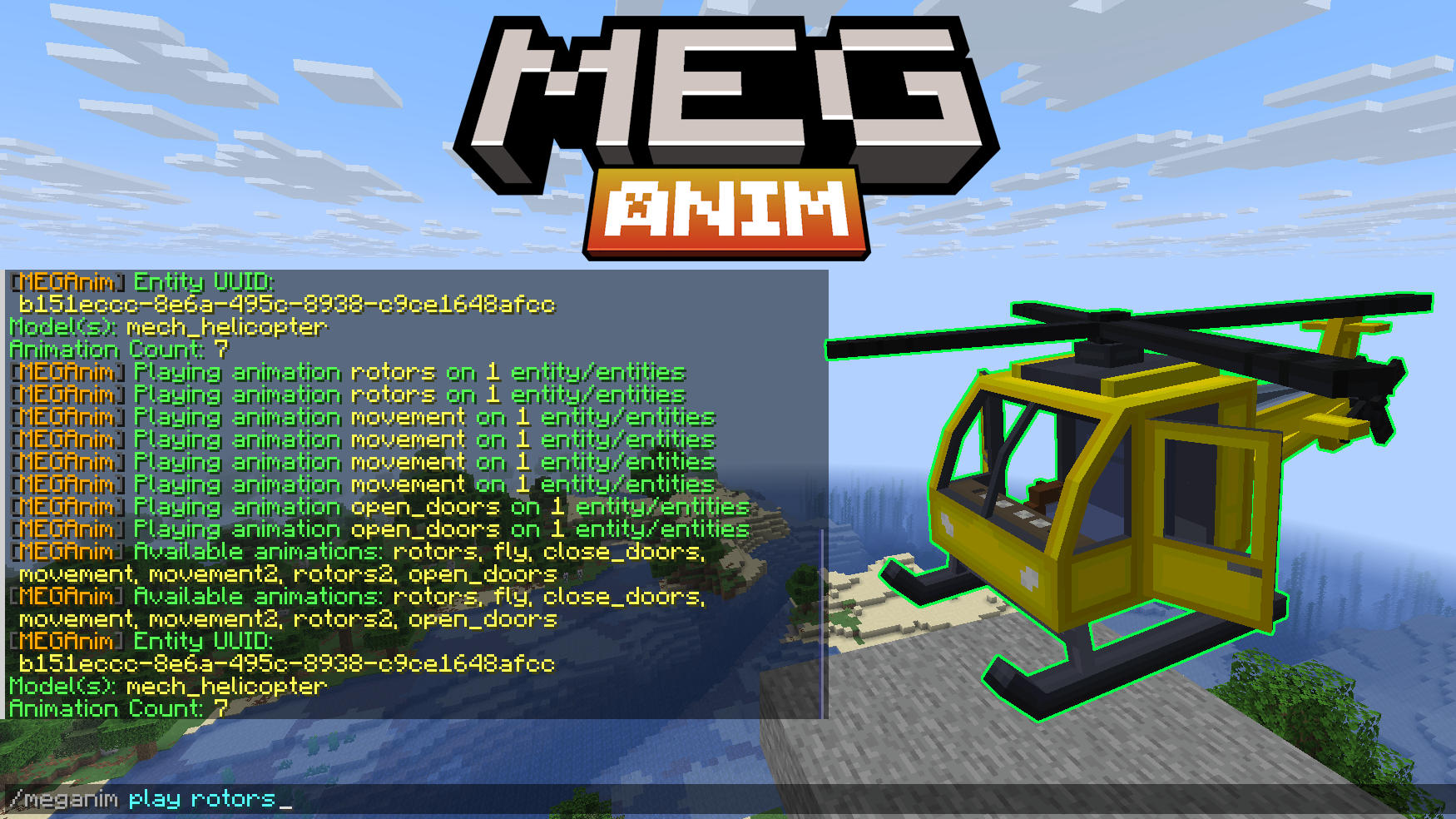
MEGAnim Poster

🎥 Video Showcase: https://youtu.be/KvpGfGObQqo

Commands

Play Animations

/meganim play <animation> [single|multiple] [targeting]

Animation Modes:

  • single - Stop all other animations before playing (prevents stacking)
  • multiple - Allow animations to stack/play simultaneously (default)
  • If not specified, uses the animation-mode setting from config.yml

Targeting Options:

  • Raycast (default): /meganim play attack
  • With mode: /meganim play attack single
  • Nearest: /meganim play walk multiple nearest [radius]
  • Model ID: /meganim play death single model dragon [radius]
  • Name tag: /meganim play idle multiple name "Boss Dragon" [radius]
  • UUID: /meganim play attack single uuid <uuid>

Other Commands

/meganim stop           - Stop all animations on targeted entity
/meganim list           - List available animations on targeted entity
/meganim info           - Show entity info (UUID, models, animation count)
/meganim reload         - Reload configuration

Command Aliases: /meganim, /mga, /manim

Requirements

  • Minecraft Server: Spigot 1.20.1+ or any fork (Paper, Purpur, etc.)
  • ModelEngine: 4.0.9 or higher (Required dependency)
  • Java: 17 or higher

Quick Start

  1. Download meganim.jar
  2. Place in your server's plugins/ folder
  3. Ensure ModelEngine 4.0+ is installed
  4. Restart the server
  5. Configure plugins/MEGAnim/config.yml as needed

Download

Get the latest release: https://nogard.dev/minecraft/java/meganim-plugin/

Support

For issues, questions, or feature requests:

  • Website: nogard.dev
  • GitHub Issues: Report bugs and request features

👥 Team & Contributors

Nogard
NogardOwner

⚙️ Compatibility

Environment
🖥️ Server-side
Loaders
paperpurpurspigot
Minecraft Versions
1.201.20.11.20.21.20.31.20.41.20.51.20.61.21+10 more

🔗 Links

Modrinth Page