Logo
MINECRAFTBIBLE
Items
Items

All game items

Blocks
Blocks

Building blocks

Mobs
Mobs

Creatures & monsters

Biomes
Biomes

World biomes

Structures
Structures

Generated structures

Recipes
Recipes

Crafting guides

Advancements
Advancements

Achievements

Loot Tables
Loot Tables

Drop rates

Tags
Tags

Item groupings

All Versions
View all data →
Capes
Cape ArchiveNEW

Browse rare Minecon capes, OptiFine capes, and custom capes from players worldwide

Browse

Player Database
Player DatabasePopular

Search any player

Skin Browser
Skin Browser

Browse & download skins

Cape Gallery
Cape GalleryNEW

Minecon & OptiFine capes

Seed Vault
Seed Vault

Curated seeds

Learn

Guides
GuidesNew

Tutorials & tips

Blog
Blog

News & updates

Community

Community Hub
Community HubHub

Posts, discussions & more

All Versions
View community →
Seed Analyzer
Seed Analyzer

World seed analysis

Loot Explorer
Loot Explorer

Drop rates

Crafting Calculator
Crafting Calculator

Material planning

Enchant Calculator
Enchant Calculator

Probability math

Redstone Lab
Redstone Lab

Signal timing

Trading Profit
Trading Profit

Villager ROI

All Versions
View all tools →
Mods
Mods

Browse all mods

Plugins
Plugins

Server plugins

Resource Packs
Resource Packs

Textures & sounds

Shaders
Shaders

Visual enhancements

Datapacks
Datapacks

World logic

Scanner
Mod Intelligence

Scan & analyze any mod

All Versions
View all mods →
Loading...
IntroductionIntroductionVersion HistoryVersion HistoryGuidesGuidesBlog & NewsBlog & News
ItemsItemsBlocksBlocksMobsMobsRecipesRecipesBiomesBiomesStructuresStructuresAdvancementsAdvancementsLoot TablesLoot TablesTagsTags
ModsModsPluginsPluginsResource PacksResource PacksShadersShadersDatapacksDatapacks

MinecraftBible

The Ultimate Wiki

Logo
MINECRAFTBIBLE

The ultimate Minecraft reference. Every item, block, mob, and recipe documented with precision.

Community

  • Player Database
  • Skin Browser
  • Cape Gallery
  • Community Hub
  • Seed Vault

Database

  • Items
  • Blocks
  • Mobs
  • Recipes
  • Biomes
  • Structures

Tools

  • Seed Analyzer
  • Mod Intelligence
  • Crafting Calculator
  • Enchant Calculator

Mods & Packs

  • Mods
  • Plugins
  • Resource Packs
  • Shaders
  • Datapacks

© 2026 MinecraftBible. Not affiliated with Mojang or Microsoft.

PrivacyTermsContact
LogicLobby
PluginLicenseRef-GPL-3.0-license

LogicLobby

A very customizable lobby plugin with CloudNet v4 support

2.1K
Downloads
7
Followers
1 years ago
Updated
📦
9
Versions
managementutilitypaperpurpurspigot
Download Latestv1.2.0View on Modrinth

📖About LogicLobby

logo

Overview

LogicLobby is a versatile and customizable plugin designed to enhance the lobby experience on your Minecraft server. With a rich feature set and flexible configuration options, LogicLobby empowers server owners to create immersive and engaging lobby environments for their players.

Wiki: https://logic.codearray.dev/docs/logiclobby.html

Key Features

  1. Teleporter Menu
    • Offer players the ability to teleport to different locations or game modes within your server.
    • Customize teleporter menu options, including inventory layout, filler items, and server descriptions.
  2. Lobby Switcher
    • Provide players with a convenient interface to navigate between different lobby areas or game modes.
    • Configure lobby switcher menu settings such as inventory layout, lobby item types, and associated servers.
  3. Spawn Management
    • Control player spawn points and behaviors upon joining the server.
    • Choose whether players should teleport to a designated spawn location upon joining.
  4. Custom Items and Descriptions
    • Define custom items with unique textures, names, and descriptions to enhance visual appeal and usability.
    • Tailor item attributes such as glow effects, quantities, and colors to suit your server's theme.
  5. CloudNet v4 Support (Optional)
    • Offer seamless transitions between CloudNet instances for improved player experience.

Flexible Configuration

LogicLobby comes with a comprehensive configuration system that allows server owners to tailor the plugin's behavior to their specific needs. From defining lobby layouts to specifying server descriptions and item attributes, the configuration file provides extensive customization options.

Ease of Use

Designed with user-friendliness in mind, LogicLobby offers an intuitive interface for both administrators and players. Server owners can easily modify settings and manage lobby features through simple configuration file adjustments.

Screenshots

screenshot1
screenshot2

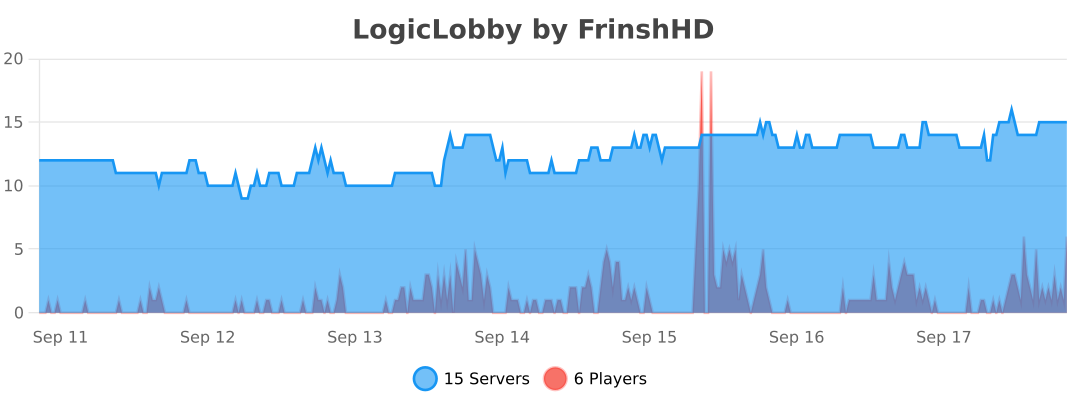
bStats

bstats

👥 Team & Contributors

Frinshy
FrinshyOwner

⚙️ Compatibility

Environment
🖥️ Server-side
Loaders
paperpurpurspigot
Minecraft Versions
1.191.19.11.19.21.19.31.19.41.201.20.11.20.2+9 more

🔗 Links

Modrinth Page