Logo
MINECRAFTBIBLE
Items
Items

All game items

Blocks
Blocks

Building blocks

Mobs
Mobs

Creatures & monsters

Biomes
Biomes

World biomes

Structures
Structures

Generated structures

Recipes
Recipes

Crafting guides

Advancements
Advancements

Achievements

Loot Tables
Loot Tables

Drop rates

Tags
Tags

Item groupings

All Versions
View all data →
Capes
Cape ArchiveNEW

Browse rare Minecon capes, OptiFine capes, and custom capes from players worldwide

Browse

Player Database
Player DatabasePopular

Search any player

Skin Browser
Skin Browser

Browse & download skins

Cape Gallery
Cape GalleryNEW

Minecon & OptiFine capes

Seed Vault
Seed Vault

Curated seeds

Learn

Guides
GuidesNew

Tutorials & tips

Blog
Blog

News & updates

Community

Community Hub
Community HubHub

Posts, discussions & more

All Versions
View community →
Seed Analyzer
Seed Analyzer

World seed analysis

Loot Explorer
Loot Explorer

Drop rates

Crafting Calculator
Crafting Calculator

Material planning

Enchant Calculator
Enchant Calculator

Probability math

Redstone Lab
Redstone Lab

Signal timing

Trading Profit
Trading Profit

Villager ROI

All Versions
View all tools →
Mods
Mods

Browse all mods

Plugins
Plugins

Server plugins

Resource Packs
Resource Packs

Textures & sounds

Shaders
Shaders

Visual enhancements

Datapacks
Datapacks

World logic

Scanner
Mod Intelligence

Scan & analyze any mod

All Versions
View all mods →
Loading...
IntroductionIntroductionVersion HistoryVersion HistoryGuidesGuidesBlog & NewsBlog & News
ItemsItemsBlocksBlocksMobsMobsRecipesRecipesBiomesBiomesStructuresStructuresAdvancementsAdvancementsLoot TablesLoot TablesTagsTags
ModsModsPluginsPluginsResource PacksResource PacksShadersShadersDatapacksDatapacks

MinecraftBible

The Ultimate Wiki

Logo
MINECRAFTBIBLE

The ultimate Minecraft reference. Every item, block, mob, and recipe documented with precision.

Community

  • Skin Browser
  • Cape Gallery
  • Seed Vault
  • Blog
  • Guides

Database

  • Items
  • Blocks
  • Mobs
  • Recipes
  • Biomes
  • Structures

Tools

  • Seed Analyzer
  • Mod Intelligence
  • Crafting Calculator
  • Enchant Calculator

Mods & Packs

  • Mods
  • Plugins
  • Resource Packs
  • Shaders
  • Datapacks

Site & Legal

  • About
  • Authors
  • Editorial Policy
  • Corrections
  • Contact
  • Privacy Policy
  • Terms of Service
  • DMCA
  • Sitemap

© 2026 MinecraftBible. Not affiliated with Mojang or Microsoft.

PrivacyTermsContact
Keep Me Growing
PluginMIT

Keep Me Growing

A plugin that allows crops and animals to grow even if users are not online or chunks are not loaded.


214
Downloads
1
Followers
1 months ago
Updated
📦
2
Versions
foodgame-mechanicsmobsbukkitpaperpurpurspigot
Download Latestv2.1View on Modrinth

📖About Keep Me Growing

KeepMeGrowing

Version
Platform
bStats

Crops and passive mobs keep maturing while chunks are unloaded: when someone loads the area again, the plugin applies the “missing” progress in one shot so growth feels natural instead of time-gated by online players.

Discord


Summary

KeepMeGrowing tracks when plant blocks and supported animals were last persisted for a chunk. On chunk load, it looks at wall-clock time since last unload, applies your configured pacing, and advances growth (crops, stems, saplings, vines, etc.) plus passive mob ageing where enabled. Requires Spigot/Paper 1.13+ (API); passive mob simulation needs Minecraft 1.10+. WorldGuard is optional via the offline-growth flag.

Drop your marketing screenshots into assets/ as crops.png and animals.png so the images below render on GitHub.
Showcase

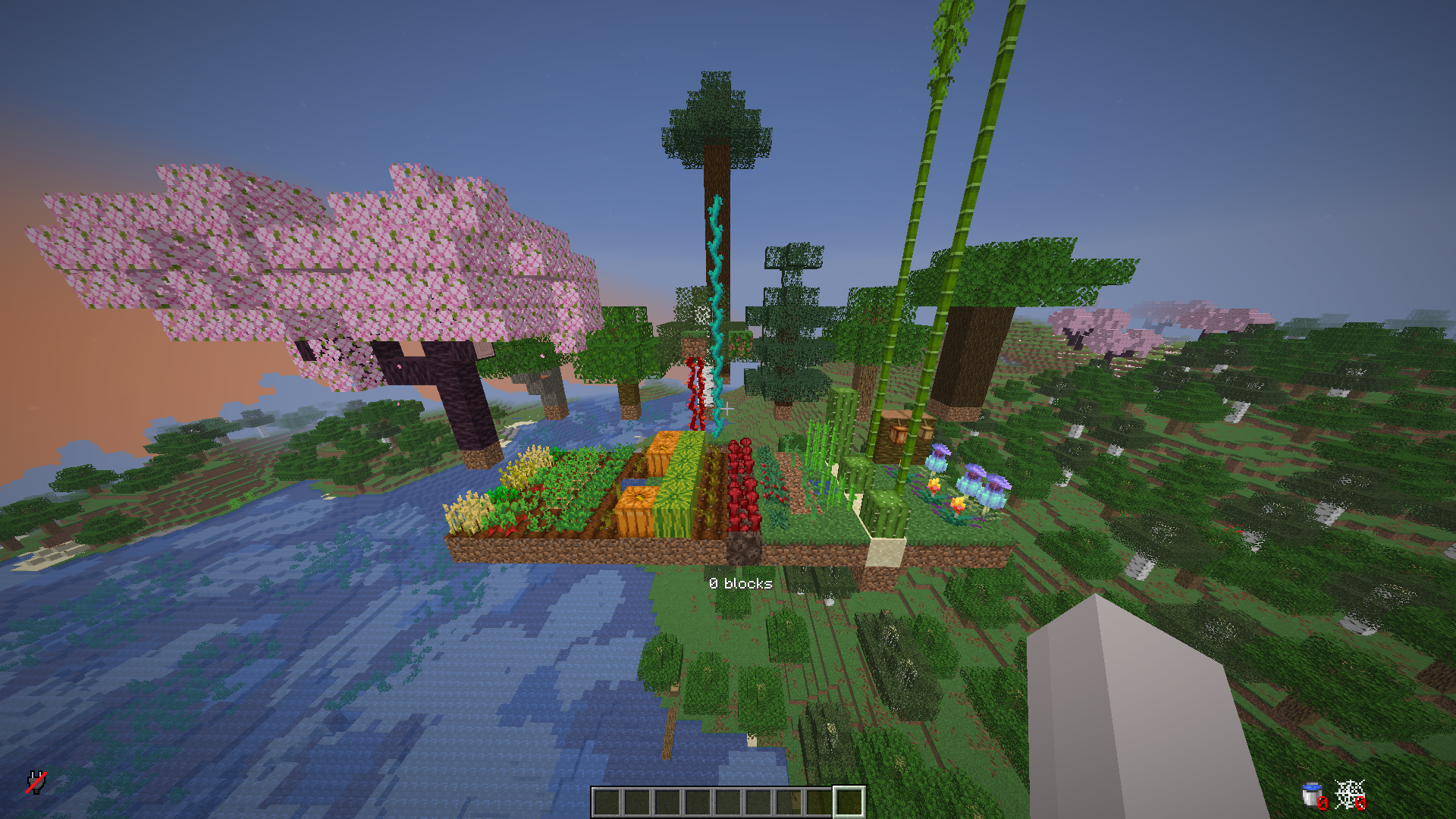
Supported crops

Supported crops

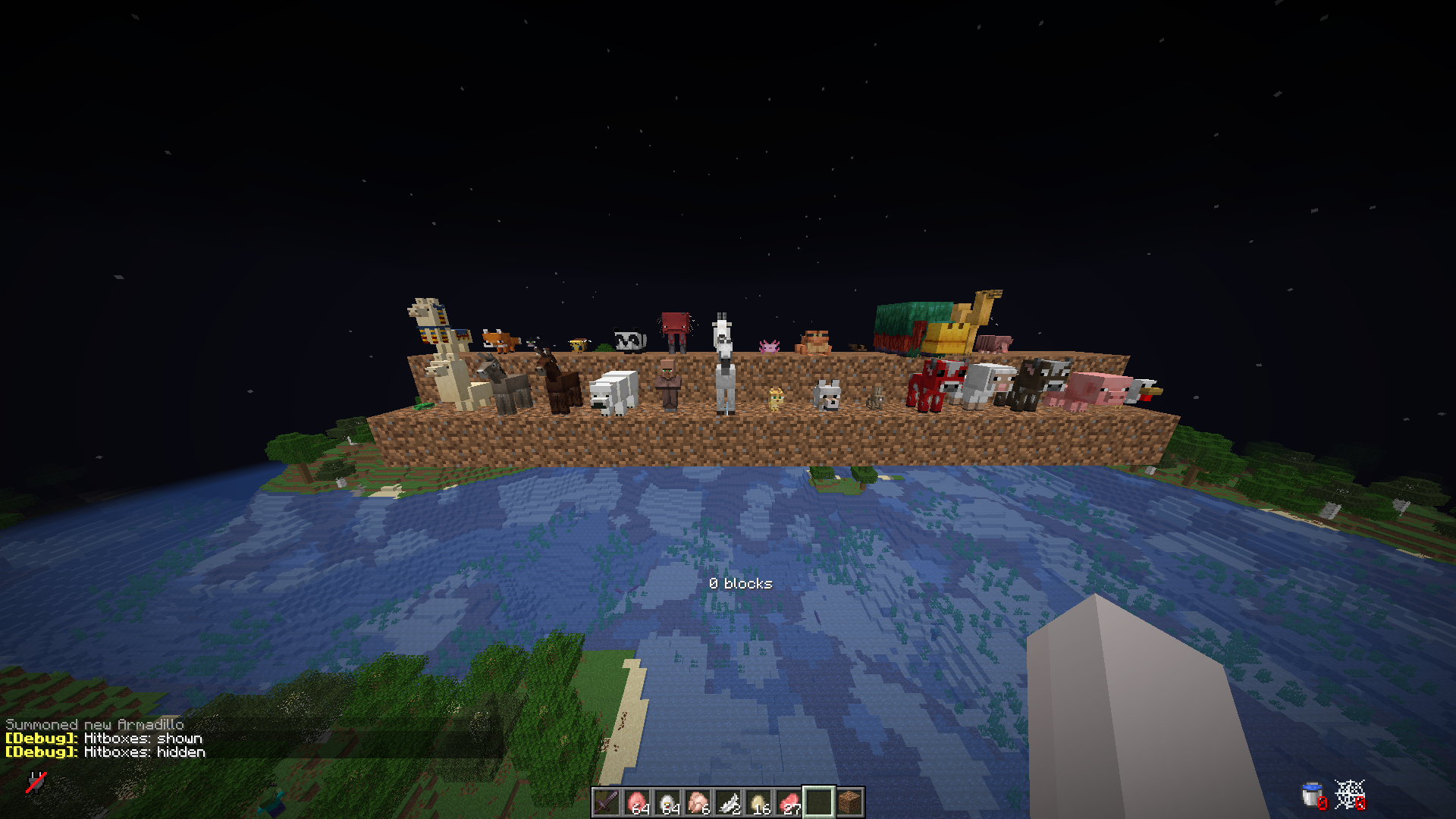
Supported animals

Supported animals


How it works

When a chunk that contains tracked plants or eligible animals is loaded, the plugin knows roughly how long that chunk (or its saved state) sat unloaded. It does not simulate every tick in real time; instead it fast-forwards growth using that elapsed time and your config.yml pacing so players see crops and mobs “catch up” as if they had been progressing the whole time.

Here is a concrete example using the default pacing for carrots in config.yml (20 minutes ≈ “full maturity” for pacing purposes — you can change this per crop):

  • If the chunk was away for ≥ 20 minutes, carrots advance as if a full growth window elapsed (they can reach full stage from an empty field, subject to how the growth logic applies that time).
  • If it was away for 10 minutes, carrots get about half that pacing budget applied.
  • If it was away for 10 minutes and the carrots were already half-grown when the chunk unloaded, the remaining progress stacks with what was saved — they can reach full stage after load.

Exact behaviour depends on crop type, block state, modifiers (/growth rate, sprint, freeze), and WorldGuard offline-growth. Tune every crop in plants-minutes-to-full-growth and mobs in mobs-minutes-to-full-growth to match your server.


Crops & plants

These are handled with offline-style progression (names match common Bukkit materials / farm blocks):

  • Carrots
  • Potatoes
  • Wheat
  • Beetroots
  • Nether wart
  • Cocoa
  • Sweet berry bush
  • Saplings: oak, birch, spruce, jungle, acacia, dark oak, cherry — including 2×2 mega tree setups (e.g. four spruce, jungle, or dark oak saplings)
  • Cactus
  • Sugar cane
  • Melon (stem and melon blocks)
  • Pumpkin (stem and pumpkin blocks)
  • Kelp
  • Weeping vines
  • Twisting vines
  • Bamboo
  • Cave vines
  • Mangrove propagules
  • Torchflower
  • Pitcher crop

Supported passive mobs

If the server version allows mob tracking, these types can receive offline-style ageing / special cases (e.g. baby → adult pacing, sheep wool regrowth where implemented):

  • Chicken
  • Pig
  • Cow
  • Sheep (including wool regrowth timing)
  • Mooshroom
  • Rabbit
  • Wolf
  • Ocelot
  • Horse
  • Villager
  • Polar bear
  • Mule
  • Donkey
  • Llama
  • Turtle
  • Trader llama
  • Fox
  • Cat
  • Bee
  • Panda
  • Strider
  • Goat
  • Axolotl
  • Frog
  • Tadpole
  • Sniffer
  • Camel
  • Armadillo

Features

  • Offline crop growth when chunks reload, driven by configurable “minutes to full growth” per plant type
  • Optional offline passive mob progression on supported versions
  • Loaded-chunk bonus ticks so farms still respect /growth multipliers when players are nearby
  • WorldGuard integration: offline-growth flag (DENY blocks simulation in that region)
  • Persistence via JSON or external databases (see config.yml)
  • Admin commands for reload, debug, sprint / freeze / base rate

Installation

  1. Build or download the shadow JAR keepmegrowing-2.0.jar (or keepmegrowing-bundled-2.0.jar if you need all DB drivers in one file).
  2. Place it in the server plugins folder.
  3. Start the server; config is created under plugins/KeepMeGrowing/.
  4. Edit config.yml, then /growth reload or /keepmegrowing reload (same permission).

Upgrading from older “OfflineGrowthPro” folders: rename/copy plugins/OfflineGrowthPro/ → plugins/KeepMeGrowing/ so existing data stays with the new plugin name. Legacy scoreboard tags are not migrated automatically.


Usage

Commands

Command Aliases Permission Description
/keepmegrowing /kmg keepmegrowing.admin Help / same subcommands as /growth
/growth /gth keepmegrowing.admin reload, debug, sprint, freeze, unfreeze, rate <n>

Permissions

Permission Default Description
keepmegrowing.admin op All admin commands above

Configuration

Main file: plugins/KeepMeGrowing/config.yml.

Section Purpose
plants-minutes-to-full-growth Pacing hint per crop (lower = faster offline catch-up)
mobs-minutes-to-full-growth Same idea for supported passive mobs
growth-rate Base and sprint multipliers
loaded-chunk-growth Extra ticks while chunks stay loaded
unload-chunk-scan-crops Optional full-chunk scan on unload (heavier)
blacklisted-worlds / disable-spawn-chunks World policy
database JSON or SQL/Mongo settings

YAML keys are stable; adjust comments and values only.


Compatibility

Paper and Spigot, Minecraft 1.13+ for the API baseline; mob features need 1.10+ game behaviour as noted above. WorldGuard soft-depend.


bStats

This plugin sends anonymous usage metrics to bStats — keepmegrowing (plugin ID 31246): server software, Minecraft version, player counts, and adoption trends — no personal player data.

KeepMeGrowing enables Metrics with ID 31246 on enable. The shadow JAR relocates org.bstats into com.keepmegrowing so it does not clash with other plugins’ bStats copies.

If your server does not show on the chart yet: the first payload is delayed a few minutes, and bStats refreshes around :00 and :30 each hour. Server owners can opt out via the global bStats config under plugins/ (server owner docs).
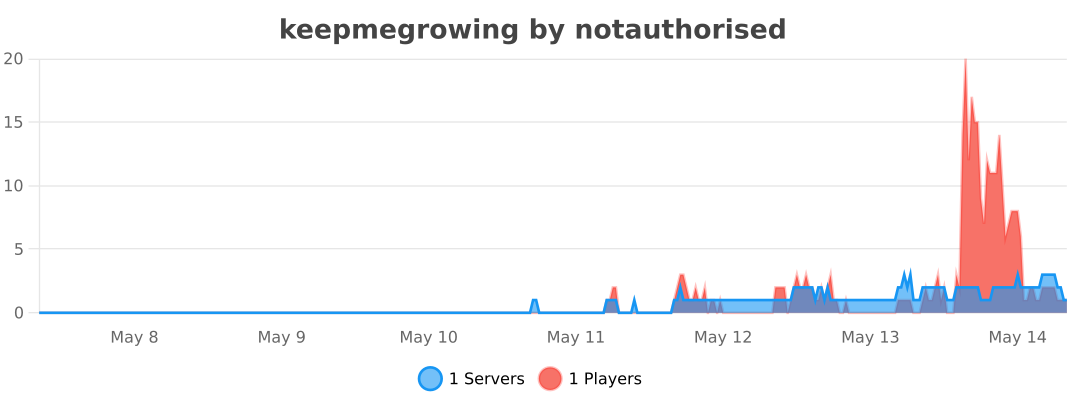

Live chart (servers using keepmegrowing)

bStats: servers using keepmegrowing

👥 Team & Contributors

not.authorised
not.authorisedOwner

⚙️ Compatibility

Environment
🖥️ Server-side
Loaders
bukkitpaperpurpurspigot
Minecraft Versions
1.131.13.11.13.21.141.14.11.14.21.14.31.14.4+42 more

🔗 Links

Modrinth Page