Logo
MINECRAFTBIBLE
Items
Items

All game items

Blocks
Blocks

Building blocks

Mobs
Mobs

Creatures & monsters

Biomes
Biomes

World biomes

Structures
Structures

Generated structures

Recipes
Recipes

Crafting guides

Advancements
Advancements

Achievements

Loot Tables
Loot Tables

Drop rates

Tags
Tags

Item groupings

All Versions
View all data →
Capes
Cape ArchiveNEW

Browse rare Minecon capes, OptiFine capes, and custom capes from players worldwide

Browse

Player Database
Player DatabasePopular

Search any player

Skin Browser
Skin Browser

Browse & download skins

Cape Gallery
Cape GalleryNEW

Minecon & OptiFine capes

Seed Vault
Seed Vault

Curated seeds

Learn

Guides
GuidesNew

Tutorials & tips

Blog
Blog

News & updates

Community

Community Hub
Community HubHub

Posts, discussions & more

All Versions
View community →
Seed Analyzer
Seed Analyzer

World seed analysis

Loot Explorer
Loot Explorer

Drop rates

Crafting Calculator
Crafting Calculator

Material planning

Enchant Calculator
Enchant Calculator

Probability math

Redstone Lab
Redstone Lab

Signal timing

Trading Profit
Trading Profit

Villager ROI

All Versions
View all tools →
Mods
Mods

Browse all mods

Plugins
Plugins

Server plugins

Resource Packs
Resource Packs

Textures & sounds

Shaders
Shaders

Visual enhancements

Datapacks
Datapacks

World logic

Scanner
Mod Intelligence

Scan & analyze any mod

All Versions
View all mods →
Loading...
IntroductionIntroductionVersion HistoryVersion HistoryGuidesGuidesBlog & NewsBlog & News
ItemsItemsBlocksBlocksMobsMobsRecipesRecipesBiomesBiomesStructuresStructuresAdvancementsAdvancementsLoot TablesLoot TablesTagsTags
ModsModsPluginsPluginsResource PacksResource PacksShadersShadersDatapacksDatapacks

MinecraftBible

The Ultimate Wiki

Logo
MINECRAFTBIBLE

The ultimate Minecraft reference. Every item, block, mob, and recipe documented with precision.

Community

  • Skin Browser
  • Cape Gallery
  • Seed Vault
  • Blog
  • Guides

Database

  • Items
  • Blocks
  • Mobs
  • Recipes
  • Biomes
  • Structures

Tools

  • Seed Analyzer
  • Mod Intelligence
  • Crafting Calculator
  • Enchant Calculator

Mods & Packs

  • Mods
  • Plugins
  • Resource Packs
  • Shaders
  • Datapacks

Site & Legal

  • About
  • Authors
  • Editorial Policy
  • Corrections
  • Contact
  • Privacy Policy
  • Terms of Service
  • DMCA
  • Sitemap

© 2026 MinecraftBible. Not affiliated with Mojang or Microsoft.

PrivacyTermsContact
InfiniteHomes
PluginMIT

InfiniteHomes

A simple, lightweight, and fully-featured homes plugin with unlimited homes, per-player GUI, and multilingual support – just install and play!

830
Downloads
0
Followers
4 months ago
Updated
📦
4
Versions
transportationbukkitpaperpurpurspigot
Download Latestv1.2View on Modrinth

📖About InfiniteHomes

InfiniteHomes

The simplest, most feature-rich home plugin for Minecraft servers. Set unlimited homes, manage them with a beautiful GUI, and enjoy multilingual support – all with zero configuration required!

InfiniteHomes is designed for server owners who want a reliable home plugin that just works. No complicated config files to tweak, no permissions to set up (unless you want admin features). Install it and your players can instantly start setting homes with /sethome <name>. But don't let the simplicity fool you – under the hood, InfiniteHomes is packed with features to satisfy both casual players and advanced server admins.


✨ Features

  • Unlimited homes by default – no arbitrary limits. But if you need them, you can set a global home limit in the config or via command.
  • Named homes – players can set multiple homes with custom names (e.g., /sethome base, /sethome farm).
  • Beautiful GUI – browse all your homes in a paginated inventory, complete with icons!
    • Left-click to teleport.
    • Right-click to delete (with confirmation).
    • Shift-click to change the icon (choose from dozens of materials).
    • Click the emerald to create a new home – just type the name in chat.
  • Admin GUI – manage other players’ homes with /homeadmin <player>.
  • Teleport warmup (configurable) – add a delay before teleporting, and optionally cancel if the player moves or takes damage. Perfect for PvP or survival servers.
  • Cooldown (configurable) – prevent spam by setting a cooldown between /home uses.
  • Multilingual – automatically displays messages in the player’s client language. Supported: English, German, Spanish, French, Italian, Dutch, Portuguese, Russian. (Easily add your own translations!)
  • Tab completion – quickly find your homes when typing /home or /delhome.
  • Simple commands – intuitive and easy to remember.
  • Lightweight & performant – no database needed; homes are stored in a simple homes.yml file.

📋 Commands

Command Description Permission
/sethome <name> Set a home at your current location. none
/delhome <name> (or /deletehome) Delete a home. none
/home <name> (or /h) Teleport to a home. If no name is given, opens the GUI. none
/homes (or /listhomes) List all your homes in chat. none
/homeadmin <player> Open the GUI to manage another player’s homes. infinitehomes.admin
/homecount <number> Set the global home limit (-1 for unlimited). OP
/homecooldown <seconds> Set the cooldown between home teleports (-1 to disable). OP
/htp <seconds> [true|false] Set teleport warmup delay and whether to cancel on move/damage. OP

🔧 Configuration (Optional)

All settings are stored in config.yml with sensible defaults:

# Home limit (-1 = unlimited)
max-homes: -1

# Cooldown in seconds (-1 = disabled)
home-cooldown: -1

# Teleport warmup delay (-1 = disabled)
teleport-delay: -1

# Cancel teleport if player moves or takes damage?
teleport-delay-cancel-on-move: true

You can change these at any time – no server restart required (just use the admin commands).


🌍 Languages

InfiniteHomes speaks your players’ language! It automatically detects the client’s locale and displays all messages accordingly.
Currently supported:

  • 🇬🇧 English
  • 🇩🇪 German
  • 🇪🇸 Spanish
  • 🇫🇷 French
  • 🇮🇹 Italian
  • 🇳🇱 Dutch
  • 🇵🇹 Portuguese
  • 🇷🇺 Russian

Want another language? Simply copy texts_en.yml from the plugin folder, rename it to texts_[lang].yml, and translate the strings. No coding required!


🛡️ Permissions

  • infinitehomes.admin – grants access to /homeadmin, /homecount, /homecooldown, and /htp. Default: OP.

📦 Installation

  1. Download the latest InfiniteHomes.jar.
  2. Place it in your server’s plugins/ folder.
  3. Restart your server (or use a plugin manager).
  4. That’s it! Players can start using /sethome immediately.

YouTube Tutorial (German)

We have an official German YouTube Tutorial! Here it is:
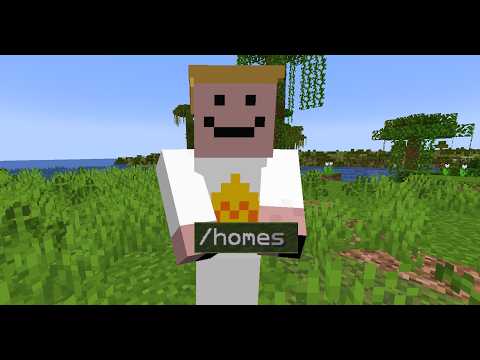
Video Titel

Thank you minemeeer for this tutorial :)


💬 Support

  • Issues & suggestions: GitHub Issues
  • Source code: GitHub

📌 Summary

The simplest and most feature-rich home plugin for Minecraft servers – unlimited homes, GUI, multilingual, and just works out of the box.

👥 Team & Contributors

U
user404_Owner

⚙️ Compatibility

Environment
🖥️ Server-side
Loaders
bukkitpaperpurpurspigot
Minecraft Versions
1.211.21.11.21.21.21.31.21.41.21.51.21.61.21.7+8 more

🔗 Links

Modrinth Page