
MINECRAFTBIBLE
Loading...

High-Performance Anti-Freecam/Anti-Xray for Spigot, Paper, Folia, and with Bedrock Support. Secure your world with ease againts freecammers.
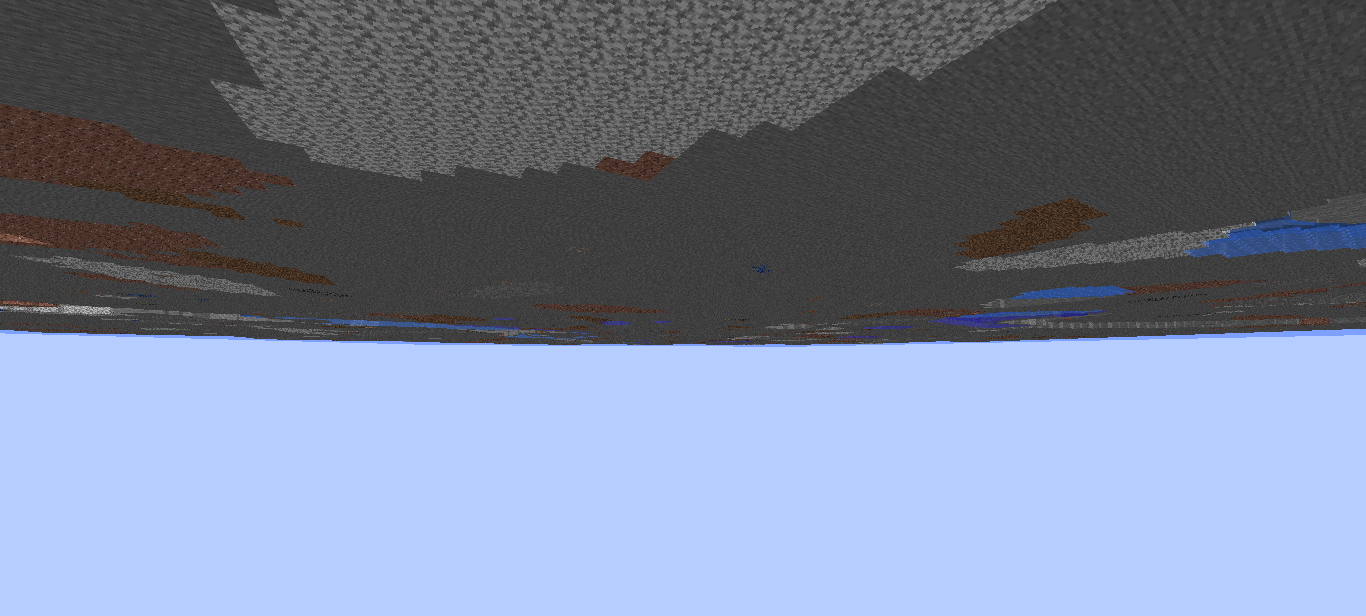
Protect underground bases, caves, and hidden structures from players using FreeCam or X-Ray mods. FPAntiFreeCam intercepts outgoing packets and replaces underground blocks with air. So FreeCam users see nothing but void below the surface.
⚠️ This plugin does not block ore X-ray. It is designed to protect bases, farms, and hidden structures underground.
| Command | Description | Permission |
|---|---|---|
/fpac reload |
Reload the config | fpantifreecam.admin |
/fpac stats |
Show live plugin stats | fpantifreecam.admin |
/fpac debug |
Toggle debug logging | fpantifreecam.admin |
/fpac world <add|remove> <world> |
Add/remove a protected world | fpantifreecam.admin |
/fpac bypass <player> |
Toggle bypass for a player | fpantifreecam.admin |
/fpac help |
Show command help | fpantifreecam.admin |
/fpreload |
Quick config reload shortcut | fpantifreecam.admin |
/fpdebug |
Quick debug toggle shortcut | fpantifreecam.admin |
Aliases: /fpafc, /antifreecam, /fpacreload, /fpacdebug
| Permission | Description | Default |
|---|---|---|
fpantifreecam.admin |
Full access to all commands | OP |
fpantifreecam.reload |
Reload configuration | OP |
fpantifreecam.debug |
Toggle debug mode | OP |
fpantifreecam.world |
Manage protected worlds | OP |
fpantifreecam.bypass |
Exempt from protection (staff/builders) | ❌ |
# ============================================================
#  FPAntiFreeCam  –  Configuration
#  Anti-FreeCam protection for Spigot / Paper / Folia
#  1.19+ · 1.20+ · 1.21+ · 26.1+
# ============================================================

# PLEASE DO NOT CHANGE!!
config-version: 4.0

# ── General ──────────────────────────────────────────────────
settings:
  # Check for updates on startup and notify admins (fpantifreecam.admin permission) on join.
  update-checker: true

  # Language file in plugins/FPAntiFreeCam/lang/<language>.yml
  language: "en"

  # Print verbose debug info to console (leave false in production)
  debug-mode: false

  # Seconds a player must wait between FreeCam-state refresh triggers.
  # Prevents spam-refreshing when rapidly crossing the surface Y level.
  refresh-cooldown-seconds: 3

# ── Protected worlds ─────────────────────────────────────────
# Add every world name that should have underground-hiding active.
# Tip: avoid nether/end worlds – they can cause visual glitches.
worlds:
  list:
    - "world"
    # - "survival"
    # - "resource_world"

# ── FreeCam protection thresholds ────────────────────────────
protection:
  # Y level at-or-above which hiding is ALWAYS armed.
  # Players standing at or above this Y cannot see blocks below void-y.
  # Recommended: set to roughly your world's actual surface height.
  # Example: 64 for a normal overworld, 31 for a flat/custom world.
  # NOTE: This replaces the old "surface-y" key. Both are supported.
  protection-y: 64.0

  # Blocks below protection-y before protection turns OFF when descending.
  # Prevents chunk-refresh spam when jumping at the surface boundary.
  hysteresis-y: 2.0

  # Every block at-or-below this Y is replaced with the void block
  # (replacement.block-type) when protection is active.
  # Pick the highest Y where your bases/storage actually sit, then add ~5 blocks.
  # Unsure? Stand on your deepest vault floor in-game and use that Y minus 2.
  # Default 15 works for typical overworld bases dug to Y~11-20.
  void-y: 15

  # Optional per-world void-y overrides (world name -> Y level).
  # Worlds not listed here use the global void-y above.
  # per-world-void-y:
  #   world_nether: 40
  #   resource_world: 20

  # Pie-chart protection: strips tile entities and entity spawns from packets
  # while protection is active. This prevents players from using the F3 pie chart
  # to find bases (chests, mob farms, etc.) through the void.
  pie-chart-protection: false

  # Absolute Y floor. Players BELOW this value always have protection OFF.
  # Fixes the void-floor bug when digging straight down near void-y level.
  # Rule: void-y  <  deep-deactivation-y  <  protection-y
  # Example with defaults: 15 < 20 < 64
  deep-deactivation-y: 20.0

  # Raycast zone: players between deep-deactivation-y and protection-y.
  # Two sub-checks decide whether to arm protection here:
  #   1. Look-direction: camera pointing upward (freecam angle exploit)
  #   2. Sky access: open vertical path to protection-y (cave ceiling gap)
  raycast:
    enabled: true
    # Minimum upward look vector (0.0–1.0) to arm protection. ~0.15 ≈ 9° above horizontal.
    min-upward-angle: 0.15
    # Milliseconds of stability before applying a state change via raycast.
    # Prevents flicker near zone boundaries. 500ms is a good balance.
    deactivation-debounce-ms: 500
    # Also cast diagonal rays (NE/NW/SE/SW) to catch angled cave openings.
    multi-directional: true

# ── Replacement block ─────────────────────────────────────────
# Block type sent to the client in place of hidden underground blocks.
# "air" produces a clean void look (recommended).
# "stone" can be used to fake a solid floor instead.
replacement:
  block-type: "air"

# ── Entity hiding ─────────────────────────────────────────────
entities:
  # Hide non-player entities that are inside the hidden zone.
  # Prevents FreeCam from revealing mob farms / storage mobs.
  hide-entities: true

# ── Player notifications ────────────────────────────────────────
notifications:
  action-bar:
    # Show a HUD message while protection is active for a player.
    enabled: false
    message-active: "&c☠ FreeCam Protected"

# ── Anti-cheat helpers ────────────────────────────────────────
anti-cheat:
  freeze-detection:
    # Log a console warning if a protected player above protection-y
    # has not moved for N seconds (possible position-spoofing FreeCam).
    enabled: false
    seconds: 30

# ── Performance ───────────────────────────────────────────────
performance:
  # Folia: enable region-aware chunk scheduling (auto-detected)
  folia-optimizations: true

  # Paper/Spigot: max chunks refreshed per server tick
  max-chunks-per-tick: 40

  # Instant protection: force a large-radius refresh when a player
  # first enters the surface-y zone so bases are hidden immediately.
  instant-protection:
    enabled: true
    # Chunks radius to refresh when instant protection fires
    instant-load-radius: 14
    # Pre-load distance in blocks above surface-y where instant refresh is armed
    pre-load-distance: 10
    # Force re-encode of chunk data immediately (prevents momentary base glimpse)
    force-immediate-refresh: true

  # Limit how far chunk REFRESHES reach when protection toggles.
  # WARNING: does NOT limit packet masking — but stale client cache outside
  # this radius may briefly show real blocks until those chunks reload.
  # Leave disabled unless you need the perf savings and accept that tradeoff.
  limited-area:
    enabled: false
    chunk-radius: 4
| Platform | Supported |
|---|---|
| Paper 1.19 – 26.1.2+ | ✅ |
| Purpur | ✅ |
| Spigot | ✅ |
| Bukkit | ✅ |
| Folia | ✅ |
| Geyser / Floodgate | ✅ |
Discord: Join our Discord Server
GitHub: FPAntiFreeCam GitHub
Secure what players shouldn't see.