
Logo
MINECRAFTBIBLE
Items
Items

All game items

Blocks
Blocks

Building blocks

Mobs
Mobs

Creatures & monsters

Biomes
Biomes

World biomes

Structures
Structures

Generated structures

Recipes
Recipes

Crafting guides

Advancements
Advancements

Achievements

Loot Tables
Loot Tables

Drop rates

Tags
Tags

Item groupings

All Versions
View all data →
Capes
Cape ArchiveNEW

Browse rare Minecon capes, OptiFine capes, and custom capes from players worldwide

Browse

Player Database
Player DatabasePopular

Search any player

Skin Browser
Skin Browser

Browse & download skins

Cape Gallery
Cape GalleryNEW

Minecon & OptiFine capes

Seed Vault
Seed Vault

Curated seeds

Learn

Guides
GuidesNew

Tutorials & tips

Blog
Blog

News & updates

Community

Community Hub
Community HubHub

Posts, discussions & more

All Versions
View community →
Seed Analyzer
Seed Analyzer

World seed analysis

Loot Explorer
Loot Explorer

Drop rates

Crafting Calculator
Crafting Calculator

Material planning

Enchant Calculator
Enchant Calculator

Probability math

Redstone Lab
Redstone Lab

Signal timing

Trading Profit
Trading Profit

Villager ROI

All Versions
View all tools →
Mods
Mods

Browse all mods

Plugins
Plugins

Server plugins

Resource Packs
Resource Packs

Textures & sounds

Shaders
Shaders

Visual enhancements

Datapacks
Datapacks

World logic

Scanner
Mod Intelligence

Scan & analyze any mod

All Versions
View all mods →
Loading...
IntroductionIntroductionVersion HistoryVersion HistoryGuidesGuidesBlog & NewsBlog & News
ItemsItemsBlocksBlocksMobsMobsRecipesRecipesBiomesBiomesStructuresStructuresAdvancementsAdvancementsLoot TablesLoot TablesTagsTags
ModsModsPluginsPluginsResource PacksResource PacksShadersShadersDatapacksDatapacks

MinecraftBible

The Ultimate Wiki

Logo
MINECRAFTBIBLE

The ultimate Minecraft reference. Every item, block, mob, and recipe documented with precision.

Community

  • Player Database
  • Skin Browser
  • Cape Gallery
  • Community Hub
  • Seed Vault

Database

  • Items
  • Blocks
  • Mobs
  • Recipes
  • Biomes
  • Structures

Tools

  • Seed Analyzer
  • Mod Intelligence
  • Crafting Calculator
  • Enchant Calculator

Mods & Packs

  • Mods
  • Plugins
  • Resource Packs
  • Shaders
  • Datapacks

© 2026 MinecraftBible. Not affiliated with Mojang or Microsoft.

PrivacyTermsContact
EnhancedPets
PluginLicenseRef-All-Rights-Reserved

EnhancedPets

A Plugin that completely enhances the existing minecraft Pet system.

1.8K
Downloads
21
Followers
8 months ago
Updated
📦
3
Versions
managementmobsutilitybukkitpaperpurpurspigot
Download Latestv1.1.0View on Modrinth

📖About EnhancedPets

✨ EnhancedPets - Enhanced Pet System ✨

Version
Compatibility
Discord Support

First Pet enhancing Plugin.

This is not a Plugin to add Pets, it enhances the existing (Wolf, Cat...) System.


📚 Overview

EnhancedPets is a powerful and feature-rich plugin designed to make Minecraft petting smoother. Whether you're running a Survival, Factions, or any other type of server, EnhancedPets provides everything you need to make pets more fun and useful than vanilla.

Our goal is to provide a solution that is both easy to use for players and highly configurable for server administrators. EnhancedPets is a new plugin idea, not copied from others.


💡 Features

  • 💎 [Change Pet Mood]: Change your pet's mood to Passive, Neutral, or Aggressive.
  • ⚔️ [Pet TP]: Instantly teleport your pets to you.
  • 💰 [GUI]: Always have a great overview of all your pets. Select and manage each pet individually.
  • 🛡️ [Free Pets]: Release a pet into the wilderness!
  • ⚙️ [Blacklist]: Set a list of players your pet will never attack.
  • 💠 [Cat Attack]: Set a cat to aggressive and it will attack hostiles!
  • 👻 [Dead Pet Revival]: When a pet dies, it stays in the GUI as a dead pet (skeleton skull icon). Dead pets can be revived with a Nether Star or deleted.
  • 🦄 [Happy Ghast Support]:
    • Tame a Happy Ghast by right-clicking with a snowball (20% chance per attempt).
    • Happy Ghasts can be set to follow mode and managed like any other pet.
    • While riding your tamed Happy Ghast, left-click to shoot a fireball (with cooldown).
    • All features (GUI, batch actions, etc.) work for Happy Ghasts.

🖼️ Visuals
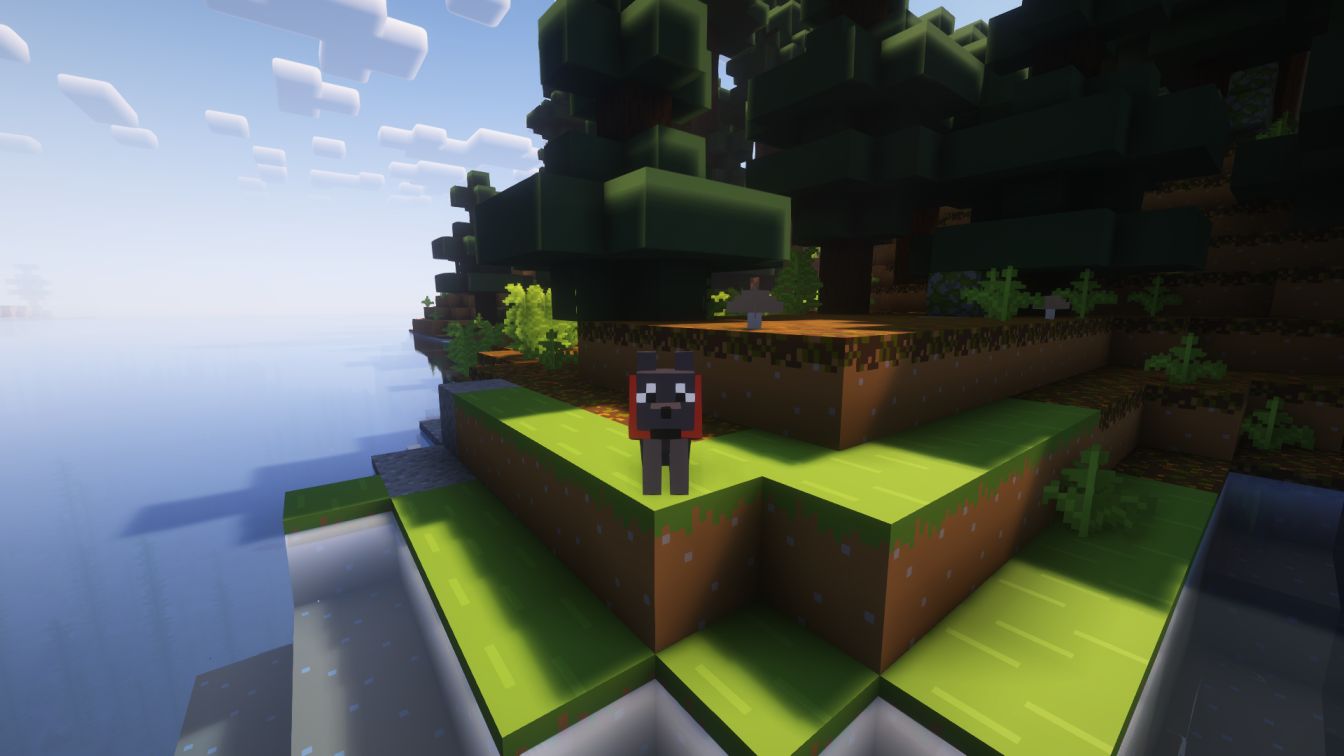
A Dog


⚙️ Installation

  1. Download the latest enhancedpets.jar from the downloads.
  2. Place the .jar file into your server's plugins folder.
  3. Restart your server.

⌨️ Commands

  • /pets - Opens the Pets GUI.
    /pets reload - Reloads the Plugin

📝 Additional Notes

  • All features are highly configurable via the plugin's config file.
  • Dead pets are clearly marked in the GUI and can be managed at any time.
  • Happy Ghast support requires Minecraft 1.21.6+.
  • For support, join our Discord.

👥 Team & Contributors

AxoIsAxo
AxoIsAxoOwner

⚙️ Compatibility

Environment
🖥️ Server-side
Loaders
bukkitpaperpurpurspigot
Minecraft Versions
1.171.17.11.181.18.11.18.21.191.19.11.19.2+18 more

🔗 Links

Modrinth Page

