
MINECRAFTBIBLE
Loading...

A armor-utility plugin that allows players to fuse Chestplates with Elytras to create high-tier, protective flight-wear with customizable particle trails.
The ultimate "Late-Game" flight & protection solution.
ElytraFusion solves the age-old Minecraft dilemma: "Do I wear my armor for protection, or my Elytra for mobility?" Now, you can have both.
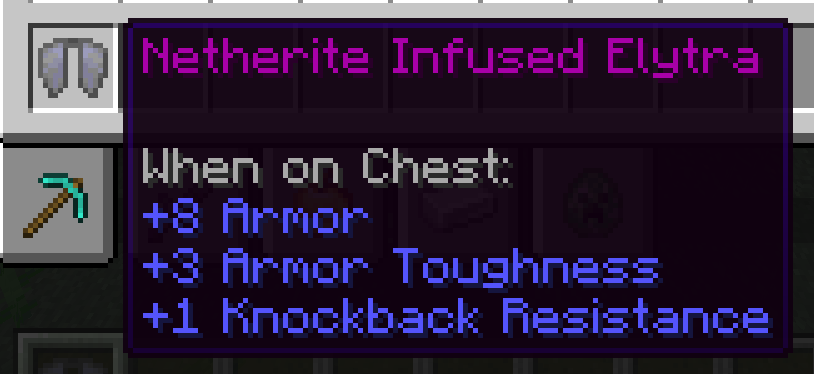
This plugin allows players to infuse any tier of Chestplate directly into an Elytra using a Smithing Table. The result is a high-performance flight-wear item that retains full defensive stats without sacrificing your ability to soar.
🛡️ All Material Tiers – Leather, Copper, Chainmail, Gold, Iron, Diamond, and Netherite infusions. Each tier can be enabled or disabled individually.
🔨 Native Smithing – Crafting uses the 1.20+ Smithing Table system for a seamless vanilla feel.
✨ Dynamic Trails – Unique, customizable particle effects that trail behind you based on your armor tier. Global on/off toggle and per-tier opt-out.
📜 Enchantment Merging – Automatically combines enchants (like Protection IV and Mending) from both items.
🏷️ Custom Name Carry-Over – Named your Elytra? The fused result keeps it by default. Configurable.
🔄 Reversible Fusion – Players can split a fused Elytra back into the exact original Elytra and Chestplate with /ef split, guarded by a clickable chat confirmation. Works on older fusions too with a best-effort fallback.
💬 Fully Configurable – Adjust armor values, toughness, durability, particles, and every player-facing message via config.yml. Supports & color codes and {placeholders}.
🧩 Safe Updates – Drop in a new .jar without deleting your config. Missing keys fall back to packaged defaults at runtime, and a config-latest.yml reference is only generated when something new is available.
The Fusion: Place a Smithing Template, an Elytra, and your Chestplate into a Smithing Table.
The Result: You receive an Infused Elytra that grants the specific armor points of the chestplate used — plus its enchantments and (optionally) its name.
The Maintenance: Repair your gear in an Anvil using the base material (e.g., use Diamonds to repair Diamond Infused Elytras).
The Split (optional): Changed your mind? Hold the fused Elytra and run /ef split — confirm in chat and get your original items back.
| Command | Description | Permission |
|---|---|---|
| (Smithing Table fusion) | Fuse an Elytra with any Chestplate | elytrafusion.use (default: true) |
/ef split |
Split a fused Elytra back into its original items (with confirm prompt) | elytrafusion.split (default: true) |
/ef give <player> <tier> |
Instantly give an infused elytra | elytrafusion.admin (default: op) |
/ef reload |
Reload config settings instantly | elytrafusion.admin (default: op) |
💡 Tip: Because
elytrafusion.useis a real permission, you can use LuckPerms contexts to restrict fusing to specific worlds, regions, or ranks — e.g. allow fusing only at spawn, or only for donators.
Need help? Have a cool idea for a new feature? Join our community!
🗨️ Discord
We use bStats to collect anonymous usage data to help improve the plugin. You can view our public metrics on the bStats dashboard!