BukkitOfUtils
Easily develop plugins that support the majority of server software! Supports Folia too!
📖About BukkitOfUtils

Please join the Streamline Hub Discord to get
updates and for me to fully assist you with bugs,
questions, or suggestions.
Discord: click here

BukkitOfUtils (BOU for short)
Easily develop plugins that support the majority of server software!
Supported Platforms
- Bukkit
- Spigot
- Paper
- Purpur
- Folia
- Mohist/Banner/Youer
- Airplane
- Tuinity
- ImmanitySpigot
- AxolotlSpigot
- And more!
- Most forks of Spigot and Paper are supported natively.
What is it?
BOU is both a plugin and plugin-making framework / library.
It is designed to ease the development process of making Bukkit plugins.
It also provides a central framework for plugins that use it,
making the plugins that use it more organized and easier to manage
as well as making them slimmer and faster to download.

BOU is one of the few plugin-building-frameworks out there that supports
Bukkit, Folia, and Mohist/Banner/Youer!
Plus, its easy-to-understand classes and framework help beginners
start developing plugins that they too can understand!
The plugin is also optimized with its own async methods so that
server owners don't have to worry about lag (specifically with method calls like Database operations).
All of this and the fact that it has a built-in database framework that uses HikariCP
(the fastest database framework at the moment),
means that developers will have an easy time adding database support for their plugins.
What does this do?
As stated before,
the main purpose of this plugin is
to provide a central framework for plugins that use it.
On top of that, it also has a few abilities it does by itself:
- Entity collection.
- Shows the number of currently loaded mobs in your world.
- This was originally intended for debugging on Folia servers.
- Allow server admins to change how many milliseconds there are in between the async ticks the plugin has.
- This is used for increasing or decreasing the tickrate of the plugin's runnable tasks.
- Item serialization.
- Serialize and deserialize ItemStacks to and from strings.
- Built-in database framework.
- Easily add database support to your plugins with HikariCP.
- Enhanced logging.
- Allows plugin authors to handle logging messages in a more intuitive way.
- Focus on asynchronous, thread-safe, optimized methods.
- The plugin is designed to be as lag-free as possible.
- Enhanced color support.
- Easily colorize messages with the plugin's built-in color support. Supports RGB colors with Hex!
- Added utility methods.
- The plugin has a few utility methods that can be used in your plugin's project.
- Localized PlaceholderAPI support.
- Easily add PlaceholderAPI support to your plugin with the plugin's built-in PlaceholderAPI support.

Commands
/entity-count [world]- Get the amount of entities currently loaded on your server.
/boudebug <item-nbt|list-bou-plugins|store-item|get-item|make-item|worlds|uuid|top|down|up> [args]- Serialize or deserialize items to and from strings
- Store an item in memory.
- Get an item from memory.
- Get a list of loaded bou plugins.
- List all worlds.
- Show a copy-able message of a player's UUID.
- Teleport to:
- Top location.
- Down location.
- Up location.
/boumessage <player> <message>- Send a message to a player with the plugin's color support.
/boutitle <player> <title>\n<subtitle> [-fadeIn=<fade in ticks>] [-stay=<stay ticks>] [-fadeOut=<fade out ticks>]- Send a title to a player with the plugin's color support.
/bouversion- Shows
BukkitOfUtilsversioning information.- Including the server's version.
- Shows
/runfirestring <firestring>- Runs a
FireString.
- Runs a
/bouhelp <bou-plugin>- Shows
Helpfulinformation about aBOUplugin.
- Shows
/item-factory <bou-plugin> <key>- Get's an item from the
ItemFactory.
- Get's an item from the

How do I get started using this?
Head on over to the plugin's wiki to see how you can use it in your own plugin's project.
Wiki: https://wiki.plas.host/bukkitofutils
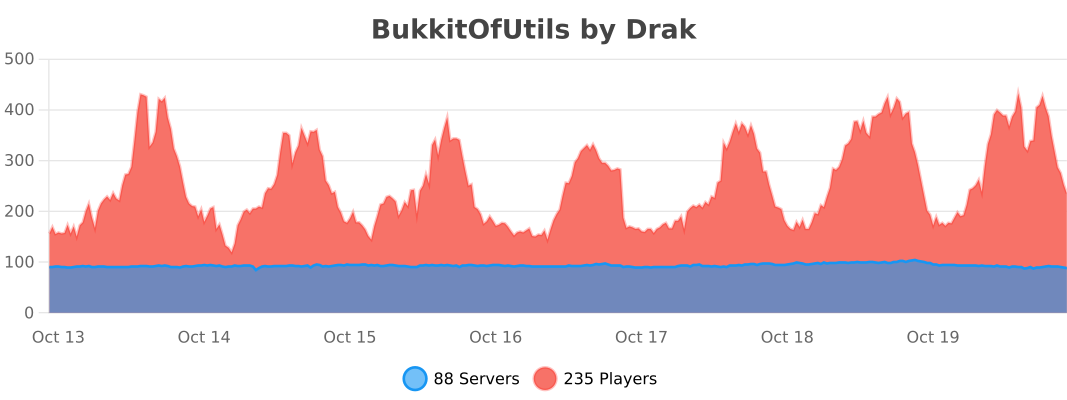
BStats