


Automatic-Crafting-Table
You can use a crafting table in a hopper system to automatically craft items. Use shift and left click on the crafting table to configure the settings.
📖About Automatic-Crafting-Table
Automatic-Crafting-Table
You can now automatically craft items within a hopper system.
This plugin supports:
- All minecraft versions from 1.14.1 to 1.19.4
- Integration of a workbench in a hopper system to automatically craft items
- Custom items
- PlaceholderAPI
- A configuration file
How to use it
Simply shift and left-click on a crafting table and a new menu pops up:
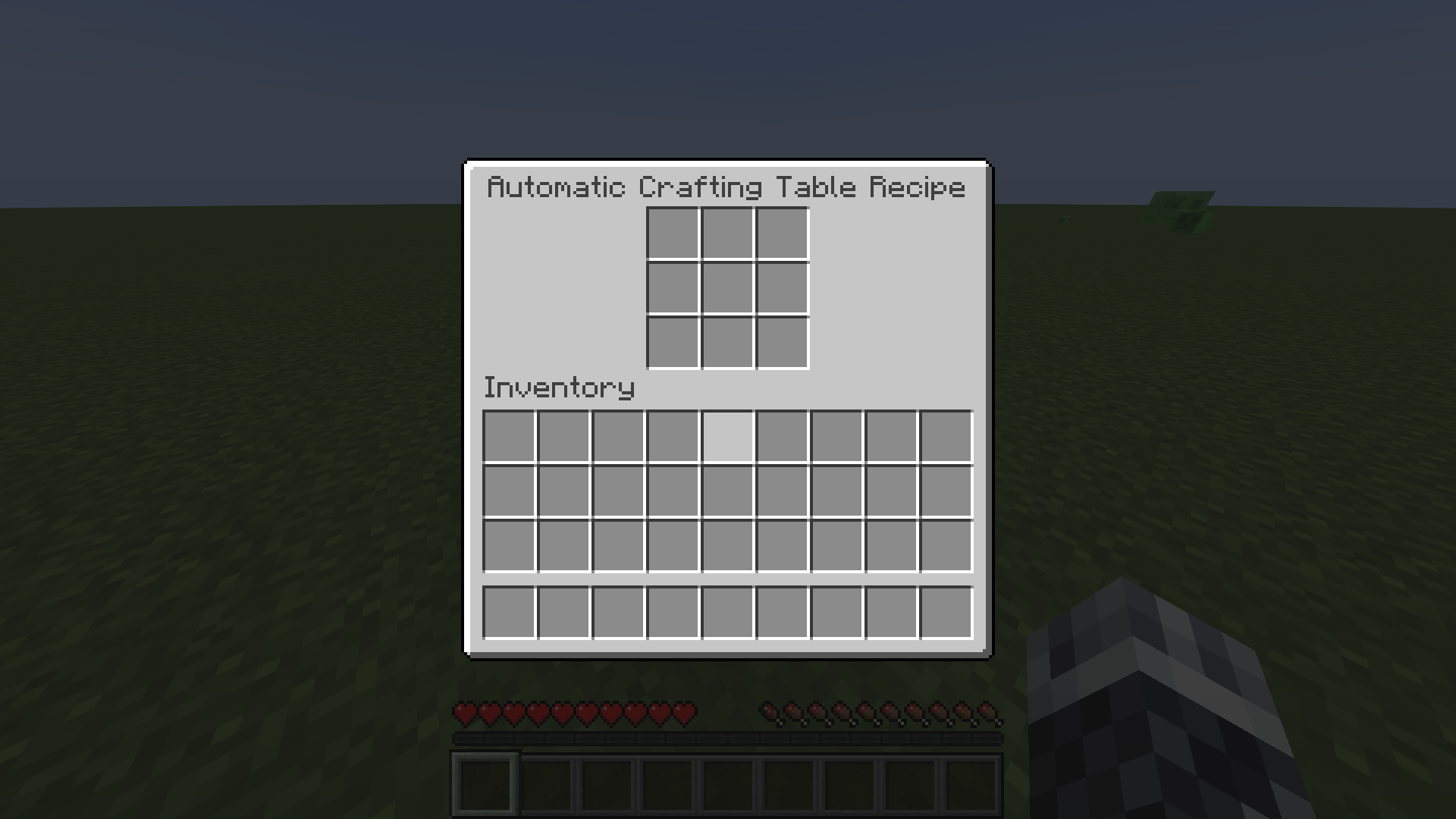
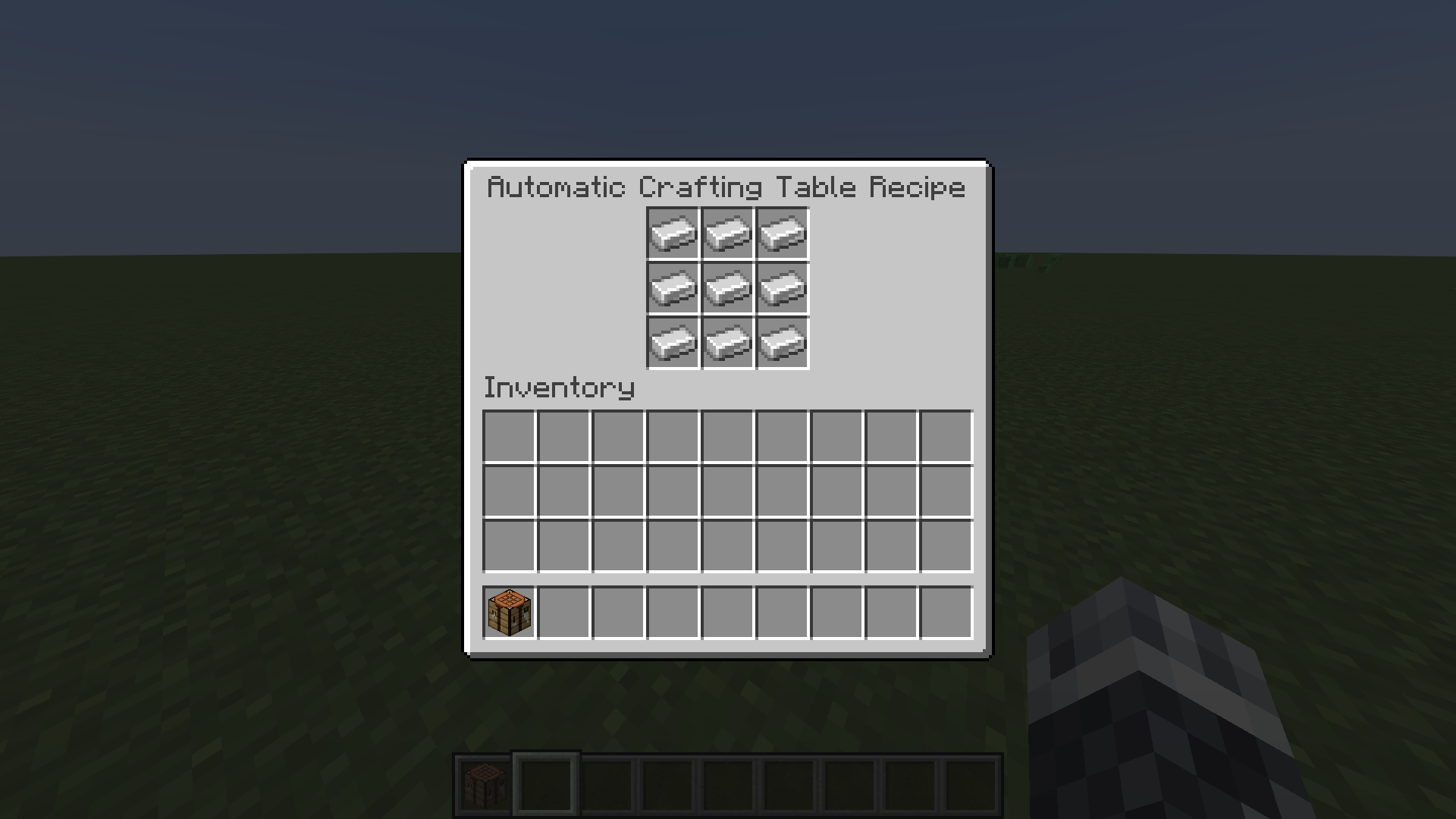
Now put items in this menu for any crafting recipe you want (custom recipes included). For instance, I use a block of iron:
In the next step, connect your crafting table you just modified with a hopper system (the first hopper must go on the crafting table, the second hopper must go in any other direction except the where the crafting table is located). For example:
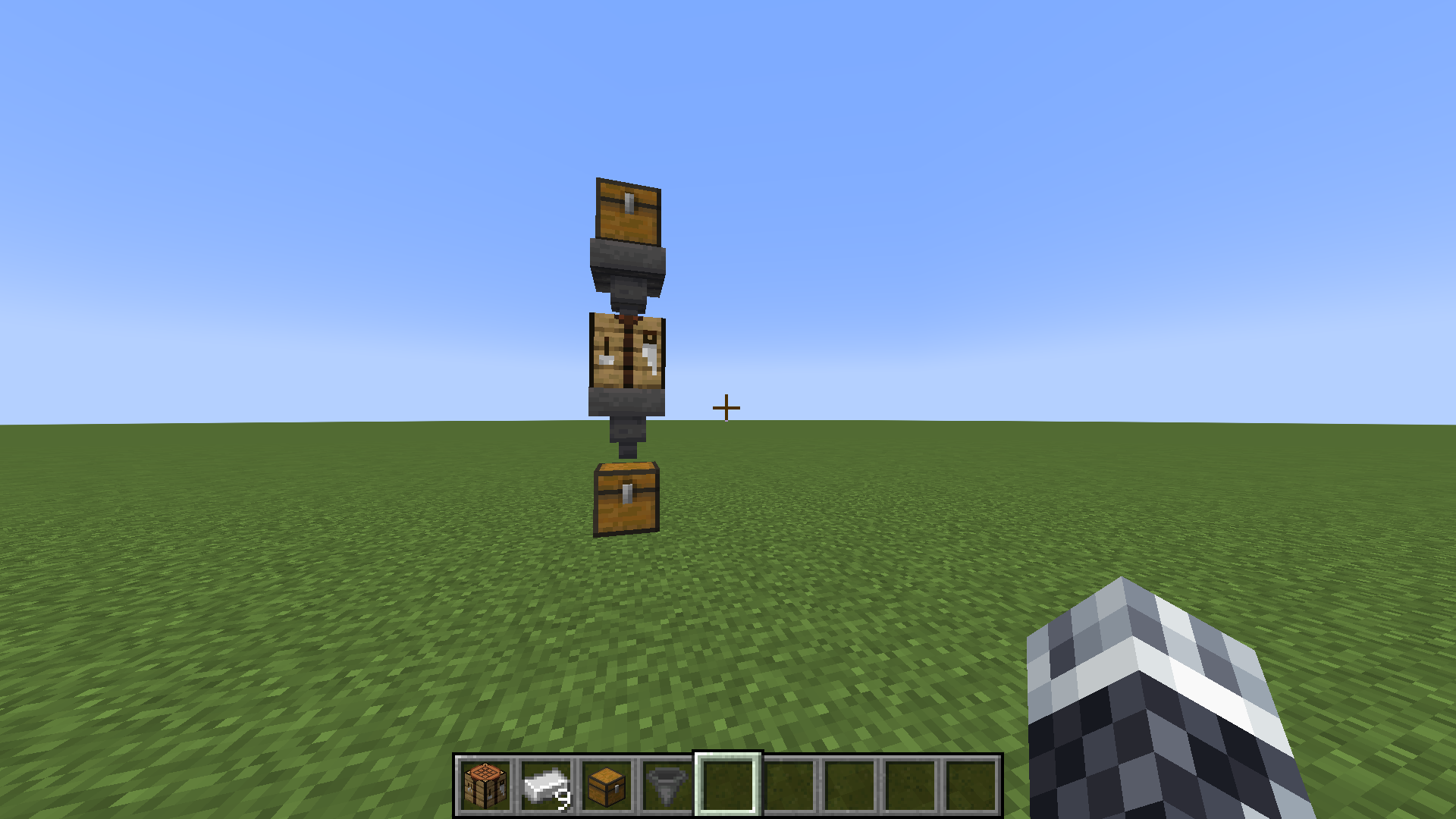
Finally, just put the items you need to craft the recipe in the hopper that goes into the crafting table and Voilà! The item you want just dropped into the other hopper!
You can also make more than one hopper face into the crafting table. They will work together with the ingredients to craft the item you want. For example, one hopper has 2 sticks and the other has 3 diamonds for a diamond pickaxe and it would work!
The configuration file
enabled: true
crafting-table-ui-display: 'Automatic Crafting Table Recipe'
crafting-table-timer: 4
crafting-table-visual-feedback-enabled: true
crafting-table-sound-feedback-enabled: true
separate-from-other-crafting-tables: false
automatic-crafting-table-item-display: "&aAutomatic-Crafting-Table"
automatic-crafting-table-item-lore:
  - "&eUse this Crafting Table in a "
  - "&ehopper system to automatically "
  - "&ecraft items"
The field "enabled" can be set either to true or false to enable or disable the plugin.
The field "crafting-table-ui-display" is the menu name of the menu that opens when you shift and left-click on a crafting table. Color codes supported.
The field "crafting-table-timer" is a number of the time how long your crafting table needs to craft items. The number is in minecraft ticks. For instance: 20 minecraft ticks = 1 second.
The field "crafting-table-visual-feedback-enabled" enables/disables the particles that spawn when an item has been successfully automatically crafted.
The field "crafting-table-sound-feedback-enabled" enables/disables the sound that plays when an item has been successfully automatically crafted.
The field "separate-from-other-crafting-tables" makes, when it is set to true, the Automatic-Crafting-Table a different item as the normal crafting table. Do /getACT (player) (permission: act) to get one or give to other players.
The field "automatic-crafting-table-item-display" is the display of the Automatic-Crafting-Table-Item.
The field "automatic-crafting-table-item-lore" is the lore of the Automatic-Crafting-Table-Item.
You can also make more than one hopper face into the crafting table. They will work together with the ingredients to craft the item you want. For example, one hopper has 2 sticks and the other has 3 diamonds for a diamond pickaxe and it would work!
PlaceholderAPI
"automaticcraftingtableTables" returns an int of how many crafting tables are registered.
"automaticcraftingtableUsedRecipes" returns a String of all items that has been crafted automatically with the plugin.