
MINECRAFTBIBLE
Loading...
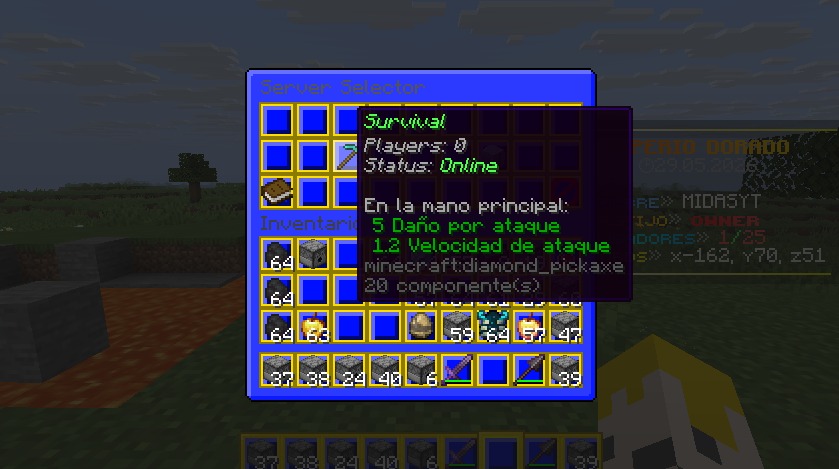

A network without a proxy? A FREE network? YES! Enjoy a free network without a proxy and without a multiverse.
A free network? No proxy? No multiple worlds overloading the server's RAM? Yes, it's possible with AuricNetwork.
AuricNetwork lets you build a Minecraft server network without any proxy (BungeeCord, Velocity). It uses Paper's native Player#transfer (1.21+).
⚠️ Requirement: On each target server, set accepts-transfers=true in server.properties.
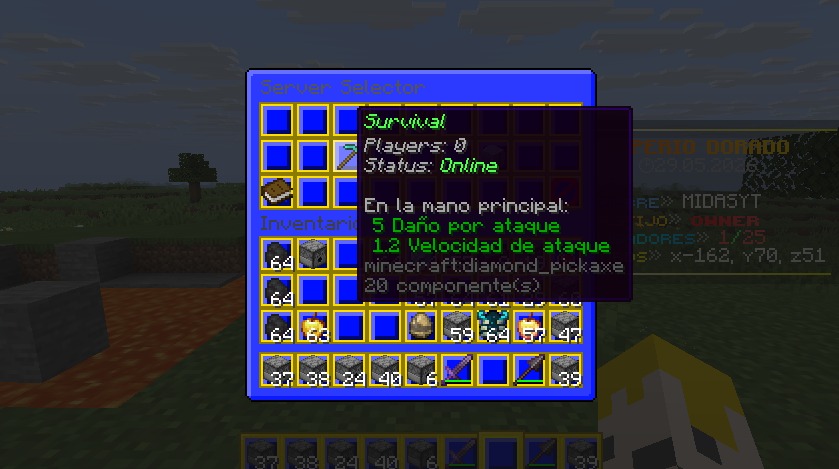
%online_<server>% and %status_<server>%./lobby picks a server from a list, either at random or always the one with the fewest players.api.mcsrvstat.us.%auricnetwork_*% / %an_*%./auricnetwork reload – Reload config. (auricnetwork.command.reload)/auricnetwork status – List every server's live status. (auricnetwork.command.status)/auricnetwork announce <id> – Broadcast a named announcement. (auricnetwork.command.announce or auricnetwork.command.announce.<id>)/auricnetwork menu – Open server selector GUI. (auricnetwork.command.menu)/auricnetwork setjoinspawn – Set join spawn at your location. (auricnetwork.command.setjoinspawn)/auricnetwork setrespawnspawn – Set respawn spawn. (auricnetwork.command.setrespawnspawn)/server <name> [player] – Transfer to another server, or send another player. (auricnetwork.command.server / auricnetwork.command.server-others)/spawn [join|respawn] – Teleport to spawn. (auricnetwork.command.spawn)/lobby or /hub – Go to lobby (supports random or least-players balancing). (auricnetwork.command.lobby)/party <invite|accept|deny|leave|kick|list|disband> – Manage your party. (auricnetwork.command.party)Every subcommand above also works directly under /auricnetwork (e.g. /auricnetwork server survival).
auricnetwork.admin – Parent node for every administrative permission: reload, announce, status, set spawns, server-others.auricnetwork.command.server / auricnetwork.command.server-others – Transfer yourself, or transfer other players.auricnetwork.command.menu – Open the server selector GUI.auricnetwork.command.spawn – Parent node for auricnetwork.command.spawn.join and auricnetwork.command.spawn.respawn.auricnetwork.command.lobby – Use /lobby//hub.auricnetwork.command.party – Parent node for invite, accept, deny, leave, kick, list and disband, each with its own individual permission.auricnetwork.command.announce – Broadcast any announcement, or auricnetwork.command.announce.<id> for a single one.auricnetwork.welcome.<number> – Unlocks the welcome rank with that exact numeric key in the config.auricnetwork.queue.<number> – Queue priority; any number works, the highest one wins.Every command permission is split as granularly as possible, so you can remove access to one specific feature without affecting the rest.
💡 You can use a database connected to each server to maintain, for example, ranges between servers.
💡 Since a proxy is not being used, the plugins must be installed on all servers; they will not be transferred between them.
🌐 My Socials (Spanish Content / Contenido en Español)