
MINECRAFTBIBLE
Loading...

A lightweight Accessory&Trinket plugin. Compatible with Vanilla Attribute , Mythicmobs and AuraSkills.
Accessories is a lightweight accessory slot system for Minecraft servers.
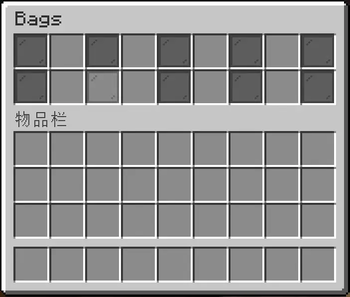
It adds a separate Accessories GUI, allowing players to equip custom accessories without interfering with vanilla armor or normal equipment logic.
Accessories can be used to provide:
This makes it suitable as a modular accessory framework rather than a system tied to a single plugin.

Accessories supports triggering MythicMobs skills through equipped accessories.
You can bind MythicMobs skills to accessory items and have them trigger under different conditions, such as:
onAttack — when the player deals damageonDamaged — when the player takes damageonInteract — when the player interactsonKill — when the player kills an entityonShoot — when the player fires a projectileonTimer — repeated trigger based on a configured intervalEach skill entry can also define:
self or targeted)This allows accessories to work as custom skill carriers, making them easy to integrate into advanced combat or RPG systems.
signature: 1

items:
  example_ring:
    name: "&bExample Ring"
    skills:
      - skill: ExampleAttackSkill
        trigger: onAttack
        target: targeted

      - skill: ExampleTimerSkill
        trigger: onTimer
        period: 20
        target: self
        conditions: {}
Accessories can also apply vanilla Minecraft attributes through equipped items.
This makes it possible to build accessories around native attribute systems, such as:
This is useful if you want your accessory system to stay close to vanilla mechanics while still benefiting from a separate accessory GUI.
Accessories introduces custom Absorb and MagicAbsorb shield mechanics.
This applies to both Absorb and MagicAbsorb:
You can display shield status using PlaceholderAPI:
%absorb_current_shield%%absorb_max_shield%%magicabsorb_current_shield%%magicabsorb_max_shield%Useful for:
The plugin includes a fully customizable GUI system:
This gives you precise control over what types of accessories players can use.
| Plugin | Requirement |
|---|---|
| PlaceholderAPI | Optional |
| AuraSkills | Optional, for trait-style integrations |
| MythicMobs | Optional, for accessory-triggered skills |
| Command | Description | Permission |
|---|---|---|
/inv |
Open the Accessories GUI | accessory.inv |
/accessory reload |
Reload config, GUI, frame, and slot settings | accessory.reload |
Accessories can be used for effects such as:
Defence
Reduces incoming magic damage
HealRegeneration
Increases health regeneration
HealRegenerationDecrease
Reduces regeneration, useful for cursed items
Absorb
Grants and regenerates a physical damage shield
MagicAbsorb
Grants and regenerates a magic damage shield
Vanilla Attributes
Supports native Minecraft attributes such as health, armor, damage, and movement speed
Accessories supports a lore-based tag system.
If an accessory item contains lore in the following format:
[xxxx]
the player will automatically receive the corresponding tag:
xxxx
This system allows accessories to interact with external systems without hard dependencies.