Logo
MINECRAFTBIBLE
Items
Items

All game items

Blocks
Blocks

Building blocks

Mobs
Mobs

Creatures & monsters

Biomes
Biomes

World biomes

Structures
Structures

Generated structures

Recipes
Recipes

Crafting guides

Advancements
Advancements

Achievements

Loot Tables
Loot Tables

Drop rates

Tags
Tags

Item groupings

All Versions
View all data →
Capes
Cape ArchiveNEW

Browse rare Minecon capes, OptiFine capes, and custom capes from players worldwide

Browse

Player Database
Player DatabasePopular

Search any player

Skin Browser
Skin Browser

Browse & download skins

Cape Gallery
Cape GalleryNEW

Minecon & OptiFine capes

Seed Vault
Seed Vault

Curated seeds

Learn

Guides
GuidesNew

Tutorials & tips

Blog
Blog

News & updates

Community

Community Hub
Community HubHub

Posts, discussions & more

All Versions
View community →
Seed Analyzer
Seed Analyzer

World seed analysis

Loot Explorer
Loot Explorer

Drop rates

Crafting Calculator
Crafting Calculator

Material planning

Enchant Calculator
Enchant Calculator

Probability math

Redstone Lab
Redstone Lab

Signal timing

Trading Profit
Trading Profit

Villager ROI

All Versions
View all tools →
Mods
Mods

Browse all mods

Plugins
Plugins

Server plugins

Resource Packs
Resource Packs

Textures & sounds

Shaders
Shaders

Visual enhancements

Datapacks
Datapacks

World logic

Scanner
Mod Intelligence

Scan & analyze any mod

All Versions
View all mods →
Loading...
IntroductionIntroductionVersion HistoryVersion HistoryGuidesGuidesBlog & NewsBlog & News
ItemsItemsBlocksBlocksMobsMobsRecipesRecipesBiomesBiomesStructuresStructuresAdvancementsAdvancementsLoot TablesLoot TablesTagsTags
ModsModsPluginsPluginsResource PacksResource PacksShadersShadersDatapacksDatapacks

MinecraftBible

The Ultimate Wiki

Logo
MINECRAFTBIBLE

The ultimate Minecraft reference. Every item, block, mob, and recipe documented with precision.

Community

  • Player Database
  • Skin Browser
  • Cape Gallery
  • Community Hub
  • Seed Vault

Database

  • Items
  • Blocks
  • Mobs
  • Recipes
  • Biomes
  • Structures

Tools

  • Seed Analyzer
  • Mod Intelligence
  • Crafting Calculator
  • Enchant Calculator

Mods & Packs

  • Mods
  • Plugins
  • Resource Packs
  • Shaders
  • Datapacks

© 2026 MinecraftBible. Not affiliated with Mojang or Microsoft.

PrivacyTermsContact
Weather Watch
ModCC-BY-ND-4.0

Weather Watch

Sync real life weather into your world!

3.1K
Downloads
48
Followers
3 months ago
Updated
📦
30
Versions
managementsocialutilityfabricneoforge
Download Latestv1.1.2View on Modrinth

📖About Weather Watch

Weather Watch

Weather Watch is a mod that focuses on matching the in-game weather to the real life weather in your area. If it's stormy outside, it'll match that in game!

Features

Weather Sync

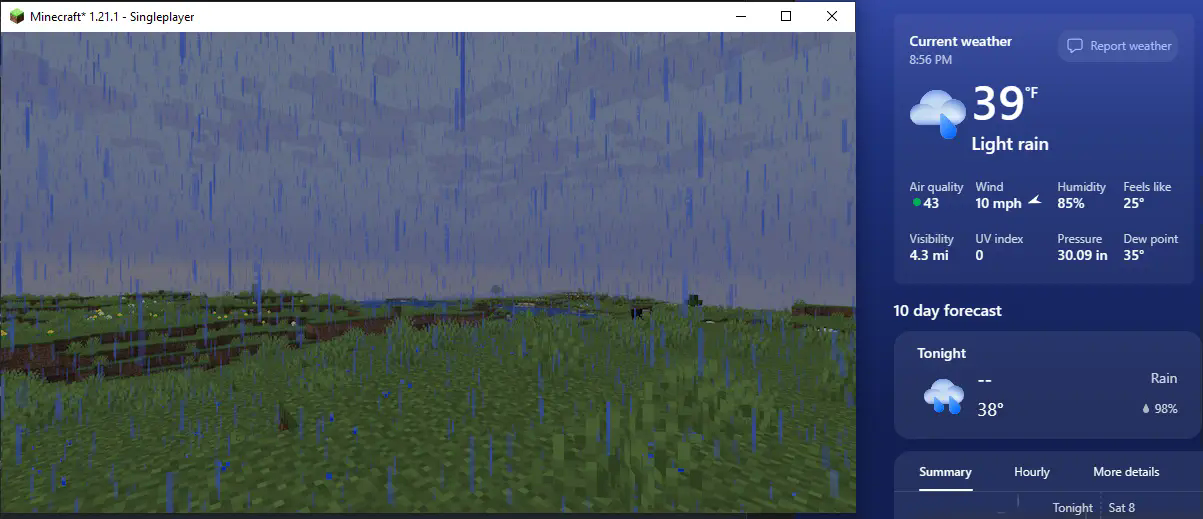
Uses WeatherAPI to find the weather data at the location specified by the server's IP, or just your IP if you're playing singleplayer. (Wonder what cool things you could find with a VPN?)
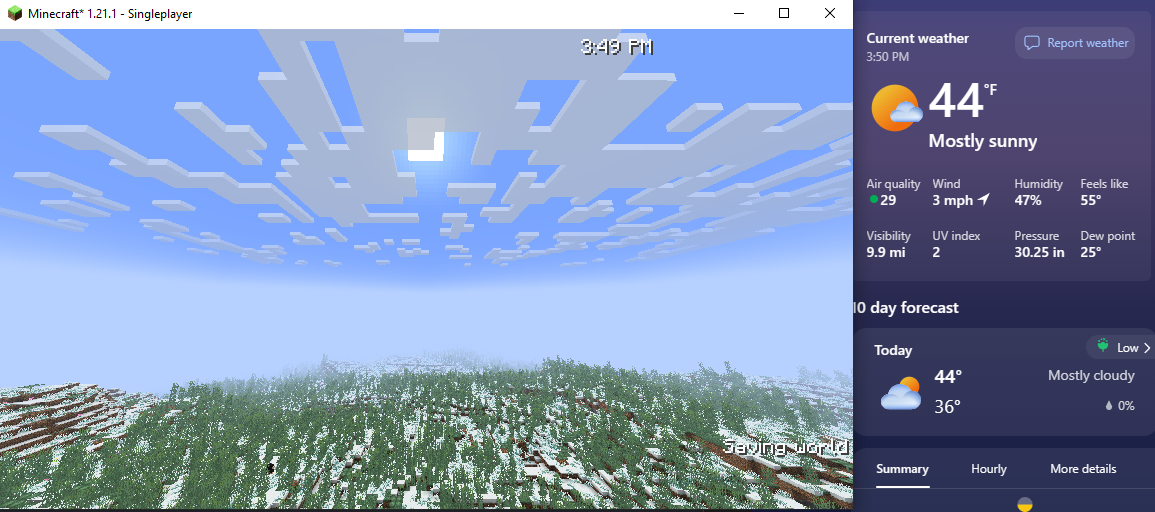
The weather in my area is sunny, therefore the in game weather is clear
The weather in my friends area in rainy, therefore it's raining in her game
First screenshot from my area, second screenshot from a friends area

Season Sync

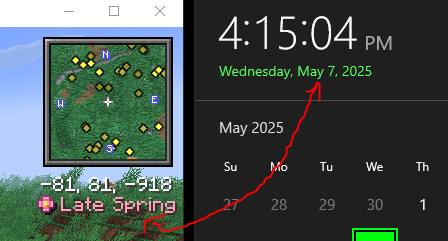
Weather Watch supports Serene Seasons, and will set the season depending on the month your system clock is set to. It works in a 3 month per season system, with December-February* being winter and so on.
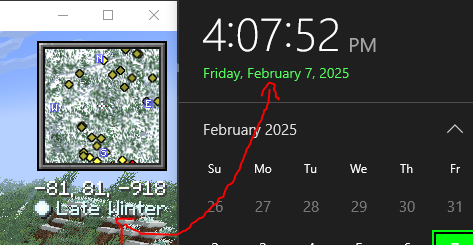
The season is late winter because it is February
The season is late spring because it is May

The months corresponding to each season depends on the hemisphere you're located in*
In multiplayer, it'll simply refer to the server clock

Time Sync (off by default)

Optionally, Weather Watch can also sync the day time to your system clock as well! This isn't recommended for traditional survival, as it does remove the ability to skip to day with a bed. However, this is great for peaceful or otherwise roleplay experiences!
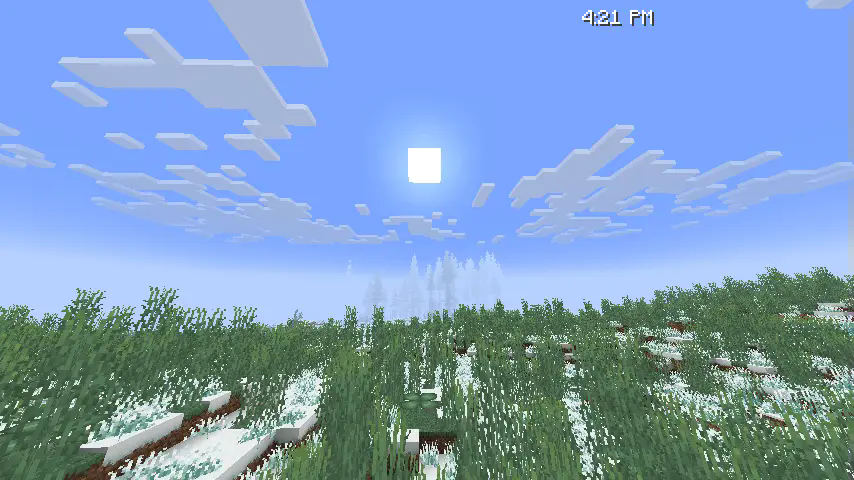
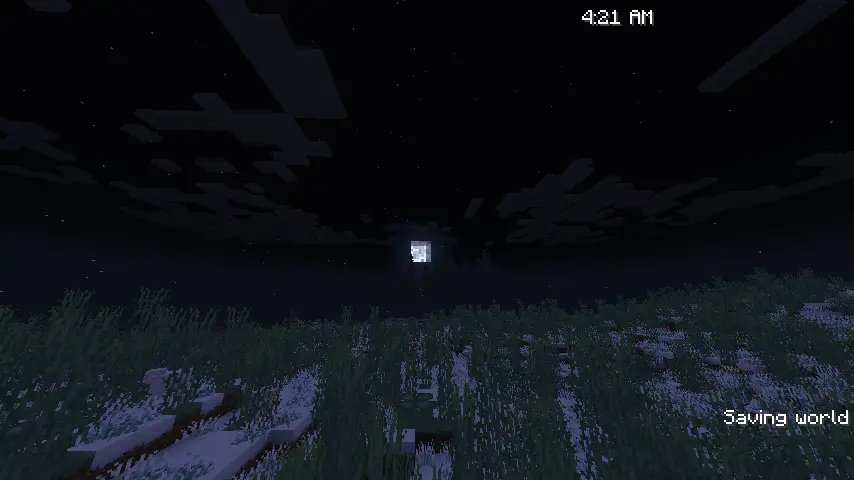
Minecraft equivalent to 4:25 PM
Replace this with a description
In multiplayer, it'll simply refer to the server clock

I did realize while writing this that time will literally just fast forward/rewind for American Daylight Savings, but that's really funny actually

Config

syncWeather (default: true)

Toggles the weather syncing capabilities

syncSeasons (default: true)

Toggles the season syncing capabilities, does nothing if Serene Seasons is not installed

syncTime (default: false)

Toggles the time syncing capabilities

syncMoonPhase (default: true)

Toggles syncing moon phase with the moon phase in your area

ip-override (default: "server")

Overrides the IP fed into the location fetcher. When set to server, it will simply use the server's public IP.

FAQ

"Doesn't this cause privacy concerns?"

I thought of this while making it and made sure that no info is public to anyone that wouldn't already know it. All features that rely on location tracking do so using the already public server IP, the only info connected clients recieve is if it should be raining, what season it should be, and the time of day.

"Can I use this in singleplayer?"

As long as you're connected to the internet, yes. This mod requires an internet connection to access WeatherAPI and to track the server location. Time and season sync should work regardless though.

"Why isn't this mod open source?"

As much as I would love to make this one open source, I cannot do so until I find a way to hide my WeatherAPI key from plain sight. Keeping it closed source is the easiest way I can think of to both hide my API key and not require users to provide their own for now. While the cost is small, excessive calls to the API does cost me some money, and that can be easily manipulated if someone wants to.

👥 Team & Contributors

Consular
ConsularOwner

⚙️ Compatibility

Environment
🖥️ Server-side
Loaders
fabricneoforge
Minecraft Versions
1.21.11

🔗 Links

Modrinth Page