Logo
MINECRAFTBIBLE
Items
Items

All game items

Blocks
Blocks

Building blocks

Mobs
Mobs

Creatures & monsters

Biomes
Biomes

World biomes

Structures
Structures

Generated structures

Recipes
Recipes

Crafting guides

Advancements
Advancements

Achievements

Loot Tables
Loot Tables

Drop rates

Tags
Tags

Item groupings

All Versions
View all data →
Capes
Cape ArchiveNEW

Browse rare Minecon capes, OptiFine capes, and custom capes from players worldwide

Browse

Player Database
Player DatabasePopular

Search any player

Skin Browser
Skin Browser

Browse & download skins

Cape Gallery
Cape GalleryNEW

Minecon & OptiFine capes

Seed Vault
Seed Vault

Curated seeds

Learn

Guides
GuidesNew

Tutorials & tips

Blog
Blog

News & updates

Community

Community Hub
Community HubHub

Posts, discussions & more

All Versions
View community →
Seed Analyzer
Seed Analyzer

World seed analysis

Loot Explorer
Loot Explorer

Drop rates

Crafting Calculator
Crafting Calculator

Material planning

Enchant Calculator
Enchant Calculator

Probability math

Redstone Lab
Redstone Lab

Signal timing

Trading Profit
Trading Profit

Villager ROI

All Versions
View all tools →
Mods
Mods

Browse all mods

Plugins
Plugins

Server plugins

Resource Packs
Resource Packs

Textures & sounds

Shaders
Shaders

Visual enhancements

Datapacks
Datapacks

World logic

Scanner
Mod Intelligence

Scan & analyze any mod

All Versions
View all mods →
Loading...
IntroductionIntroductionVersion HistoryVersion HistoryGuidesGuidesBlog & NewsBlog & News
ItemsItemsBlocksBlocksMobsMobsRecipesRecipesBiomesBiomesStructuresStructuresAdvancementsAdvancementsLoot TablesLoot TablesTagsTags
ModsModsPluginsPluginsResource PacksResource PacksShadersShadersDatapacksDatapacks

MinecraftBible

The Ultimate Wiki

Logo
MINECRAFTBIBLE

The ultimate Minecraft reference. Every item, block, mob, and recipe documented with precision.

Community

  • Skin Browser
  • Cape Gallery
  • Seed Vault
  • Blog
  • Guides

Database

  • Items
  • Blocks
  • Mobs
  • Recipes
  • Biomes
  • Structures

Tools

  • Seed Analyzer
  • Mod Intelligence
  • Crafting Calculator
  • Enchant Calculator

Mods & Packs

  • Mods
  • Plugins
  • Resource Packs
  • Shaders
  • Datapacks

Site & Legal

  • About
  • Authors
  • Editorial Policy
  • Corrections
  • Contact
  • Privacy Policy
  • Terms of Service
  • DMCA
  • Sitemap

© 2026 MinecraftBible. Not affiliated with Mojang or Microsoft.

PrivacyTermsContact
Sync Re-Forged
ModMIT

Sync Re-Forged

One mind. Many bodies. Transfer your consciousness between shells.

44
Downloads
4
Followers
3 months ago
Updated
📦
1
Versions
game-mechanicstechnologyutilityneoforge
Download Latestv1.0.0View on Modrinth

📖About Sync Re-Forged

Logo

Sync (NeoForge)

One mind. Many bodies.

This is a NeoForge port of Sync, originally developed by Kir_Antipov for Fabric, which itself is a reimplementation of the original Sync mod by iChun.

This mod provides clones, or as we like to call it, "shells". These shells are basically new individuals, with their own inventory, experience level, and even gamemode.

However, they lack a mind that would control them. That's where the player comes in. Each shell is biometrically tied to the player whose sample was used to create it, and allows the player to "sync" their mind with it, essentially creating multiple player instances.
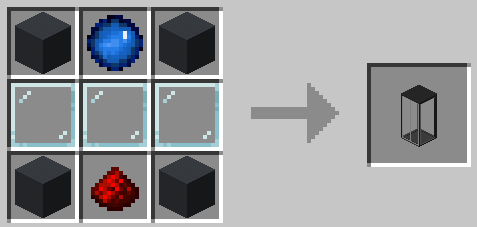
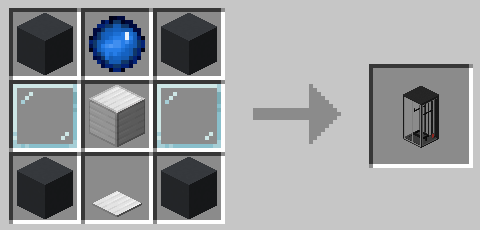
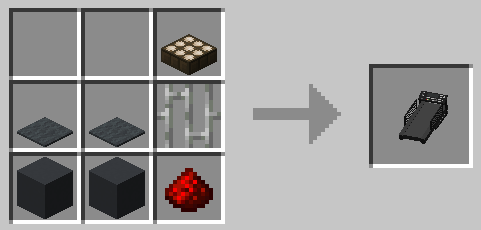
Crafting Recipes

Shell Constructor:

Shell Constructor Recipe

Shell Storage:

Shell Storage Recipe

Treadmill:

Treadmill Recipe


How to Play

  1. Craft a Shell Constructor and place it down.

  2. Provide it with a sample by right-clicking the constructor.

    • ⚠️ WARNING: This will deal 20 damage (40 in Hardcore)! Eat a golden apple to increase your max health, or hold a Totem of Undying to survive.
  3. The shell constructor needs power to work. Place a Treadmill next to it and lure a pig, wolf, or other entity onto it to generate energy.
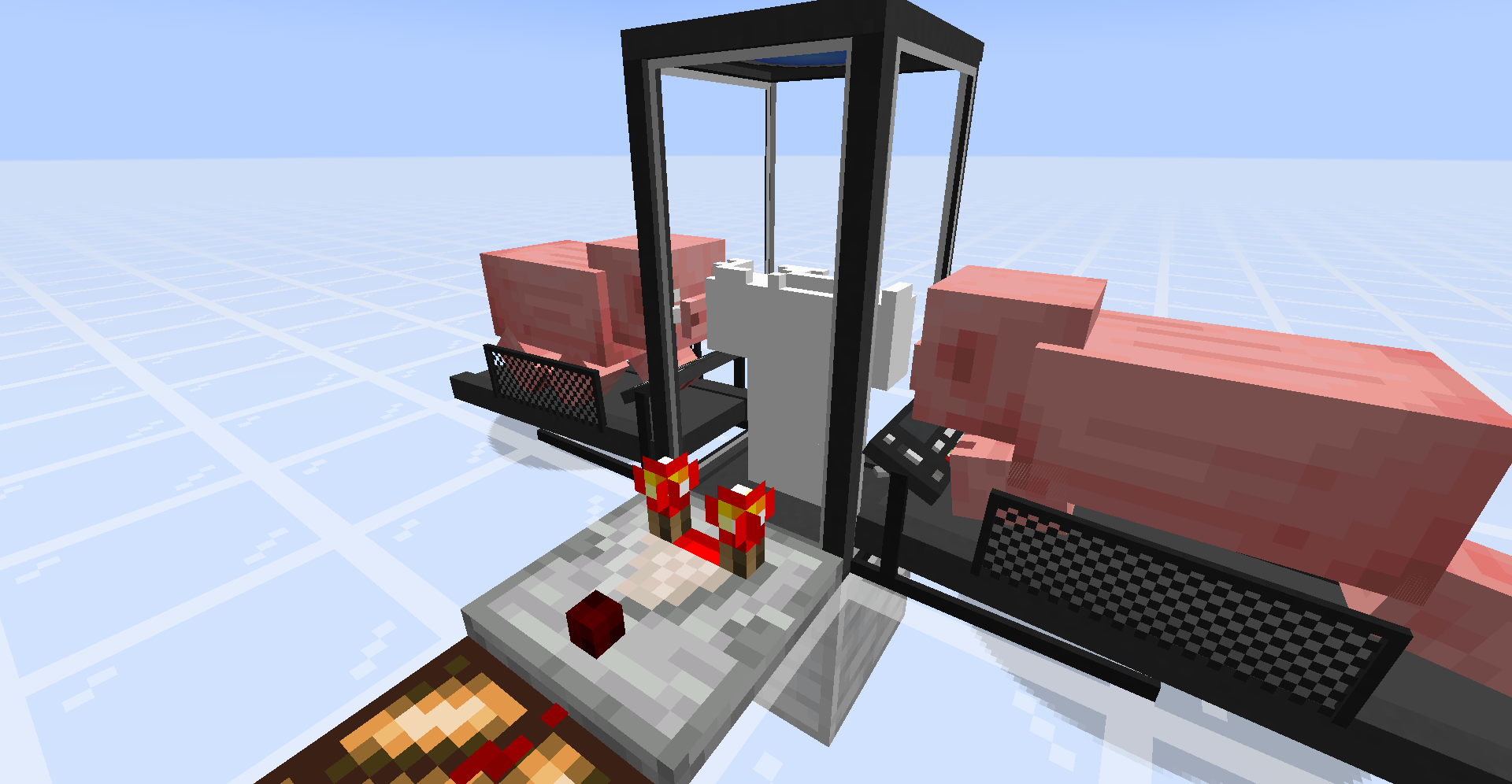
    Example of working shell constructor

  4. Once your shell is constructed, craft a Shell Storage and place it down.

  5. Supply it with power (redstone if enabled in config, or Forge Energy from tech mods/treadmills).

  6. Once the doors open, walk into it.

  7. You'll see a radial menu displaying your shells:
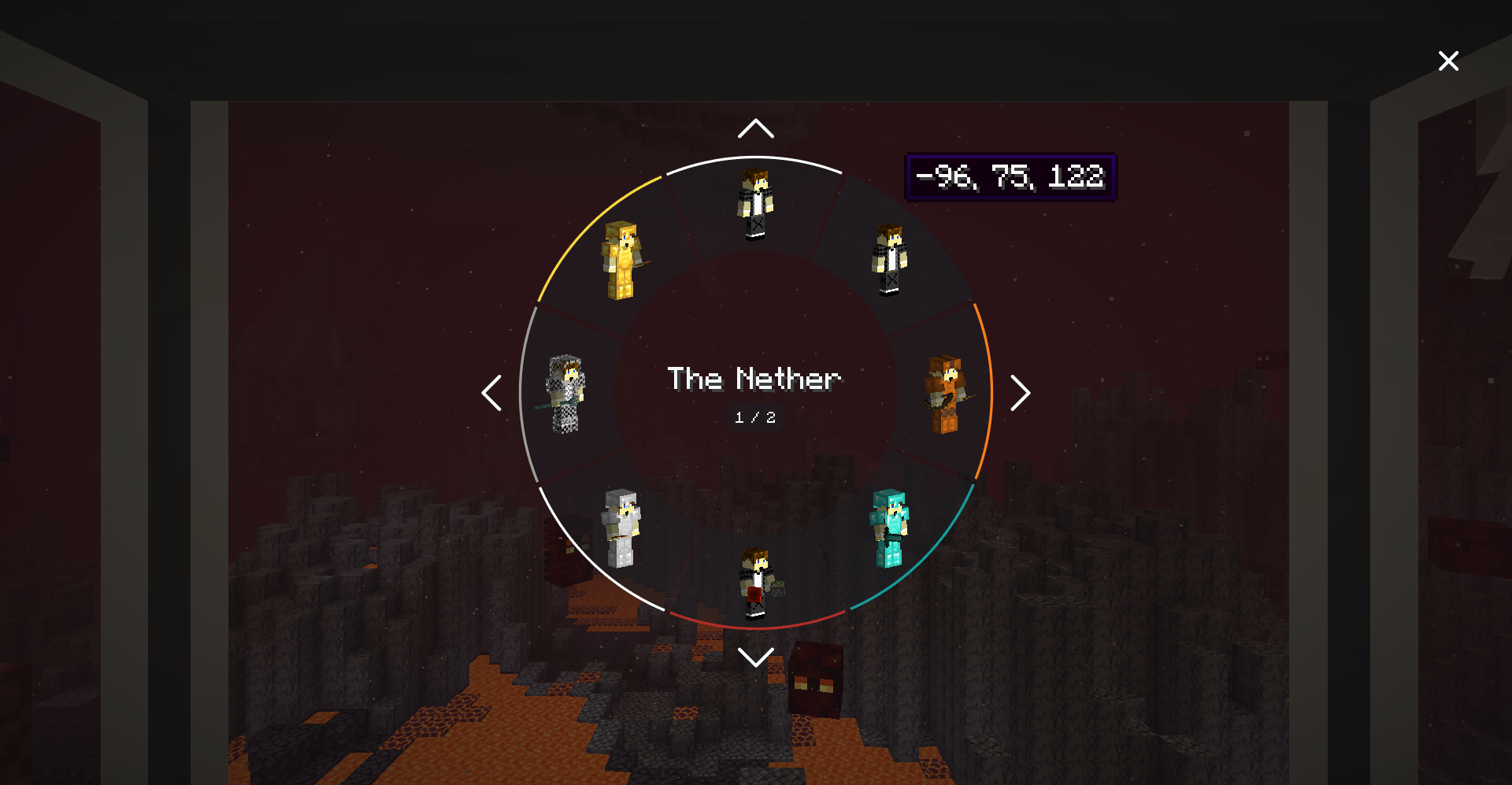
    Menu example

  8. Select the shell you want to sync with!


Features

  • Cross-dimensional syncing - Transfer between shells anywhere in any dimension
  • Color-coding - Right-click shell storage with dye to organize your shells
  • Hopper integration - Equip armor and items onto shells via hoppers
  • Comparator output - Measure shell construction progress or inventory fullness
  • Tech mod compatibility - Power shell storage with Forge Energy from any mod
  • Death protection - If a shell dies, you sync back to your original body (or another shell)
  • Silk Touch required - Shell Storage and Shell Constructor require Silk Touch to retrieve

Configuration

Config is located at ./config/sync-common.toml

Option Description Default
enableInstantShellConstruction Construct shells instantly without energy false
warnPlayerInsteadOfKilling Warn instead of kill if player has insufficient health false
fingerstickDamage Damage dealt when creating a shell 20.0
hardcoreFingerstickDamage Damage in Hardcore mode 40.0
shellConstructorCapacity Energy required to construct a shell 256000
shellStorageCapacity Shell storage battery capacity 320
shellStorageConsumption Energy consumed per tick 16
shellStorageAcceptsRedstone Allow redstone to power shell storage false
shellStorageMaxUnpoweredLifespan Ticks a shell survives without power 20
energyMap Entity energy output for treadmills Configurable list
wrench Item used to interact with machines minecraft:stick

Requirements

  • Minecraft 1.21.1
  • NeoForge 21.1.x

Optional Compatibility

  • Curios API
  • Accessories

Credits

  • Port by: BlueShrt
  • Original Fabric mod by: Kir_Antipov
  • Original concept by: iChun

Licensed under MIT license.

👥 Team & Contributors

redshrt
redshrtOwner

⚙️ Compatibility

Environment
✅ Client & Server
Loaders
neoforge
Minecraft Versions
1.21.1

🔗 Links

Modrinth Page