Logo
MINECRAFTBIBLE
Items
Items

All game items

Blocks
Blocks

Building blocks

Mobs
Mobs

Creatures & monsters

Biomes
Biomes

World biomes

Structures
Structures

Generated structures

Recipes
Recipes

Crafting guides

Advancements
Advancements

Achievements

Loot Tables
Loot Tables

Drop rates

Tags
Tags

Item groupings

All Versions
View all data →
Capes
Cape ArchiveNEW

Browse rare Minecon capes, OptiFine capes, and custom capes from players worldwide

Browse

Player Database
Player DatabasePopular

Search any player

Skin Browser
Skin Browser

Browse & download skins

Cape Gallery
Cape GalleryNEW

Minecon & OptiFine capes

Seed Vault
Seed Vault

Curated seeds

Learn

Guides
GuidesNew

Tutorials & tips

Blog
Blog

News & updates

Community

Community Hub
Community HubHub

Posts, discussions & more

All Versions
View community →
Seed Analyzer
Seed Analyzer

World seed analysis

Loot Explorer
Loot Explorer

Drop rates

Crafting Calculator
Crafting Calculator

Material planning

Enchant Calculator
Enchant Calculator

Probability math

Redstone Lab
Redstone Lab

Signal timing

Trading Profit
Trading Profit

Villager ROI

All Versions
View all tools →
Mods
Mods

Browse all mods

Plugins
Plugins

Server plugins

Resource Packs
Resource Packs

Textures & sounds

Shaders
Shaders

Visual enhancements

Datapacks
Datapacks

World logic

Scanner
Mod Intelligence

Scan & analyze any mod

All Versions
View all mods →
Loading...
IntroductionIntroductionVersion HistoryVersion HistoryGuidesGuidesBlog & NewsBlog & News
ItemsItemsBlocksBlocksMobsMobsRecipesRecipesBiomesBiomesStructuresStructuresAdvancementsAdvancementsLoot TablesLoot TablesTagsTags
ModsModsPluginsPluginsResource PacksResource PacksShadersShadersDatapacksDatapacks

MinecraftBible

The Ultimate Wiki

Logo
MINECRAFTBIBLE

The ultimate Minecraft reference. Every item, block, mob, and recipe documented with precision.

Community

  • Skin Browser
  • Cape Gallery
  • Seed Vault
  • Blog
  • Guides

Database

  • Items
  • Blocks
  • Mobs
  • Recipes
  • Biomes
  • Structures

Tools

  • Seed Analyzer
  • Mod Intelligence
  • Crafting Calculator
  • Enchant Calculator

Mods & Packs

  • Mods
  • Plugins
  • Resource Packs
  • Shaders
  • Datapacks

Site & Legal

  • About
  • Authors
  • Editorial Policy
  • Corrections
  • Contact
  • Privacy Policy
  • Terms of Service
  • DMCA
  • Sitemap

© 2026 MinecraftBible. Not affiliated with Mojang or Microsoft.

PrivacyTermsContact
Sword Blocking Mechanics
ModMPL-2.0

Sword Blocking Mechanics

Sword blocking is back! Exactly like it used to be, or different? Your choice!

114.7K
Downloads
175
Followers
7 months ago
Updated
📦
30
Versions
game-mechanicsfabricforgeneoforge
Download Latestv21.11.0View on Modrinth

📖About Sword Blocking Mechanics


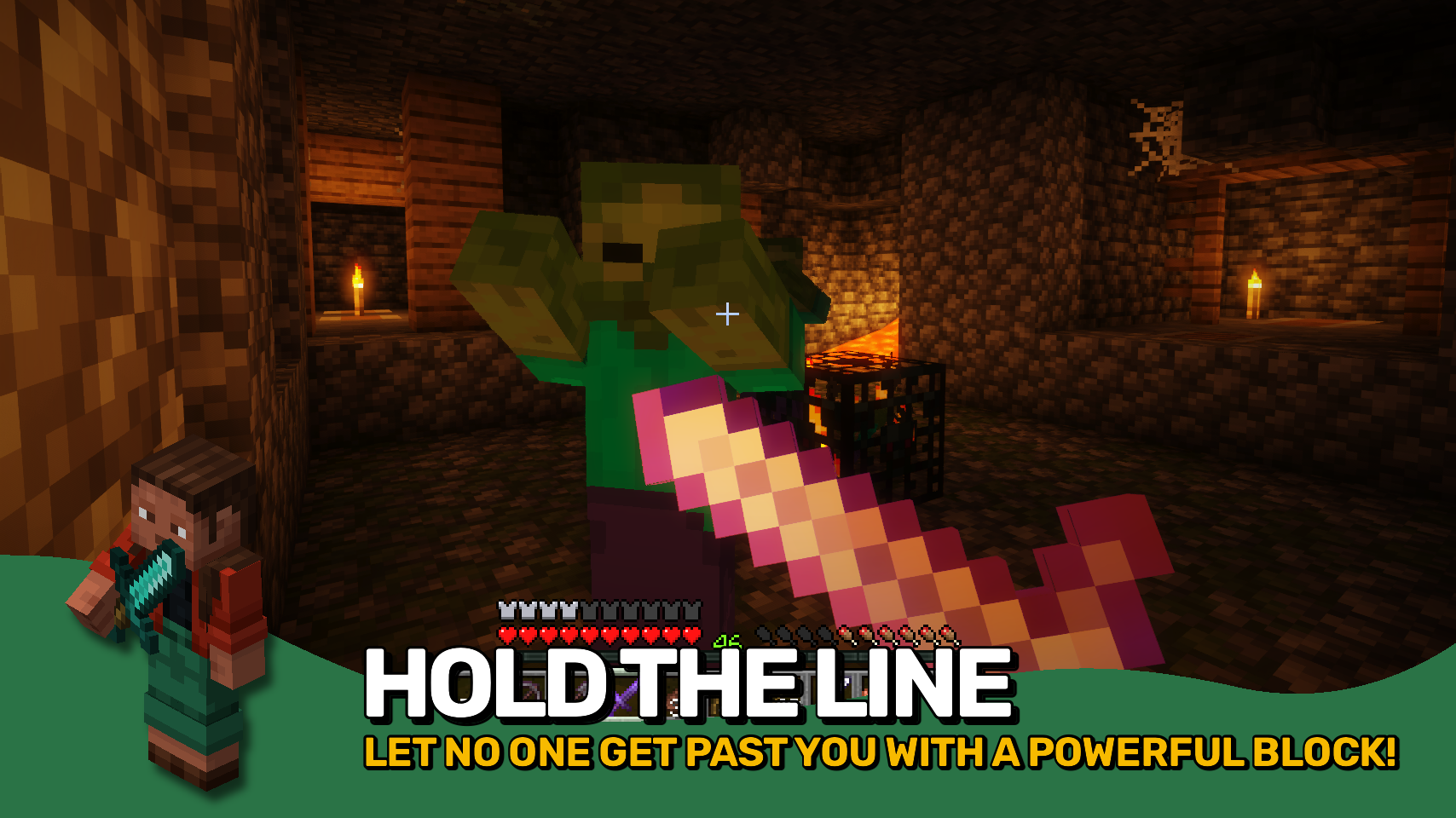
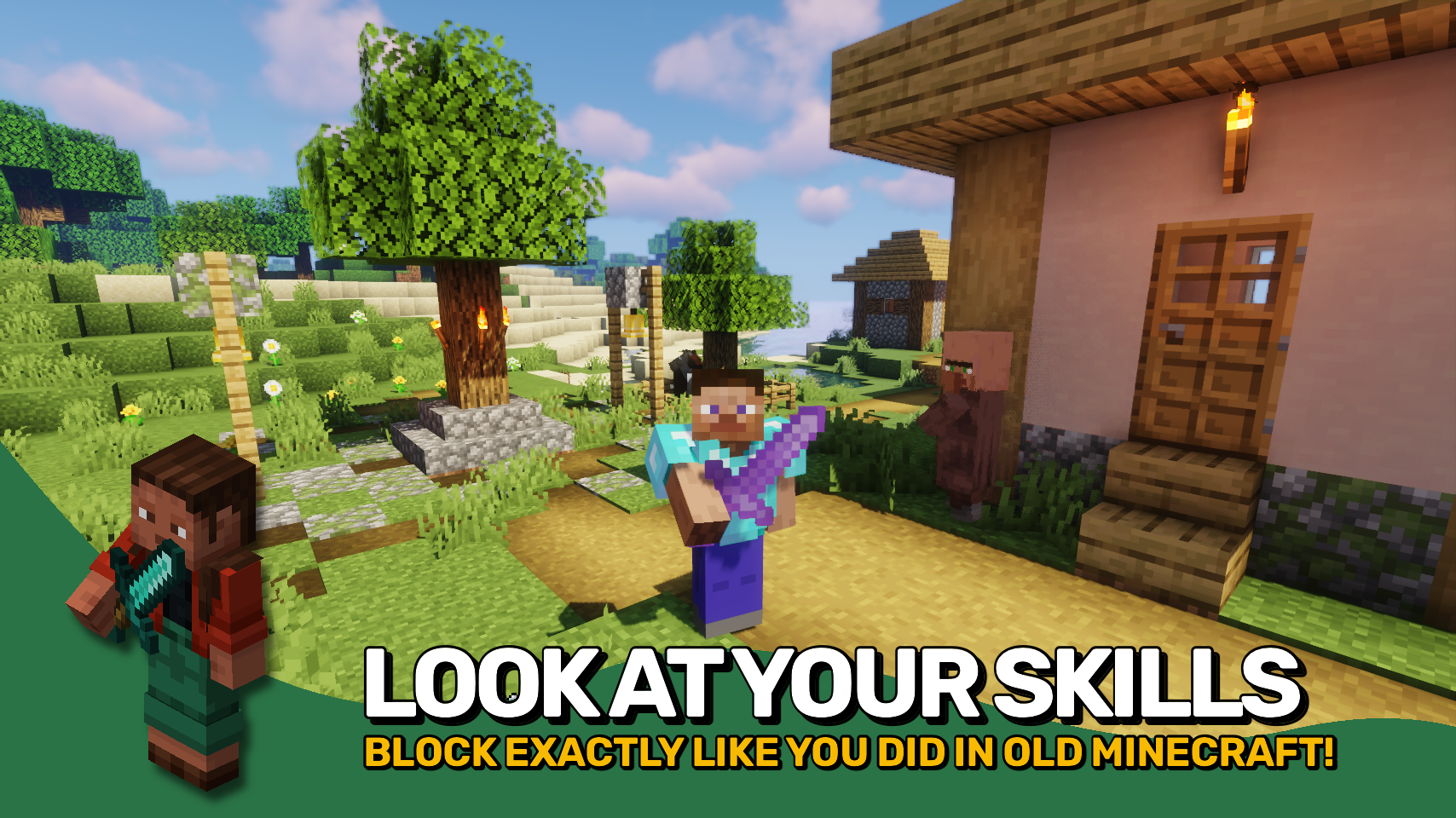
Sword Blocking Mechanics restores the very useful blocking ability to all swords straight from the Minecraft 1.7 / 1.8 combat era. What more is there to say really? It's just as equally awesome as it was back in the day. Simply right-click your held sword and 50% of all incoming damage will be blocked. Really easy to use and much more convenient than bulky shields. You still want to ocasionally use a shield though? No problem! When held in the offhand it will be prioritized over sword blocking.

Everything about sword blocking is fully customizable, and there even is a new parry mechanic. It is active in the first 0.5 seconds after initiating a sword block, where the block is more similar to a shield and prevents all incoming damage.

Any item that is to support the sword blocking mechanic must be added to the swordblockingmechanics:can_perform_sword_blocking item tag. Items you want to use from your offhand while holding a sword in the mainhand should be added to the swordblockingmechanics:overrides_sword_blocking_in_offhand item tag.

For bringing back not the old sword blocking mechanic, but also just fast paced combat, make sure to check out Golden Age Combat.

⏩ INSTALLATION REQUIRED ON CLIENT & REQUIRED ON SERVER

⏩ REQUIRES PUZZLES LIB TO BE INSTALLED (FABRIC & NEOFORGE)

⏩ REQUIRES FABRIC API TO BE INSTALLED (FABRIC)

⏩ REQUIRES FORGE CONFIG API PORT TO BE INSTALLED (FABRIC)

If available for a mod, configuration is possible directly from in-game using the mod menu (requires Mod Menu by Prospector to be installed on Fabric). Please note that on older Minecraft versions installing Forge Config Screens is also a requirement.

For manual configuration using an external text editor all files are found at .minecraft/config, named as MOD_ID-client.toml, MOD_ID-common.toml, or MOD_ID-server.toml, depending on the type of config. Not all types might exist for a mod, if any at all.

👥 Team & Contributors

Fuzs
FuzsOwner
LunaPixelStudios
LunaPixelStudios
Studio

⚙️ Compatibility

Environment
✅ Client & Server
Loaders
fabricforgeneoforge
Minecraft Versions
1.21.11

🔗 Links

Modrinth Page