Logo
MINECRAFTBIBLE
Items
Items

All game items

Blocks
Blocks

Building blocks

Mobs
Mobs

Creatures & monsters

Biomes
Biomes

World biomes

Structures
Structures

Generated structures

Recipes
Recipes

Crafting guides

Advancements
Advancements

Achievements

Loot Tables
Loot Tables

Drop rates

Tags
Tags

Item groupings

All Versions
View all data →
Capes
Cape ArchiveNEW

Browse rare Minecon capes, OptiFine capes, and custom capes from players worldwide

Browse

Player Database
Player DatabasePopular

Search any player

Skin Browser
Skin Browser

Browse & download skins

Cape Gallery
Cape GalleryNEW

Minecon & OptiFine capes

Seed Vault
Seed Vault

Curated seeds

Learn

Guides
GuidesNew

Tutorials & tips

Blog
Blog

News & updates

Community

Community Hub
Community HubHub

Posts, discussions & more

All Versions
View community →
Seed Analyzer
Seed Analyzer

World seed analysis

Loot Explorer
Loot Explorer

Drop rates

Crafting Calculator
Crafting Calculator

Material planning

Enchant Calculator
Enchant Calculator

Probability math

Redstone Lab
Redstone Lab

Signal timing

Trading Profit
Trading Profit

Villager ROI

All Versions
View all tools →
Mods
Mods

Browse all mods

Plugins
Plugins

Server plugins

Resource Packs
Resource Packs

Textures & sounds

Shaders
Shaders

Visual enhancements

Datapacks
Datapacks

World logic

Scanner
Mod Intelligence

Scan & analyze any mod

All Versions
View all mods →
Loading...
IntroductionIntroductionVersion HistoryVersion HistoryGuidesGuidesBlog & NewsBlog & News
ItemsItemsBlocksBlocksMobsMobsRecipesRecipesBiomesBiomesStructuresStructuresAdvancementsAdvancementsLoot TablesLoot TablesTagsTags
ModsModsPluginsPluginsResource PacksResource PacksShadersShadersDatapacksDatapacks

MinecraftBible

The Ultimate Wiki

Logo
MINECRAFTBIBLE

The ultimate Minecraft reference. Every item, block, mob, and recipe documented with precision.

Community

  • Player Database
  • Skin Browser
  • Cape Gallery
  • Community Hub
  • Seed Vault

Database

  • Items
  • Blocks
  • Mobs
  • Recipes
  • Biomes
  • Structures

Tools

  • Seed Analyzer
  • Mod Intelligence
  • Crafting Calculator
  • Enchant Calculator

Mods & Packs

  • Mods
  • Plugins
  • Resource Packs
  • Shaders
  • Datapacks

© 2026 MinecraftBible. Not affiliated with Mojang or Microsoft.

PrivacyTermsContact
Supplemental Patches
ModMIT

Supplemental Patches

Supplemental Patches enables users to create custom shaders for modded blocks, entities, items, particles, etc, through a resource-pack, with the shaders being patched onto Euphoria Patches.


40.8K
Downloads
78
Followers
4 months ago
Updated
📦
30
Versions
utilityfabricforgeneoforge
Download Latestv0.7.1-betaView on Modrinth

📖About Supplemental Patches

Supplemental Patches

Modrinth CurseForge Issue Tracker


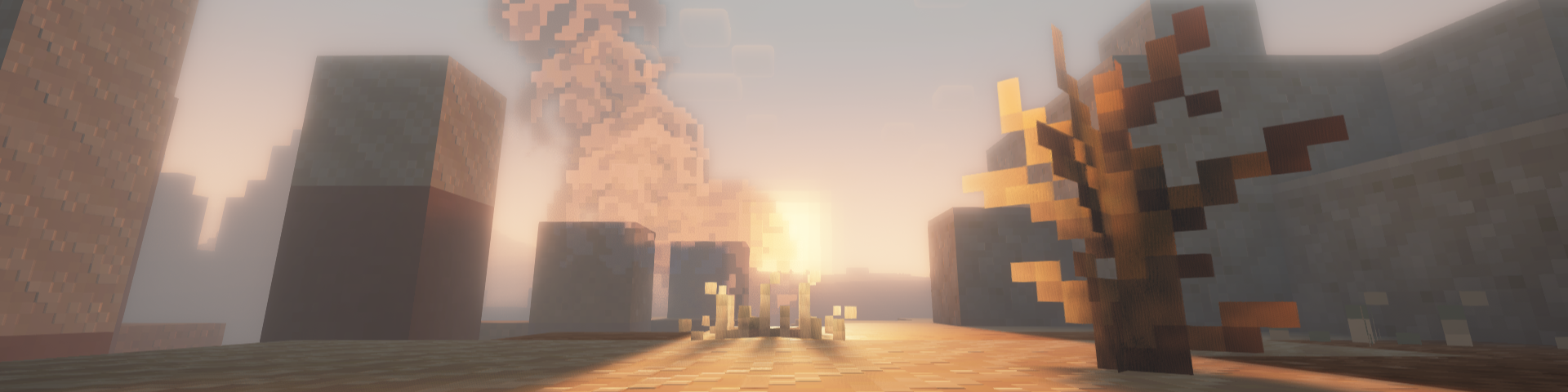
Supplemental Patches enables users to create custom shaders for modded blocks, entities, items, particles, etc, through a resource-pack. The mod by default, comes with a built-in resource pack which supports many popular mods.

These additional shaders are patched into Euphoria Patches, if it is installed.

Features

Some of the most exciting features of the mod include (for players):

  • Over 500 high-quality shaders for custom materials from a variety of popular mods (e.g. Supplementaries, Quark, Jaden's Nether Expansion). See full list here.
  • A custom End nebula skybox based on Enderscape's End atmosphere
  • A cool fog effect based on the effect from Doom and Gloom
  • Fixes to shader issues for many mods (e.g. Endergetic Expansion, Upgrade Aquatic, Doom and Gloom)
  • Fixed rendering of item shaders when displayed on block entities (e.g. Supplementaries Pedestals, Item Shelves)

For details on the supported areas that can be patched onto Euphoria Patches, check out this tutorial.

FAQ

Q: Will there be ports to loaders other than (Neo)Forge and Fabric?

A: Probably not.

Q: Will there be backports?

A: Probably not.

Q: Can you support XXX mod?

A: All in due time. Alternatively, you could do it yourself. Have a look at this tutorial for more details.

Q: I found a bug.

A: Please report it to me first, do not bother the developers of Complementary Shaders / Euphoria Patches.

Q: The shaders I added aren't showing.

A: Try reloading the shaderpack, after ensuring that the resource-pack is loaded. Alternatively, check which layer the block is being rendered in using the Euphoria Companion mod. Certain blocks (e.g. certain glass blocks) may be rendered as cutouts rather than translucent blocks. You will need to change the layer they are rendered under using block.properties.json.

Q: The built-in shaders aren't working.

A: Similarly, try reloading the shaderpack and ensuring that the built-in resource-pack is loaded.

Q: Does this work with Optifine?

A: No. This only works with Oculus / Iris.

Q: Can I include this my modpack?

A: Yes, go ahead.

👥 Team & Contributors

jedlimlx
jedlimlxOwner

⚙️ Compatibility

Environment
💻 Client-side
Loaders
fabricforgeneoforge
Minecraft Versions
1.21.91.21.10

🔗 Links

Modrinth Page