Logo
MINECRAFTBIBLE
Items
Items

All game items

Blocks
Blocks

Building blocks

Mobs
Mobs

Creatures & monsters

Biomes
Biomes

World biomes

Structures
Structures

Generated structures

Recipes
Recipes

Crafting guides

Advancements
Advancements

Achievements

Loot Tables
Loot Tables

Drop rates

Tags
Tags

Item groupings

All Versions
View all data →
Capes
Cape ArchiveNEW

Browse rare Minecon capes, OptiFine capes, and custom capes from players worldwide

Browse

Player Database
Player DatabasePopular

Search any player

Skin Browser
Skin Browser

Browse & download skins

Cape Gallery
Cape GalleryNEW

Minecon & OptiFine capes

Seed Vault
Seed Vault

Curated seeds

Learn

Guides
GuidesNew

Tutorials & tips

Blog
Blog

News & updates

Community

Community Hub
Community HubHub

Posts, discussions & more

All Versions
View community →
Seed Analyzer
Seed Analyzer

World seed analysis

Loot Explorer
Loot Explorer

Drop rates

Crafting Calculator
Crafting Calculator

Material planning

Enchant Calculator
Enchant Calculator

Probability math

Redstone Lab
Redstone Lab

Signal timing

Trading Profit
Trading Profit

Villager ROI

All Versions
View all tools →
Mods
Mods

Browse all mods

Plugins
Plugins

Server plugins

Resource Packs
Resource Packs

Textures & sounds

Shaders
Shaders

Visual enhancements

Datapacks
Datapacks

World logic

Scanner
Mod Intelligence

Scan & analyze any mod

All Versions
View all mods →
Loading...
IntroductionIntroductionVersion HistoryVersion HistoryGuidesGuidesBlog & NewsBlog & News
ItemsItemsBlocksBlocksMobsMobsRecipesRecipesBiomesBiomesStructuresStructuresAdvancementsAdvancementsLoot TablesLoot TablesTagsTags
ModsModsPluginsPluginsResource PacksResource PacksShadersShadersDatapacksDatapacks

MinecraftBible

The Ultimate Wiki

Logo
MINECRAFTBIBLE

The ultimate Minecraft reference. Every item, block, mob, and recipe documented with precision.

Community

  • Skin Browser
  • Cape Gallery
  • Seed Vault
  • Blog
  • Guides

Database

  • Items
  • Blocks
  • Mobs
  • Recipes
  • Biomes
  • Structures

Tools

  • Seed Analyzer
  • Mod Intelligence
  • Crafting Calculator
  • Enchant Calculator

Mods & Packs

  • Mods
  • Plugins
  • Resource Packs
  • Shaders
  • Datapacks

Site & Legal

  • About
  • Authors
  • Editorial Policy
  • Corrections
  • Contact
  • Privacy Policy
  • Terms of Service
  • DMCA
  • Sitemap

© 2026 MinecraftBible. Not affiliated with Mojang or Microsoft.

PrivacyTermsContact
Sound Controller
ModLGPL-3.0-only

Sound Controller

Sound Controller is a mod that provides complete control over the volume of every sound in the game.

988.3K
Downloads
410
Followers
5 months ago
Updated
📦
27
Versions
game-mechanicsutilityfabric
Download Latestv1.2.4-mc1.21.11View on Modrinth

📖About Sound Controller

Sound Controller

GitHub license
GitHub release
GitHub issues

We've all dealt with that loud portal before, or those ridiculously loud mob farms. Perhaps you're even listening out for a particular mob while caving. Have you ever wanted to just fine-tune those specific sounds without being limited by the category sliders?

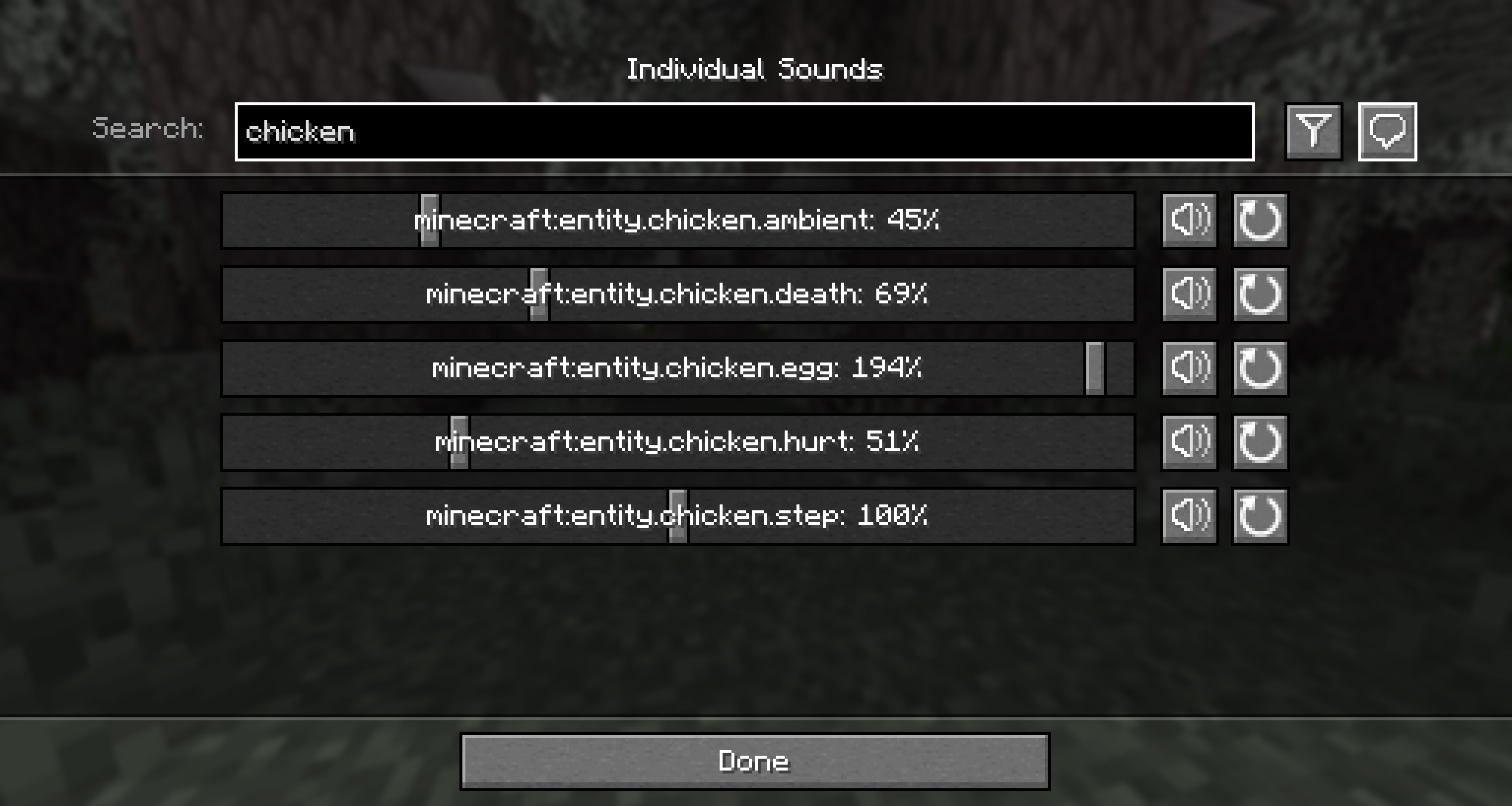
Sound Controller is a fabric mod providing complete volume control over the sounds played in the game. It adds an extra set of options to your sound settings, providing you with volume sliders for every single sound between 0-200%.

By utilising the minecraft registry, this mod should also include all other sounds added to the game by your favourite mods (provided those mods add their sounds to the normal registry).

This mod is available on GitHub, CurseForge, and Modrinth.


Features

  • A search bar to quickly find the sound you're looking for
  • A toggle that filters to your modified volumes, so you can easily find the sounds you've changed
  • A toggle that replaces vanilla subtitles with sound ids, so you can identify the name of that pesky noise nearby
  • Sliders for every sound in the game, including those added by mods. Allows setting volumes between 0% to 200%.
  • A button for every slider that will play the sound at the volume you've set
  • A button to reset sounds to their default values

When using the final feature, it may be hard to hear your sound around all the other game sounds. The easiest place to use it is directly from the menu, however you may want to temporarily disable the minecraft:music.menu too!


Images
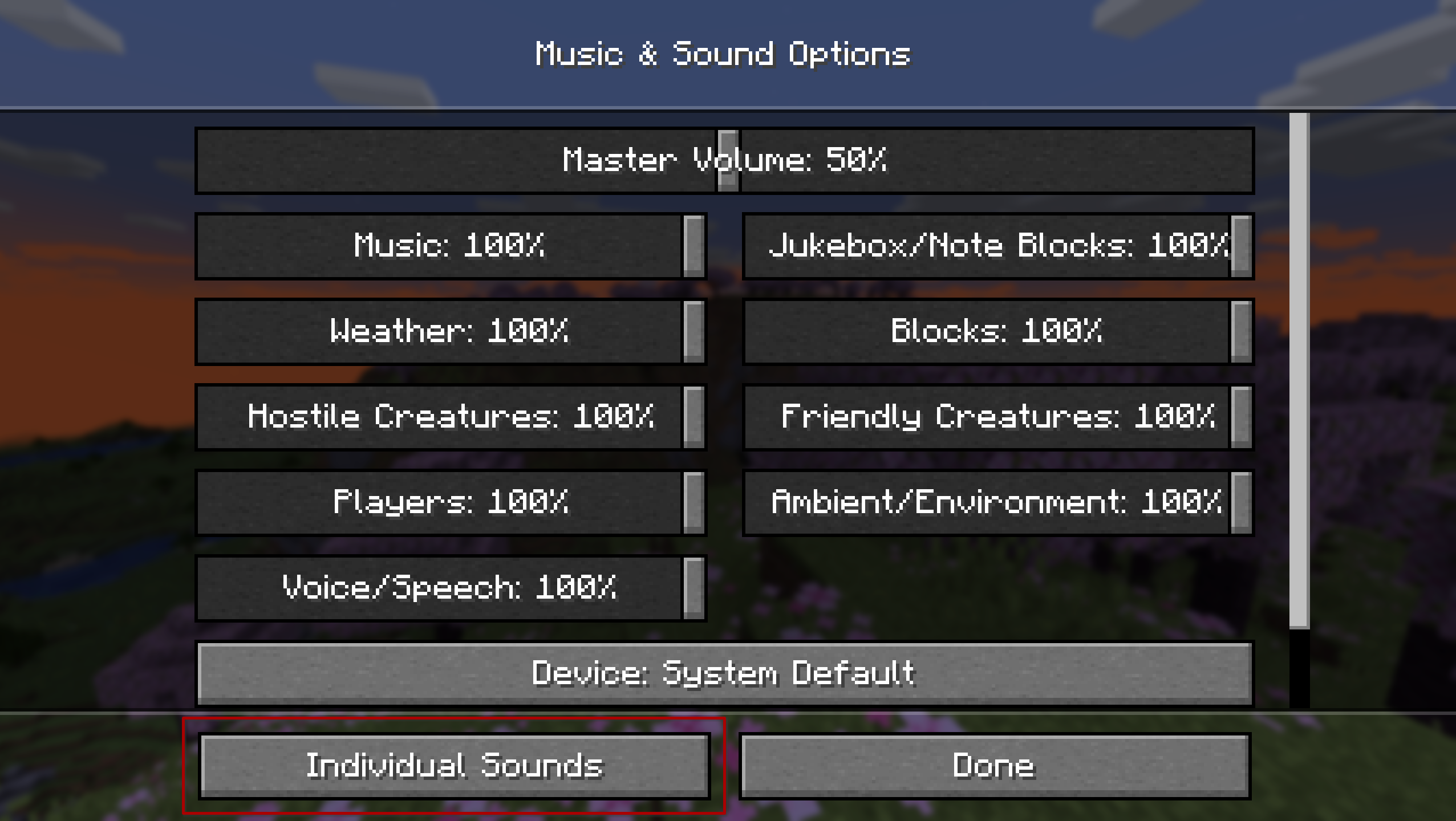
Minecraft sound settings screen with a new 'Individual Sounds' button.

A screen with volume controls for every sound in the game. Amongst other things it features a search bar, sliders to change volumes, buttons to play the sounds.


Contributing

Contributions and suggestions are always welcome! Please limit all issues to only one feature at a time - feel free to open multiple at once if you have many ideas. Similarly, please limit pull requests to a single feature at a time and try to follow the existing code style.

To further discuss or get notifications of new updates, check out my Discord. If you like what I do, consider supporting me on Ko-Fi! ko-fi

👥 Team & Contributors

BVengo
BVengoOwner

⚙️ Compatibility

Environment
💻 Client-side
Loaders
fabric
Minecraft Versions
1.21.11

🔗 Links

Modrinth Page