Logo
MINECRAFTBIBLE
Items
Items

All game items

Blocks
Blocks

Building blocks

Mobs
Mobs

Creatures & monsters

Biomes
Biomes

World biomes

Structures
Structures

Generated structures

Recipes
Recipes

Crafting guides

Advancements
Advancements

Achievements

Loot Tables
Loot Tables

Drop rates

Tags
Tags

Item groupings

All Versions
View all data →
Capes
Cape ArchiveNEW

Browse rare Minecon capes, OptiFine capes, and custom capes from players worldwide

Browse

Player Database
Player DatabasePopular

Search any player

Skin Browser
Skin Browser

Browse & download skins

Cape Gallery
Cape GalleryNEW

Minecon & OptiFine capes

Seed Vault
Seed Vault

Curated seeds

Learn

Guides
GuidesNew

Tutorials & tips

Blog
Blog

News & updates

Community

Community Hub
Community HubHub

Posts, discussions & more

All Versions
View community →
Seed Analyzer
Seed Analyzer

World seed analysis

Loot Explorer
Loot Explorer

Drop rates

Crafting Calculator
Crafting Calculator

Material planning

Enchant Calculator
Enchant Calculator

Probability math

Redstone Lab
Redstone Lab

Signal timing

Trading Profit
Trading Profit

Villager ROI

All Versions
View all tools →
Mods
Mods

Browse all mods

Plugins
Plugins

Server plugins

Resource Packs
Resource Packs

Textures & sounds

Shaders
Shaders

Visual enhancements

Datapacks
Datapacks

World logic

Scanner
Mod Intelligence

Scan & analyze any mod

All Versions
View all mods →
Loading...
IntroductionIntroductionVersion HistoryVersion HistoryGuidesGuidesBlog & NewsBlog & News
ItemsItemsBlocksBlocksMobsMobsRecipesRecipesBiomesBiomesStructuresStructuresAdvancementsAdvancementsLoot TablesLoot TablesTagsTags
ModsModsPluginsPluginsResource PacksResource PacksShadersShadersDatapacksDatapacks

MinecraftBible

The Ultimate Wiki

Logo
MINECRAFTBIBLE

The ultimate Minecraft reference. Every item, block, mob, and recipe documented with precision.

Community

  • Player Database
  • Skin Browser
  • Cape Gallery
  • Community Hub
  • Seed Vault

Database

  • Items
  • Blocks
  • Mobs
  • Recipes
  • Biomes
  • Structures

Tools

  • Seed Analyzer
  • Mod Intelligence
  • Crafting Calculator
  • Enchant Calculator

Mods & Packs

  • Mods
  • Plugins
  • Resource Packs
  • Shaders
  • Datapacks

© 2026 MinecraftBible. Not affiliated with Mojang or Microsoft.

PrivacyTermsContact
Rail Destinations
ModMIT

Rail Destinations

Mod port of the Civ Rail Switch plugin

1.1K
Downloads
13
Followers
3 months ago
Updated
📦
6
Versions
transportationutilityfabricforgeneoforge
Download Latestv1.0.3-fabric-1.21View on Modrinth

📖About Rail Destinations

About

Rail Destinations is a mod port of the RailSwitch plugin used on the Civ servers.

The mod allows detector rails to emit a restone signal only if a player in a minecart chose the right destination. It works by using the mechanics of a T-junction and the interaction with a Detector Rail.


Command Usage

Type /dest <destination> where <destination> is the place where you want to go. You can also chain destinations, /dest <destination1> <destination2> etc. This can be useful for taking a route via specific junctions; players will be routed towards signs that contain either <destination1> or <destination2>.


Junction Setup

  1. Place a sign one block above a detector rail before the T-junction.
  2. The first line must be [destination]. You may also use [!destination], which will activate the rail if a player's destination is not on the signs.
  3. The other three lines can be destination names. Setting any line to * will activate the detector rail if the player has any destination set (or the opposite when using [!destination]).

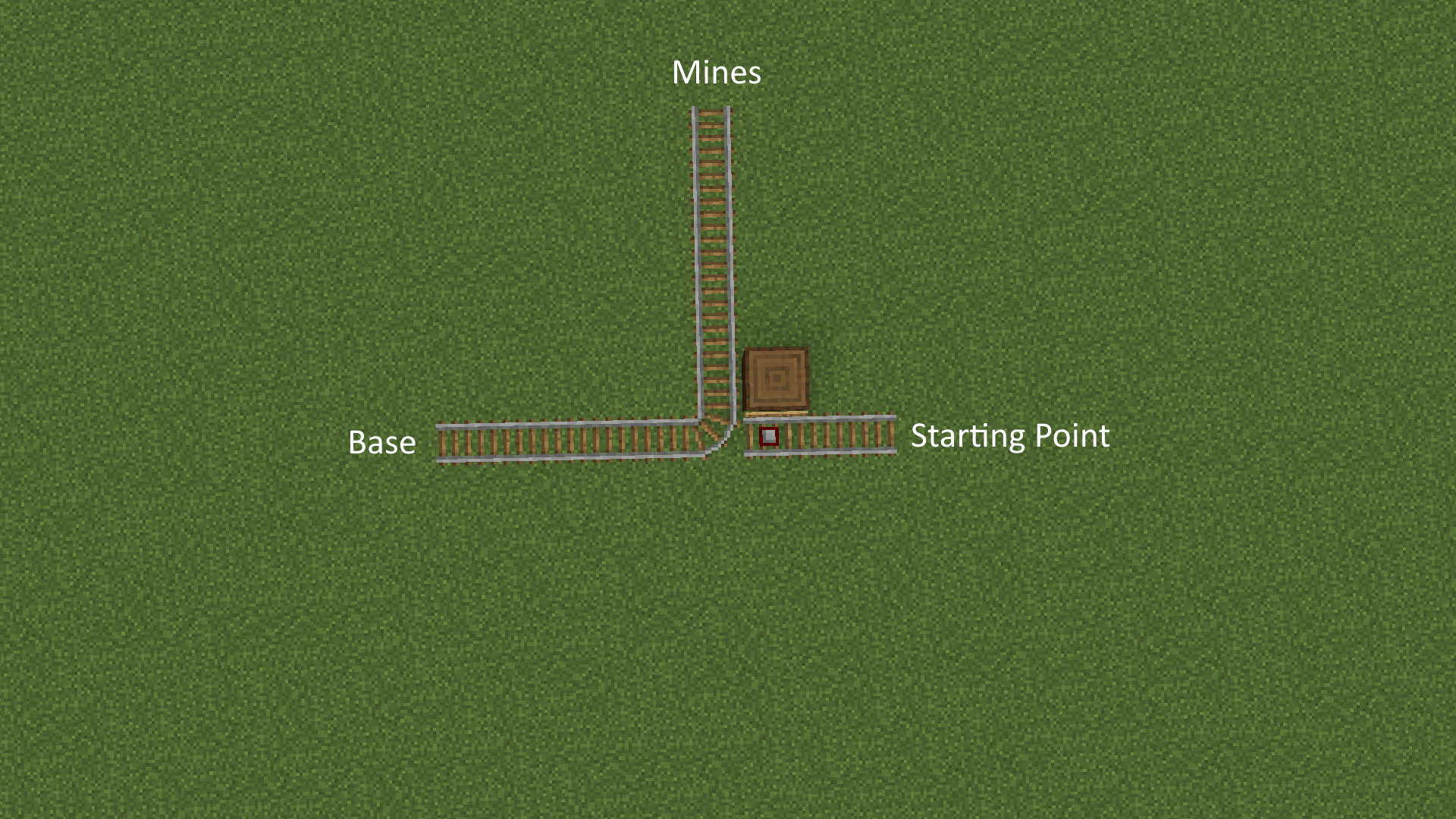
Since T-junctions follow the south-east rule an inverter (shown below) may need to be built.
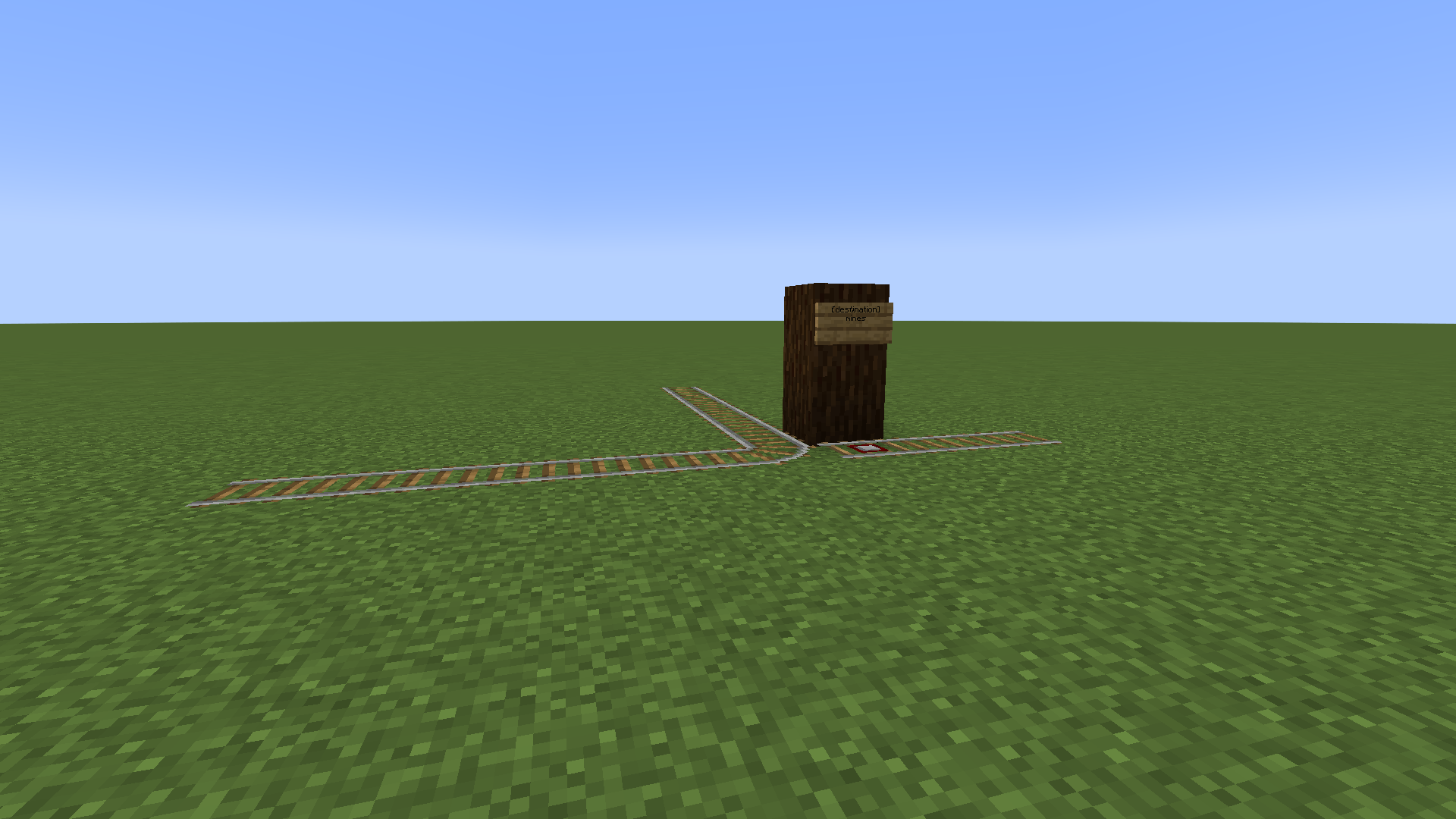
Intersection

Top down view


Inverters

An inverter can be used to change the default direction of the T-junction.
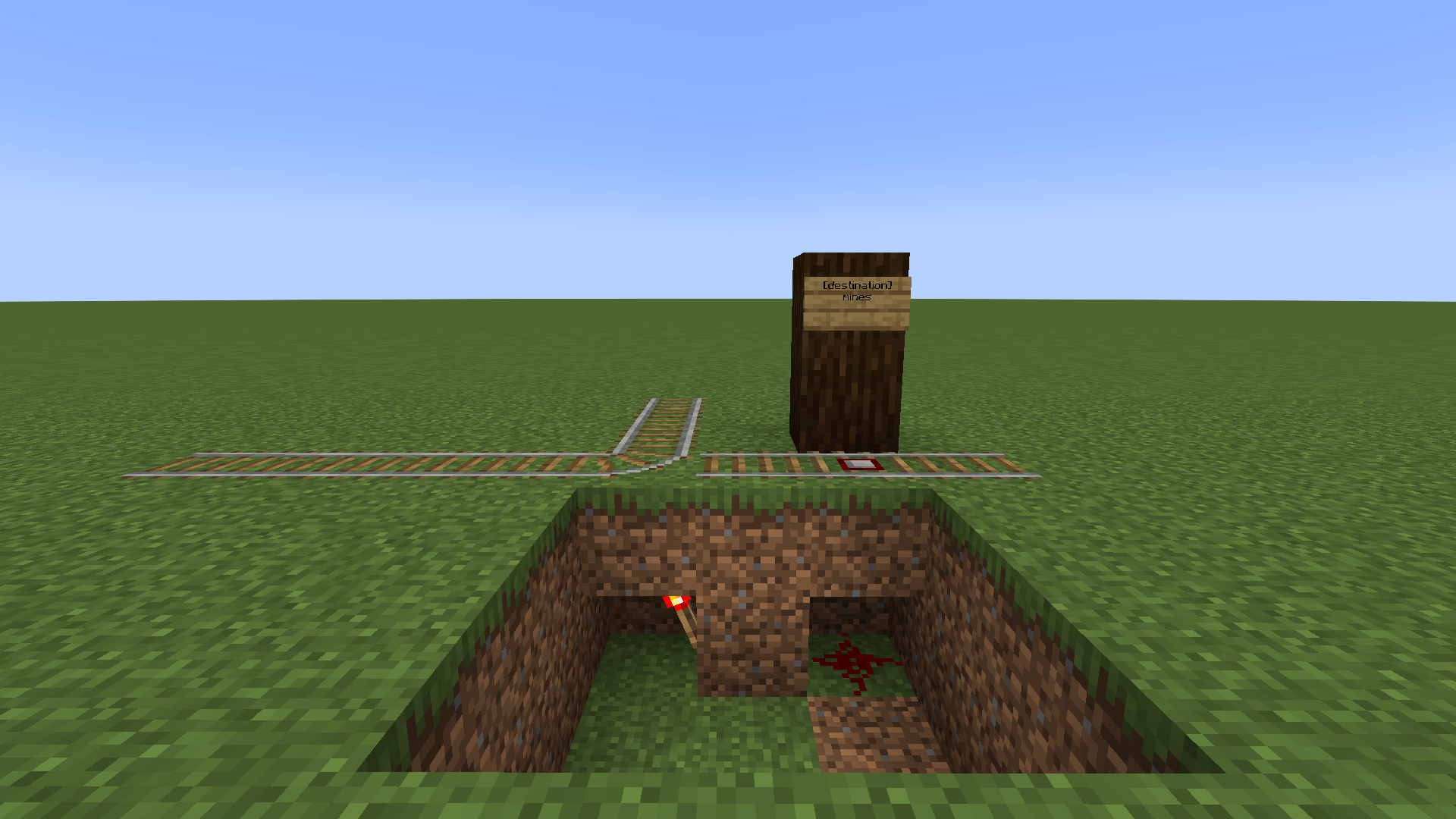
Redstone inverter


Curseforge
Modrinth
GitHub
ko-fi
website


BisectHosting

👥 Team & Contributors

Identity-Theft
Identity-TheftOwner

⚙️ Compatibility

Environment
🖥️ Server-side
Loaders
fabricforgeneoforge
Minecraft Versions
1.211.21.1

🔗 Links

Modrinth Page