Logo
MINECRAFTBIBLE
Items
Items

All game items

Blocks
Blocks

Building blocks

Mobs
Mobs

Creatures & monsters

Biomes
Biomes

World biomes

Structures
Structures

Generated structures

Recipes
Recipes

Crafting guides

Advancements
Advancements

Achievements

Loot Tables
Loot Tables

Drop rates

Tags
Tags

Item groupings

All Versions
View all data →
Capes
Cape ArchiveNEW

Browse rare Minecon capes, OptiFine capes, and custom capes from players worldwide

Browse

Player Database
Player DatabasePopular

Search any player

Skin Browser
Skin Browser

Browse & download skins

Cape Gallery
Cape GalleryNEW

Minecon & OptiFine capes

Seed Vault
Seed Vault

Curated seeds

Learn

Guides
GuidesNew

Tutorials & tips

Blog
Blog

News & updates

Community

Community Hub
Community HubHub

Posts, discussions & more

All Versions
View community →
Seed Analyzer
Seed Analyzer

World seed analysis

Loot Explorer
Loot Explorer

Drop rates

Crafting Calculator
Crafting Calculator

Material planning

Enchant Calculator
Enchant Calculator

Probability math

Redstone Lab
Redstone Lab

Signal timing

Trading Profit
Trading Profit

Villager ROI

All Versions
View all tools →
Mods
Mods

Browse all mods

Plugins
Plugins

Server plugins

Resource Packs
Resource Packs

Textures & sounds

Shaders
Shaders

Visual enhancements

Datapacks
Datapacks

World logic

Scanner
Mod Intelligence

Scan & analyze any mod

All Versions
View all mods →
Loading...
IntroductionIntroductionVersion HistoryVersion HistoryGuidesGuidesBlog & NewsBlog & News
ItemsItemsBlocksBlocksMobsMobsRecipesRecipesBiomesBiomesStructuresStructuresAdvancementsAdvancementsLoot TablesLoot TablesTagsTags
ModsModsPluginsPluginsResource PacksResource PacksShadersShadersDatapacksDatapacks

MinecraftBible

The Ultimate Wiki

Logo
MINECRAFTBIBLE

The ultimate Minecraft reference. Every item, block, mob, and recipe documented with precision.

Community

  • Skin Browser
  • Cape Gallery
  • Seed Vault
  • Blog
  • Guides

Database

  • Items
  • Blocks
  • Mobs
  • Recipes
  • Biomes
  • Structures

Tools

  • Seed Analyzer
  • Mod Intelligence
  • Crafting Calculator
  • Enchant Calculator

Mods & Packs

  • Mods
  • Plugins
  • Resource Packs
  • Shaders
  • Datapacks

Site & Legal

  • About
  • Authors
  • Editorial Policy
  • Corrections
  • Contact
  • Privacy Policy
  • Terms of Service
  • DMCA
  • Sitemap

© 2026 MinecraftBible. Not affiliated with Mojang or Microsoft.

PrivacyTermsContact
Quark
ModCC-BY-NC-SA-3.0

Quark

A Quark is a very small thing. This mod is a collection of small things...

16.0M
Downloads
1,537
Followers
1 months ago
Updated
📦
30
Versions
game-mechanicstechnologyutilityforgeneoforge
Download Latestv4.1-478View on Modrinth

📖About Quark


About

Warning: Quark Requires Zeta for 1.20.1 onwards, or AutoRegLib for 1.19.2 and prior.

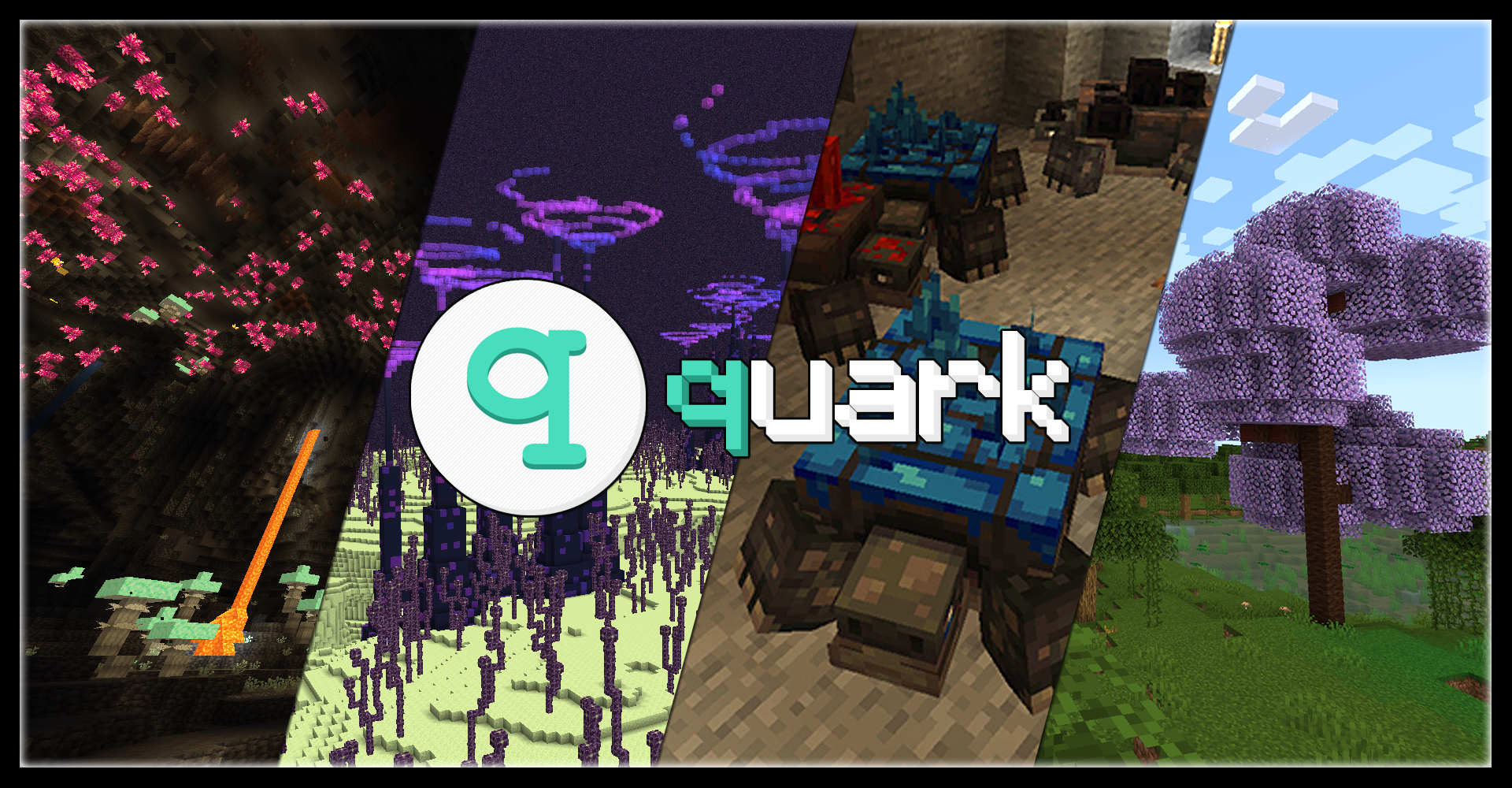
Quark is a fully modular minecraft mod, named after the subatomic particle. In simpler terms, it's a large mod with lots of small features, aimed at improving the vanilla game.
Every feature can be turned on and off individually at your will, and most features contain further options to tweak the game just how you like it.

With quark installed, the title screen will get a new "q" button added to it. This button allows you to configure quark from inside the game, so you can easily turn off any features you don't vibe with.


Features

Quark has over a hundred different modules to play with, but here's a small highlight reel of our favorites:

  • Feeding Trough, for automatic animal breeding
  • Pistons Push Tile Entities, just like in Bedrock Edition
  • Japanese and Industrial style building blocks
  • Variant versions for Bookshelves, Chests, and Ladders for all wood types
  • Vertical Slabs, for all slabs already in the base game and Quark
  • Advanced Camera Mode for fancy screenshots
  • Toretoises, typo intended - new underground animals that grow ore on their back
  • Pickarang, a pickaxe that can be thrown as a boomerang
  • Trowel, a new tool to place random blocks from your hotbar, for paths or ruins
  • Emote system, allowing your character to do all sorts of motions from the chat menu
  • Reacharound Placing, which lets you place blocks under other blocks without being able to see the bottom face
  • Azalea Wood, replacing the Oak wood in Azalea trees with a pleasant green
  • Glimmering Weald, a new rare deep underground biome with glowing mushrooms and a cute new stone fae mob

And many, many more!


Learn more about Quark today

Visit the Official Website

  • Visit the Old Website (for Minecraft versions 1.12 and prior)
  • Check out what changed between Quark for 1.16 and Quark for 1.18
  • Download Quark Oddities, an addon focusing on more complex and technical features

Compatibility

Quark has built-in compatibility for a few mods, including JEI and TerraBlender.

Quark may be incompatible with Optifine. If you are having issues using the two together, please uninstall Optifine and use a Sodium fork instead.

Additionally, if you are experiencing load crashes on 1.20.1, make sure your other mods are up to date, as any mods with integration from older versions will not function until updated.



👥 Team & Contributors

GoesBySully
GoesBySully
Artist
IThundxr
IThundxr
Maintainer
Vazkii
VazkiiOwner
Siuolplex
Siuolplex
Maintainer
quat
quat
Maintainer
MehVahdJukaar
MehVahdJukaar
Maintainer
BrokenK3yboard
BrokenK3yboard
Member
Partonetrain
Partonetrain
Member

⚙️ Compatibility

Environment
✅ Client & Server
Loaders
forgeneoforge
Minecraft Versions
1.21.1

🔗 Links

Modrinth Page