Logo
MINECRAFTBIBLE
Items
Items

All game items

Blocks
Blocks

Building blocks

Mobs
Mobs

Creatures & monsters

Biomes
Biomes

World biomes

Structures
Structures

Generated structures

Recipes
Recipes

Crafting guides

Advancements
Advancements

Achievements

Loot Tables
Loot Tables

Drop rates

Tags
Tags

Item groupings

All Versions
View all data →
Capes
Cape ArchiveNEW

Browse rare Minecon capes, OptiFine capes, and custom capes from players worldwide

Browse

Player Database
Player DatabasePopular

Search any player

Skin Browser
Skin Browser

Browse & download skins

Cape Gallery
Cape GalleryNEW

Minecon & OptiFine capes

Seed Vault
Seed Vault

Curated seeds

Learn

Guides
GuidesNew

Tutorials & tips

Blog
Blog

News & updates

Community

Community Hub
Community HubHub

Posts, discussions & more

All Versions
View community →
Seed Analyzer
Seed Analyzer

World seed analysis

Loot Explorer
Loot Explorer

Drop rates

Crafting Calculator
Crafting Calculator

Material planning

Enchant Calculator
Enchant Calculator

Probability math

Redstone Lab
Redstone Lab

Signal timing

Trading Profit
Trading Profit

Villager ROI

All Versions
View all tools →
Mods
Mods

Browse all mods

Plugins
Plugins

Server plugins

Resource Packs
Resource Packs

Textures & sounds

Shaders
Shaders

Visual enhancements

Datapacks
Datapacks

World logic

Scanner
Mod Intelligence

Scan & analyze any mod

All Versions
View all mods →
Loading...
IntroductionIntroductionVersion HistoryVersion HistoryGuidesGuidesBlog & NewsBlog & News
ItemsItemsBlocksBlocksMobsMobsRecipesRecipesBiomesBiomesStructuresStructuresAdvancementsAdvancementsLoot TablesLoot TablesTagsTags
ModsModsPluginsPluginsResource PacksResource PacksShadersShadersDatapacksDatapacks

MinecraftBible

The Ultimate Wiki

Logo
MINECRAFTBIBLE

The ultimate Minecraft reference. Every item, block, mob, and recipe documented with precision.

Community

  • Skin Browser
  • Cape Gallery
  • Seed Vault
  • Blog
  • Guides

Database

  • Items
  • Blocks
  • Mobs
  • Recipes
  • Biomes
  • Structures

Tools

  • Seed Analyzer
  • Mod Intelligence
  • Crafting Calculator
  • Enchant Calculator

Mods & Packs

  • Mods
  • Plugins
  • Resource Packs
  • Shaders
  • Datapacks

Site & Legal

  • About
  • Authors
  • Editorial Policy
  • Corrections
  • Contact
  • Privacy Policy
  • Terms of Service
  • DMCA
  • Sitemap

© 2026 MinecraftBible. Not affiliated with Mojang or Microsoft.

PrivacyTermsContact
Portable Blueprints
ModMIT

Portable Blueprints

Tired of manually building the same structures over and over, like roads, street lamps, or houses? This mod is perfect for you! Scan your structure and create a blueprint so you can rebuild it instantly with just one click!

3.6K
Downloads
27
Followers
3 months ago
Updated
📦
30
Versions
forgeneoforge
Download Latestv2.0.9View on Modrinth

📖About Portable Blueprints

📐 Build Faster with Blueprints!

Tired of manually building the same structures over and over, like roads, street lamps, or houses? This mod is perfect for you! Scan your structure and create a blueprint so you can rebuild it instantly with just one click!


Video Full Showcase & Features


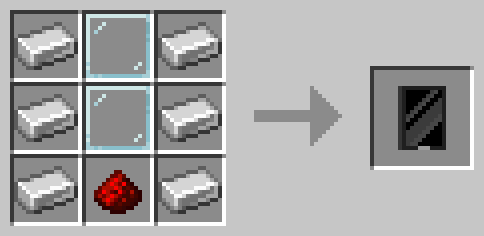
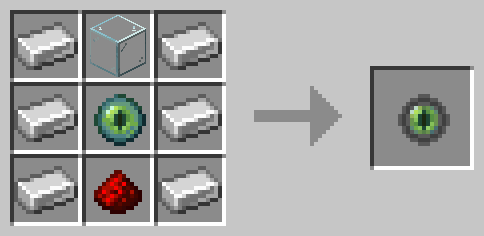
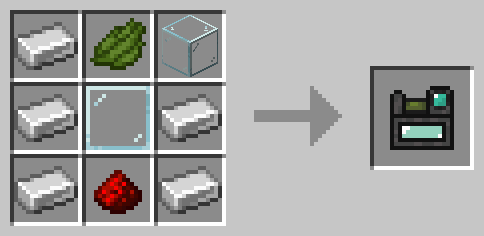
📜 Recipes:


🔹 Tablet


🔹 Scanner

  • From version 1.9.3 and below:


  • From version 2.0.0 and above:


🏗️ Main Features

🔹 Scanner – Scan any structure to save it as a blueprint.
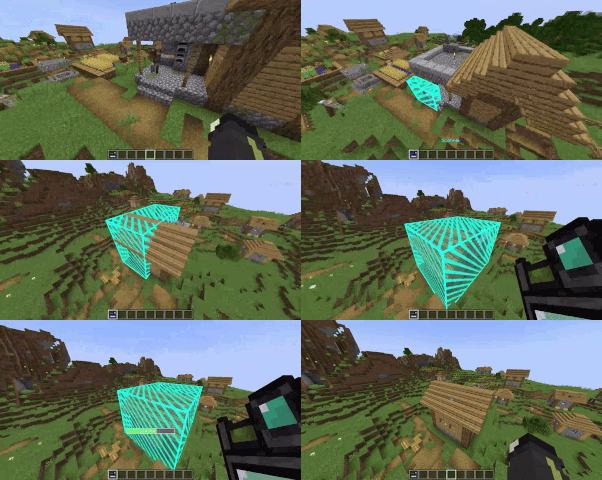
  • Right-click a block to set the first corner.
  • Right-click another block to set the second corner.
  • Once the area is selected, give it a name and save the structure.


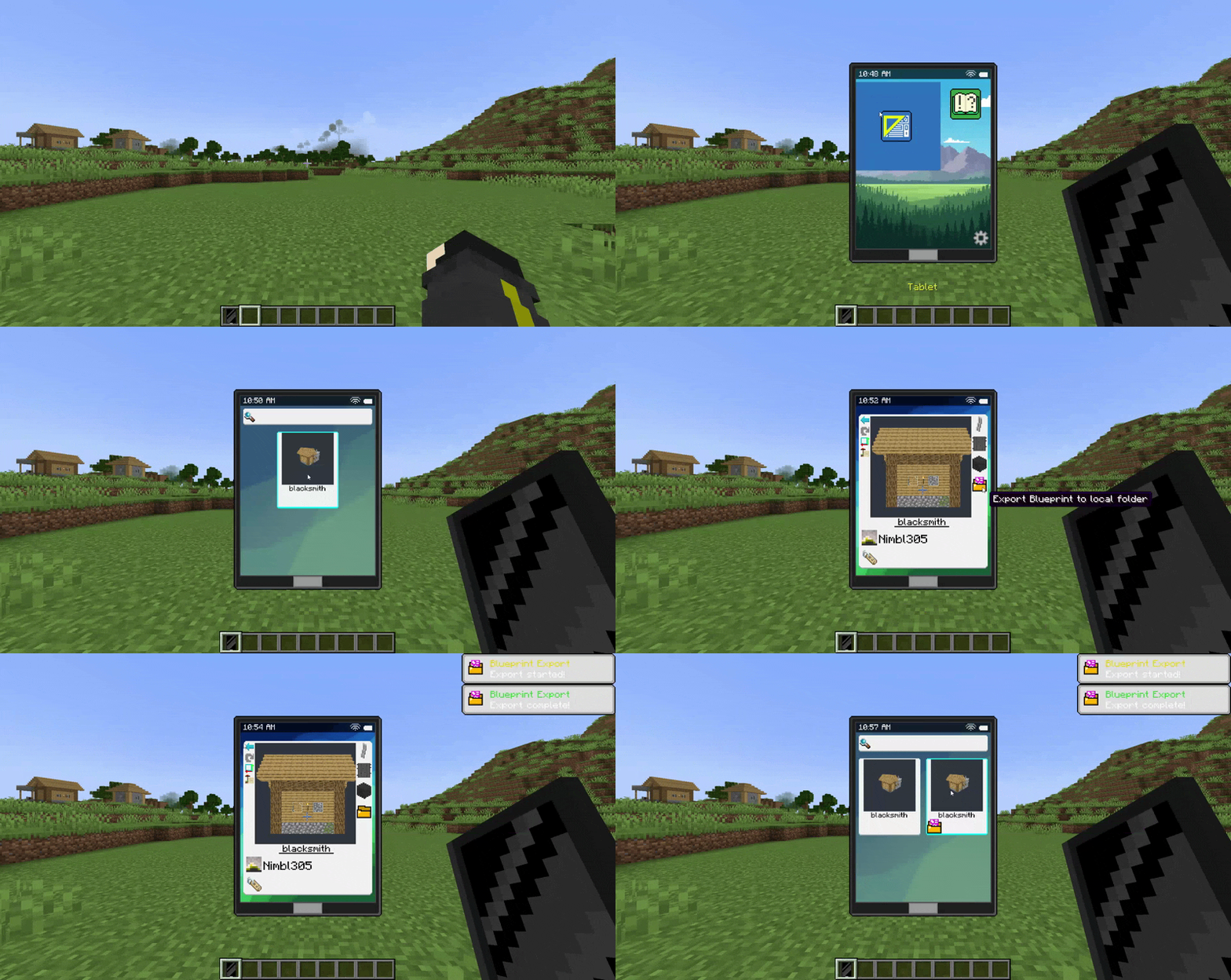
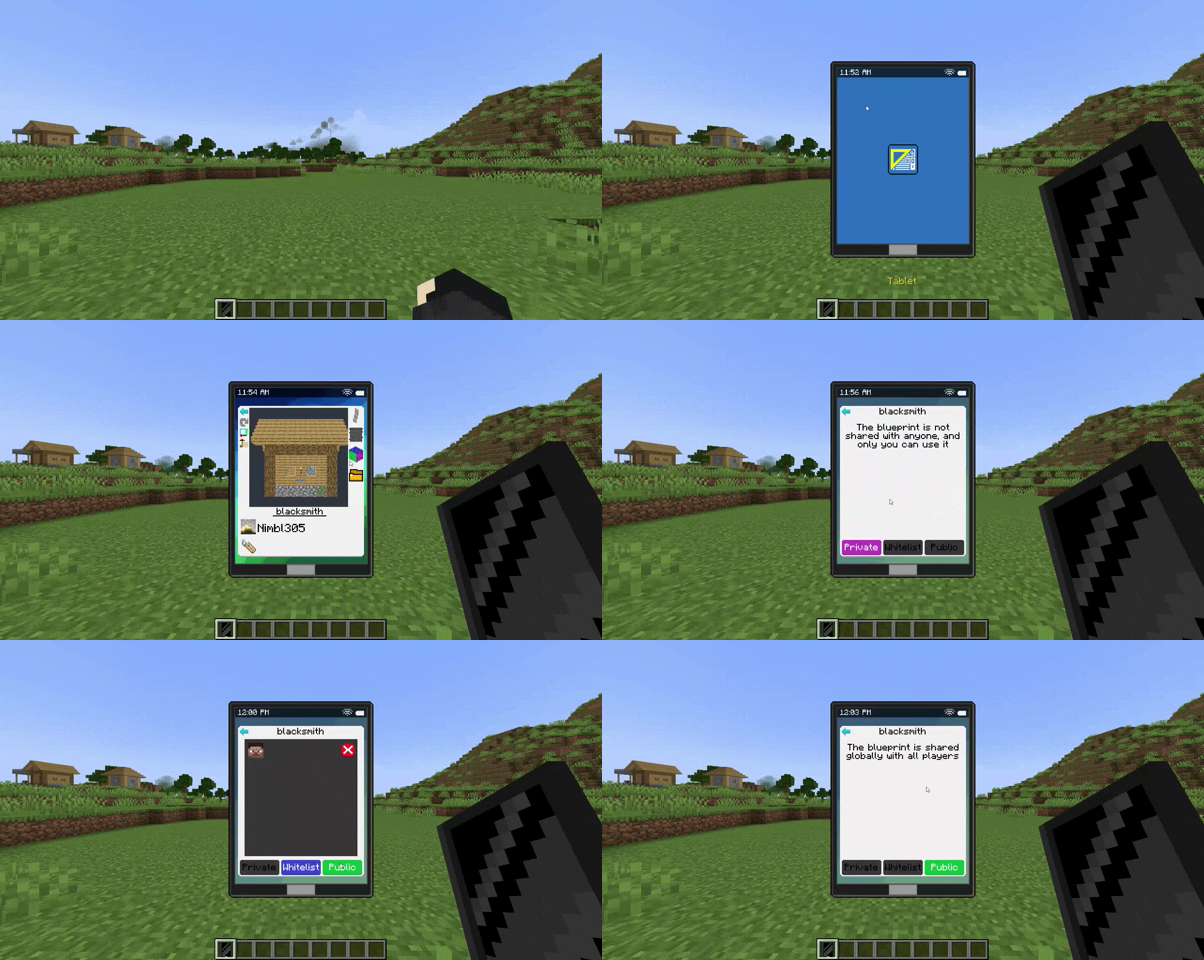
🔹 Tablet – Easily manage your blueprints.
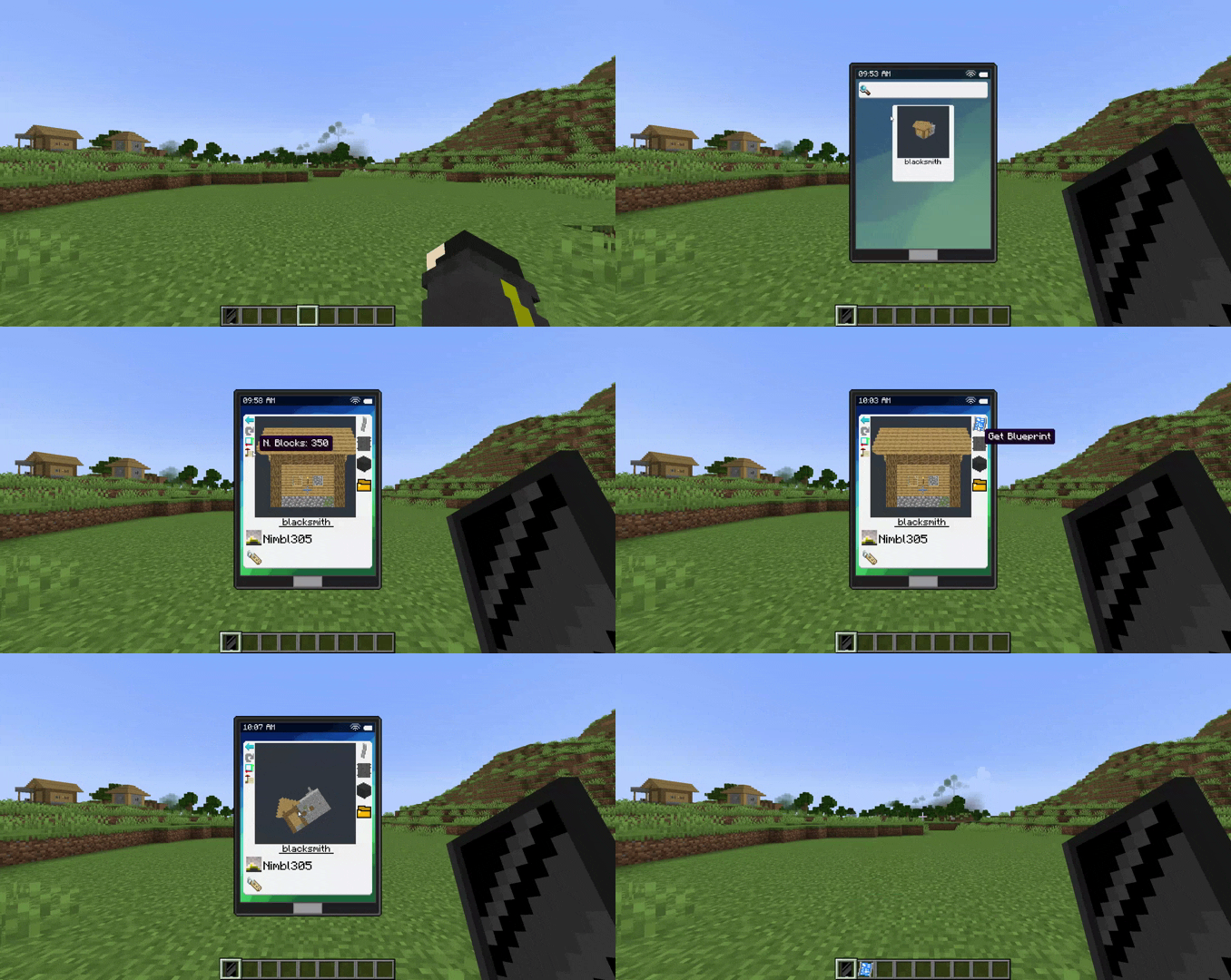
  • View your saved structures.
  • Delete blueprints you no longer need.
  • Obtain the blueprint item to place it in the world.
  • Share your blueprints with other players in the same world.
  • Export and import global blueprints to use them across different worlds.
  • Access server-provided blueprints.


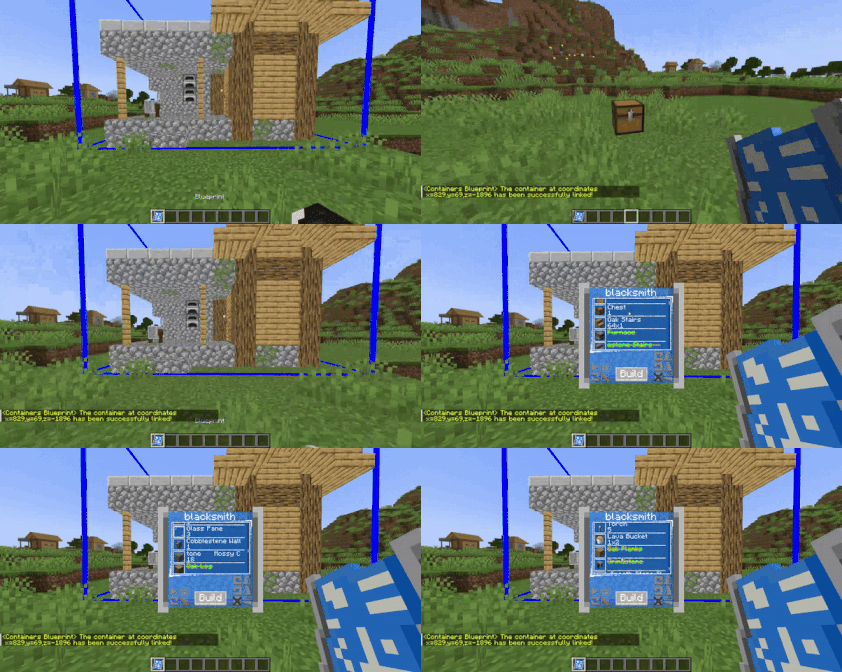
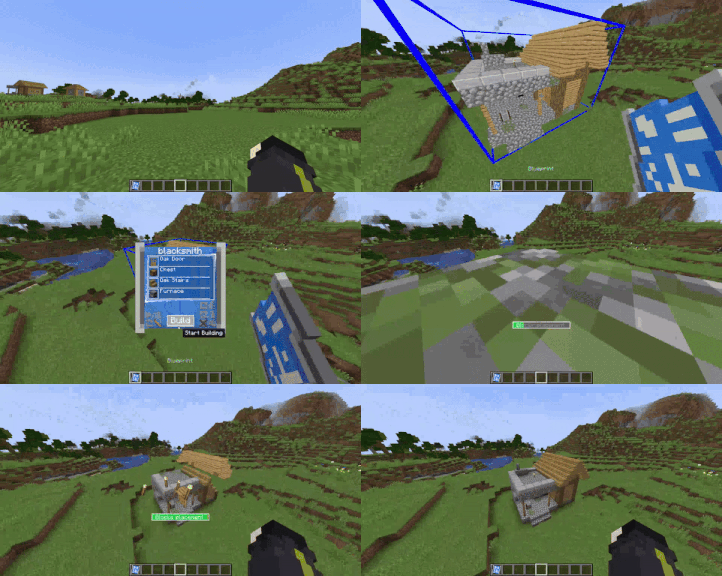
🔹 Blueprint – Build your saved structures effortlessly!
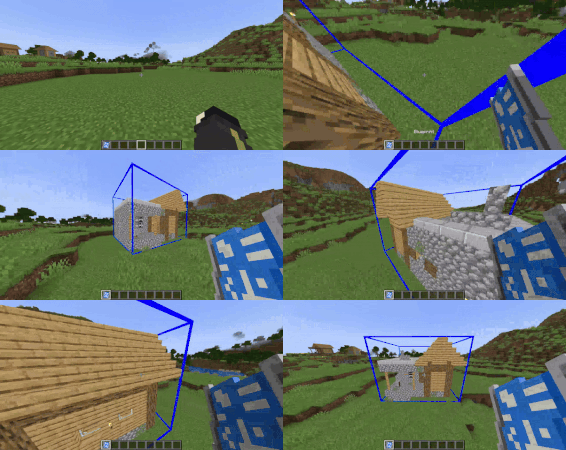
  • Select the origin point by clicking on a block.
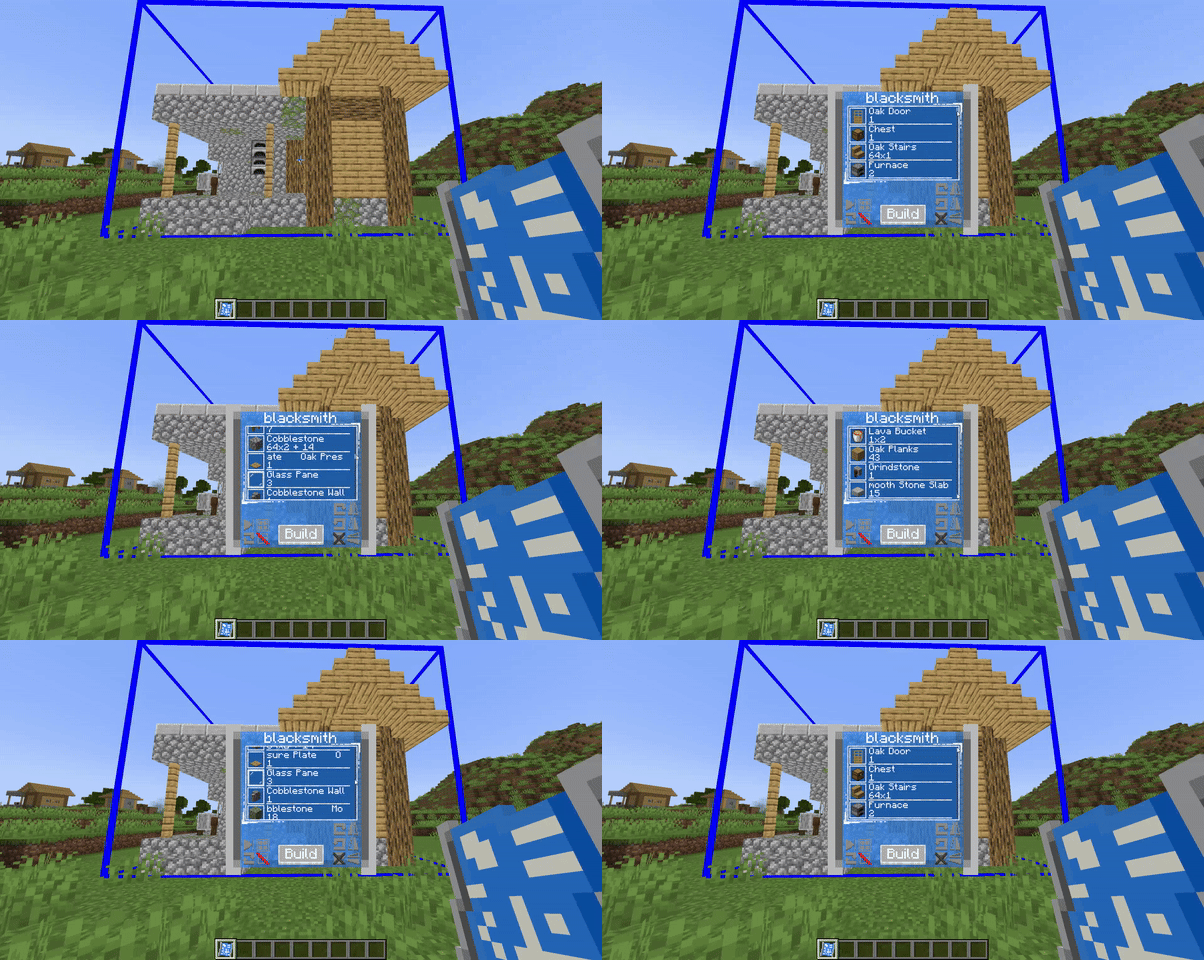
  • A holographic preview will show exactly how the structure will be placed.
  • Open the menu (Shift + Right-click in the air) to:
         ✅ Check the required materials.
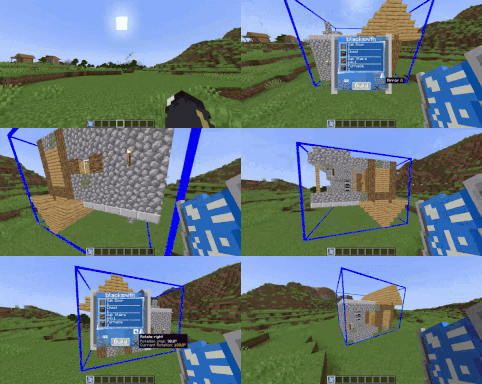
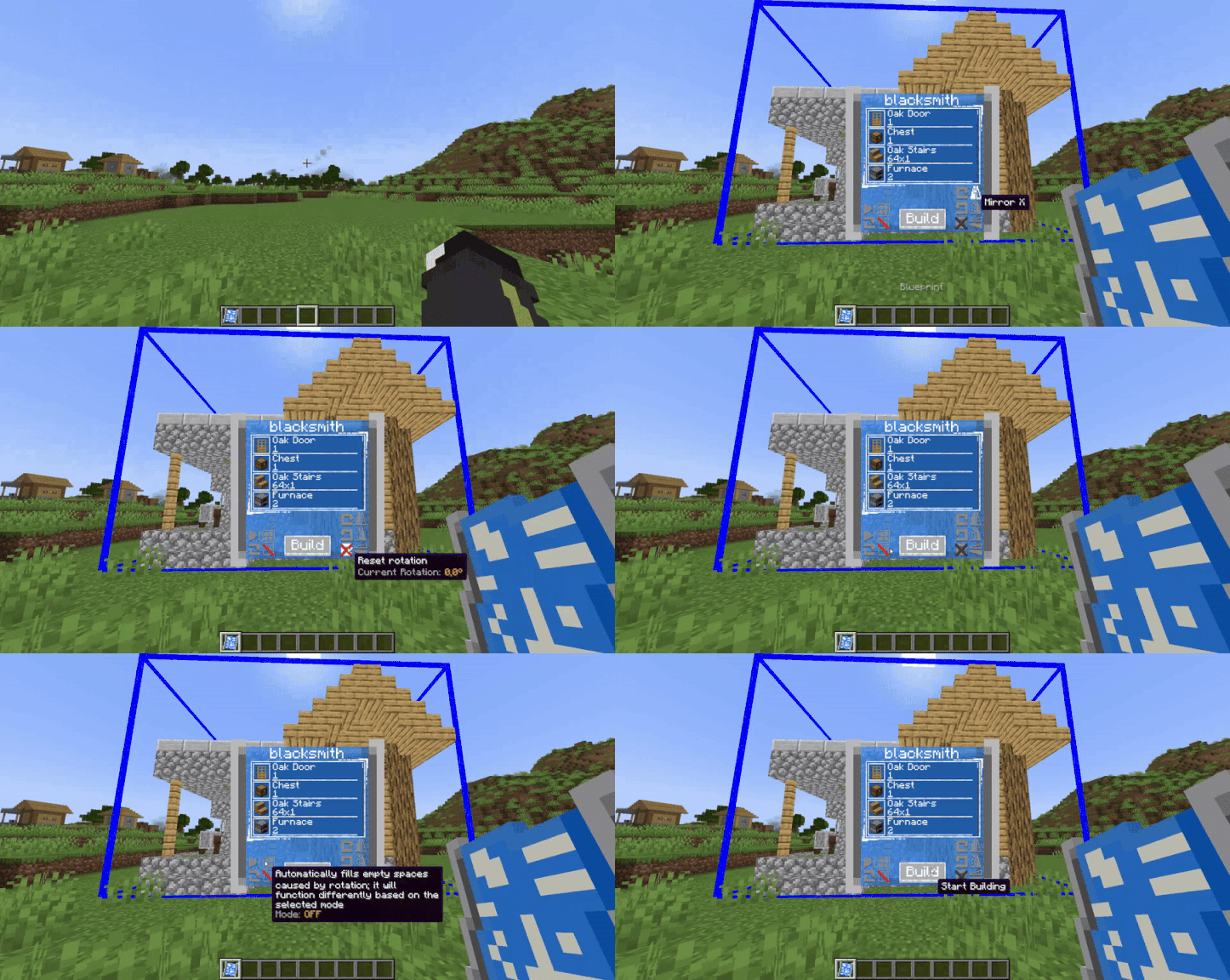
         🔄 Rotate or mirror the structure along the X, Y, and Z axes.
         📦 Assign containers (Shift + Right-click the container, like: chests, shulker boxes, barrels, etc.) to store                   materials, allowing you to build large structures without inventory limitations!


⚙️ Customizable Limits with Gamerules

By default, the mod includes certain limits, such as the maximum number of blocks that can be selected with the scanner and the number of blueprints each player can store. However, these limits can be adjusted using gamerules:


📏 Set the maximum number of blocks in a scanned area:

From version 1.1.4 and below:

/gamerule maxStructureBlockCount <integer>

From version 1.2.0 and above:

/gamerule maxScannerBlockCount <integer>


📜 Set the maximum number of blueprints a player can have:

From version 1.9.3 and below:

/gamerule maxBlueprintsForPlayer <integer>

From version 2.0.0 and above:

/gamerule maxDigitizedStructuresForPlayer <integer>


🔧 Limit the number of containers a blueprint can use
Set the maximum number of containers (like chests or barrels) that a blueprint can interact with simultaneously during construction:

/gamerule maxBlueprintContainers <integer>


🔒 Control the use of global blueprints
Decide whether global blueprints (shared across multiple worlds) are allowed in your world:

/gamerule allowGlobalBlueprints <true/false>


📋 Enable or disable NBT data copying in blueprints (added in version 1.8.0)
Allows blueprint scans to copy the NBT data of blocks (such as block states or custom behavior).
By default, it's disabled to avoid duplication issues, especially in multiplayer servers:

/gamerule allowNBTDataCopy <true/false>

Note: This does not copy contents of blocks with inventories (like chests or backpacks).


⏳ Set a cooldown for blueprint placement (added in version 1.9.3)
Allows you to define a cooldown that prevents spamming builds through blueprints. 
The value is in seconds.

/gamerule blueprintsCooldown <integer>


💼 Allows the Business Villager to spawn (added in version 2.0.0)

Enabling this gamerule allows the Business Villager to spawn when someone tries to build in an area where many blocks are obstructing the construction. Its goal is to collect blocks, so it will offer to clean up the construction area in exchange for keeping all the removed blocks for itself. To accept its offer, simply right-click on the pickaxe inside the briefcase.

/gamerule businessVillagerEnabled <true/false>


⚠️ Note:
The mod is not optimized for very large structures, so be mindful when increasing these values.


📦 Server Blueprint Management – Command System (Op only)

Manage server-wide blueprints with the /blueprintserver command.
These blueprints are shared across the entire server and can be set as either:

  • Free – accessible to all players without restrictions.
  • Permission – only players with explicit permission can use them.

🛠 How to Use:

  • To add or replace a server blueprint (while holding a blueprint item in hand)
    /blueprintserver set <free/permission>


  • To remove a server blueprint:
    /blueprintserver remove <server_blueprint_name>


  • To assign or revoke a player's permission to use a specific "permission" blueprint:
    /blueprintserver permission <player_name> <server_blueprint_name> <true/false>

By default, players do not have permission unless explicitly granted.


📘 Worn Blueprint – Usage and Functionality

Worn Blueprints are blueprints with a limited number of uses, and can be used by any player without restrictions.

✅ How to add them to the world:


To register a Worn Blueprint in the world, hold a normal blueprint in your hand and use the command:

/blueprintworn add


To remove it later, use:

/blueprintworn remove <worn_blueprint_name>


🧱 Creating the Worn Blueprint Item

The Worn Blueprint item can be generated (via /give or through loot tables) using two required NBT tags:

  • remaining_uses: an integer that defines how many uses are left.

  • blueprint_name: a string linking the item to the registered worn blueprint in the world.

  • free_build: a boolean value (0b/1b) that allows you to build the blueprint without requiring the necessary materials.
  • allow_nbt (added in version 1.8.1):
    • If set to 0b, it will always place without NBT data, ignoring the allowNBTDataCopy gamerule.
    • If set to 1b, it will always place with NBT data, again ignoring the gamerule.
    • If the flag is not present, the worn blueprint will follow the current value of the allowNBTDataCopy gamerule.

📌 Example:


minecraft version 1.20.1 and below

/give @s portable_blueprints:worn_blueprint{remaining_uses:1,blueprint_name:"worn_blueprint_name"} 1
 

minecraft version 1.21.1

/give @s portable_blueprints:worn_blueprint[minecraft:custom_data={remaining_uses:1,blueprint_name:"worn_blueprint_name"}] 1


(added in version 1.8.1)

Worn Blueprint World Injection System

Introduced a system to automatically inject worn blueprints into worlds.
This is especially useful for modpack creators who want to include premade worn blueprints (e.g. for a blueprint shop).
Just place your .bp files into the new folder:
<Minecraft directory>/config/portable_blueprints/world_injection_worn_blueprints

A settings file is also included inside this folder for optional configuration.


(added in version 1.9.3)

🚫 Block Mod Usage Commands  

These commands allow you to block a player from using both the scanner and blueprints.
This is useful for players who abuse the mod’s mechanics to annoy others, cause lag, or create issues on the server.
Instead of banning the player entirely, you can simply block them from using the mod.

🛠 How to Use:

  • Block a player from using the mod:
    /portable_blueprint block <player_name>
  • Unblock a previously blocked player
    /portable_blueprint unblock <player_name>
     
  • Show the list of blocked players:
    /portable_blueprint blockedlist


With this mod, building becomes faster, more efficient, and free from tedious repetition!


💬 GitHub Community & Bug Reporting

Join the community, report bugs, or suggest new features!

👉 Visit the mod’s GitHub page


👥 Team & Contributors

Nimblonia
NimbloniaOwner

⚙️ Compatibility

Environment
✅ Client & Server
Loaders
forgeneoforge
Minecraft Versions
1.20.1

🔗 Links

Modrinth Page