


OneBar
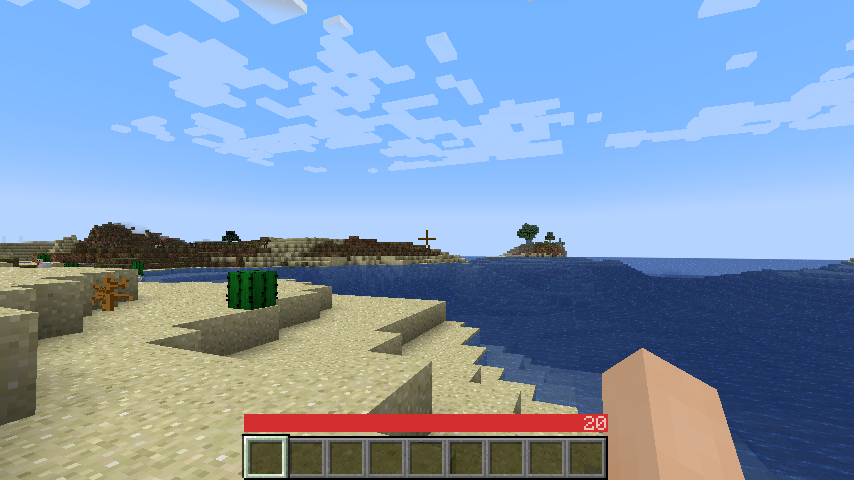
Everything you need to know to survive, in a single bar HUD!
📖About OneBar
A sleek HUD mod for Minecraft: Java Edition using Fabric mod loader.
Reviews by Niche Duck: main mod (v1.2.2), config (v1.2.2). Mob arena gameplay with customized OneBar (v2.3.1) by agata_m
How it works
See the gallery for a tutorial image!
Tips:
- Every value and bar is displayed only when you need it.
- The positive effects, including health itself, are displayed left-to-right; negative effects are displayed right-to-left.
- If you get hungry, the hunger overlay is displayed over the health by its value.
- If you eat, you'll lose the overlay and the value, because you no longer need it.
- If you are also underwater, the water bar is displayed on top of health and hunger because it is the most important value in this case.
- Health is always the first number and hunger is almost always the last number (except when you have the hunger effect).
- Everything in between is an estimate, additional health or damage source (can be disabled).
- You can also enable "Show additional symbols" in options to get icons for those
- Remember old Minecraft without hunger and experience? This mod gives you a visually similar experience without losing modern functionality.

The mod only uses client-side data, so it is never needed on a server. There are also a lot of settings for configuring the colors and visibility of various elements.
Meanings of the colors and icons
Installation
- Install Minecraft 1.16 or later
- Install Fabric Loader
- Download OneBar, Fabric API, Mod Menu, Cloth Config API
- Place the JARs you downloaded to your Minecraft's mods folder
- Run the game!
Currently also works on Quilt, though no effort has yet been made to explicitly support it. See #21.
Mod compatibility
- Raised - moves OneBar and hotbar upwards, height of both can be adjusted
- Auto HUD - automatically shows and hides certain elements of OneBar as needed
- Exordium (beta) - improve HUD performance
- OneBar + MCC Island Compat (unofficial) - disables OneBar when you have no health bar on MCC Island
- Flour's Various Tweaks and Head-down display - partial compatibility for the auto-hide feature, does not hide OneBar elements
FAQ
Q: Why do I have to download Cloth Config API separately?
A: Because it's big, gets updated a lot and you probably have a mod or two that requires it anyway. If one of your mods already bundles it, you don't have to download it at all :)
Q: How do I edit the colors?
A: Click Esc -> Mods -> OneBar -> config button. Colors are formatted as opacity + RGB in HEX, so choose an opacity from this list and use any HEX color picker for choosing a color. For example if I want 80% opacity (CC) on blue (0000FF), I will enter #CC0000FF.
Q: Forge support?
A: No. Feel free to fork according to the license or check out my resource pack that inspired this.
Q: Backports?
A: No, Cloth Config isn't cross-compatible and I don't suggest using old versions anyway.
Q: Snapshots?
A: It probably runs, but config might crash if it's not up to date.