ModLGPL-2.1-only
Modular Golems
Tinker style modularized metal golems
283.2K
Downloads
138
Followers
5 months ago
Updated
📦
30
Versions
📖About Modular Golems
This mod adds golems that players can craft from metal materials. Each part of the golems can be made from different metals with unique properties and attributes. Upgrades can be applied for additional abilities or stats.
Discord: https://discord.gg/BCHNhsDMXz
Dependency: L2library
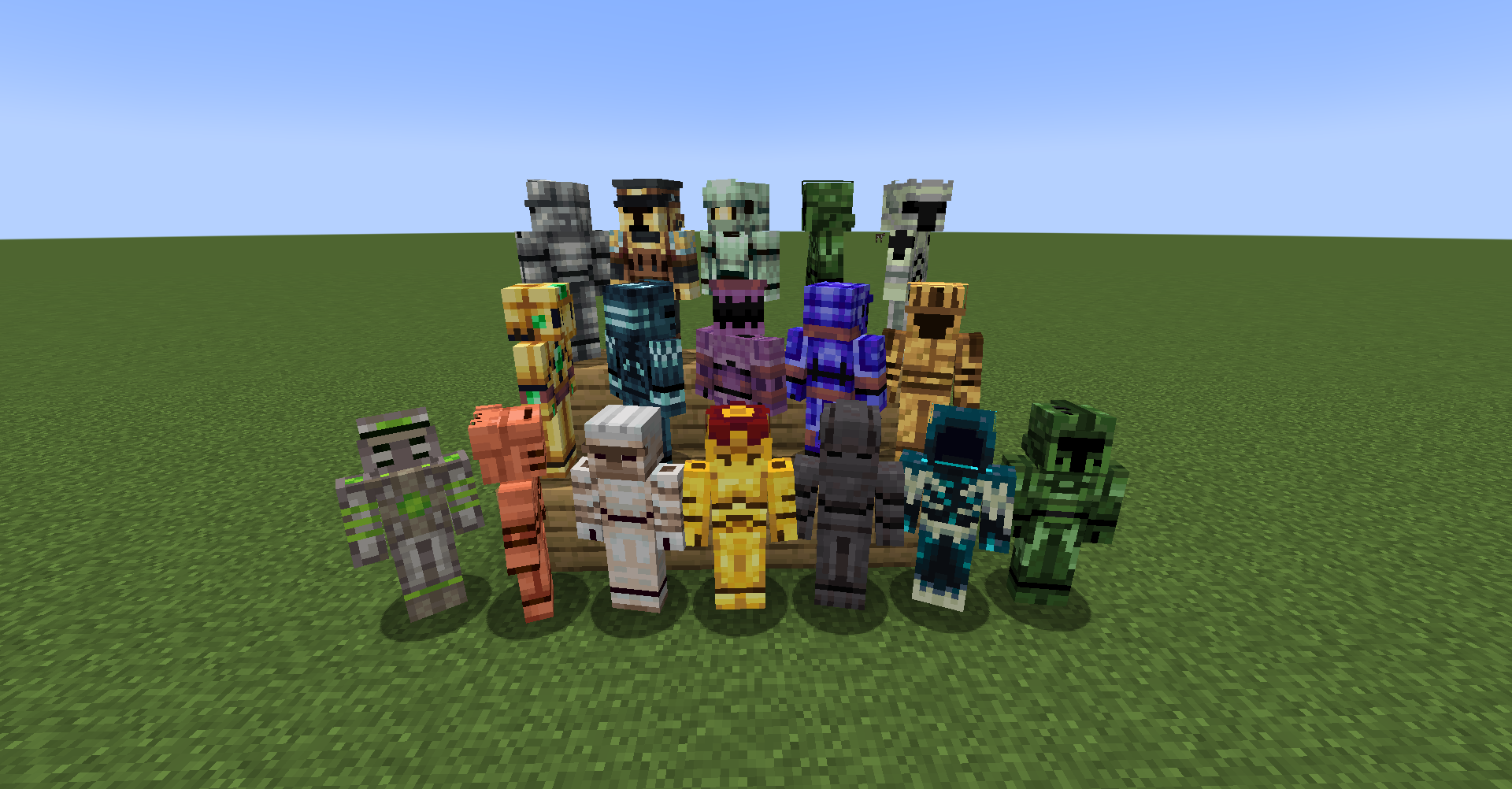
Golem types:
- Metal Golem: similar to Iron Golem, has high health and attack
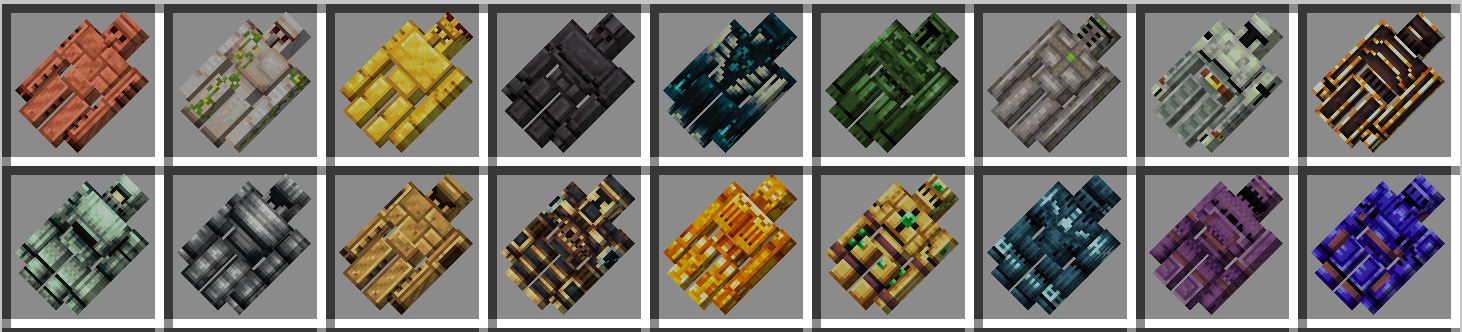
- Humanoid golem: player-like, can use armor, weapons and shields
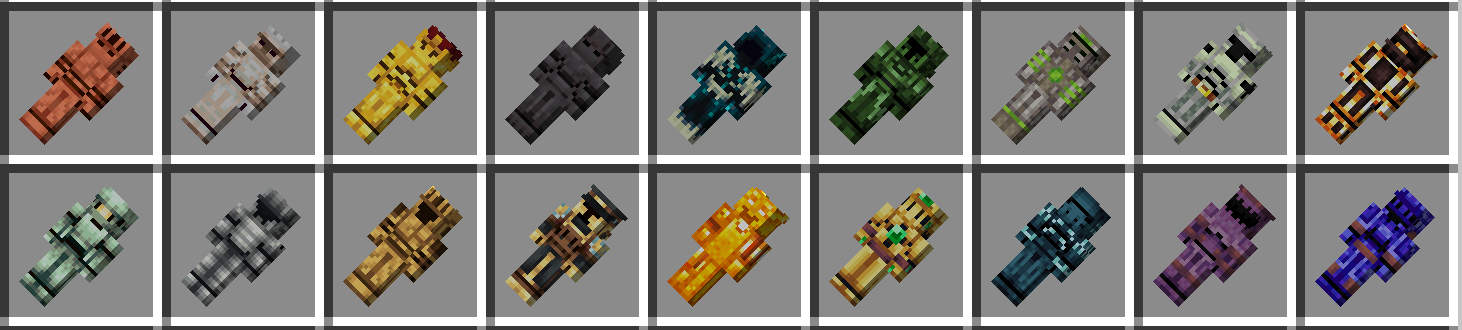
- Dog golem: wolf-like, run fast
Things humanoid golems can do:
- Use melee weapons
- Wear armors
- Use shields to block attack
- Use bows and crossbows (consumes arrow, so infinity bow is recommended)
- Use Tridents (Drowned-like, doesn't need loyalty enchantment)
Be aware that humanoid golem will consume durability of used items
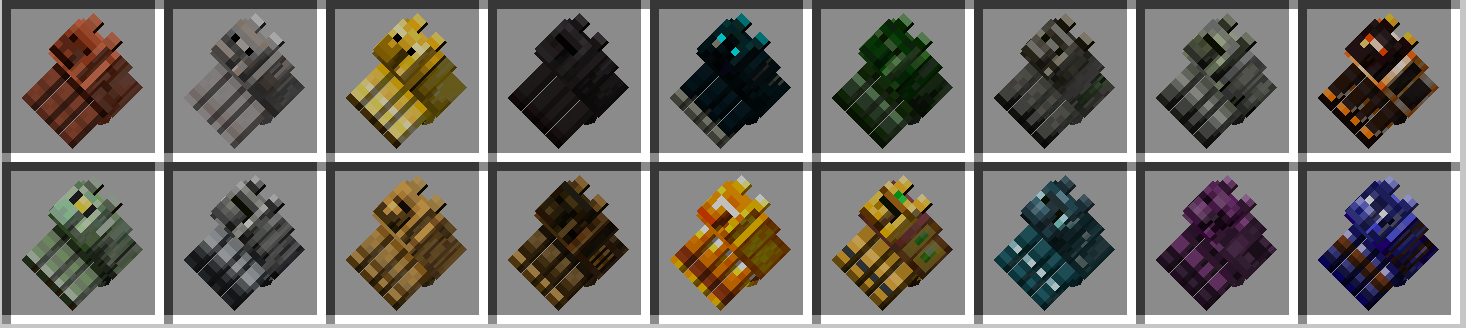
Golem materials
- Copper (vanilla) - Heal when struck by lightning
- Iron (vanilla) - Vanilla-like high health and attack golem
- Gold (vanilla) - Heal over time, but weak stats
- Netherite (vanilla) - Area attack, high health and damage
- Skulk (vanilla) - as strong as Wardens!
- Steeleaf (Twilight Forest) - High attack
- Ironwood (Twilight Forest) - High health, heal over time
- Knightmetal (Twilight Forest) - Thorn on your golems
- Fiery (Twilight Forest) - Deal higher damage to mobs not immune to fire
- Zinc (Create) - Reduce damage taken
- Andesite Alloy (Create) - Cheap and mass producible golem
- Brass (Create) - Resistant to magic damage
- Railway (Create) - Move fast, high knockback, area attack. Hit mobs like trains!
- Brimsteel (Blaze Gears) - Shoot fireballs
- Totemic Gold (L2 Complements) - Higher healing
- Poseidite (L2 Complements) - Special abilities in rain, including conduit attack
- Shulkerate (L2 Complements) - Extremely tough, immune to projectiles
- Eternium (L2 Complements) - Invincible!
Upgrades
Each golem can have one upgrade per part: metal golem can have 4, humanoid can have 3, and dog golem can have 2.
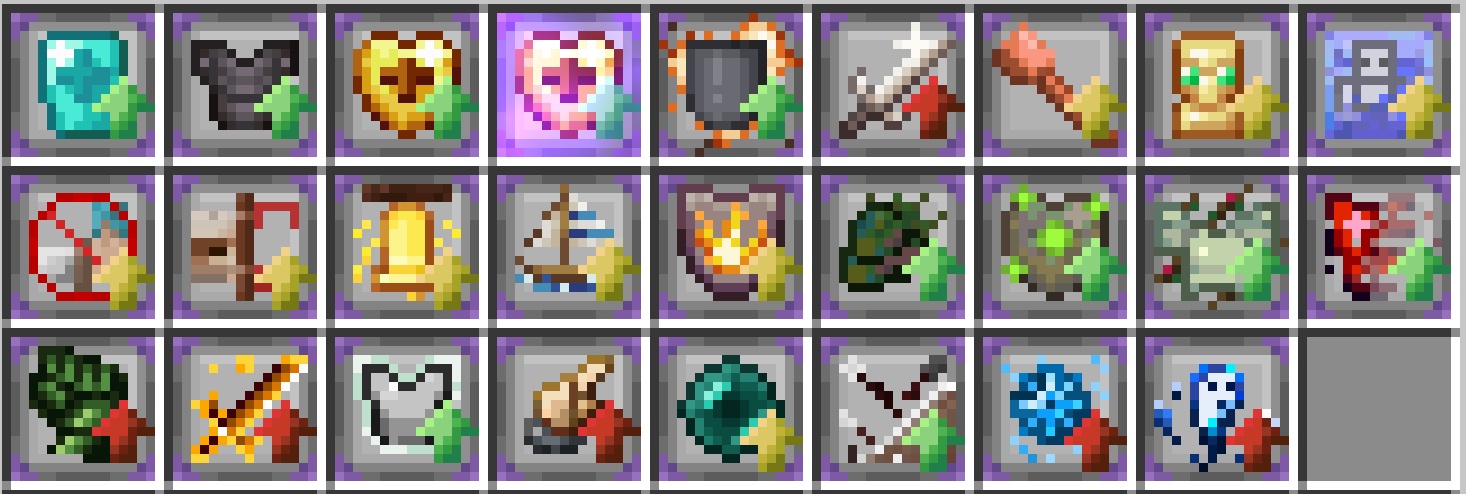
- Diamond Upgrade: Add armor value
- Netherite Upgrade: Add armor and toughness
- Golden Apple Upgrade: Add health regeneration
- Enchanted Golden Apple Upgrade: Add higher health regeneration
- Sponge Upgrade: Reduce explosion damage, prevent explosion from breaking blocks
- Quartz Upgrade: Increase melee attack damage
- Thunder Immune Upgrade: Negate lightning bolt damage, heal when struck by lightning bolt
- Recycle Upgrade: When golem dies, drop the item form of the golem at 0 health instead of metal ingots
- Swim Upgrade: Allow golems to swim in water efficiently
- Player Immune Upgrade: Negate damage from player and player's pets
- Ender Sight Upgrade: Allow golems to see enemies through walls. Useful for mob farms or guarding.
- Bell Upgrade: When golem find or switch attack target, highlight all surrounding enemies and attract them to attack the golem
- Float Upgrade: Allow golem to float on water and lava. Cheaper version of swim upgrade.
- Fire Immune Upgrade: Negate fire damage.
- (Twilight Forest) Naga Upgrade: Increase Armor, Attack, Speed, and Knockback.
- (Twilight Forest) Ironwood Upgrade: Golem heals faster in twilight forest.
- (Twilight Forest) Knightmetal Upgrade: Thorn. When golem is attacked, reflect a percentage of that damage as magic damage.
- (Twilight Forest) Carminite Upgrade: When golem takes damage, become invisible and invincible for a short period of time.
- (Twilight Forest) Steeleaf Upgrade: Golem deals higher damage in twilight forest.
- (Twilight Forest) Fiery Upgrade: Damage dealt to mobs not inherently immune to fire will be significantly higher. Deal no damage to mobs with fire resistance potion effect.
- (Create) Zinc Upgrade: Damage taken is reduced by a flat amount. Effect against a crowd of weak mobs.
- (Create) Extendo Upgrade: Increase golem knockback.
- (L2Complements) Teleport Upgrade: Golem will attempt to teleport to avoid damage.
- (L2Complements) Wither Armor Upgrade: Golem will repel arrows and projectiles, and negate all projectile damage.
- (L2Complements) Freezing Upgrade: Apply frost effect to mobs attacking this golem or attack by this golem.
- (L2Complements) Soul Flame Upgrade: Apply soul burning effect to mobs attacking this golem or attack by this golem.
How to Assemble a Golem
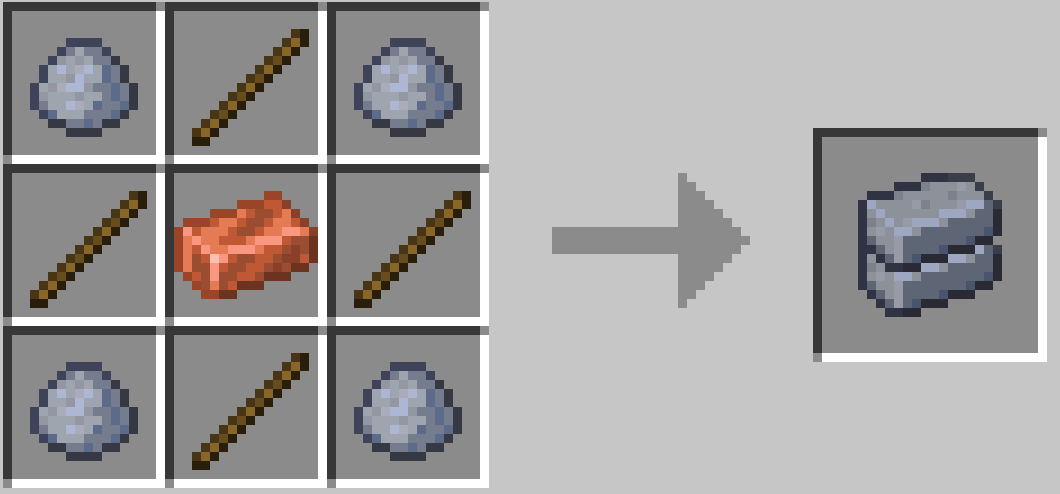
- Step 1: Craft several golem templates
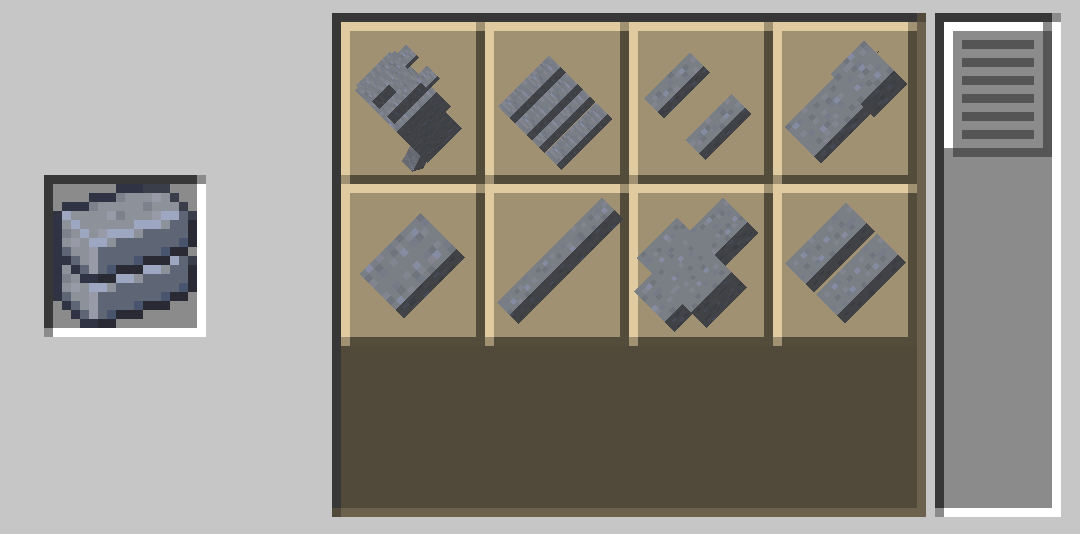
- Step 2: Use stone cutter to get clay golem parts
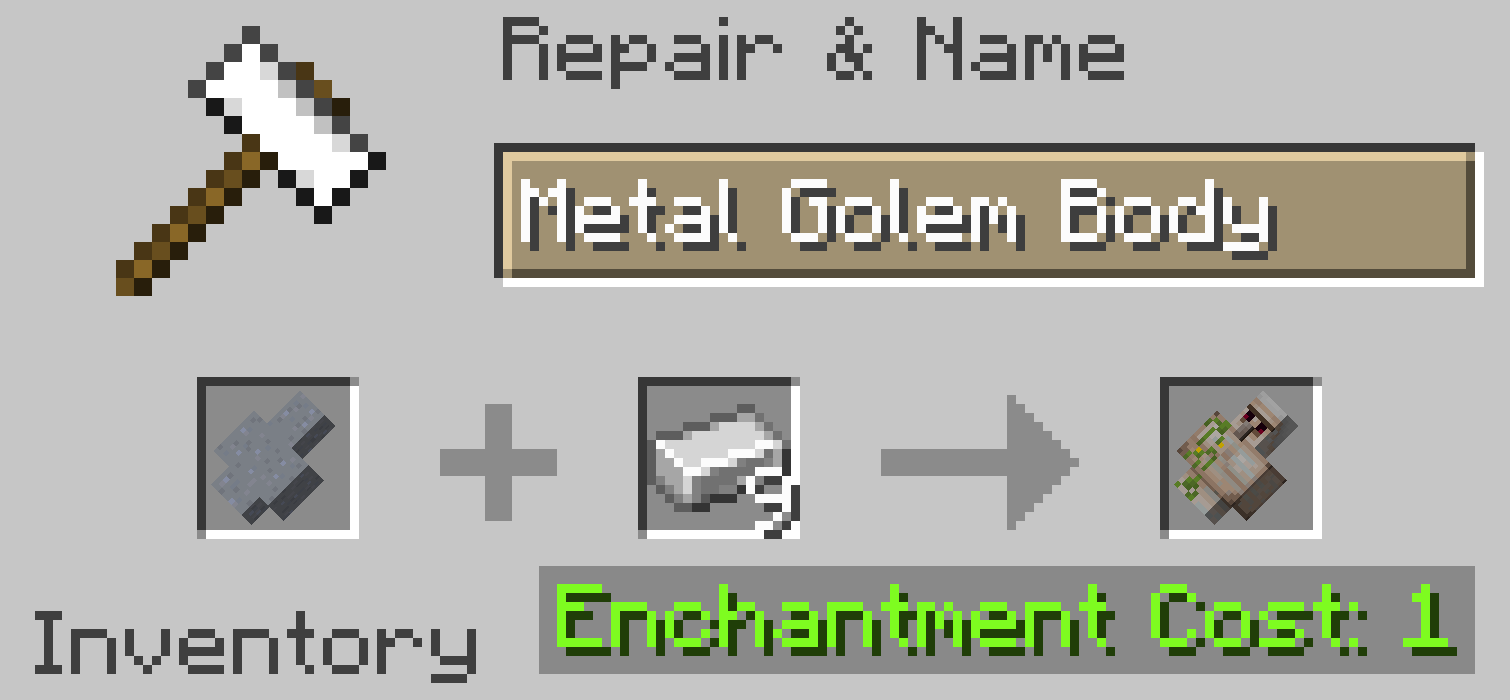
- Step 3: Apply metals onto the clay parts in anvil
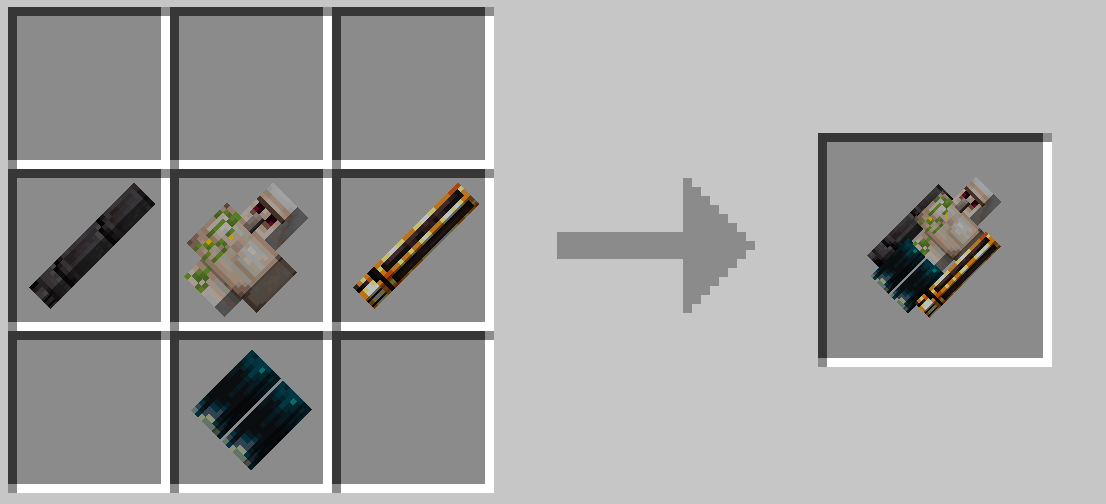
- Step 4: Assemble golems in crafting table
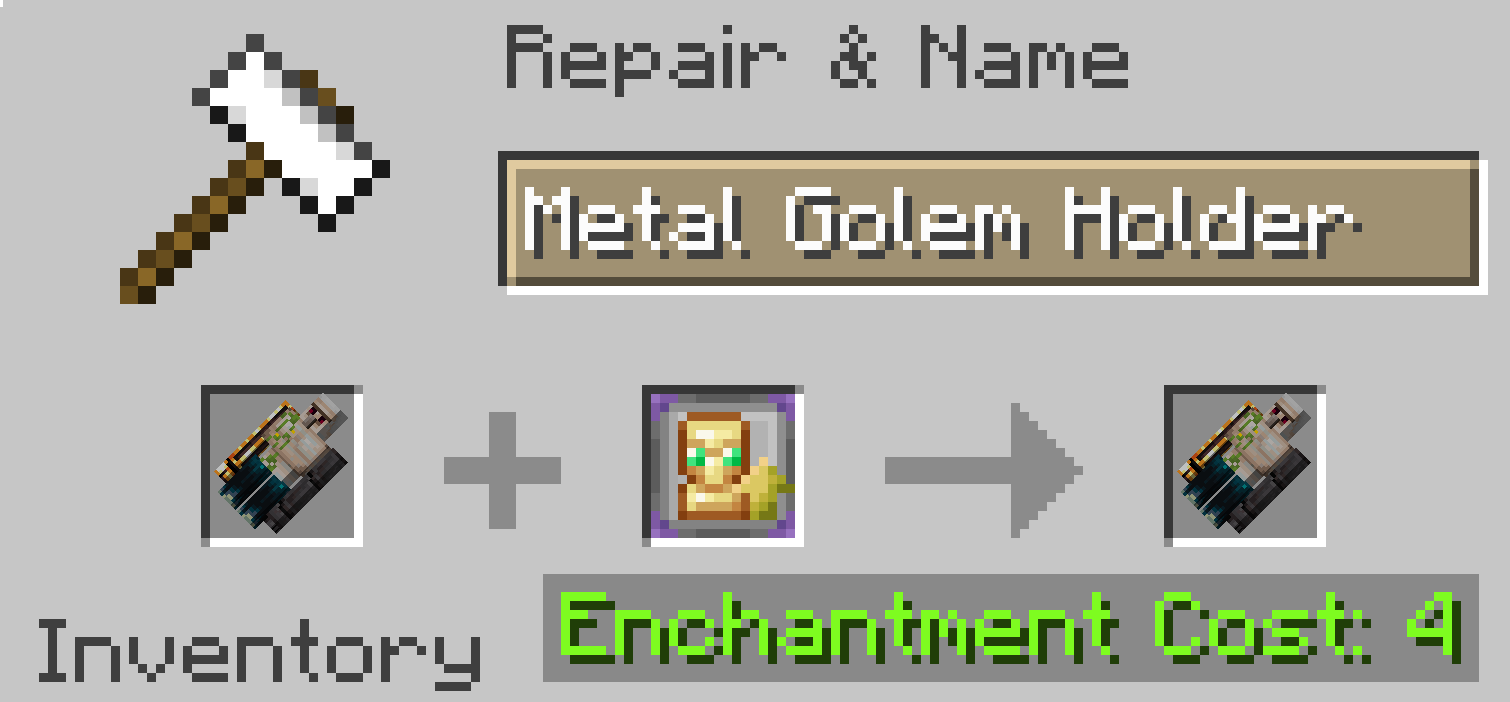
- Step 5: (Optional) Apply upgrades in anvil
- You can read more about golems in the patchouli book