

Mob Locator
This mod adds a "sonar-style" radar to your XP bar, tracking mob direction, distance, and height with pixel-perfect icons.
📖About Mob Locator
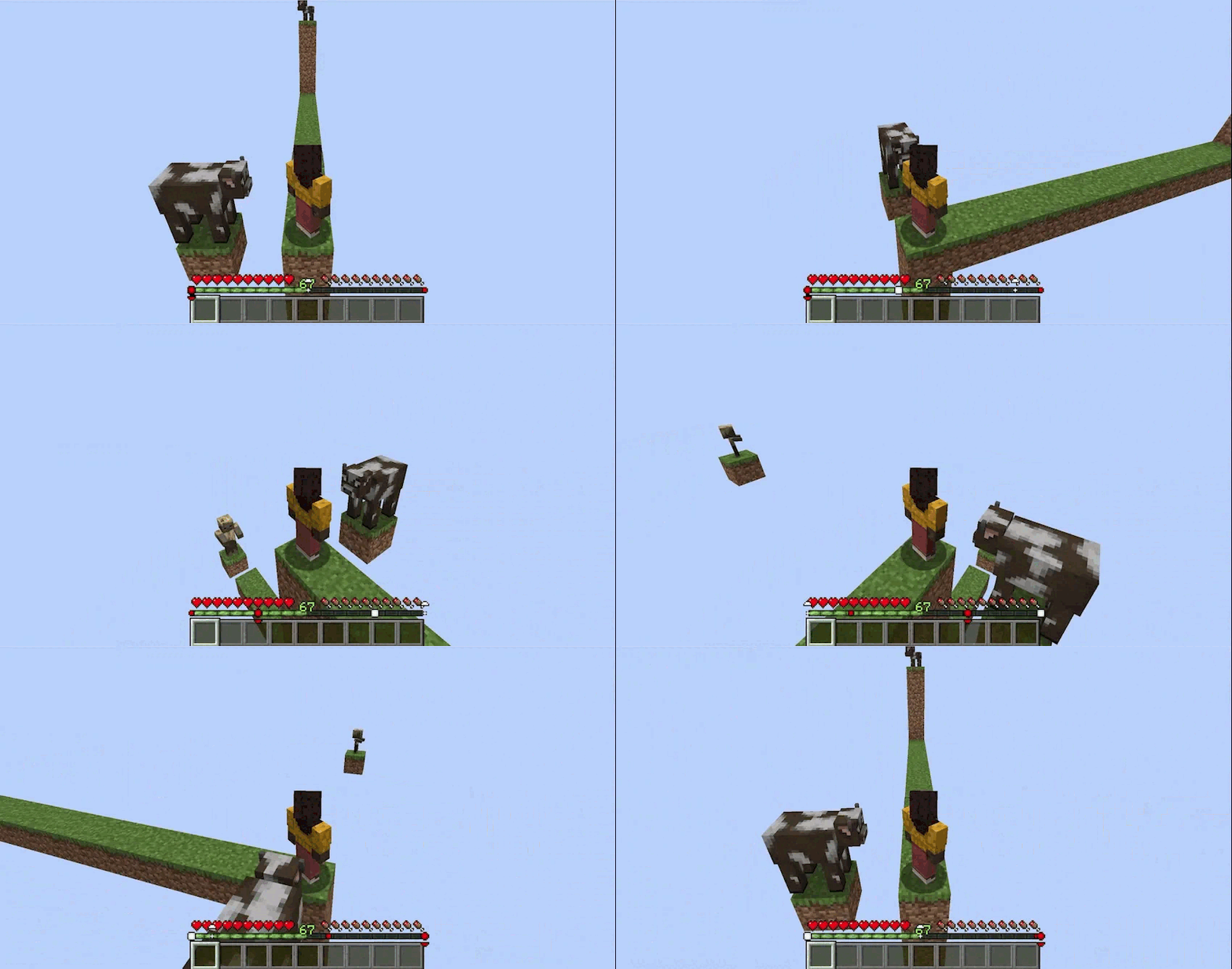
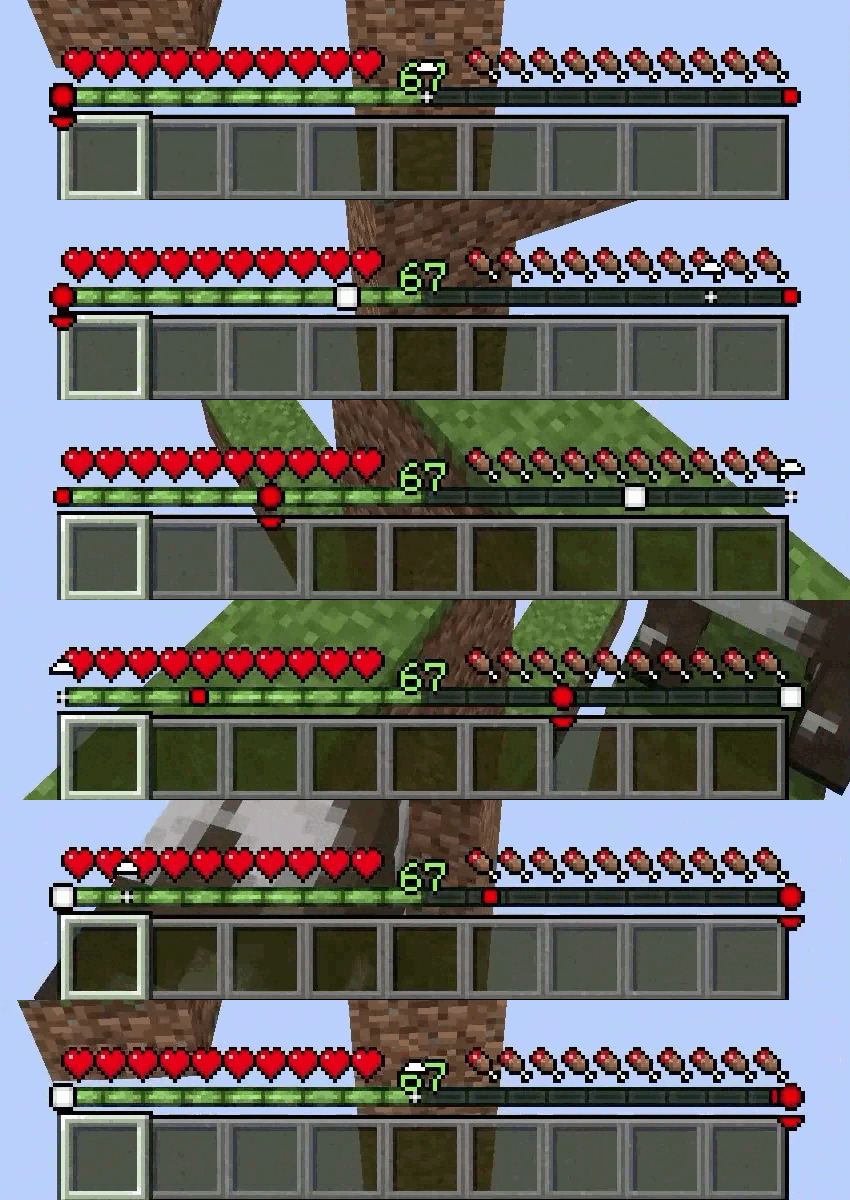
Ever felt like something was lurking just out of sight? Mob Locator gives you a tactical advantage by visualizing "heard" entities directly on your HUD. It uses a sleek, non-intrusive radar system centered on your experience bar to show you exactly where mobs are located relative to your position.
✨ Features
- Dynamic Radar: Mobs appear as icons on your XP bar. Their position shifts as you turn, providing a 180° field of view.
- Distance Scaling: Icons change shape based on proximity. A tiny dot represents a distant sound, while a large square indicates a mob is right on top of you.
- Elevation Indicators: Small arrows appear above or below icons if a mob is more than 3 blocks above or below your current Y-level.
- Smart Classification:
- Hostile: Rendered in Red (includes active threats like Creepers, Zombies, and even angry Neutral mobs like Endermen or Iron Golems).
- Passive: Rendered in White (Cows, Sheep, etc.).
- Invisible: Optionally rendered in Gray so you aren't surprised by Potions of Invisibility or Spiders.
- Variable Hearing Range: Unlike simple radars, this mod uses "hearing" logic. Common mobs appear within 16 blocks, while massive entities like the Ender Dragon (192 blocks) or Wardens (48 blocks) can be detected from much further away.
- Custom Mob Blacklist: Completely hide specific entities from your radar by adding their mob names to the configuration. This allows you to eliminate clutter in farms or areas with high ambient mob density.
🎮 How to Use
Simply install the mod and play! The radar is automatically active and sits right above your XP bar.
- Center of the bar: The mob is directly in front of you.
- Left/Right edges: The mob is to your far left or right.
- Up/Down Arrows: The mob is in a cave below you or on a ledge above you.
⚙️ Configuration
If you have Mod Menu and Cloth Config installed, you can customize your experience:
- Show Invisible Mobs: Toggle whether the radar picks up invisible entities.
- Custom Colors: Change the Hex colors for Hostile, Passive, and Invisible indicators to suit your preference or resource pack.
- Config File: Located at .minecraft/config/moblocator.json.
📋 Requirements
- Fabric Loader
- Fabric API
- Cloth Config API (For configuration support)
- Mod Menu (recommended for easy in-game configuration)
🌐 Client-side Only
All functionality is done client-side and is compatible with vanilla servers.
💝 Free & Open Source
This is a completely free project. I'm not asking for donations or "buy me a coffee" contributions. If you enjoy the mod, the best way to support it is by:
- Leaving a rating/review
- Sharing it with friends
- Reporting any bugs you find
🔗 Links