Logo
MINECRAFTBIBLE
Items
Items

All game items

Blocks
Blocks

Building blocks

Mobs
Mobs

Creatures & monsters

Biomes
Biomes

World biomes

Structures
Structures

Generated structures

Recipes
Recipes

Crafting guides

Advancements
Advancements

Achievements

Loot Tables
Loot Tables

Drop rates

Tags
Tags

Item groupings

All Versions
View all data →
Capes
Cape ArchiveNEW

Browse rare Minecon capes, OptiFine capes, and custom capes from players worldwide

Browse

Player Database
Player DatabasePopular

Search any player

Skin Browser
Skin Browser

Browse & download skins

Cape Gallery
Cape GalleryNEW

Minecon & OptiFine capes

Seed Vault
Seed Vault

Curated seeds

Learn

Guides
GuidesNew

Tutorials & tips

Blog
Blog

News & updates

Community

Community Hub
Community HubHub

Posts, discussions & more

All Versions
View community →
Seed Analyzer
Seed Analyzer

World seed analysis

Loot Explorer
Loot Explorer

Drop rates

Crafting Calculator
Crafting Calculator

Material planning

Enchant Calculator
Enchant Calculator

Probability math

Redstone Lab
Redstone Lab

Signal timing

Trading Profit
Trading Profit

Villager ROI

All Versions
View all tools →
Mods
Mods

Browse all mods

Plugins
Plugins

Server plugins

Resource Packs
Resource Packs

Textures & sounds

Shaders
Shaders

Visual enhancements

Datapacks
Datapacks

World logic

Scanner
Mod Intelligence

Scan & analyze any mod

All Versions
View all mods →
Loading...
IntroductionIntroductionVersion HistoryVersion HistoryGuidesGuidesBlog & NewsBlog & News
ItemsItemsBlocksBlocksMobsMobsRecipesRecipesBiomesBiomesStructuresStructuresAdvancementsAdvancementsLoot TablesLoot TablesTagsTags
ModsModsPluginsPluginsResource PacksResource PacksShadersShadersDatapacksDatapacks

MinecraftBible

The Ultimate Wiki

Logo
MINECRAFTBIBLE

The ultimate Minecraft reference. Every item, block, mob, and recipe documented with precision.

Community

  • Skin Browser
  • Cape Gallery
  • Seed Vault
  • Blog
  • Guides

Database

  • Items
  • Blocks
  • Mobs
  • Recipes
  • Biomes
  • Structures

Tools

  • Seed Analyzer
  • Mod Intelligence
  • Crafting Calculator
  • Enchant Calculator

Mods & Packs

  • Mods
  • Plugins
  • Resource Packs
  • Shaders
  • Datapacks

Site & Legal

  • About
  • Authors
  • Editorial Policy
  • Corrections
  • Contact
  • Privacy Policy
  • Terms of Service
  • DMCA
  • Sitemap

© 2026 MinecraftBible. Not affiliated with Mojang or Microsoft.

PrivacyTermsContact
Interworlds Splashscreens
ModMIT

Interworlds Splashscreens

Allows you to customise screen while you've been moving to another dim. Custom text included!

234
Downloads
6
Followers
2 years ago
Updated
📦
2
Versions
decorationgame-mechanicsutilityforge
Download Latestv1.0.1View on Modrinth

📖About Interworlds Splashscreens

Clientside mod that allows you to add custom loading screens while you are transferred into another dimension

You can also add some text on the screen to display it to players 

You might not notice them too much in a single player due to fast loading, but it will give you immersive senses while playing on a modded remote server or modpack with a lot of mods (or if you have an old PC)

Note: New splashes are have to be placed into <game dir>/config/InterworldSplashscreen/splashes in .png format.

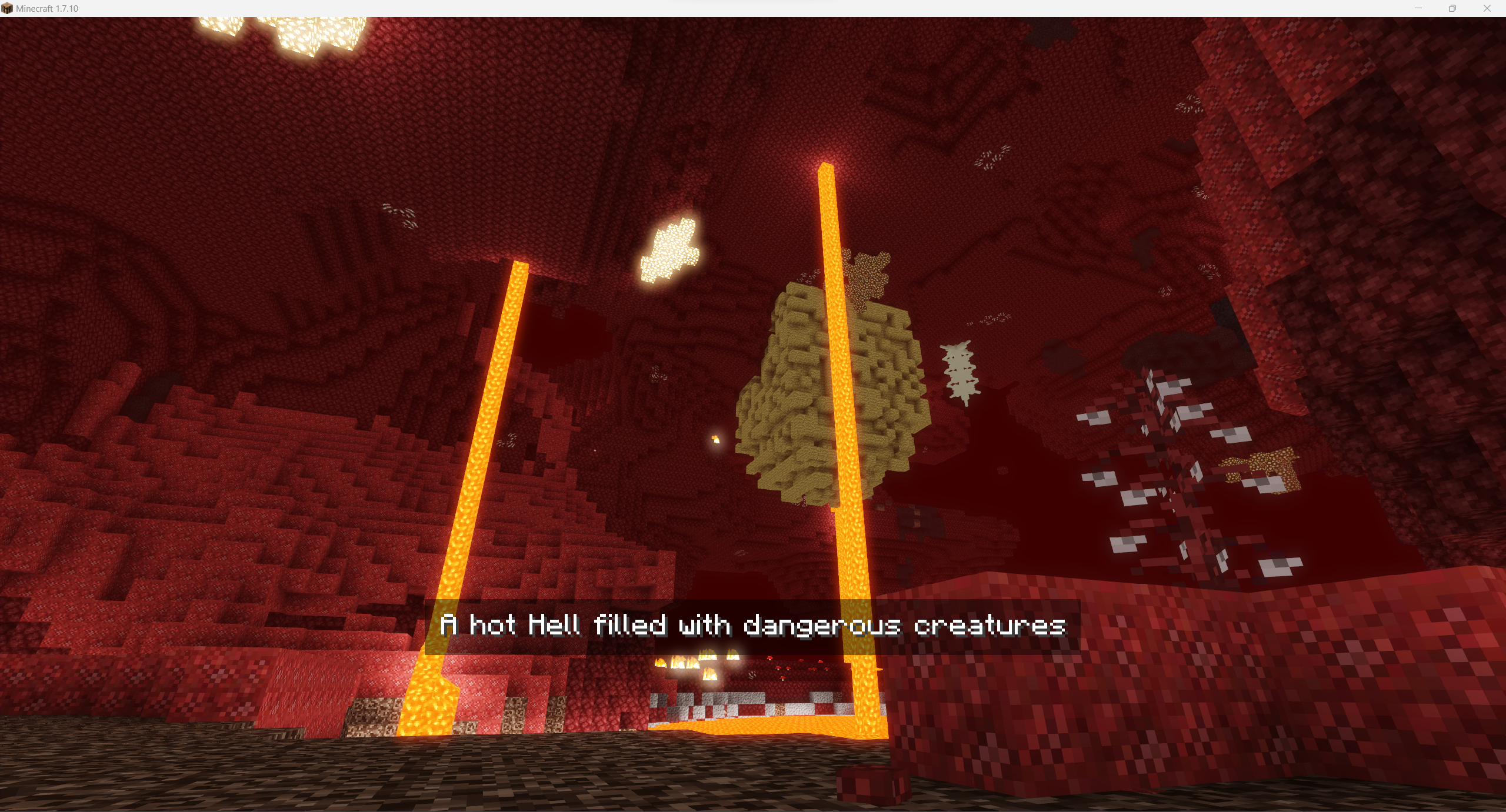
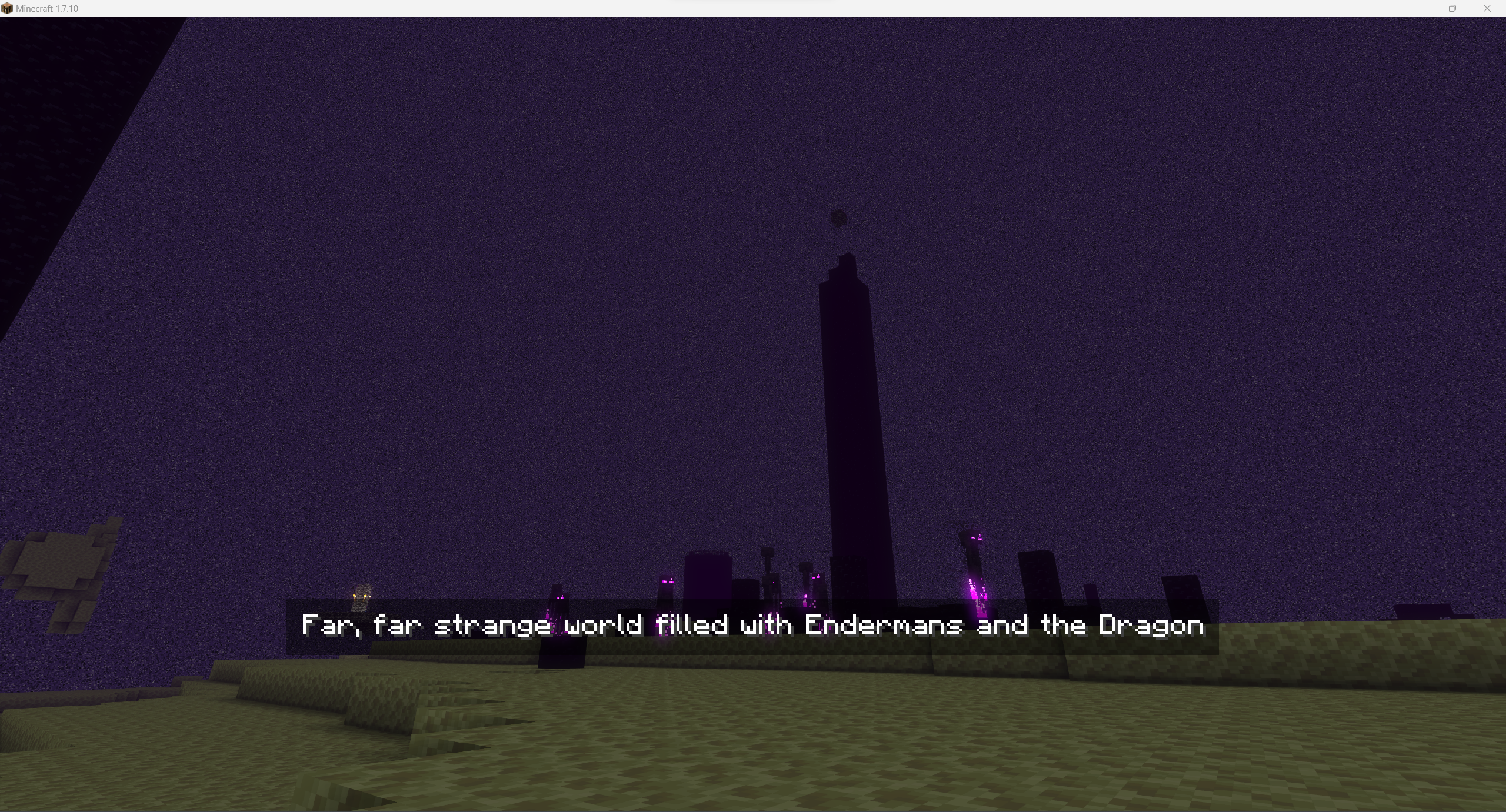
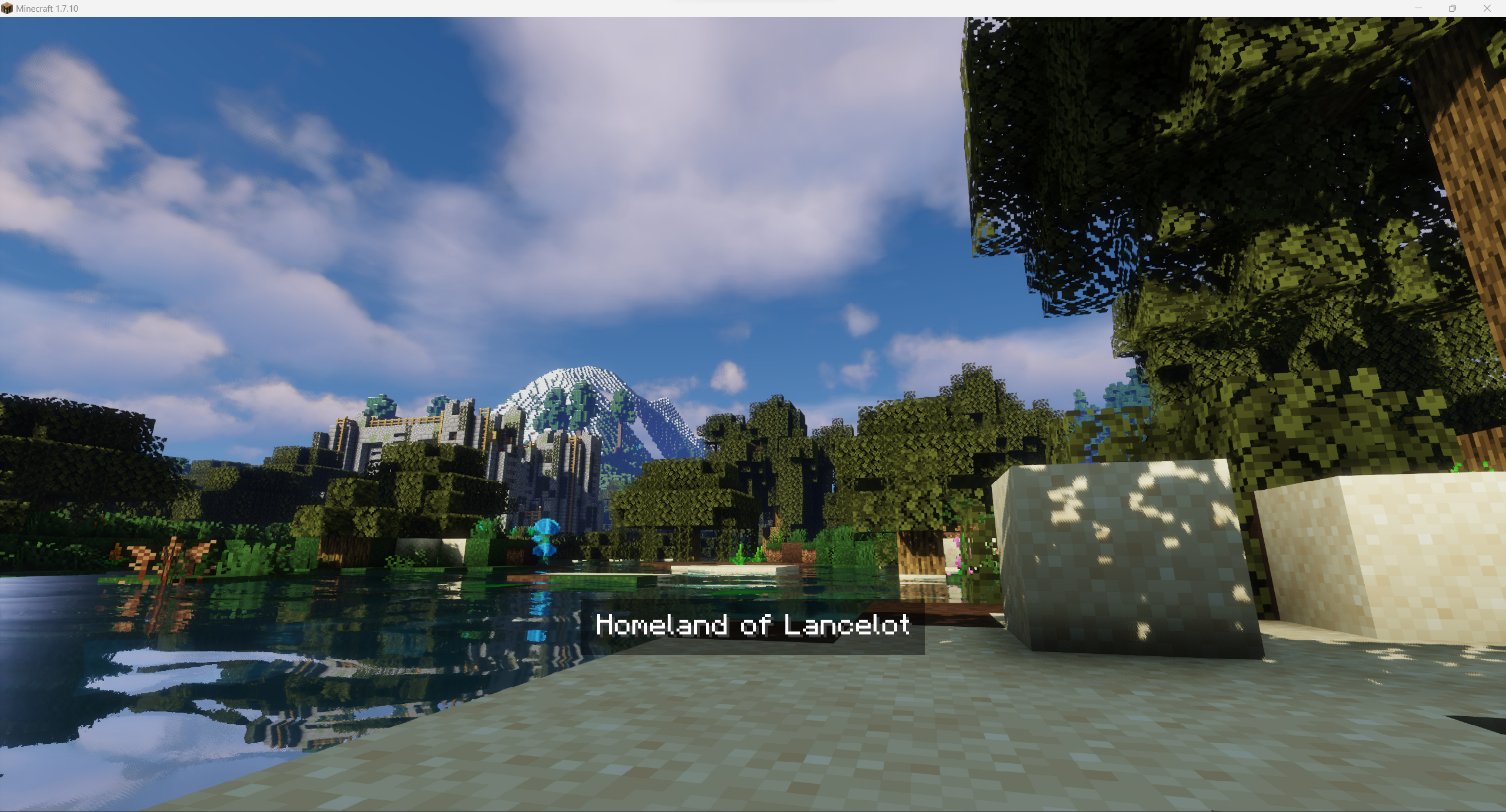
Some examples:

Overworld
Overworld
Nether
Nether
The End
The End
For images above I've used the following image for Overworld and config:

"splashes files" {
    # Default splash to be used if not set for world [default: Overworld]
    S:defaultSplash=Overworld_water

    # Splashes images to be used in loading screen. Use just filename without extension. Files must be stored in folder splashes in mod's config directory [default: [Nether:Nether], [The End:The End], [Overworld:Overworld], [splashConnecting:Overworld], [splashDisconnecting:Overworld]]
    S:splashesPaths <
        Nether:Nether
        The End:The End
        Overworld:Overworld_water
        splashConnecting:Overworld
        splashDisconnecting:Overworld
     >
}

"splashes texts" {
    # Splashes texts to be displayed on splash [default: [Nether:Nether], [The End:The End], [Overworld:Overworld], [splashConnecting:Overworld], [splashDisconnecting:Overworld]]
    S:splashesTexts <
        Nether:A hot Hell filled with dangerous creatures
        The End:Far, far strange world filled with Endermans and the Dragon
        Overworld:Homeland of Lancelot
        splashConnecting:Overworld
        splashDisconnecting:Overworld
     >
}

Wanna use it it your modpack / on your server? You are free to use it, it's highly recommended for better world investigation experience!

👥 Team & Contributors

Veritaris
VeritarisOwner

⚙️ Compatibility

Environment
💻 Client-side
Loaders
forge
Minecraft Versions
1.7.10

🔗 Links

Modrinth Page