Logo
MINECRAFTBIBLE
Items
Items

All game items

Blocks
Blocks

Building blocks

Mobs
Mobs

Creatures & monsters

Biomes
Biomes

World biomes

Structures
Structures

Generated structures

Recipes
Recipes

Crafting guides

Advancements
Advancements

Achievements

Loot Tables
Loot Tables

Drop rates

Tags
Tags

Item groupings

All Versions
View all data →
Capes
Cape ArchiveNEW

Browse rare Minecon capes, OptiFine capes, and custom capes from players worldwide

Browse

Player Database
Player DatabasePopular

Search any player

Skin Browser
Skin Browser

Browse & download skins

Cape Gallery
Cape GalleryNEW

Minecon & OptiFine capes

Seed Vault
Seed Vault

Curated seeds

Learn

Guides
GuidesNew

Tutorials & tips

Blog
Blog

News & updates

Community

Community Hub
Community HubHub

Posts, discussions & more

All Versions
View community →
Seed Analyzer
Seed Analyzer

World seed analysis

Loot Explorer
Loot Explorer

Drop rates

Crafting Calculator
Crafting Calculator

Material planning

Enchant Calculator
Enchant Calculator

Probability math

Redstone Lab
Redstone Lab

Signal timing

Trading Profit
Trading Profit

Villager ROI

All Versions
View all tools →
Mods
Mods

Browse all mods

Plugins
Plugins

Server plugins

Resource Packs
Resource Packs

Textures & sounds

Shaders
Shaders

Visual enhancements

Datapacks
Datapacks

World logic

Scanner
Mod Intelligence

Scan & analyze any mod

All Versions
View all mods →
Loading...
IntroductionIntroductionVersion HistoryVersion HistoryGuidesGuidesBlog & NewsBlog & News
ItemsItemsBlocksBlocksMobsMobsRecipesRecipesBiomesBiomesStructuresStructuresAdvancementsAdvancementsLoot TablesLoot TablesTagsTags
ModsModsPluginsPluginsResource PacksResource PacksShadersShadersDatapacksDatapacks

MinecraftBible

The Ultimate Wiki

Logo
MINECRAFTBIBLE

The ultimate Minecraft reference. Every item, block, mob, and recipe documented with precision.

Community

  • Skin Browser
  • Cape Gallery
  • Seed Vault
  • Blog
  • Guides

Database

  • Items
  • Blocks
  • Mobs
  • Recipes
  • Biomes
  • Structures

Tools

  • Seed Analyzer
  • Mod Intelligence
  • Crafting Calculator
  • Enchant Calculator

Mods & Packs

  • Mods
  • Plugins
  • Resource Packs
  • Shaders
  • Datapacks

Site & Legal

  • About
  • Authors
  • Editorial Policy
  • Corrections
  • Contact
  • Privacy Policy
  • Terms of Service
  • DMCA
  • Sitemap

© 2026 MinecraftBible. Not affiliated with Mojang or Microsoft.

PrivacyTermsContact
HUD Lib
ModMIT

HUD Lib

A library mod that provides a simple way for other mods to add HUD that can be moved with a visual editor.

42.7K
Downloads
12
Followers
6 months ago
Updated
📦
17
Versions
librarymanagementutilityfabric
Download Latestv1.2.1+1.21.9View on Modrinth

📖About HUD Lib

Hud Lib

This mod is a library for other mods to register their own HUD Elements. These HUD Elements has inbuilt repositioning, anchoring, and configuration. They can all be edited after pressing RIGHT SHIFT (Can be rebinded in Key Binds). This mod has no default elements, you will need a mod such as Generic Hud (mentioned below) if you want any features.

Mods using this library

Currently there are 3 mods that uses this library:

  • Generic HUD
  • Armor HUD
  • Status Effect HUD

The Editor

The editor allows you to reposition and disable any HUD Elements. If you want to hide the Settings button or stop snapping, hold CTRL. The settings menu will allow you to configure each HUD Element, and disable them/reset their position in the 'Generic HUD Options' tab.
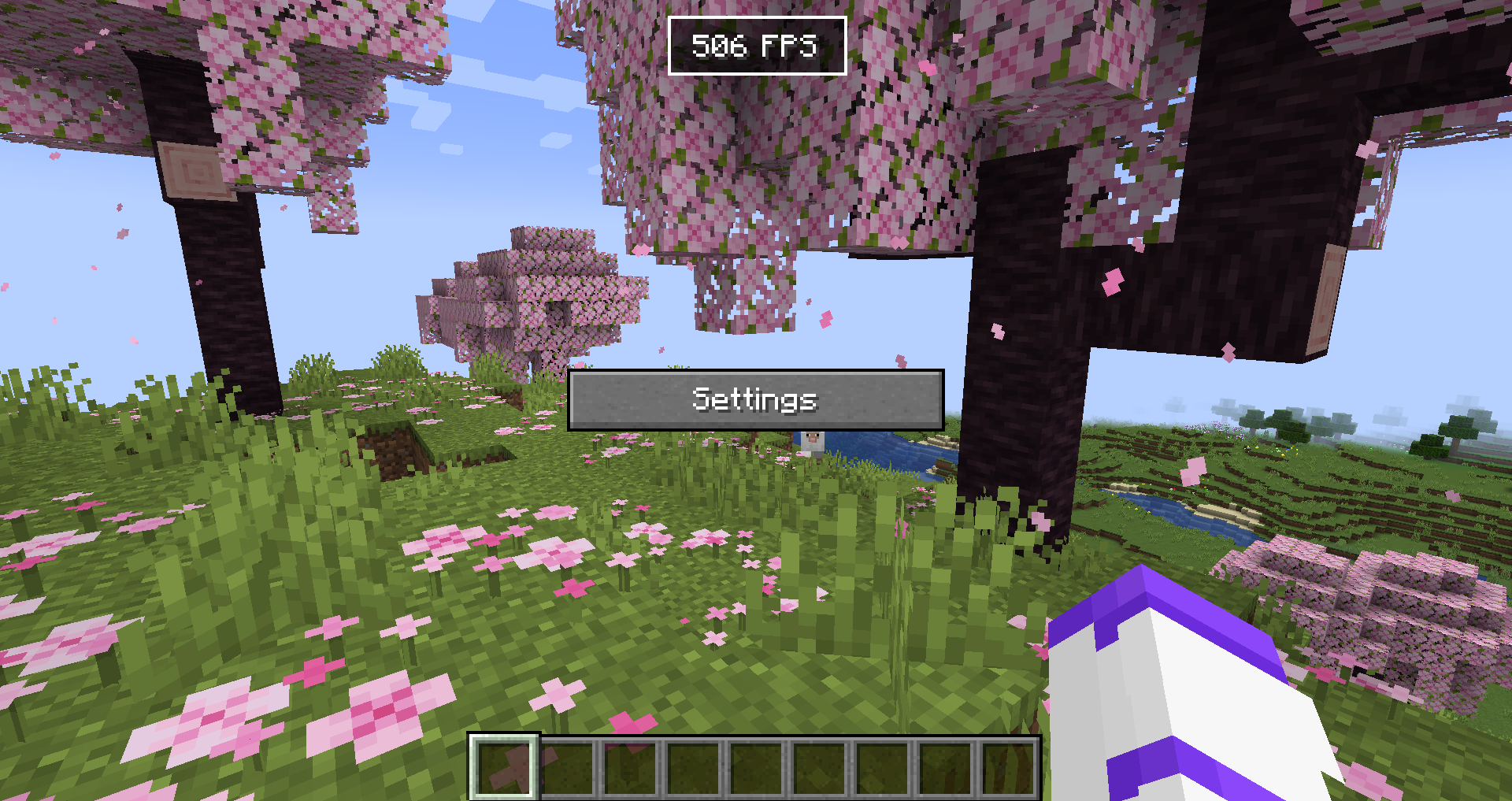
GUI Editor

For Developers

Currently no documentation exists, but you can use Generic HUD, Armor HUD or the internal HUD Lib testmod as an example, because they are all open source.

What is offered in the library?

  • A simple way to render HUD elements, using DrawContext, when rendering it you are also given an X and a Y coordinate which is where on the screen it should be rendered.
  • With minimal extra setup they can be repositioned in the editor.
  • The repositioning also anchors to the screen (e.g. If you put it in the top right corner, it will stay there with any screen size)
  • A way to register your own configuration in the "HUD Lib" configuration screen, this is done with YetAnotherConfigLib (YACL)
  • They can also be hidden to only show in the editor, or completely disabled in the configuration.

Versions

The mod has been ported to all 1.21.X versions.

👥 Team & Contributors

wooferz
wooferzOwner

⚙️ Compatibility

Environment
💻 Client-side
Loaders
fabric
Minecraft Versions
1.21.91.21.101.21.11

🔗 Links

Modrinth Page