Logo
MINECRAFTBIBLE
Items
Items

All game items

Blocks
Blocks

Building blocks

Mobs
Mobs

Creatures & monsters

Biomes
Biomes

World biomes

Structures
Structures

Generated structures

Recipes
Recipes

Crafting guides

Advancements
Advancements

Achievements

Loot Tables
Loot Tables

Drop rates

Tags
Tags

Item groupings

All Versions
View all data →
Capes
Cape ArchiveNEW

Browse rare Minecon capes, OptiFine capes, and custom capes from players worldwide

Browse

Player Database
Player DatabasePopular

Search any player

Skin Browser
Skin Browser

Browse & download skins

Cape Gallery
Cape GalleryNEW

Minecon & OptiFine capes

Seed Vault
Seed Vault

Curated seeds

Learn

Guides
GuidesNew

Tutorials & tips

Blog
Blog

News & updates

Community

Community Hub
Community HubHub

Posts, discussions & more

All Versions
View community →
Seed Analyzer
Seed Analyzer

World seed analysis

Loot Explorer
Loot Explorer

Drop rates

Crafting Calculator
Crafting Calculator

Material planning

Enchant Calculator
Enchant Calculator

Probability math

Redstone Lab
Redstone Lab

Signal timing

Trading Profit
Trading Profit

Villager ROI

All Versions
View all tools →
Mods
Mods

Browse all mods

Plugins
Plugins

Server plugins

Resource Packs
Resource Packs

Textures & sounds

Shaders
Shaders

Visual enhancements

Datapacks
Datapacks

World logic

Scanner
Mod Intelligence

Scan & analyze any mod

All Versions
View all mods →
Loading...
IntroductionIntroductionVersion HistoryVersion HistoryGuidesGuidesBlog & NewsBlog & News
ItemsItemsBlocksBlocksMobsMobsRecipesRecipesBiomesBiomesStructuresStructuresAdvancementsAdvancementsLoot TablesLoot TablesTagsTags
ModsModsPluginsPluginsResource PacksResource PacksShadersShadersDatapacksDatapacks

MinecraftBible

The Ultimate Wiki

Logo
MINECRAFTBIBLE

The ultimate Minecraft reference. Every item, block, mob, and recipe documented with precision.

Community

  • Skin Browser
  • Cape Gallery
  • Seed Vault
  • Blog
  • Guides

Database

  • Items
  • Blocks
  • Mobs
  • Recipes
  • Biomes
  • Structures

Tools

  • Seed Analyzer
  • Mod Intelligence
  • Crafting Calculator
  • Enchant Calculator

Mods & Packs

  • Mods
  • Plugins
  • Resource Packs
  • Shaders
  • Datapacks

Site & Legal

  • About
  • Authors
  • Editorial Policy
  • Corrections
  • Contact
  • Privacy Policy
  • Terms of Service
  • DMCA
  • Sitemap

© 2026 MinecraftBible. Not affiliated with Mojang or Microsoft.

PrivacyTermsContact
Harmonize – UI Overhaul
ModLicenseRef-All-Rights-Reserved

Harmonize – UI Overhaul

Harmonize transforms your Minecraft experience with a unified visual design. Every container interface now features a consistent layout that perfectly aligns with your hotbar. No more jarring visual jumps between different workstations!

229
Downloads
13
Followers
6 months ago
Updated
📦
6
Versions
decorationmanagementutilityfabric
Download Latestv0.3View on Modrinth

📖About Harmonize – UI Overhaul

✨ Harmonize


A mod that unifies and enhances all Minecraft interfaces, making them consistent, polished, and pleasant to use.

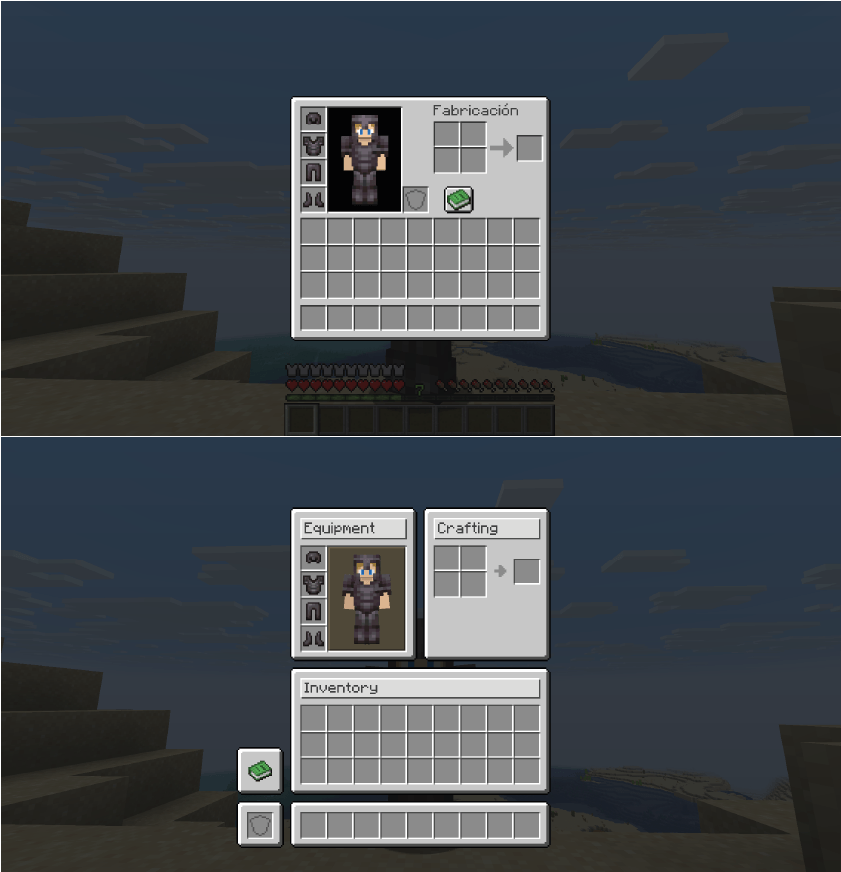
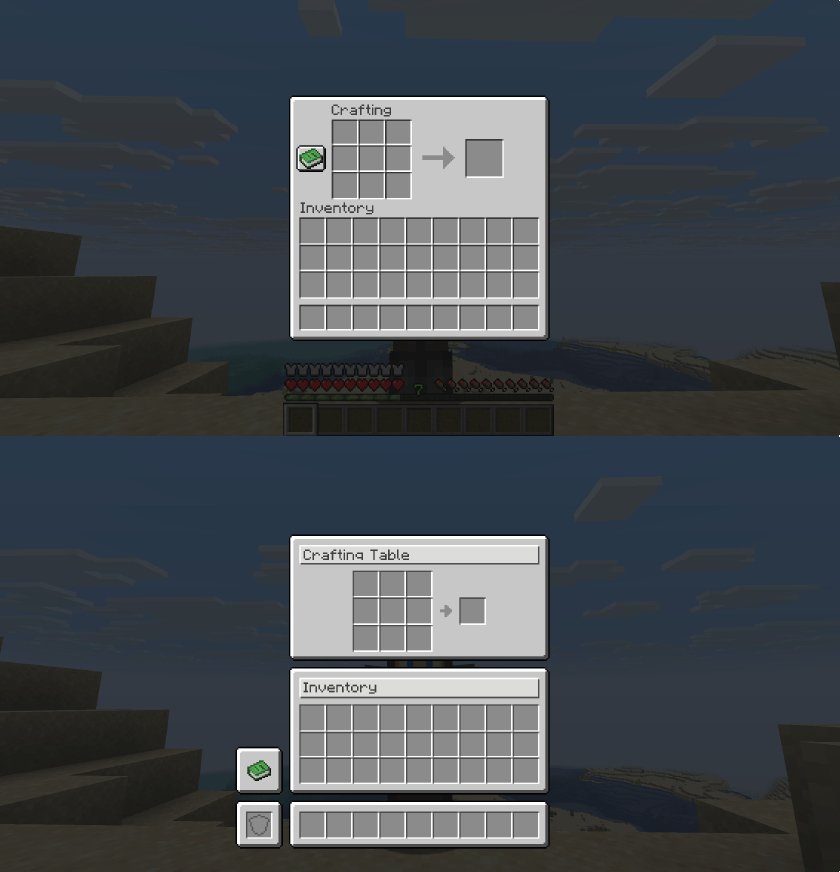
Harmonize transforms your Minecraft GUI experience with a sleek, unified visual design. Every container interface—from crafting tables to enchanting stations—now features a consistent layout that perfectly aligns with your hotbar. No more jarring visual jumps between different workstations!


🎯 What does this mod do?

Ever noticed that Minecraft's menus feel… inconsistent? Different spacing, misaligned elements, behaviors that vary from one menu to another. Harmonize fixes all of that.

Simple. Clean. Harmonized.


✨ Key Features

✨Standardized container GUIs with premium alignment
🎯Unified hotbar and inventory slot positioning across ALL workstations
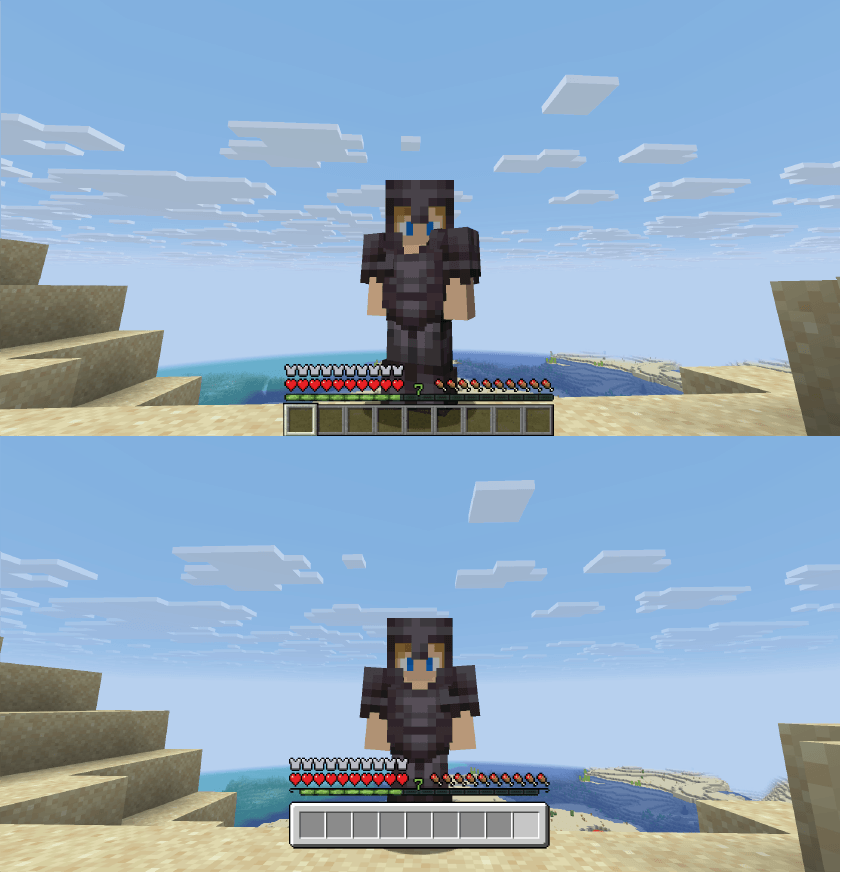
🎨Custom hotbar sprite with a refined, modern look
🖼️Adjusted item textures for visual consistency
🔧HUD elements that move in perfect harmony
🖐️Offhand slot accessible from every single menu
🎭Consistent hover feedback across all interfaces


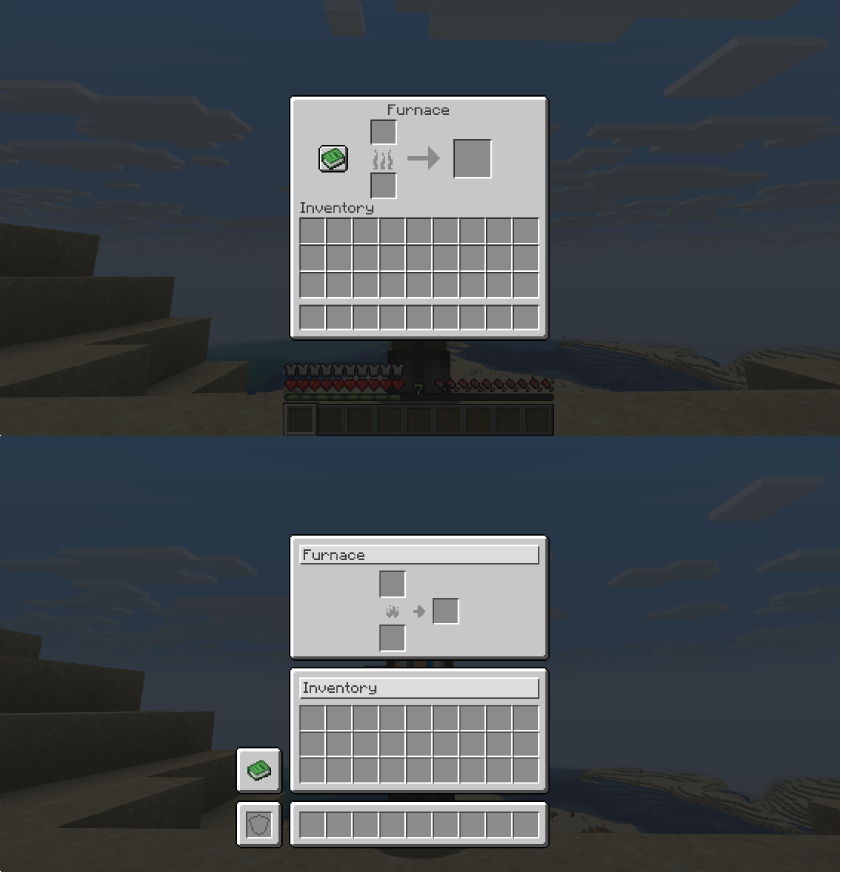
🖼️ Before & After


🖐️ Universal Offhand Slot

One of the most useful improvements: your off-hand slot is now available in ALL menus.

No more closing the chest to switch your torch or shield.
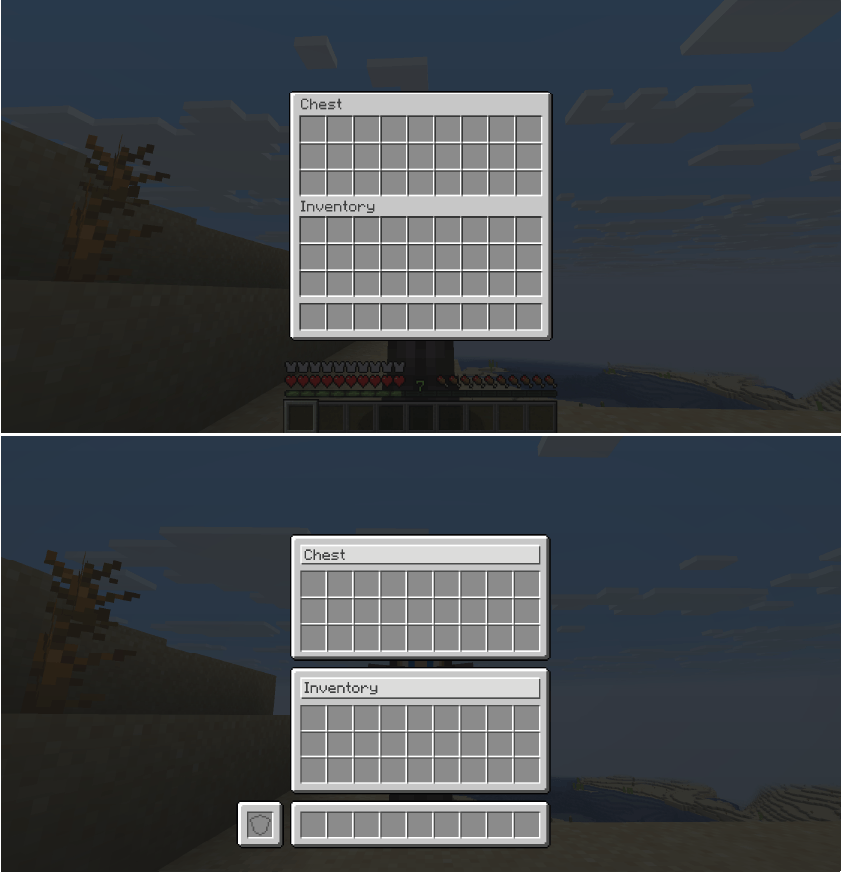


📋 Improved Menus

✅ Completed

Storage:

  • ✅ Chest (Single & Double)
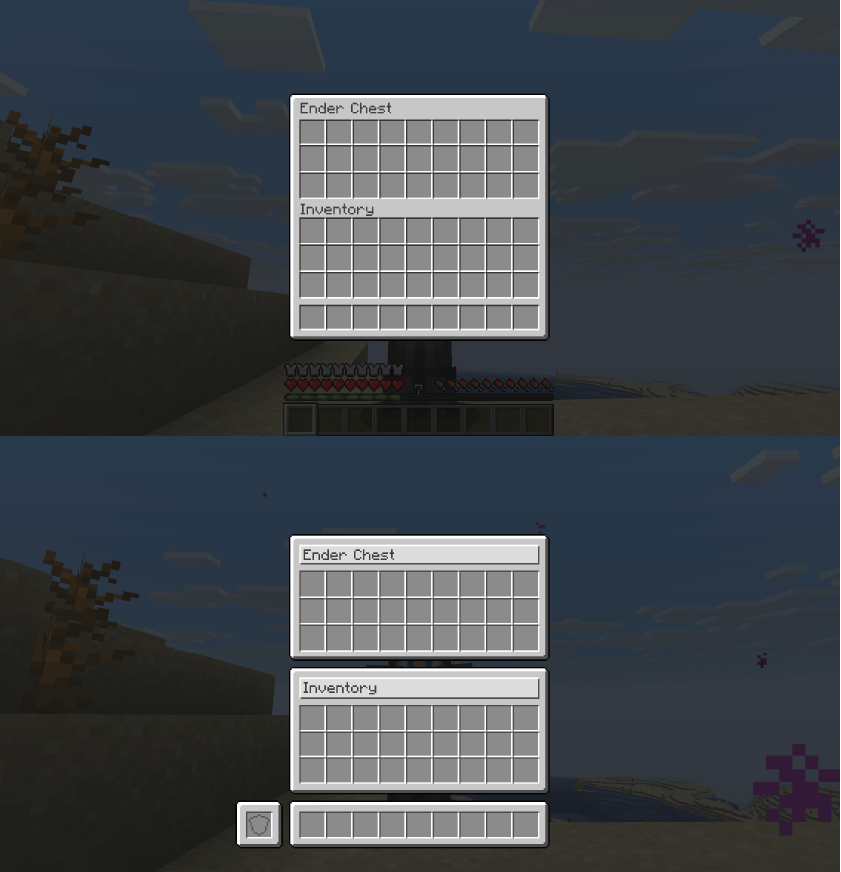
  • ✅ Ender Chest
  • ✅ Shulker Box
  • ✅ Dispenser / Dropper
  • ✅ Hopper

Crafting & Processing:

  • ✅ Crafting Table
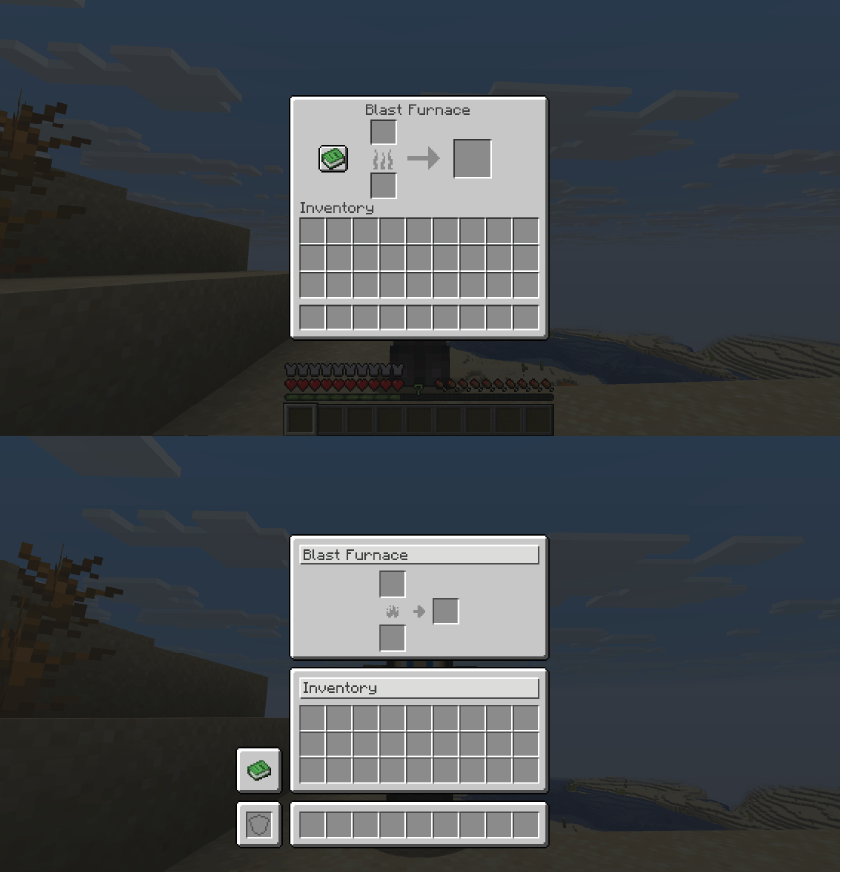
  • ✅ Furnace / Blast Furnace / Smoker
  • ✅ Brewing Stand
  • ✅ Crafter

Equipment Upgrade:

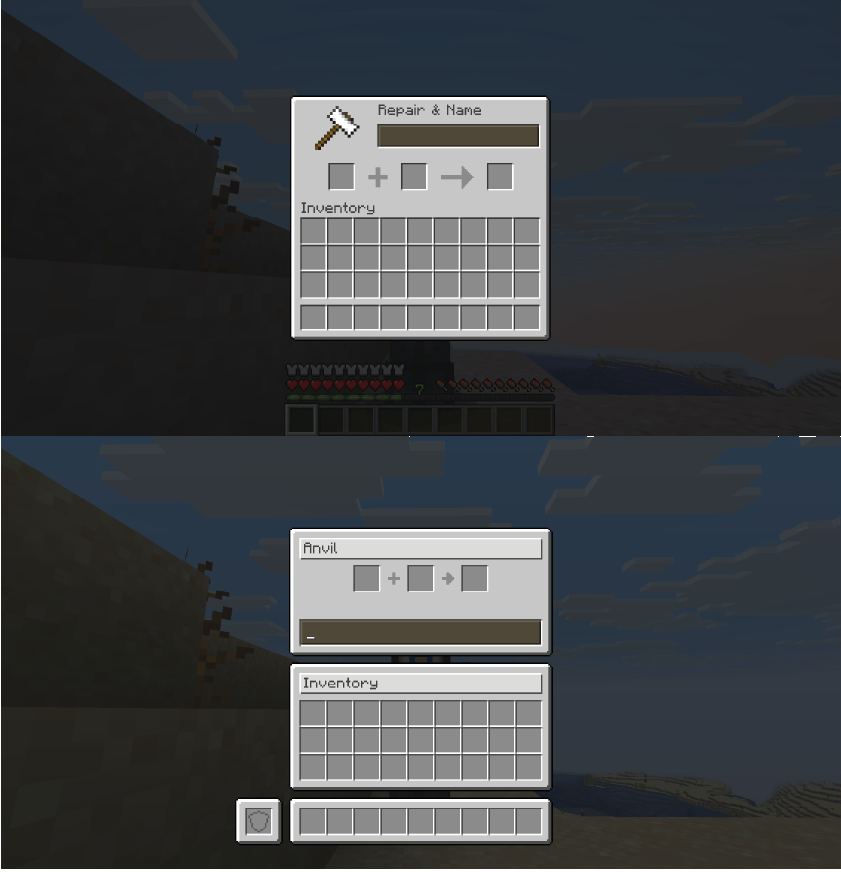
  • ✅ Anvil
  • ✅ Smithing Table
  • ✅ Grindstone
  • ✅ Enchanting Table
  • ✅ Beacon

Decoration:

  • ✅ Loom
  • ✅ Cartography Table
  • ✅ Stonecutter

Mounts:

  • ✅ Horse / Donkey / Mule / Llama

Player:

  • ✅ Player Inventory
  • ✅ Villager Trading

❌ Coming Soon

  • ❌ Creative Menu


🔍 Category Details

📦 Storage

All containers now have the offhand slot visible and perfectly aligned inventory.

🔥 Furnaces

All three furnace types share the same clean, consistent design.

⚔️ Equipment Upgrade Tables

Anvil, Smithing Table and Grindstone with improved slot distribution and integrated offhand.

✨ Enchanting Table

Enchantment buttons with precise click areas and improved visual feedback.
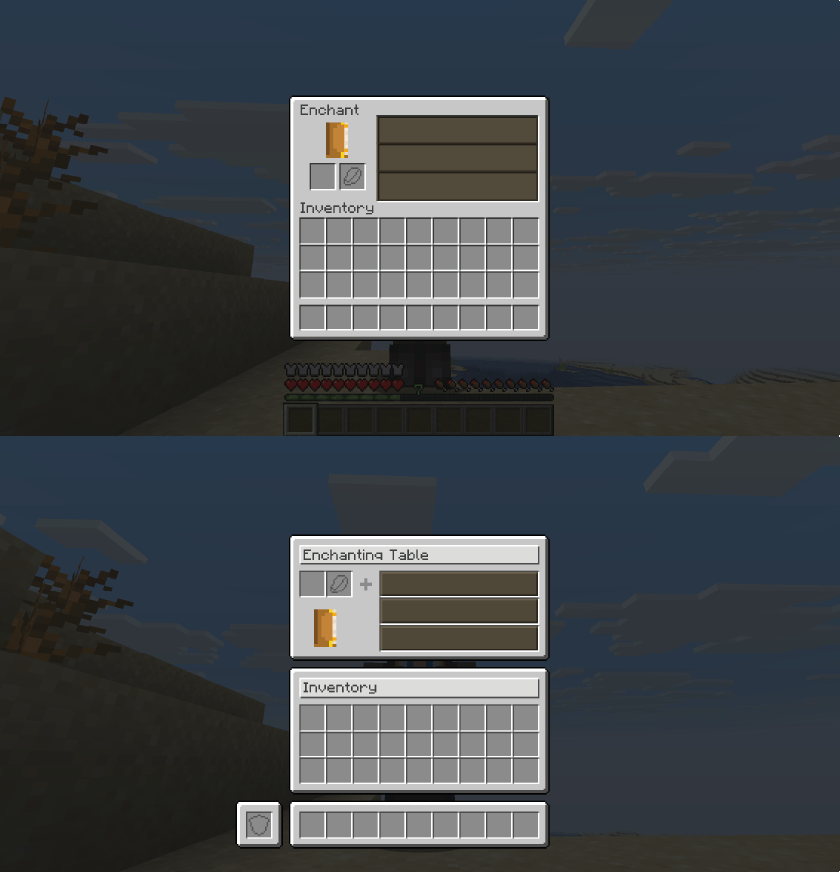

🧪 Brewing Stand

Reorganized slots for better visual clarity. The offhand lets you keep extra ingredients handy.
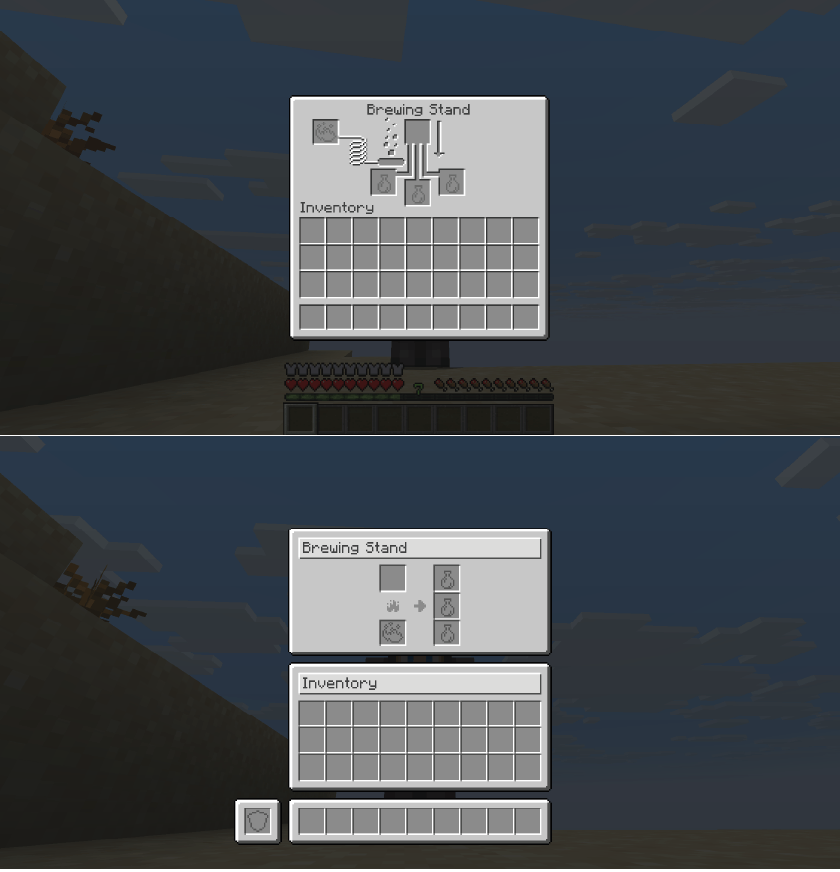

🎨 Decoration Tables

Loom, Cartography and Stonecutter with clean, consistent interfaces.
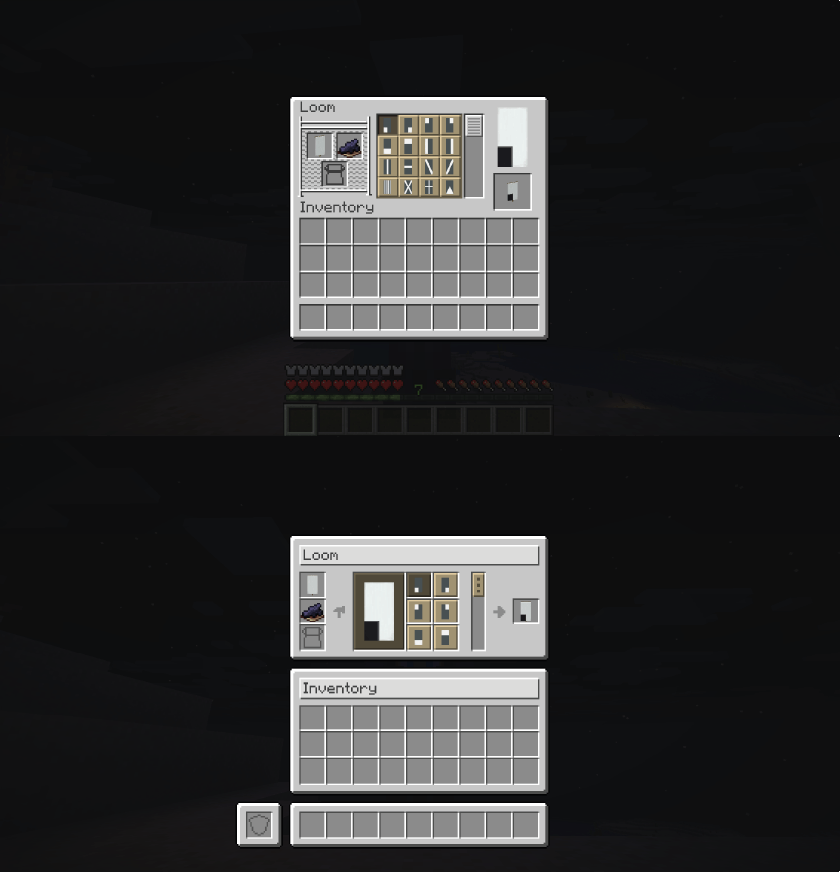

🐴 Mounts

Horse, donkey, mule, llama and nautilus inventories with better organization and offhand access.
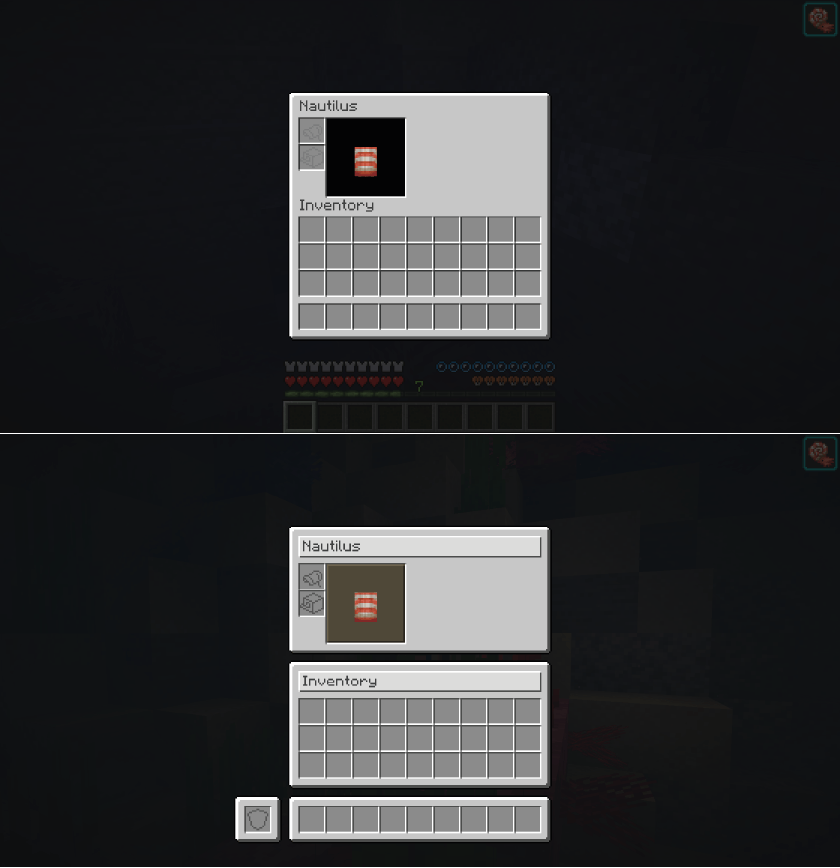


🎮 Compatibility

  
Minecraft1.21.11
Mod LoaderFabric
RequiresFabric API


***~~~~

📥 Installation

  1. Download and install Fabric Loader
  2. Download Fabric API
  3. Download Harmonize
  4. Place both .jar files in your mods folder
  5. Done!


❓ FAQ

Does it affect performance?

No. It only modifies interface appearance, no extra load.

Is it compatible with other mods?

Yes, in most cases. Minor visual conflicts may occur with mods that modify the same interfaces.

Does it work on servers?

Yes. It’s mainly a client-side visual mod, but it will only work fully if it is also integrated on the server.


"Consistency is the foundation of trust, in relationships and in interface design."


Version: 0.3
Developer: © 2025 Shamy]™ Creative Studio
License: CC0-1.0

👥 Team & Contributors

shamy.creativestudio
shamy.creativestudioOwner

⚙️ Compatibility

Environment
✅ Client & Server
Loaders
fabric
Minecraft Versions
1.21.11

🔗 Links

Modrinth Page