Logo
MINECRAFTBIBLE
Items
Items

All game items

Blocks
Blocks

Building blocks

Mobs
Mobs

Creatures & monsters

Biomes
Biomes

World biomes

Structures
Structures

Generated structures

Recipes
Recipes

Crafting guides

Advancements
Advancements

Achievements

Loot Tables
Loot Tables

Drop rates

Tags
Tags

Item groupings

All Versions
View all data →
Capes
Cape ArchiveNEW

Browse rare Minecon capes, OptiFine capes, and custom capes from players worldwide

Browse

Player Database
Player DatabasePopular

Search any player

Skin Browser
Skin Browser

Browse & download skins

Cape Gallery
Cape GalleryNEW

Minecon & OptiFine capes

Seed Vault
Seed Vault

Curated seeds

Learn

Guides
GuidesNew

Tutorials & tips

Blog
Blog

News & updates

Community

Community Hub
Community HubHub

Posts, discussions & more

All Versions
View community →
Seed Analyzer
Seed Analyzer

World seed analysis

Loot Explorer
Loot Explorer

Drop rates

Crafting Calculator
Crafting Calculator

Material planning

Enchant Calculator
Enchant Calculator

Probability math

Redstone Lab
Redstone Lab

Signal timing

Trading Profit
Trading Profit

Villager ROI

All Versions
View all tools →
Mods
Mods

Browse all mods

Plugins
Plugins

Server plugins

Resource Packs
Resource Packs

Textures & sounds

Shaders
Shaders

Visual enhancements

Datapacks
Datapacks

World logic

Scanner
Mod Intelligence

Scan & analyze any mod

All Versions
View all mods →
Loading...
IntroductionIntroductionVersion HistoryVersion HistoryGuidesGuidesBlog & NewsBlog & News
ItemsItemsBlocksBlocksMobsMobsRecipesRecipesBiomesBiomesStructuresStructuresAdvancementsAdvancementsLoot TablesLoot TablesTagsTags
ModsModsPluginsPluginsResource PacksResource PacksShadersShadersDatapacksDatapacks

MinecraftBible

The Ultimate Wiki

Logo
MINECRAFTBIBLE

The ultimate Minecraft reference. Every item, block, mob, and recipe documented with precision.

Community

  • Player Database
  • Skin Browser
  • Cape Gallery
  • Community Hub
  • Seed Vault

Database

  • Items
  • Blocks
  • Mobs
  • Recipes
  • Biomes
  • Structures

Tools

  • Seed Analyzer
  • Mod Intelligence
  • Crafting Calculator
  • Enchant Calculator

Mods & Packs

  • Mods
  • Plugins
  • Resource Packs
  • Shaders
  • Datapacks

© 2026 MinecraftBible. Not affiliated with Mojang or Microsoft.

PrivacyTermsContact
Gear Tinkering
ModMIT

Gear Tinkering

Adds new uses for the smithing table : repair cost resetting, trim removal, curse removal, enchantment transferring and book unsigning!
3.5K
Downloads
35
Followers
2 months ago
Updated
📦
4
Versions
equipmentgame-mechanicsutilitydatapackfabricforgeneoforgequilt
Download Latestv1.0.1+modView on Modrinth

📖About Gear Tinkering

Banner


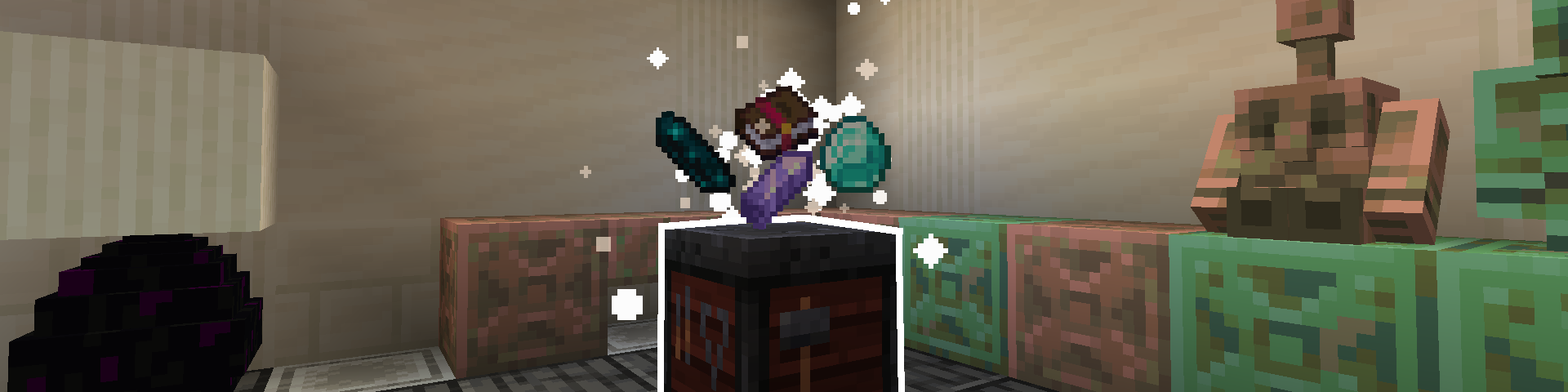
This data pack adds many new uses to the smithing table that should make working with your tools and armor much less of a pain. All "recipes" work by combining certain items by throwing them on top of a smithing table.

You can use /function gear_tinkering:_config to access a config menu, allowing you to disable any features you don't like. By default, all features are enabled.

If you want to uninstall the data pack, it's recommended to run the /function gear_tinkering:_uninstall command to get rid of the scoreboards this data pack adds.


Here's a full list of every included feature :

Repair Cost Resetting

Combine amethyst shards with an item to lower its repair cost! This can be done as many times as you'd like, with each amethyst shard lowering repair cost by one. You'll know the repair cost is at its minimum when a white puff of smoke appears on the item and amethyst shards don't combine with it anymore.

This should make enchanting using books less of a struggle and make repairing using an anvil somewhat of a viable option compared to mending.

(For those who don't know, in vanilla Minecraft, every time an item is repaired or combined with another item at an anvil, the hidden "repair cost" value of the item goes up and makes repairing and combining it more expensive until the anvil displays a "Too Expensive!" message that makes working with the item further impossible.)


Trim Removal

Combine a diamond with a trimmed armor piece item to remove its trim! For some reason, there isn't a way to remove armor trims in vanilla. Because of the way this is implemented, it should work with the Tool Trims mod, Elytra Trims mod, and really any other mod that adds trims (as long as the trims work using a trim component and not a custom component, so it wouldn't work with the Tool Trims data pack for example).


Curse Removal

Combine an echo shard with a cursed item (an item with curse of vanishing or binding) to remove the curses! Be careful though, as doing this will summon a vex... (this is configurable, so you can make it not spawn a vex if you want. But that's no fun.)


Enchantment Transferring

Combine an enchanted item with a regular book to transfer the enchantments from the item to the book! There are tons of ways this could be useful, for example extracting enchantments from gold tools found in ruined portal chests or iron tools found in end cities in order to have those enchantments on actual useful gear. Some might consider this a bit overpowered, but that's why there's a configuration menu that lets you disable this if you don't want it.


Book Unsigning (1.21.5 and up only)

Combine an written, signed book with a feather and an ink sac to unsign the book! This lets you write in it again as if it had never been signed, though the author and title of the book will be lost. Useful for if you've accidentally signed a book you weren't done with!

👥 Team & Contributors

azeolii_
azeolii_Owner

⚙️ Compatibility

Environment
🖥️ Server-side
Loaders
datapackfabricforgeneoforgequilt
Minecraft Versions
1.211.21.124w33a24w34a24w35a24w36a24w37a24w38a+17 more

🔗 Links

Modrinth Page