Logo
MINECRAFTBIBLE
Items
Items

All game items

Blocks
Blocks

Building blocks

Mobs
Mobs

Creatures & monsters

Biomes
Biomes

World biomes

Structures
Structures

Generated structures

Recipes
Recipes

Crafting guides

Advancements
Advancements

Achievements

Loot Tables
Loot Tables

Drop rates

Tags
Tags

Item groupings

All Versions
View all data →
Capes
Cape ArchiveNEW

Browse rare Minecon capes, OptiFine capes, and custom capes from players worldwide

Browse

Player Database
Player DatabasePopular

Search any player

Skin Browser
Skin Browser

Browse & download skins

Cape Gallery
Cape GalleryNEW

Minecon & OptiFine capes

Seed Vault
Seed Vault

Curated seeds

Learn

Guides
GuidesNew

Tutorials & tips

Blog
Blog

News & updates

Community

Community Hub
Community HubHub

Posts, discussions & more

All Versions
View community →
Seed Analyzer
Seed Analyzer

World seed analysis

Loot Explorer
Loot Explorer

Drop rates

Crafting Calculator
Crafting Calculator

Material planning

Enchant Calculator
Enchant Calculator

Probability math

Redstone Lab
Redstone Lab

Signal timing

Trading Profit
Trading Profit

Villager ROI

All Versions
View all tools →
Mods
Mods

Browse all mods

Plugins
Plugins

Server plugins

Resource Packs
Resource Packs

Textures & sounds

Shaders
Shaders

Visual enhancements

Datapacks
Datapacks

World logic

Scanner
Mod Intelligence

Scan & analyze any mod

All Versions
View all mods →
Loading...
IntroductionIntroductionVersion HistoryVersion HistoryGuidesGuidesBlog & NewsBlog & News
ItemsItemsBlocksBlocksMobsMobsRecipesRecipesBiomesBiomesStructuresStructuresAdvancementsAdvancementsLoot TablesLoot TablesTagsTags
ModsModsPluginsPluginsResource PacksResource PacksShadersShadersDatapacksDatapacks

MinecraftBible

The Ultimate Wiki

Logo
MINECRAFTBIBLE

The ultimate Minecraft reference. Every item, block, mob, and recipe documented with precision.

Community

  • Skin Browser
  • Cape Gallery
  • Seed Vault
  • Blog
  • Guides

Database

  • Items
  • Blocks
  • Mobs
  • Recipes
  • Biomes
  • Structures

Tools

  • Seed Analyzer
  • Mod Intelligence
  • Crafting Calculator
  • Enchant Calculator

Mods & Packs

  • Mods
  • Plugins
  • Resource Packs
  • Shaders
  • Datapacks

Site & Legal

  • About
  • Authors
  • Editorial Policy
  • Corrections
  • Contact
  • Privacy Policy
  • Terms of Service
  • DMCA
  • Sitemap

© 2026 MinecraftBible. Not affiliated with Mojang or Microsoft.

PrivacyTermsContact
Furnish
ModLicenseRef-All-Rights-Reserved

Furnish

Lovely and useful furniture for Minecraft

221.6K
Downloads
224
Followers
4 months ago
Updated
📦
16
Versions
decorationstoragefabricforgeneoforgequilt
Download Latestv28View on Modrinth

📖About Furnish

Welcome to Furnish!

Furnish adds useful and lovely furnitures to Minecraft.
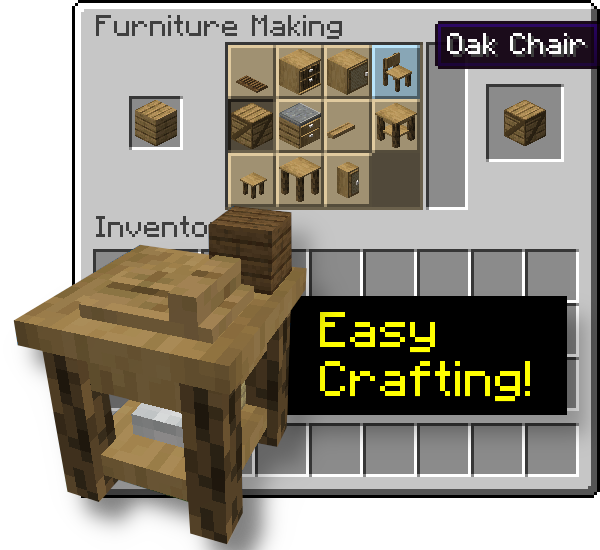
It has the advantage to not require a ton of crafting since everything happens in the Furniture Workbench, a Stonecutter-like crafting table.
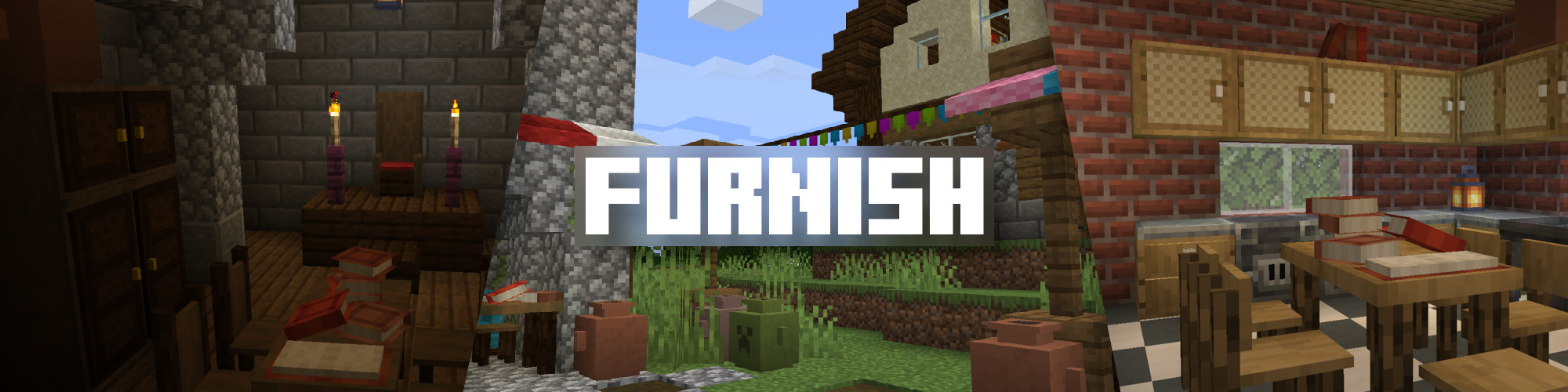
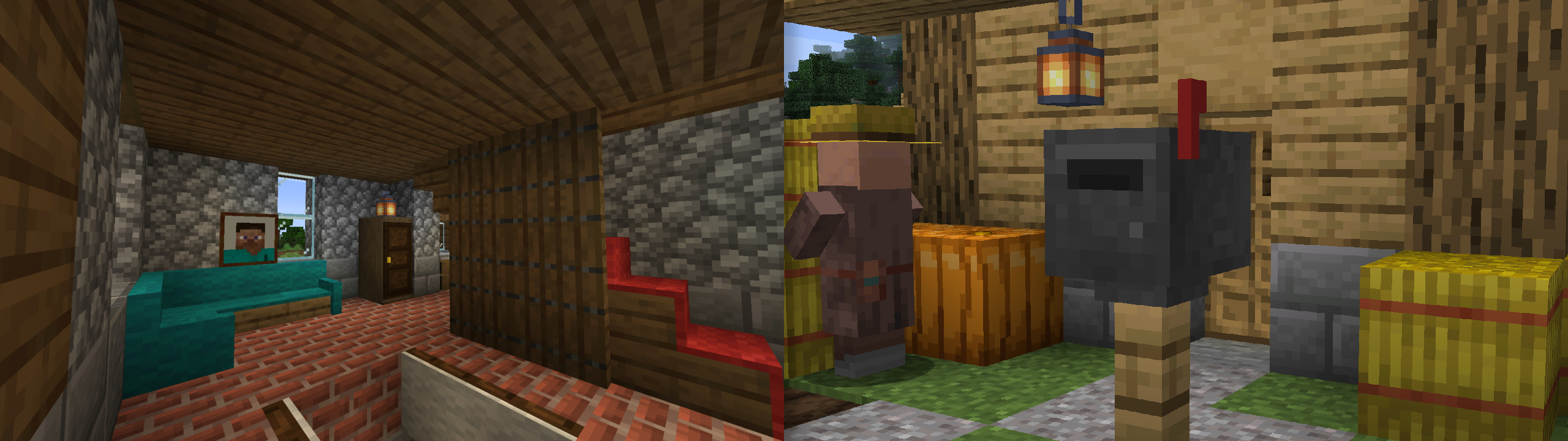
Furnish Banner
Examples
Easy crafting

Watch the videos!

✨ Introducing... Furnish! ✨ + Preview of upcoming features

✨ Furnish 0.3 - The Woolen Update !

so I added mail to minecraft (Furnish 0.4 Update Video)

Furnish Updates - 0.5 & 0.6 - Lot of new things!

Full list of features

  • Easy way of crafting furniture: just put the material in the furniture workbench
  • Furniture: cabinet, wardrobe, kitchen cabinet, bedside table, tables, chair, stool, crate, shelves, benches from all wood types (nether included!)
  • Each furniture has it's little something (oak is related to jute cloth, for example)
  • Furniture have functionalities: some, for example, store items, and you can seat on chairs and stools
  • Shutters for your windows (some kind of vertical trapdoors)
  • Terracotta amphoras
  • Book piles (provide enchanting power)
  • Woolen sofas
  • Awnings
  • Buntings (use a Lantern on them to hang it!)
  • Curtains
  • Chimney conduit & chimney cap
  • Put carpets on stairs and trapdoors (that can be used to make fun traps!) - also available as a standalone mod!
  • Knock on doors
  • New paintings: steve, alex, all tree types
  • Right click on a painting with another to cycle the art
  • Mail system: mailboxes and letters see this presentation video
  • Plates: display food items. Even Rare Plates dropped by Endermen
  • Showcases, which when powered with redstone, acts like a turntable
  • Disk Rack
  • Paper Lamps
  • Lockers
  • Ladders which do not require a support block, for all wood types
  • More to come!

Compatibilty

For mod/modpack makers, it's easy to add a recipe for your block to the workbench with the new recipe type furnish:furniture_making.


Here's an example with Market Crates crates.

{
  "type": "furnish:furniture_making",
  "ingredient": {
    "item": "minecraft:acacia_planks" 
  },
  "result": "marketcrates:acacia_crate",
  "count": 1 
}

Items tagged #furnish:mail can be put in Mailboxes (there's also a config option to allow all items).
Items tagged #furnish:crate_blacklist can not be put in Crates.
Items tagged #furnish:music_discs can be put in Disk Rack alongside true music discs.
Items tagged #furnish:food can be put in Plates alongside true food items.

Modpacks

You can, of course, include Furnish in your modpack, that's why I'm making it.

Furnish is part of my own modpack, The Cubic Upgrade, which aims to enhance Minecraft in every aspect: exploration, fighting, building, cooking, enchanting, engineering... take a look!

👥 Team & Contributors

wouink
wouinkOwner

⚙️ Compatibility

Environment
✅ Client & Server
Loaders
fabricforgeneoforgequilt
Minecraft Versions
1.21.1

🔗 Links

Modrinth Page