


ModMIT
Better Chiseled Bookshelf
A QoL mod that makes the enchantment table customizable and makes the chiseled bookshelf better
1.8K
Downloads
13
Followers
7 months ago
Updated
📦
24
Versions
📖About Better Chiseled Bookshelf
A simple mod that makes the chiseled bookshelves better by making them give enchantment power based on how many books and which are in it, working as a normal shelf once full. As a nice bonus, enchanted books gives double(configurable) the enchantment power.
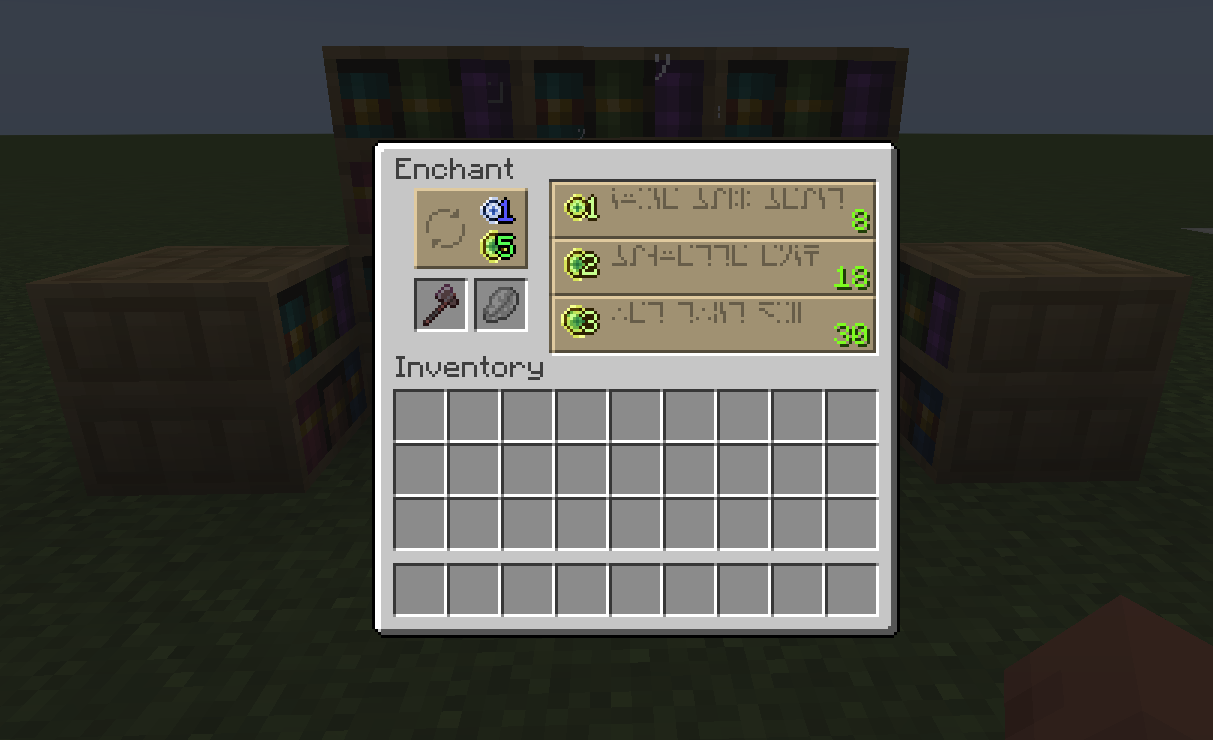
Compatible with Jade, Easy Magic, Enchantment disabler and Enchanting Infuser.
In case of feature requests or bugs, please report to me either on GitHub or voidtyron in discord.
Available Settings:
Table Configs:
- Particle Spawn Chance (affects client only): How frequent the particles should spawn, with 1 being pretty much always.
- Shelf Obstruction type: Defines what kind of blocks will interrupt the shelf power. Default is vanilla, none means nothing will interrupt the power and Full Block means that only blocks that are considered full by the game will interrupt power.
- Maximum Shelf Distance: Defines how much to each side the table should search for shelves. For example, 5 means it will search 5 block to each side of the table. Values higher than 10 might cause lag.
- Maximum Shelf Height: Defines how much up the table should search for shelves. Again, values bigger than 10 might cause lag.
- Should Get Shelves Below: Makes so the "Maximum Shelf Height" also applies for blocks below the enchantment table. For example, if the Height is set to 5, it will search 5 up and another 5 down.
- Enable Allow/Deny List: Enables a list of blocks that will/will not block the enchantment power from the shelves in that direction.
- Get Shelves Behind Shelves: The names is pretty self-explanatory, enables for the table to get shelves behind other shelves.
- Disable warning: Disables the Render Thread warning when the
Maximum Shelf Distanceis bigger than 15.
Redstone Configs:
- Modify Chiseled Bookshelf Redstone Output: If set to true, the comparator output will be equal to the amount of books in the shelf instead of "last interacted slot".
- Normal Book Redstone Power: Defines how much redstone power the normal book should give
- Enchantment Level Affects Power: Makes so the Redstone output is dependent on the book enchantment level
- Get All Enchantments in the Book (needs the option above to appear): Makes so it gets all the enchantments in a book with multiple. For example, a book with fire aspect II and sharpness V will output 7 of power.
- Enchanted Book Redstone Power (does not work with book level): Defines how much redstone power the enchanted book should give
Book Power Configs:
- Normal Book Power: How much power each normal book should give.
- Multiply: Allows to set how much stronger than a normal book the enchanted one should be, the math is
normalBookPower * multiplier. - Add: Allows to add a specific amount of power for enchanted books, being
normalBookPower + value. - Add per Level: Allows to set a value that will be added for each level of the book. For example, 0.1f would be added 5 times in a level 5 enchantment,
normalBookPower + (addPerLevel * enchantmentLevel). - Multiply By Level: makes so the enchanted book power is the normal book multiplied by the enchantment level, so its
normalBookPower * (enchantmentLevel + 1). - Custom Level Add: Allows you to set a custom value to add for each level of the enchanted book. can set up to 5 values (as vanilla enchantments does not go above that),
normalBookPower + customLevelAdd. - Custom Level Multiply: Allows you to set a custom multiplier for each level of enchantment. Set it to zero to multiply the the enchantment level, being
normalBookPower * customLevelMultiplyif above zero andnormalBookPower * enchantmentLevelif zero.
You can also make it add a value to the enchantment level and then multiply, however, MidnightLib for some reason does not allow negatives values, so you are required to change it in the settings file.
set to a negative value to add it to the enchantment level. For example, a value set to -2 would benormalBookPower * (enchantmentLevel + 2), - Custom: Allows you to set a specific value for each book level.
- Get All Enchantments in the Book: Makes so it gets the power of all enchantments in the books. For example, a book with fire aspect II and sharpness V will give ~1.5 of enchantment power if set to “Multiply By level” with default book power. (a normal book is ~0.16)
For Forge Users
This mod will not receive any future update for forge versions above 1.20.1. The reasons are:
- No newer Architectury API version for forge
- Config Library (MidnightLib) that I'm using does not support newer forge versions.