Logo
MINECRAFTBIBLE
Items
Items

All game items

Blocks
Blocks

Building blocks

Mobs
Mobs

Creatures & monsters

Biomes
Biomes

World biomes

Structures
Structures

Generated structures

Recipes
Recipes

Crafting guides

Advancements
Advancements

Achievements

Loot Tables
Loot Tables

Drop rates

Tags
Tags

Item groupings

All Versions
View all data →
Capes
Cape ArchiveNEW

Browse rare Minecon capes, OptiFine capes, and custom capes from players worldwide

Browse

Player Database
Player DatabasePopular

Search any player

Skin Browser
Skin Browser

Browse & download skins

Cape Gallery
Cape GalleryNEW

Minecon & OptiFine capes

Seed Vault
Seed Vault

Curated seeds

Learn

Guides
GuidesNew

Tutorials & tips

Blog
Blog

News & updates

Community

Community Hub
Community HubHub

Posts, discussions & more

All Versions
View community →
Seed Analyzer
Seed Analyzer

World seed analysis

Loot Explorer
Loot Explorer

Drop rates

Crafting Calculator
Crafting Calculator

Material planning

Enchant Calculator
Enchant Calculator

Probability math

Redstone Lab
Redstone Lab

Signal timing

Trading Profit
Trading Profit

Villager ROI

All Versions
View all tools →
Mods
Mods

Browse all mods

Plugins
Plugins

Server plugins

Resource Packs
Resource Packs

Textures & sounds

Shaders
Shaders

Visual enhancements

Datapacks
Datapacks

World logic

Scanner
Mod Intelligence

Scan & analyze any mod

All Versions
View all mods →
Loading...
IntroductionIntroductionVersion HistoryVersion HistoryGuidesGuidesBlog & NewsBlog & News
ItemsItemsBlocksBlocksMobsMobsRecipesRecipesBiomesBiomesStructuresStructuresAdvancementsAdvancementsLoot TablesLoot TablesTagsTags
ModsModsPluginsPluginsResource PacksResource PacksShadersShadersDatapacksDatapacks

MinecraftBible

The Ultimate Wiki

Logo
MINECRAFTBIBLE

The ultimate Minecraft reference. Every item, block, mob, and recipe documented with precision.

Community

  • Skin Browser
  • Cape Gallery
  • Seed Vault
  • Blog
  • Guides

Database

  • Items
  • Blocks
  • Mobs
  • Recipes
  • Biomes
  • Structures

Tools

  • Seed Analyzer
  • Mod Intelligence
  • Crafting Calculator
  • Enchant Calculator

Mods & Packs

  • Mods
  • Plugins
  • Resource Packs
  • Shaders
  • Datapacks

Site & Legal

  • About
  • Authors
  • Editorial Policy
  • Corrections
  • Contact
  • Privacy Policy
  • Terms of Service
  • DMCA
  • Sitemap

© 2026 MinecraftBible. Not affiliated with Mojang or Microsoft.

PrivacyTermsContact
Dibs!
ModCC0-1.0

Dibs!

This mod lets you permanently bind any unemployed villager to any workstation block of your choice.

16
Downloads
0
Followers
5 months ago
Updated
📦
1
Versions
game-mechanicsmanagementutilityfabric
Download Latestv1.0.0View on Modrinth

📖About Dibs!

Dibs!

Take control of villager profession assignment. Bind any villager to any workstation permanently.

✨ Features

  • Permanent villager-workstation binding: Right-click an unemployed villager while holding a workstation item to bind them together. Place the block and it belongs to them exclusively.
  • Protected workstations: Other villagers cannot gain a profession from a bound workstation or show any claiming behavior (They may still briefly approach it, but will be silently evicted with no visible effects or profession textures).
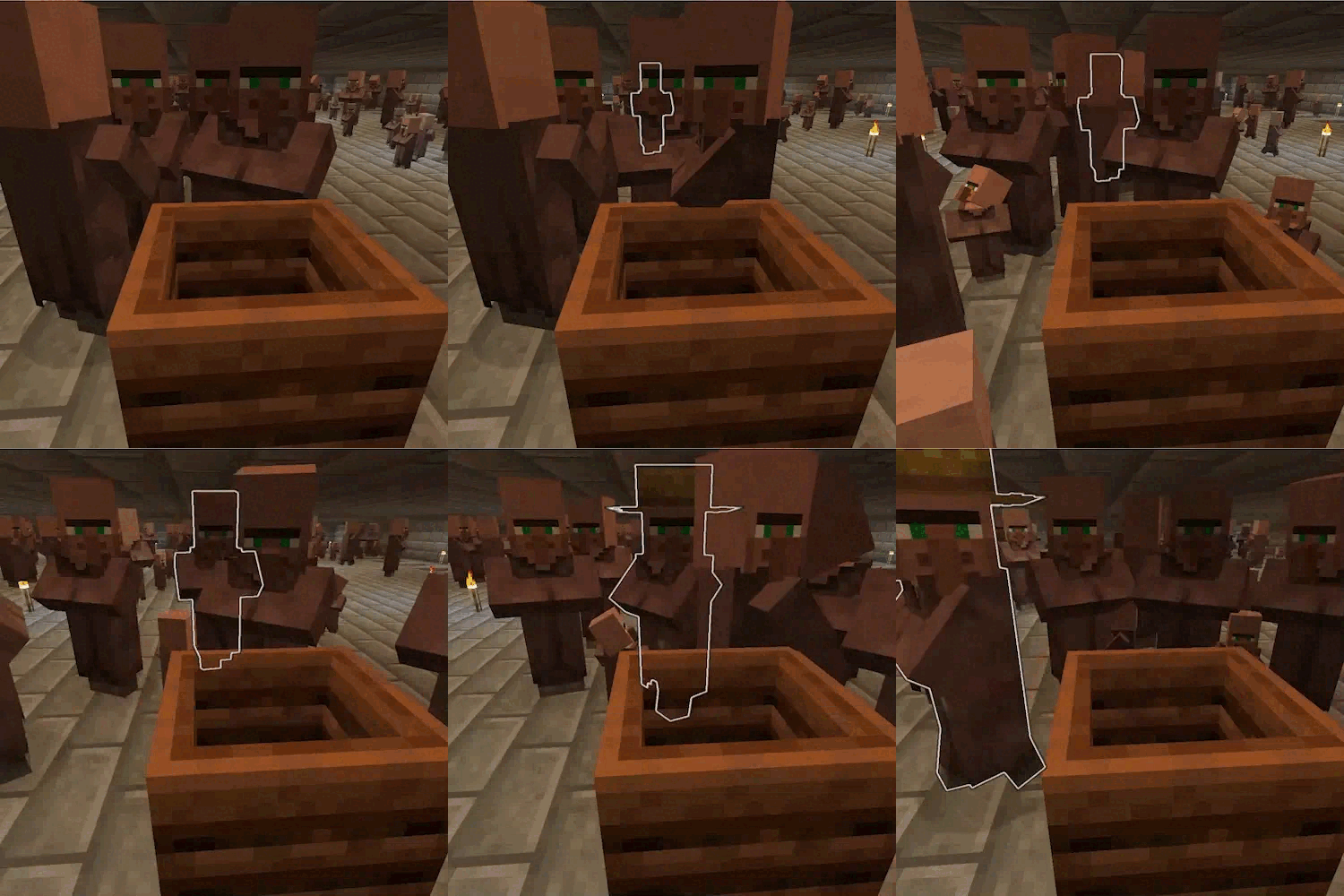
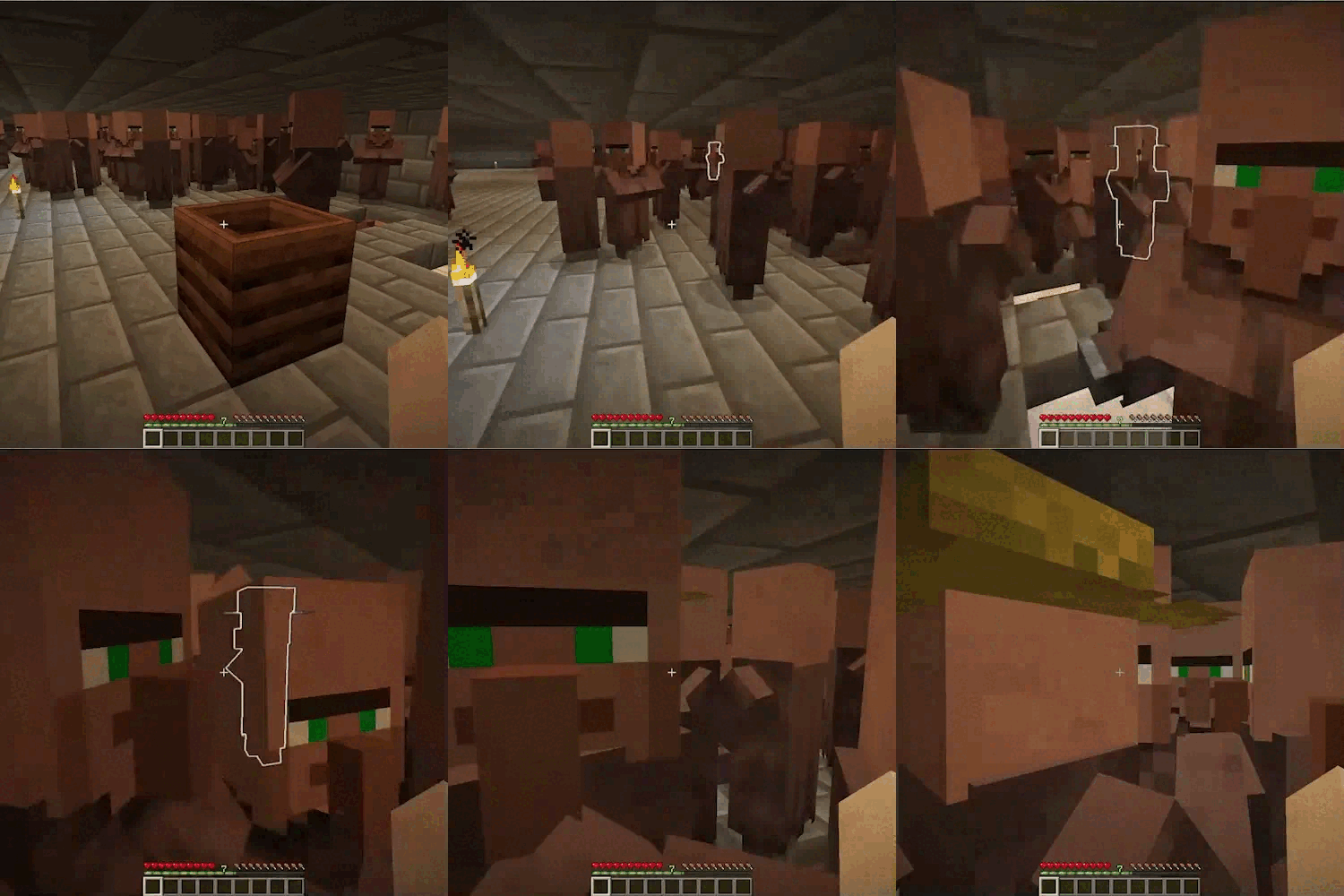
  • Villager locator: Press V while looking at a bound workstation to apply a glowing effect to its villager, making them easy to find in a crowded trading hall.
  • Auto-cleanup on break: Breaking a bound workstation automatically releases the binding, freeing both the block and the villager.
  • Configurable: Adjust particle effect duration and glow duration via the in-game config screen.

🎮 How to Use

Binding a villager to a workstation:

  • Hold a stack of workstation items in your main hand (e.g. a composter, lectern, blast furnace, etc.).
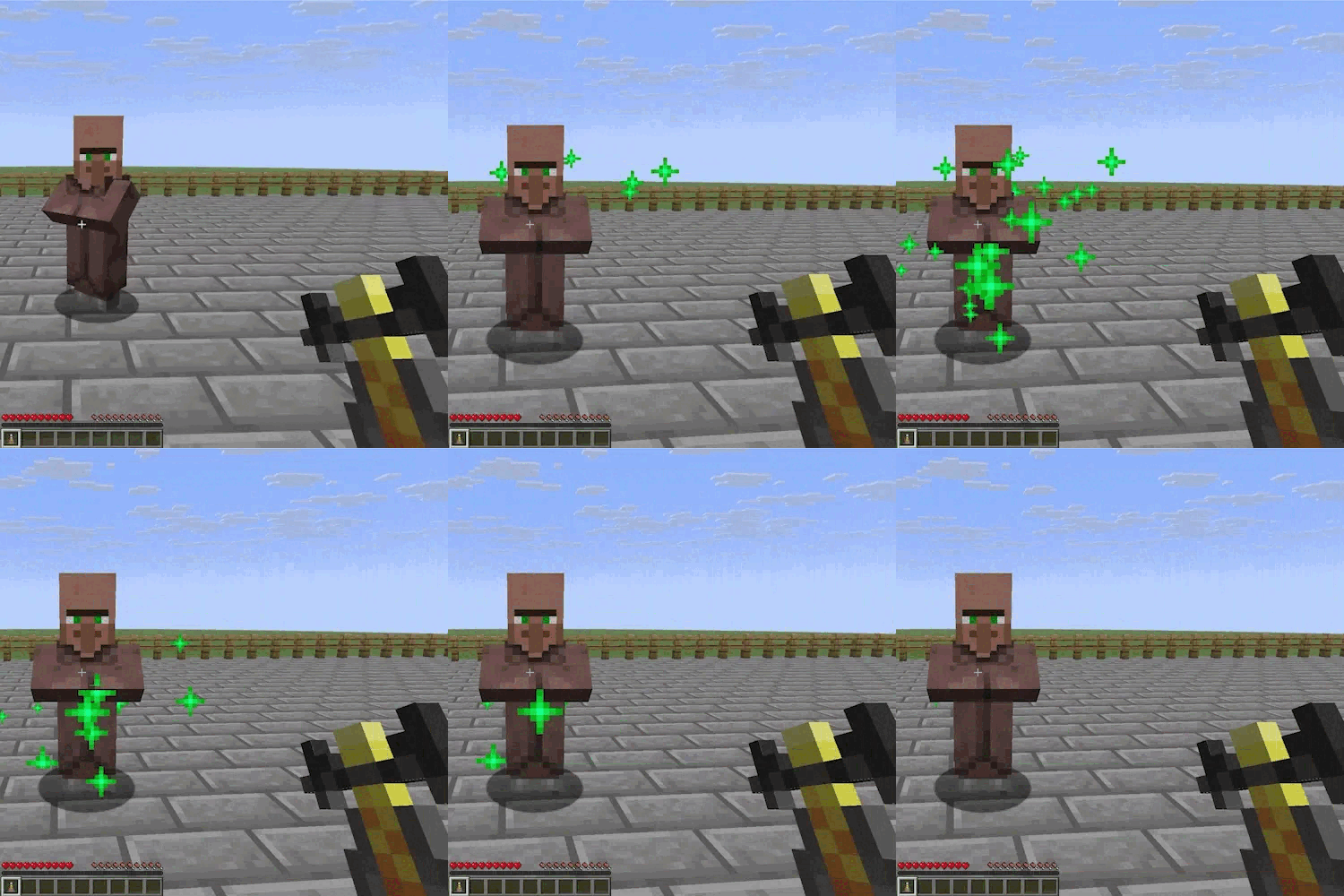
  • Right-click an unemployed villager, a brief ritual begins, shown by happy particles around them.
  • One item from your stack is now bound to that villager (the rest remain unbound).
  • Place the bound item as a block anywhere in the world.
  • The villager will navigate to their workstation and gain the corresponding profession.

Finding a villager's workstation owner:

  • Look directly at a placed workstation block.
  • Press V (default key), the bound villager will glow for a configurable duration, making them visible through walls.

Releasing a binding:

  • Simply break the workstation block. The binding is removed automatically and the villager returns to unemployed status.

⚙️ Configuration

Open the config screen via ModMenu → Dibs! → Config (requires ModMenu). Config is saved per-client in .minecraft/config/dibs.json.

  • Particle Duration (Default: 2 seconds): Determines how long the happy_villager particles play around the villager during the binding ritual.
  • Glow Duration (Default: 5 seconds): Determines how long the assigned villager remains highlighted with the glowing effect when the V key is pressed.

📋 Requirements

  • Fabric Loader
  • Fabric API
  • Cloth Config API (for the configuration system)
  • Mod Menu (recommended for easy in-game configuration)

🌐 Client & Server

Some functionality exists on both the client and the server, making the mod required for the server but optional for the client.

💝 Free & Open Source

This is a completely free project. I'm not asking for donations or "buy me a coffee" contributions. If you enjoy the mod, the best way to support it is by:

  • Leaving a rating/review
  • Sharing it with friends
  • Reporting any bugs you find

🔗 Links

  • Report Issues
  • Source Code

🖼️ Screenshots

A. Binding Ritual

B. Pressing V at a bound workstation block
👥 Team & Contributors

armaninyow
armaninyowOwner

⚙️ Compatibility

Environment
🖥️ Server-side
Loaders
fabric
Minecraft Versions
1.21.101.21.11

🔗 Links

Modrinth Page