Logo
MINECRAFTBIBLE
Items
Items

All game items

Blocks
Blocks

Building blocks

Mobs
Mobs

Creatures & monsters

Biomes
Biomes

World biomes

Structures
Structures

Generated structures

Recipes
Recipes

Crafting guides

Advancements
Advancements

Achievements

Loot Tables
Loot Tables

Drop rates

Tags
Tags

Item groupings

All Versions
View all data →
Capes
Cape ArchiveNEW

Browse rare Minecon capes, OptiFine capes, and custom capes from players worldwide

Browse

Player Database
Player DatabasePopular

Search any player

Skin Browser
Skin Browser

Browse & download skins

Cape Gallery
Cape GalleryNEW

Minecon & OptiFine capes

Seed Vault
Seed Vault

Curated seeds

Learn

Guides
GuidesNew

Tutorials & tips

Blog
Blog

News & updates

Community

Community Hub
Community HubHub

Posts, discussions & more

All Versions
View community →
Seed Analyzer
Seed Analyzer

World seed analysis

Loot Explorer
Loot Explorer

Drop rates

Crafting Calculator
Crafting Calculator

Material planning

Enchant Calculator
Enchant Calculator

Probability math

Redstone Lab
Redstone Lab

Signal timing

Trading Profit
Trading Profit

Villager ROI

All Versions
View all tools →
Mods
Mods

Browse all mods

Plugins
Plugins

Server plugins

Resource Packs
Resource Packs

Textures & sounds

Shaders
Shaders

Visual enhancements

Datapacks
Datapacks

World logic

Scanner
Mod Intelligence

Scan & analyze any mod

All Versions
View all mods →
Loading...
IntroductionIntroductionVersion HistoryVersion HistoryGuidesGuidesBlog & NewsBlog & News
ItemsItemsBlocksBlocksMobsMobsRecipesRecipesBiomesBiomesStructuresStructuresAdvancementsAdvancementsLoot TablesLoot TablesTagsTags
ModsModsPluginsPluginsResource PacksResource PacksShadersShadersDatapacksDatapacks

MinecraftBible

The Ultimate Wiki

Logo
MINECRAFTBIBLE

The ultimate Minecraft reference. Every item, block, mob, and recipe documented with precision.

Community

  • Skin Browser
  • Cape Gallery
  • Seed Vault
  • Blog
  • Guides

Database

  • Items
  • Blocks
  • Mobs
  • Recipes
  • Biomes
  • Structures

Tools

  • Seed Analyzer
  • Mod Intelligence
  • Crafting Calculator
  • Enchant Calculator

Mods & Packs

  • Mods
  • Plugins
  • Resource Packs
  • Shaders
  • Datapacks

Site & Legal

  • About
  • Authors
  • Editorial Policy
  • Corrections
  • Contact
  • Privacy Policy
  • Terms of Service
  • DMCA
  • Sitemap

© 2026 MinecraftBible. Not affiliated with Mojang or Microsoft.

PrivacyTermsContact
derfl007's Road Mod: Repaved
ModLGPL-2.1-only

derfl007's Road Mod: Repaved

Make your cities more realistic with road markings, customizable road signs, working traffic lights and more
367
Downloads
3
Followers
1 years ago
Updated
📦
4
Versions
decorationtransportationfabric
Download Latestv1.2.0View on Modrinth

📖About derfl007's Road Mod: Repaved

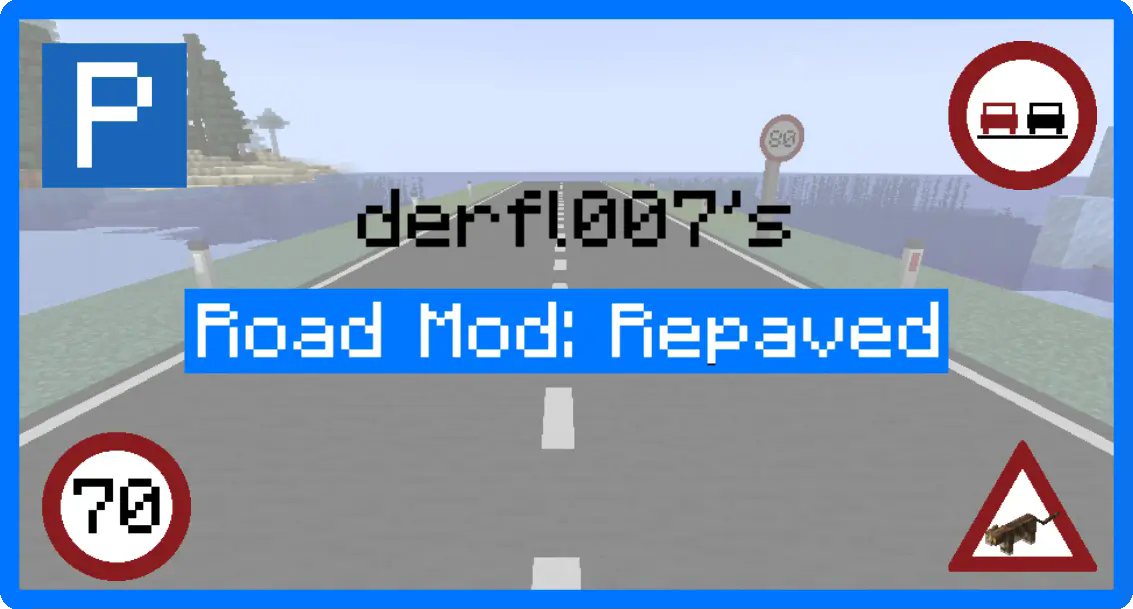
An image of a road in minecraft with blue border, 4 road signs and a white overlay with the text "derfl007's" in black and "Road Mod: Repaved" in white with a blue background

One of the most downloaded road mods for Minecraft is back with a complete rewrite and tons of new features!

Add working traffic lights, customizable road signs and more to make your Minecraft cities as realistic as they'll ever be.

A white rectangle with a blue border and the word "Features" on it in black

Road Signs

Depending on your needs, there are simple and complex road signs.

Simple road signs give you the option to change the size and texture you want to use. These could be something like a speed limit sign, or a warning sign.
They also come in LED variants for added visibilty at night. You can even turn them on and off with redstone!

Complex ones feature a fully featured editor with movable and resizable icons, text, and more. Create your own signs and save them as presets for later. Think of them like completely customizable highway signs!

Road Blocks

Road blocks come in 5 variants: Full Block, Slab, Full Slope, Top Half Slope and Bottom Half Slope. With these five variants, the possibilities for custom roads are endless!

If you've played the previous version of this mod, you might also be wondering where all the textures, so let me introduce: The road painter!
With the road painter, you can now simply place blocks and paint them with over 20 different textures and 16 colors afterwards.

Traffic Lights

Traffic lights are no longer simple animated models, they now feature a customizable editor, which allows you to add any combination of traffic light phases and switch between them with redstone pulses. The amount of pulses to switch between phases is configurable, making them easily controllable with a simple redstone clock if needed!

Sign Posts

Sign posts might not seem too exciting at first, but actually have more features than you would think! They can dynamically connect to blocks, signs, traffic lights, and more and will even transmit redstone, making it easy to power LED signs, street lamps and traffic lights!
Further enhancements like built-in power sources, sensors and timers are also planned for the future, making them even more versatile.

Other decorative blocks

In addition to the main attractions of this mod, there are several other blocks which will make your roads look as realistic as ever. Bollards, Traffic cones, Guard Rails, etc. These don't have any special features, so just pick them up and place them wherever you see fit.

A white rectangle with a blue border and the word "Contribute" on it in black

Found a bug or have an idea for a feature? Feel free to report it on the GitHub repository linked in the sidebar. If you're a programmer and feel like you want to improve something or add a new feature, feel free to create a pull request as well!

And of course, HUGE shoutout to everyone who helped me with bug testing, feature ideas and creating the showcase world which you can see in the video below!

Video Coming soon!

Credits to Blip Noir for creating this amazing Map and letting us use it for some amazing screenshots!

👥 Team & Contributors

derfl007
derfl007Owner

⚙️ Compatibility

Environment
✅ Client & Server
Loaders
fabric
Minecraft Versions
1.21.7

🔗 Links

Modrinth Page