Logo
MINECRAFTBIBLE
Items
Items

All game items

Blocks
Blocks

Building blocks

Mobs
Mobs

Creatures & monsters

Biomes
Biomes

World biomes

Structures
Structures

Generated structures

Recipes
Recipes

Crafting guides

Advancements
Advancements

Achievements

Loot Tables
Loot Tables

Drop rates

Tags
Tags

Item groupings

All Versions
View all data →
Capes
Cape ArchiveNEW

Browse rare Minecon capes, OptiFine capes, and custom capes from players worldwide

Browse

Player Database
Player DatabasePopular

Search any player

Skin Browser
Skin Browser

Browse & download skins

Cape Gallery
Cape GalleryNEW

Minecon & OptiFine capes

Seed Vault
Seed Vault

Curated seeds

Learn

Guides
GuidesNew

Tutorials & tips

Blog
Blog

News & updates

Community

Community Hub
Community HubHub

Posts, discussions & more

All Versions
View community →
Seed Analyzer
Seed Analyzer

World seed analysis

Loot Explorer
Loot Explorer

Drop rates

Crafting Calculator
Crafting Calculator

Material planning

Enchant Calculator
Enchant Calculator

Probability math

Redstone Lab
Redstone Lab

Signal timing

Trading Profit
Trading Profit

Villager ROI

All Versions
View all tools →
Mods
Mods

Browse all mods

Plugins
Plugins

Server plugins

Resource Packs
Resource Packs

Textures & sounds

Shaders
Shaders

Visual enhancements

Datapacks
Datapacks

World logic

Scanner
Mod Intelligence

Scan & analyze any mod

All Versions
View all mods →
Loading...
IntroductionIntroductionVersion HistoryVersion HistoryGuidesGuidesBlog & NewsBlog & News
ItemsItemsBlocksBlocksMobsMobsRecipesRecipesBiomesBiomesStructuresStructuresAdvancementsAdvancementsLoot TablesLoot TablesTagsTags
ModsModsPluginsPluginsResource PacksResource PacksShadersShadersDatapacksDatapacks

MinecraftBible

The Ultimate Wiki

Logo
MINECRAFTBIBLE

The ultimate Minecraft reference. Every item, block, mob, and recipe documented with precision.

Community

  • Player Database
  • Skin Browser
  • Cape Gallery
  • Community Hub
  • Seed Vault

Database

  • Items
  • Blocks
  • Mobs
  • Recipes
  • Biomes
  • Structures

Tools

  • Seed Analyzer
  • Mod Intelligence
  • Crafting Calculator
  • Enchant Calculator

Mods & Packs

  • Mods
  • Plugins
  • Resource Packs
  • Shaders
  • Datapacks

© 2026 MinecraftBible. Not affiliated with Mojang or Microsoft.

PrivacyTermsContact
danse - serverside gestures / emotes
ModAGPL-3.0-only

danse - serverside gestures / emotes

Server-side player gestures using a resourcepack. Dynamic player textures! No client-side mods required!

14.1K
Downloads
68
Followers
3 months ago
Updated
📦
30
Versions
decorationsocialfabric
Download Latestv2.2.15-patch1+1.21.9View on Modrinth

📖About danse - serverside gestures / emotes

danse (dance)

player gestures/emotes for fabric servers using 1.21.4+ item models
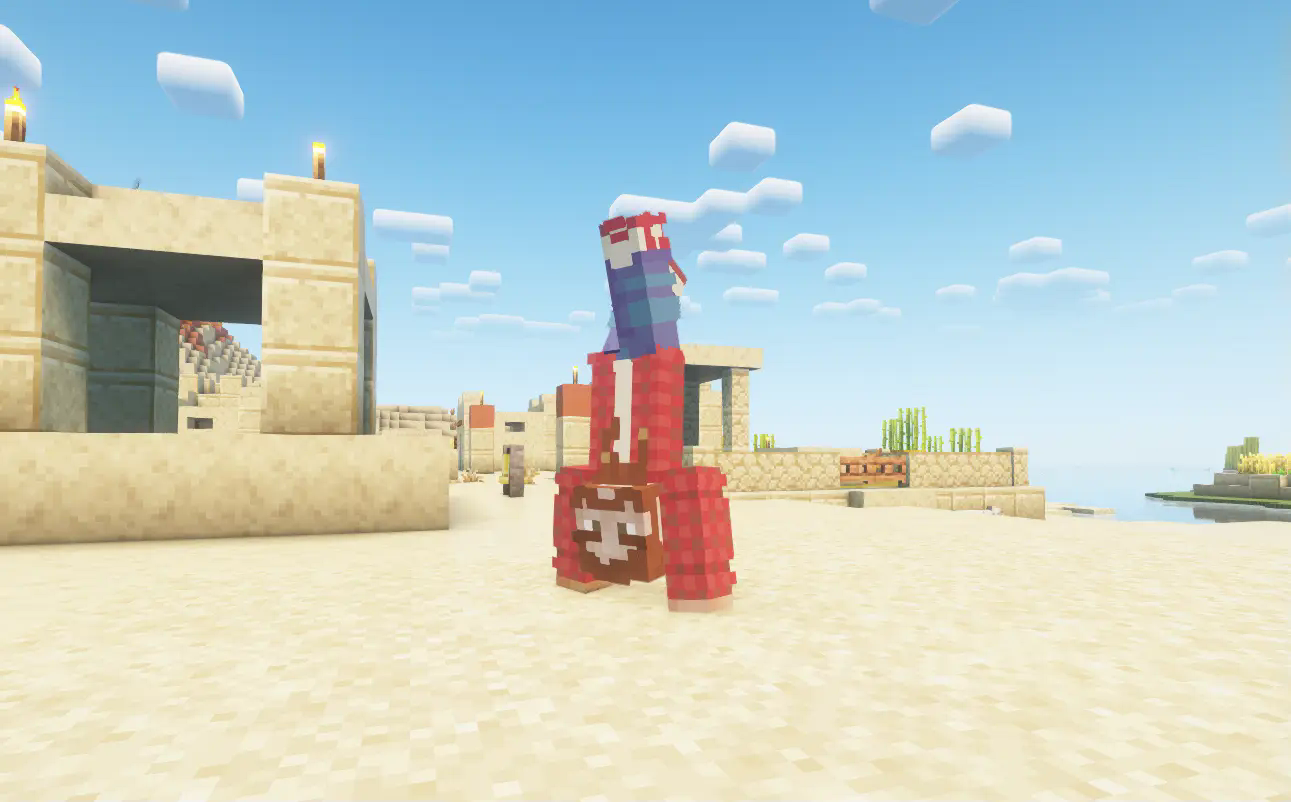
Handstand

There are 9 gestures at the moment;

  • bits
  • fall
  • grow
  • helicopter
  • handstand
  • wave
  • zombie
  • dab
  • facepalm
  • fold
  • ascend

More are in the works...!

Using vanilla item models!
Compatible with Sodium, Iris, and everything else!

Clients don't have to install any mods, they can connect with a vanilla client!

Commands:

/gesture bits
/gesture fall
/gesture grow
/gesture helicopter
/gesture handstand
/gesture wave
/gesture zombie
/gesture dab
/gesture facepalm
/gesture fold
/gesture ascend

Models

Persistent player models can be spawned like this:

/summon danse:player_model ~ ~ ~ {Player:Steve,Animation:wave}

Animation can be player by modifying the "Animation" NBT string:

/data modify entity @e[...] Animation set value wave

Changing the skin:

/data modify entity @e[...] Player set value Alex

Dialog

The config has an option to add a quick action dialog for the gestures.
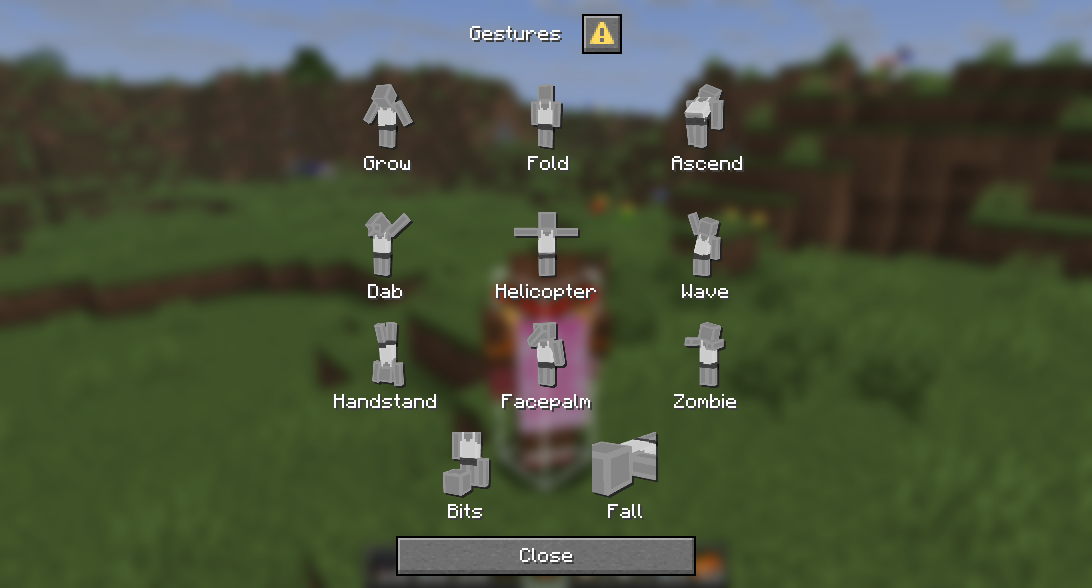
Dialog

To override existing icons or add icons for your own animations, place 256x256 png images in config/danse/<animation-name>_icon.png,
for example the zombie animation would use this icon:
config/danse/zombie_icon.png

Permissions

Permission checks can be enabled in the config.

The command requires: danse.animation

For the individual animations: danse.animation.<animation-name>


Checkout the discord for more info


How?

The mod uses the new 1.21.4 item models and custom_model_data to dynamically display the skins.


Adding custom animations

Put your .bbmodel or .ajblueprint files into the config/danse/ folder.
You get can templates here

The name of the animation will be used in-game.

License

Versions before 2.0.0 are LPGL-3.0 licensed.
2.0 and later use AGPL
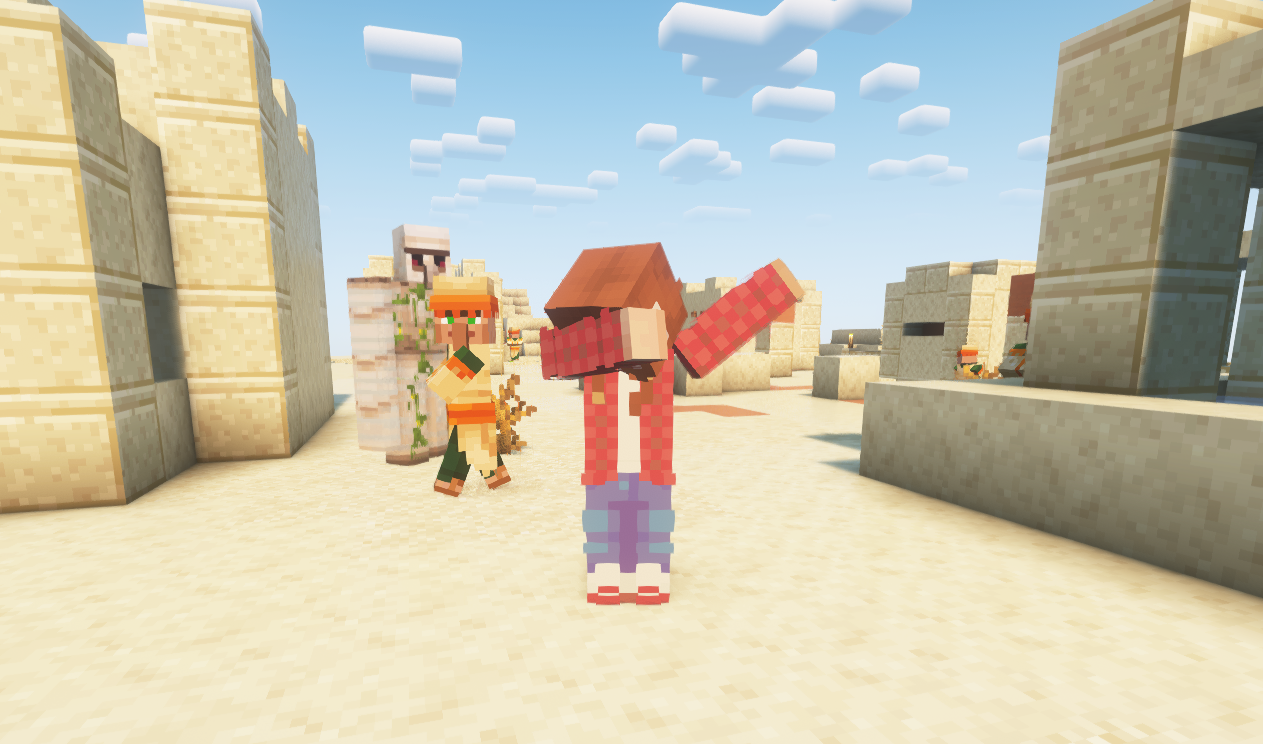
dab

👥 Team & Contributors

tomalbrc
tomalbrcOwner

⚙️ Compatibility

Environment
🖥️ Server-side
Loaders
fabric
Minecraft Versions
1.21.91.21.10

🔗 Links

Modrinth Page