Logo
MINECRAFTBIBLE
Items
Items

All game items

Blocks
Blocks

Building blocks

Mobs
Mobs

Creatures & monsters

Biomes
Biomes

World biomes

Structures
Structures

Generated structures

Recipes
Recipes

Crafting guides

Advancements
Advancements

Achievements

Loot Tables
Loot Tables

Drop rates

Tags
Tags

Item groupings

All Versions
View all data →
Capes
Cape ArchiveNEW

Browse rare Minecon capes, OptiFine capes, and custom capes from players worldwide

Browse

Player Database
Player DatabasePopular

Search any player

Skin Browser
Skin Browser

Browse & download skins

Cape Gallery
Cape GalleryNEW

Minecon & OptiFine capes

Seed Vault
Seed Vault

Curated seeds

Learn

Guides
GuidesNew

Tutorials & tips

Blog
Blog

News & updates

Community

Community Hub
Community HubHub

Posts, discussions & more

All Versions
View community →
Seed Analyzer
Seed Analyzer

World seed analysis

Loot Explorer
Loot Explorer

Drop rates

Crafting Calculator
Crafting Calculator

Material planning

Enchant Calculator
Enchant Calculator

Probability math

Redstone Lab
Redstone Lab

Signal timing

Trading Profit
Trading Profit

Villager ROI

All Versions
View all tools →
Mods
Mods

Browse all mods

Plugins
Plugins

Server plugins

Resource Packs
Resource Packs

Textures & sounds

Shaders
Shaders

Visual enhancements

Datapacks
Datapacks

World logic

Scanner
Mod Intelligence

Scan & analyze any mod

All Versions
View all mods →
Loading...
IntroductionIntroductionVersion HistoryVersion HistoryGuidesGuidesBlog & NewsBlog & News
ItemsItemsBlocksBlocksMobsMobsRecipesRecipesBiomesBiomesStructuresStructuresAdvancementsAdvancementsLoot TablesLoot TablesTagsTags
ModsModsPluginsPluginsResource PacksResource PacksShadersShadersDatapacksDatapacks

MinecraftBible

The Ultimate Wiki

Logo
MINECRAFTBIBLE

The ultimate Minecraft reference. Every item, block, mob, and recipe documented with precision.

Community

  • Skin Browser
  • Cape Gallery
  • Seed Vault
  • Blog
  • Guides

Database

  • Items
  • Blocks
  • Mobs
  • Recipes
  • Biomes
  • Structures

Tools

  • Seed Analyzer
  • Mod Intelligence
  • Crafting Calculator
  • Enchant Calculator

Mods & Packs

  • Mods
  • Plugins
  • Resource Packs
  • Shaders
  • Datapacks

Site & Legal

  • About
  • Authors
  • Editorial Policy
  • Corrections
  • Contact
  • Privacy Policy
  • Terms of Service
  • DMCA
  • Sitemap

© 2026 MinecraftBible. Not affiliated with Mojang or Microsoft.

PrivacyTermsContact
CC: Tweaked
ModLicenseRef-CCPL

CC: Tweaked

ComputerCraft fork adding programmable computers, turtles and more to Minecraft.

2.7M
Downloads
675
Followers
7 months ago
Updated
📦
30
Versions
technologyfabricforgeneoforge
Download Latestv1.117.0View on Modrinth

📖About CC: Tweaked

CC: Tweaked

CC: Tweaked is a mod for Minecraft which adds programmable computers, turtles and more to the game. A fork of the much-beloved ComputerCraft, it continues its legacy with improved performance and stability, along with a wealth of new features.

Testimonials

I'm not sure what that is [...] I don't know where that came from.

- direwolf20, December 2020

It is basically ComputerCraft. It has the turtles, and the computers, and writing Lua programs and all that stuff.

- direwolf20, May 2022

Features

Controlled using the Lua programming language, CC: Tweaked's computers provides all the tools you need to start
writing code and automating your Minecraft world.
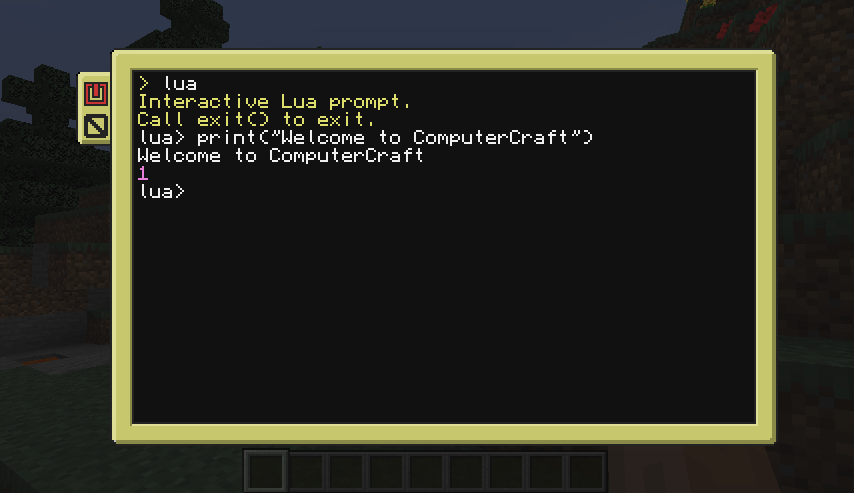
A ComputerCraft terminal open and ready to be programmed.

While computers are incredibly powerful, they're rather limited by their inability to move about. Turtles are the
solution here. They can move about the world, placing and breaking blocks, swinging a sword to protect you from zombies,
or whatever else you program them to!
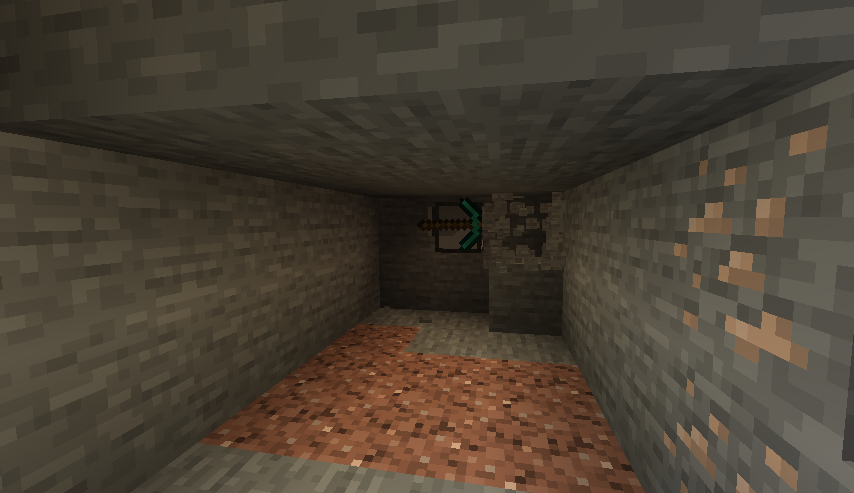
A turtle tunneling in Minecraft.

Not all problems can be solved with a pickaxe though, and so CC: Tweaked also provides a bunch of additional peripherals
for your computers. You can play a tune with speakers, display text or images on a monitor, connect all your
computers together with modems, and much more.

Computers can now also interact with inventories such as chests, allowing you to build complex inventory and item
management systems.
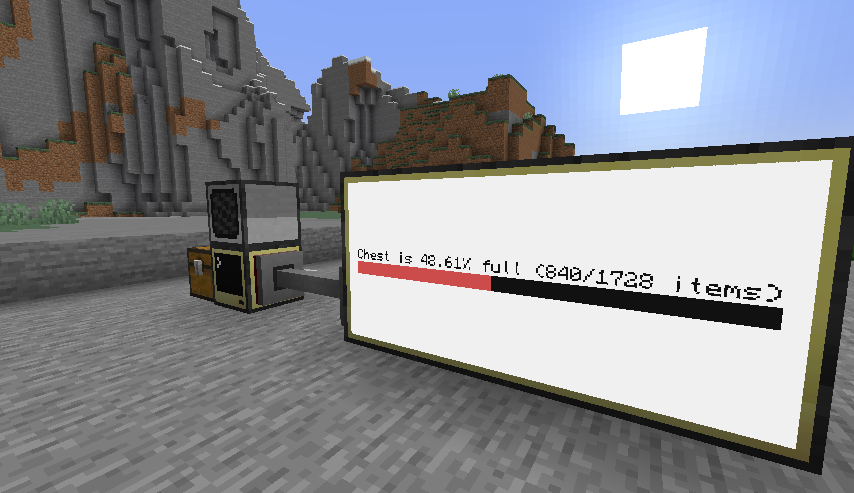
A chest's contents being read by a computer and displayed on a monitor.

Getting Started

While ComputerCraft is lovely for both experienced programmers and for people who have never coded before, it can be a
little daunting getting started. Thankfully, there's several fantastic tutorials out there:

  • Direwolf20's ComputerCraft tutorials
  • Sethbling's ComputerCraft series
  • Lyqyd's Computer Basics 1

Once you're a little more familiar with the mod, the wiki provides more detailed documentation on the
various APIs and peripherals provided by the mod.

Community

If you need help getting started with CC: Tweaked, want to show off your latest project, or just want to chat about
ComputerCraft, do check out our GitHub discussions page! There's also a fairly populated,
albeit quiet IRC channel on EsperNet, if that's more your cup of tea. You can join #computercraft through your
desktop client, or online using KiwiIRC.

Get Involved

CC: Tweaked lives on GitHub. If you've got any ideas, feedback or bugs please do create an issue.

👥 Team & Contributors

squiddev
squiddevOwner

⚙️ Compatibility

Environment
✅ Client & Server
Loaders
fabricforgeneoforge
Minecraft Versions
1.21.1

🔗 Links

Modrinth Page