Logo
MINECRAFTBIBLE
Items
Items

All game items

Blocks
Blocks

Building blocks

Mobs
Mobs

Creatures & monsters

Biomes
Biomes

World biomes

Structures
Structures

Generated structures

Recipes
Recipes

Crafting guides

Advancements
Advancements

Achievements

Loot Tables
Loot Tables

Drop rates

Tags
Tags

Item groupings

All Versions
View all data →
Capes
Cape ArchiveNEW

Browse rare Minecon capes, OptiFine capes, and custom capes from players worldwide

Browse

Player Database
Player DatabasePopular

Search any player

Skin Browser
Skin Browser

Browse & download skins

Cape Gallery
Cape GalleryNEW

Minecon & OptiFine capes

Seed Vault
Seed Vault

Curated seeds

Learn

Guides
GuidesNew

Tutorials & tips

Blog
Blog

News & updates

Community

Community Hub
Community HubHub

Posts, discussions & more

All Versions
View community →
Seed Analyzer
Seed Analyzer

World seed analysis

Loot Explorer
Loot Explorer

Drop rates

Crafting Calculator
Crafting Calculator

Material planning

Enchant Calculator
Enchant Calculator

Probability math

Redstone Lab
Redstone Lab

Signal timing

Trading Profit
Trading Profit

Villager ROI

All Versions
View all tools →
Mods
Mods

Browse all mods

Plugins
Plugins

Server plugins

Resource Packs
Resource Packs

Textures & sounds

Shaders
Shaders

Visual enhancements

Datapacks
Datapacks

World logic

Scanner
Mod Intelligence

Scan & analyze any mod

All Versions
View all mods →
Loading...
IntroductionIntroductionVersion HistoryVersion HistoryGuidesGuidesBlog & NewsBlog & News
ItemsItemsBlocksBlocksMobsMobsRecipesRecipesBiomesBiomesStructuresStructuresAdvancementsAdvancementsLoot TablesLoot TablesTagsTags
ModsModsPluginsPluginsResource PacksResource PacksShadersShadersDatapacksDatapacks

MinecraftBible

The Ultimate Wiki

Logo
MINECRAFTBIBLE

The ultimate Minecraft reference. Every item, block, mob, and recipe documented with precision.

Community

  • Skin Browser
  • Cape Gallery
  • Seed Vault
  • Blog
  • Guides

Database

  • Items
  • Blocks
  • Mobs
  • Recipes
  • Biomes
  • Structures

Tools

  • Seed Analyzer
  • Mod Intelligence
  • Crafting Calculator
  • Enchant Calculator

Mods & Packs

  • Mods
  • Plugins
  • Resource Packs
  • Shaders
  • Datapacks

Site & Legal

  • About
  • Authors
  • Editorial Policy
  • Corrections
  • Contact
  • Privacy Policy
  • Terms of Service
  • DMCA
  • Sitemap

© 2026 MinecraftBible. Not affiliated with Mojang or Microsoft.

PrivacyTermsContact
BisectHosting Server Integration Menu
ModLicenseRef-All-Rights-Reserved

BisectHosting Server Integration Menu

BisectHosting Server Ordering Menu

8.5M
Downloads
49
Followers
7 months ago
Updated
📦
30
Versions
libraryutilityfabricforgeneoforge
Download Latestv2.4.4View on Modrinth

📖About BisectHosting Server Integration Menu

Header
Introducing the BisectHosting Server Integration Mod! Adding this to your modpack will allow your players to customize and purchase a server directly within the mulitplayer menu! As of V2.0 -- we have added NEW features to list your official server on our public server list!

This mod is intended for BisectHosting Official Partners.
Apply for the Partnership Program.

Features
Features List
The BH Menu addon is not just a integration mod but comes with some pretty awesome features as well:

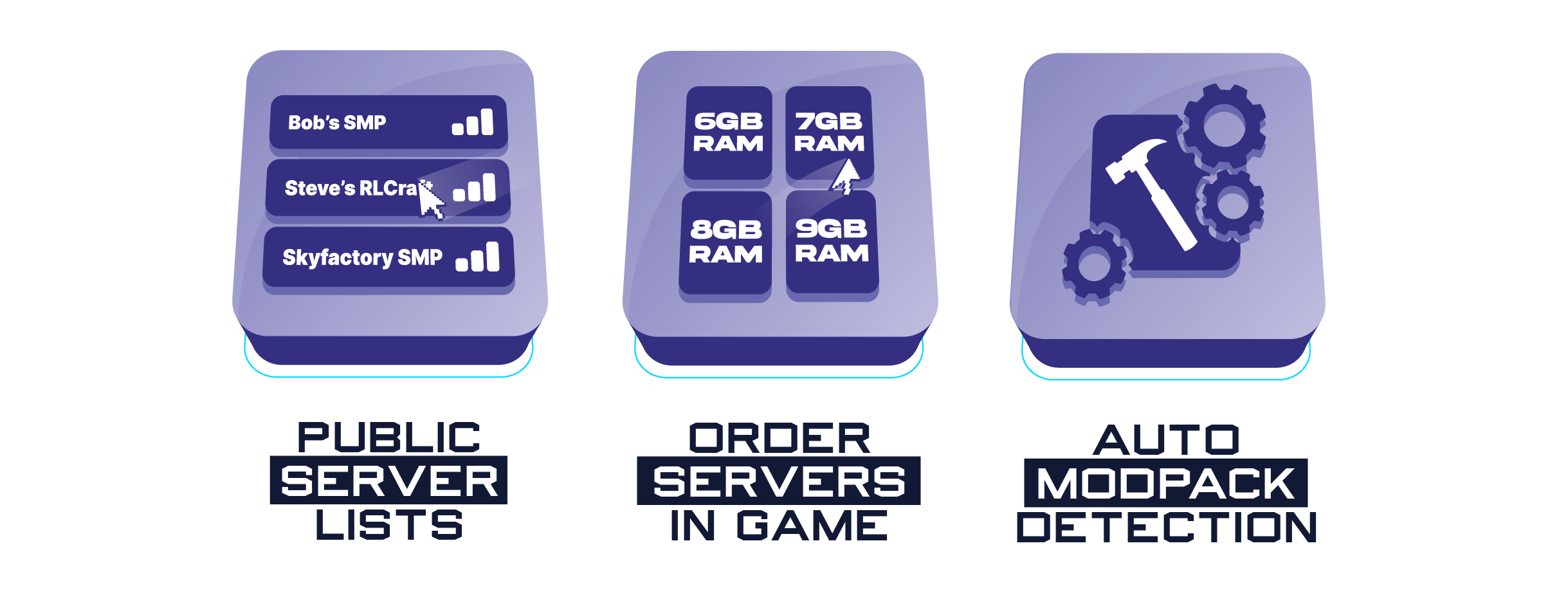
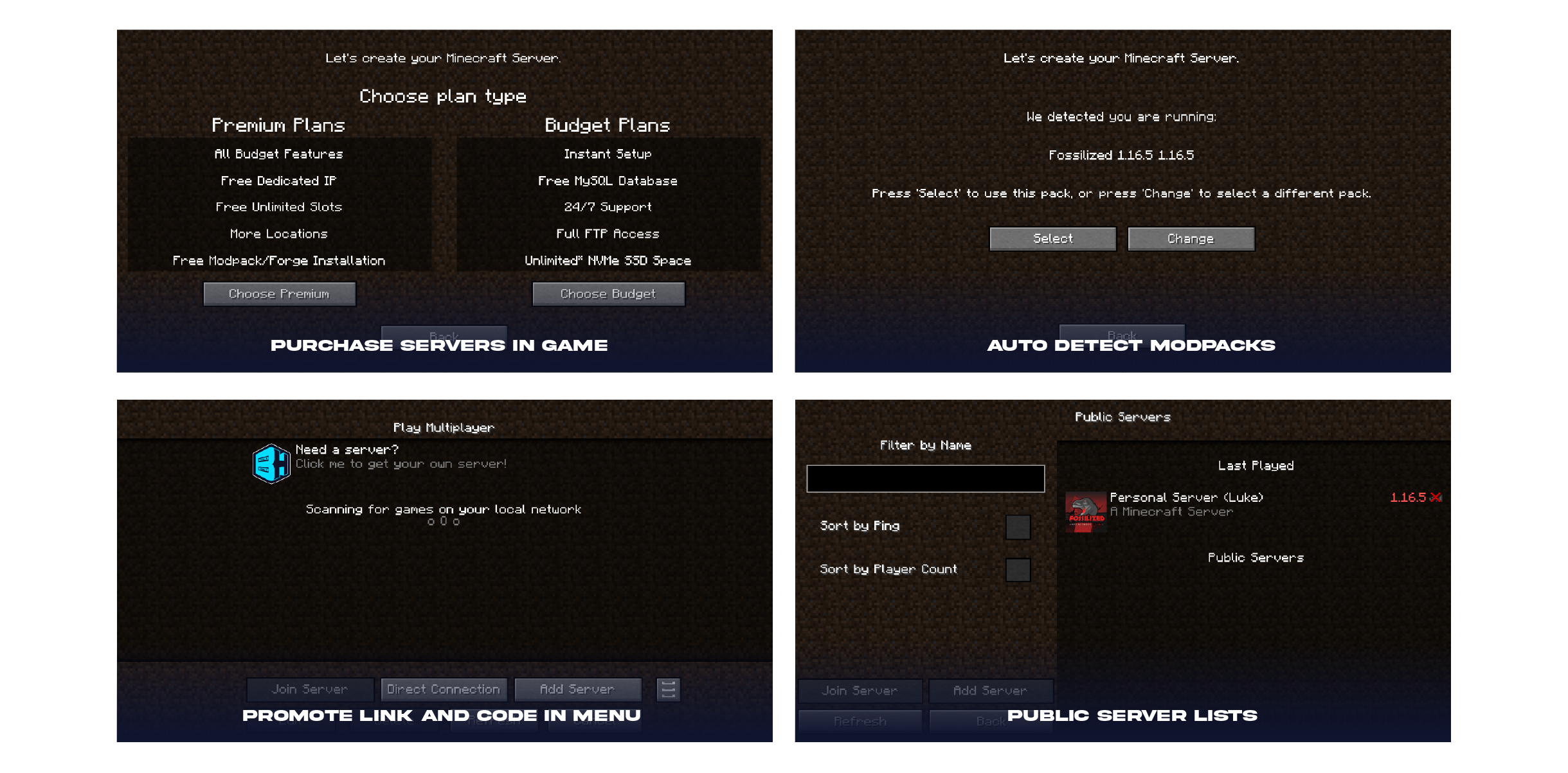
📌Public Server Lists (NEW) - When enabled, BisectHosting players can list their modpacks servers as public for anyone to join!
📌Order Servers In Game - Players can purchase servers directly inside the launcher allowing them to pick ram, player slots, and more!
📌Auto Modpack Detection - When players go to purchase a server, it will automatically detect the modpack and suggest the best fit server for their needs! As a BH Partner, you will receive commission from each purchased server!

You can find your Partner ID and Modpack ID by visiting https://bisecthosting.com/partners/console.php

(You must log in to the billing panel to authenticate webpage)

Installation
Installation Steps
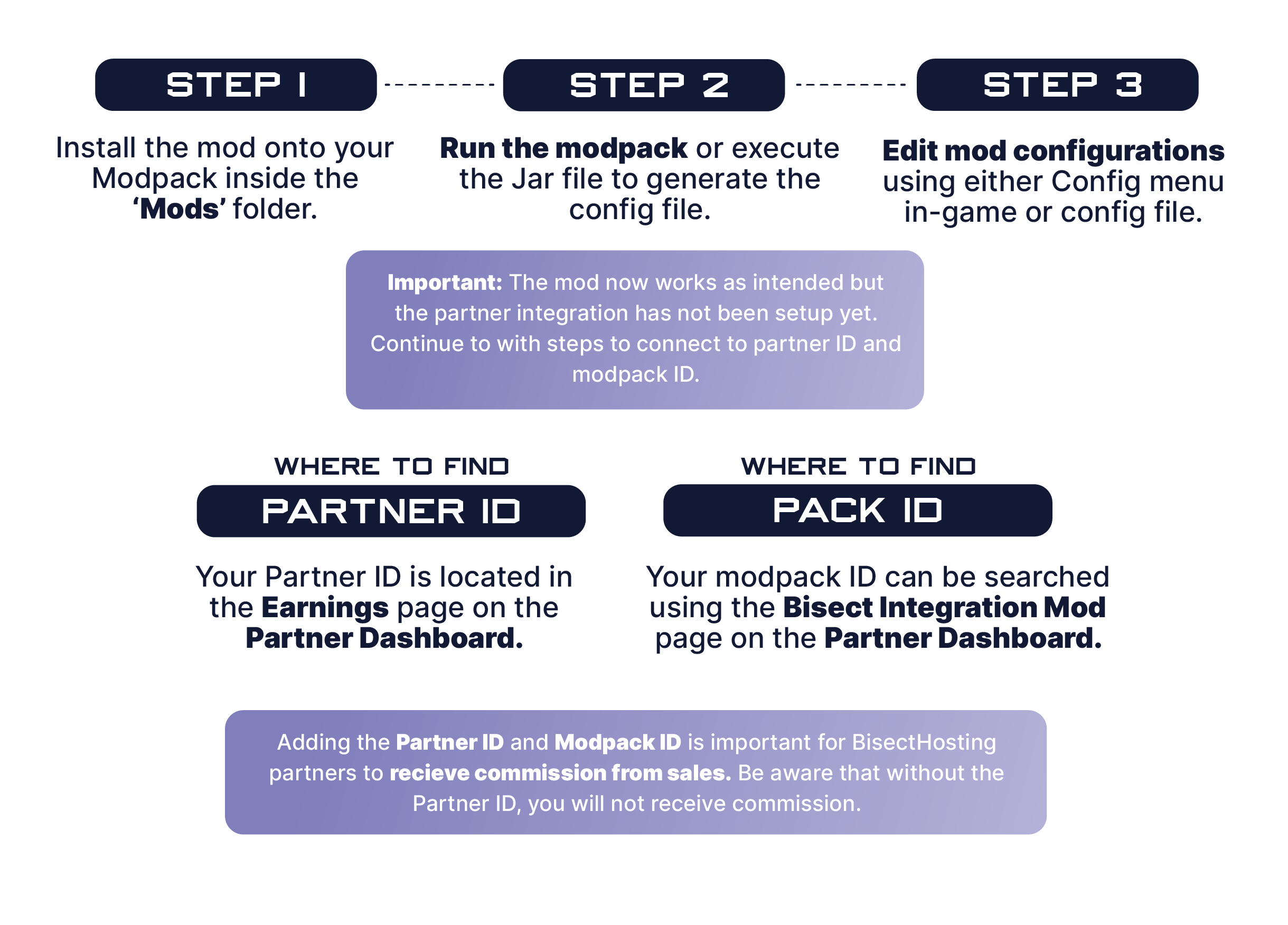
1️⃣ | Step 1. Install the mod onto your Modpack inside the 'Mods' folder.
2️⃣ | Step 2. Run the modpack or execute the Jar file to generate the config file.
3️⃣ | Step 3. Edit mod configurations using either Config menu in game or config file.

🧷 | Where to find Partner ID: Your Partner ID is located in the Earnings page on the Partner Dashboard
🧷 | Where to find Pack ID: Your modpack ID can be searched using the Bisect Integration Mod page on the Partner Dashboard.

How It Works
The BisectHosting Integration mod is a combination of custom multiplayer oriented features for your players to purchase servers, list servers on our public server list, and suggest the best plan based on the modpack being played.

The mod takes your Partner ID and Pack ID (partner information) and suggests the best ram and plan for players to start a server in the matter of minutes. Once a server is purchased, the partner will receive commission based on their partnership agreement.

Questions? Contact your designated Partner Manager.

Tutorials
Need help?

❓How to setup the BisectHosting Server Integration Mod❓ ❓How to enable Public Server Lists for a modpack❓ ❓How to add a modpack server to the Public Server List❓
Screenshots

👥 Team & Contributors

BisectLabs
BisectLabsOwner
BisectTicxo
BisectTicxo
Member

⚙️ Compatibility

Environment
💻 Client-side
Loaders
fabricforgeneoforge
Minecraft Versions
1.21.91.21.10

🔗 Links

Modrinth Page