Logo
MINECRAFTBIBLE
Items
Items

All game items

Blocks
Blocks

Building blocks

Mobs
Mobs

Creatures & monsters

Biomes
Biomes

World biomes

Structures
Structures

Generated structures

Recipes
Recipes

Crafting guides

Advancements
Advancements

Achievements

Loot Tables
Loot Tables

Drop rates

Tags
Tags

Item groupings

All Versions
View all data →
Capes
Cape ArchiveNEW

Browse rare Minecon capes, OptiFine capes, and custom capes from players worldwide

Browse

Player Database
Player DatabasePopular

Search any player

Skin Browser
Skin Browser

Browse & download skins

Cape Gallery
Cape GalleryNEW

Minecon & OptiFine capes

Seed Vault
Seed Vault

Curated seeds

Learn

Guides
GuidesNew

Tutorials & tips

Blog
Blog

News & updates

Community

Community Hub
Community HubHub

Posts, discussions & more

All Versions
View community →
Seed Analyzer
Seed Analyzer

World seed analysis

Loot Explorer
Loot Explorer

Drop rates

Crafting Calculator
Crafting Calculator

Material planning

Enchant Calculator
Enchant Calculator

Probability math

Redstone Lab
Redstone Lab

Signal timing

Trading Profit
Trading Profit

Villager ROI

All Versions
View all tools →
Mods
Mods

Browse all mods

Plugins
Plugins

Server plugins

Resource Packs
Resource Packs

Textures & sounds

Shaders
Shaders

Visual enhancements

Datapacks
Datapacks

World logic

Scanner
Mod Intelligence

Scan & analyze any mod

All Versions
View all mods →
Loading...
IntroductionIntroductionVersion HistoryVersion HistoryGuidesGuidesBlog & NewsBlog & News
ItemsItemsBlocksBlocksMobsMobsRecipesRecipesBiomesBiomesStructuresStructuresAdvancementsAdvancementsLoot TablesLoot TablesTagsTags
ModsModsPluginsPluginsResource PacksResource PacksShadersShadersDatapacksDatapacks

MinecraftBible

The Ultimate Wiki

Logo
MINECRAFTBIBLE

The ultimate Minecraft reference. Every item, block, mob, and recipe documented with precision.

Community

  • Player Database
  • Skin Browser
  • Cape Gallery
  • Community Hub
  • Seed Vault

Database

  • Items
  • Blocks
  • Mobs
  • Recipes
  • Biomes
  • Structures

Tools

  • Seed Analyzer
  • Mod Intelligence
  • Crafting Calculator
  • Enchant Calculator

Mods & Packs

  • Mods
  • Plugins
  • Resource Packs
  • Shaders
  • Datapacks

© 2026 MinecraftBible. Not affiliated with Mojang or Microsoft.

PrivacyTermsContact
Animal Garden - Sea Otter
ModLicenseRef-All-Rights-Reserved

Animal Garden - Sea Otter

Adds the tamable sea otters into the game, that will fight and protect you when in need.

57.6K
Downloads
47
Followers
3 months ago
Updated
📦
30
Versions
mobsfabricforgeneoforge
Download Latestv1.1.0-fabric-1.21.5-0.128.2View on Modrinth

📖About Animal Garden - Sea Otter

Adds the tamable sea otters into the game, that will fight and protect you when in need.

You can tame, tempt and breed them with any fish item. (item tag json file is added so you can change the food items at data->tags->item(s))

It has 3 type of behavior that can be changed after taming.

-wandering(will not follow the player),

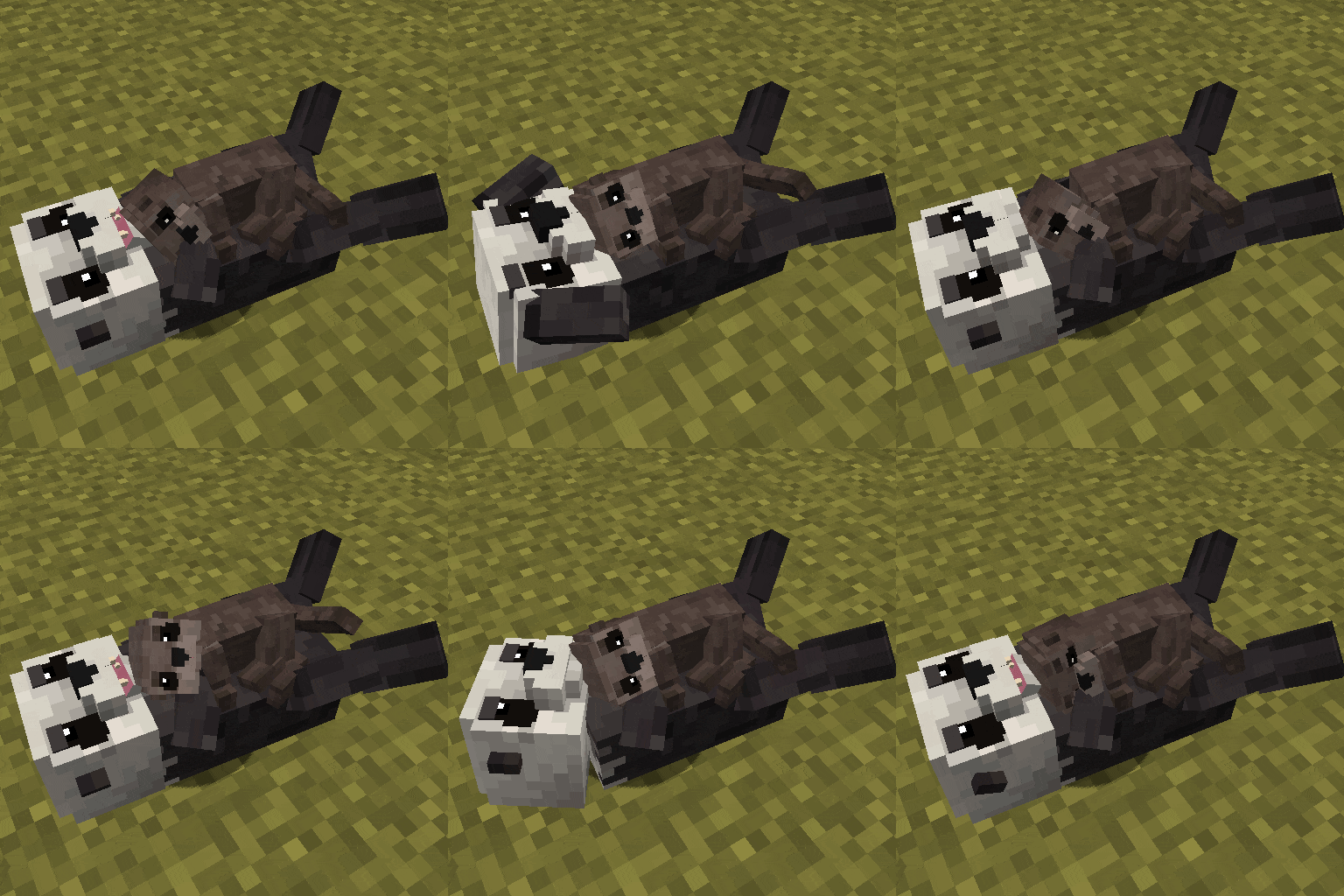
-sitting (lay down and waits until attacked or gets another behavior command)

-following owner

It moves slowly on land so use them in the water if possible.

If it is damaged they will help protect their kin

and if there is food (fish) item or mob near to it, then it will go and eat it to restore its health a bit.

But they will sometimes just go and attack a fish even with full hp.

They move in groups.(If there are more otters nearby one of them will be selected as the leader and every other otter will follow that otter)
Baby sea otters only follow the parent and will attach themselves to their them

They are light brown, while adults can have 4 color variations.
The default variant is when its head is white and its body is brown,
but it has a chance to spawn dark colored.

It can spawn as a rare albino variant with a 3% chance having white coat and pink eye.
And there is even a chance that it spawns with leucism having just a white coat.

You can find them in the ocean and cold ocean biome.

(In forge you can change this and other spawn settings by editing the json files in the data -> biome tags and biome modifier folders or via resource pack and in fabric there is a config file for it)

By default sea otters will disappear when they are too far away except when its tamed, was fed by someone, has a nametag or if "isAlwaysPersistent" is set to true in the config.

Before the mob spawns it checks the area around the position if there is already another mob of this type around.
If yes then it will check how many.
And in the config you can also change how big of an area it should check around the mob spawn point and a max number.
If there are more mobs in that area then the max number then it wont spawn the new mob.
This option is to prevent overspawning.

Mod currently supports

Forge 1.21.11 | 1.21.10 | 1.21.9 | 1.21.8 | 1.21.7 | 1.21.6 | 1.21.4 | 1.21.1 | 1.20.1

Fabric 1.21.11 | 1.21.10 | 1.21.9 | 1.21.8 | 1.21.7 | 1.21.6 | 1.21.5 | 1.21.4 | 1.21.1

Neoforge 1.21.11 | 1.21.10 | 1.21.9 | 1.21.8 | 1.21.7 | 1.21.6 | 1.21.4 | 1.21.1
bg

SEND ME A PRIVATE MESSAGE IF YOU NEED THE MOD IN A DIFFERENT VERSION AT CURSEFORGE
(https://legacy.curseforge.com/members/aquarius_playz/projects)

Follow me at X (twitter)

https://x.com/Aquarius_playz

👥 Team & Contributors

A
Aquarius.playzOwner

⚙️ Compatibility

Environment
✅ Client & Server
Loaders
fabricforgeneoforge
Minecraft Versions
1.21.5

🔗 Links

Modrinth Page