


AcornLib
An API with features to make modding easier, including new Components, Particles, and Weapon Skins, and Supporter Perks.
📖About AcornLib
THANKS FOR 3,300 DOWNLOADS!!!!



Features
Modding Utilities
- Kill effect items (normal and no die [will run the effect, but will keep them alive, as if they used a totem])
- Events
- Can consume event (disallows entities to eat if false)
- Can entity heal event (disallows entities to heal if false)
- Custom riptide event (returns an optional identifier [will not render if empty])
- Render screen overlay event (renders an overlay over the player's screen)
- Custom item settings class (allows easy application of components)
- Advanced burning item (applies fire before damage, meaning entities will drop cooked food when one-shot)
- Base item with skins
- Shield-breaker item (returns the number of seconds to disable the shield, as a float)
- Utility classes
- ItemUtils
- MiscUtils
- ParticleUtils
- PortingUtils
- VelocityUtils
- ModMenu compat helper
- Ability to change mod name color in ModMenu
- Ability to add (up to) two icons for your mod
Extra Item Components
- Two-handed component (Pretty Self-Explanatory)
- "Follows camera" holding component (Makes the item be pointed at the holder's look direction, like a loaded crossbow)
- Show hand component (Shows the hand when holding an item)
- Undroppable component
- Item skin component (string)
- Custom hit particle component (example below)
- Custom hit sound component
- Sweep particle component (example below)
- Secondary model component (displays a custom item with identical components and display context to the parent stack)
- Tertiary model component (same as secondary model, example below)
More Commands
- Velocity command (exact & directional)
- AcornLib command (dev env only, checks if player is a supporter)
Supporter System
- Ability to make mods (AcoYT) supporter only
- Custom perks for supporters and friends in other mods using this library
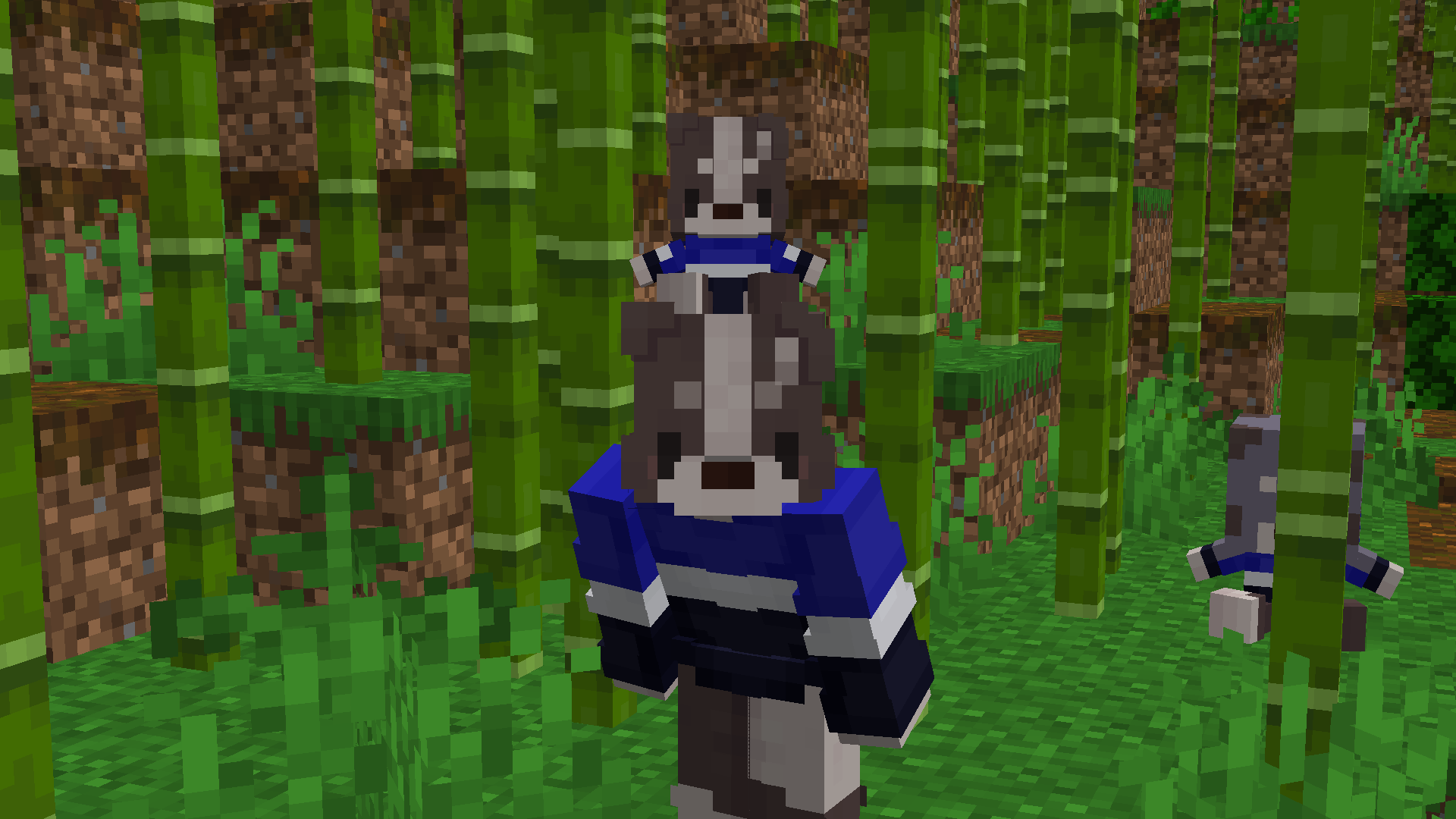
Oh yeah, and to make this even more like a Ratatouille ripoff, have a (few) custom plushies of me (and my friends), on the house :]
(THIS IS A JOKE, I TRIED TO DIFFERENTIATE FROM RATATOULIE, RAT PLEASE DON'T SUE ME)
Examples
Custom Hit Particle Component Give Command
give @s acornlib:gnarp_plush[acornlib:hit_particle={particle:"acornlib:green_sweep"}]
Notice: You have to put a valid identifier in the sweep particle; otherwise, it sends an invalid packet, and kicks you from the game, might even crash your server, haven't checked
Custom Hit Sound Component Give Command
give @s acornlib:gnarp_plush[acornlib:hit_sound={soundEvent:"acornlib:block.gnarp_plush.honk"}]
Secondary/Tertiary Model Component
give @s acornlib:gnarp_plush[acornlib:secondary_model="carrot"]
Example on how to implement
Put this in your repositories
repositories {
    // Modrinth
    exclusiveContent {
        forRepository {
            maven {
                name = "Modrinth"
                url = "https://api.modrinth.com/maven"
            }
        }
        filter {
            includeGroup "maven.modrinth"
        }
    }

    // Mod Menu
    maven {
        name = "Terraformers"
        url = "https://maven.terraformersmc.com/"
    }

    // MixinSquared
    maven { url "https://maven.bawnorton.com/releases" }

    // CCA
    maven {
        name = "Ladysnake Mods"
        url = 'https://maven.ladysnake.org/releases'
    }
}
Put this in your dependencies
dependencies {
    // AcornLib
    modImplementation "maven.modrinth:acornlib:${project.acornlib_version}"

    // MixinSquared
    include(implementation(annotationProcessor("com.github.bawnorton.mixinsquared:mixinsquared-fabric:${project.mixinsquared_version}")))

    // Trinkets
    modCompileOnly "dev.emi:trinkets:${project.trinkets_version}"

    // Config
    modApi ("com.terraformersmc:modmenu:${project.modmenu_version}")
    modImplementation ("maven.modrinth:midnightlib:${project.midnightlib_version}")

    // CCA
    modImplementation include("org.ladysnake.cardinal-components-api:cardinal-components-base:${project.cca_version}")
    modImplementation include("org.ladysnake.cardinal-components-api:cardinal-components-entity:${project.cca_version}")
}
Put this inside your gradle.properties
acornlib_version=VERSION
mixinsquared_version=0.3.3
trinkets_version=3.10.0
modmenu_version=ACCORDING_MODMENU_VERSION
midnightlib_version=ACCORDING_MIDNIGHTLIB_VERSION
cca_version=ACCORDING_CCA_VERSION
You can find AcornLib's latest version on its Modrinth Page and the corresponding versions of ModMenu and Midnightlib in the gradle.properties
Credits
The Acorn Texture is made by ShinyEmerald, in a resource pack listed here.
Apples2Acorns is listed under the license CC-BY-SA-4.0